Brain Upgrade: Binaural Beats 電腦版
Sollapps
用GameLoop模拟器在電腦上玩Brain Upgrade: Binaural Beats
Brain Upgrade: Binaural Beats 電腦版
來自發行商 Sollapps 的 Brain Upgrade: Binaural Beats 能夠在安卓系統上運行。
現在,您可以在電腦上使用 GameLoop 模擬器流暢地玩 Brain Upgrade: Binaural Beats 。
在 GameLoop 遊戲庫或搜索結果中下載。 不需要再暢玩遊戲時盯著電池電量或被令人懊惱的來電打斷。
只需在電腦大屏幕上免費下載暢玩Brain Upgrade: Binaural Beats 電腦版!
Brain Upgrade: Binaural Beats 簡介
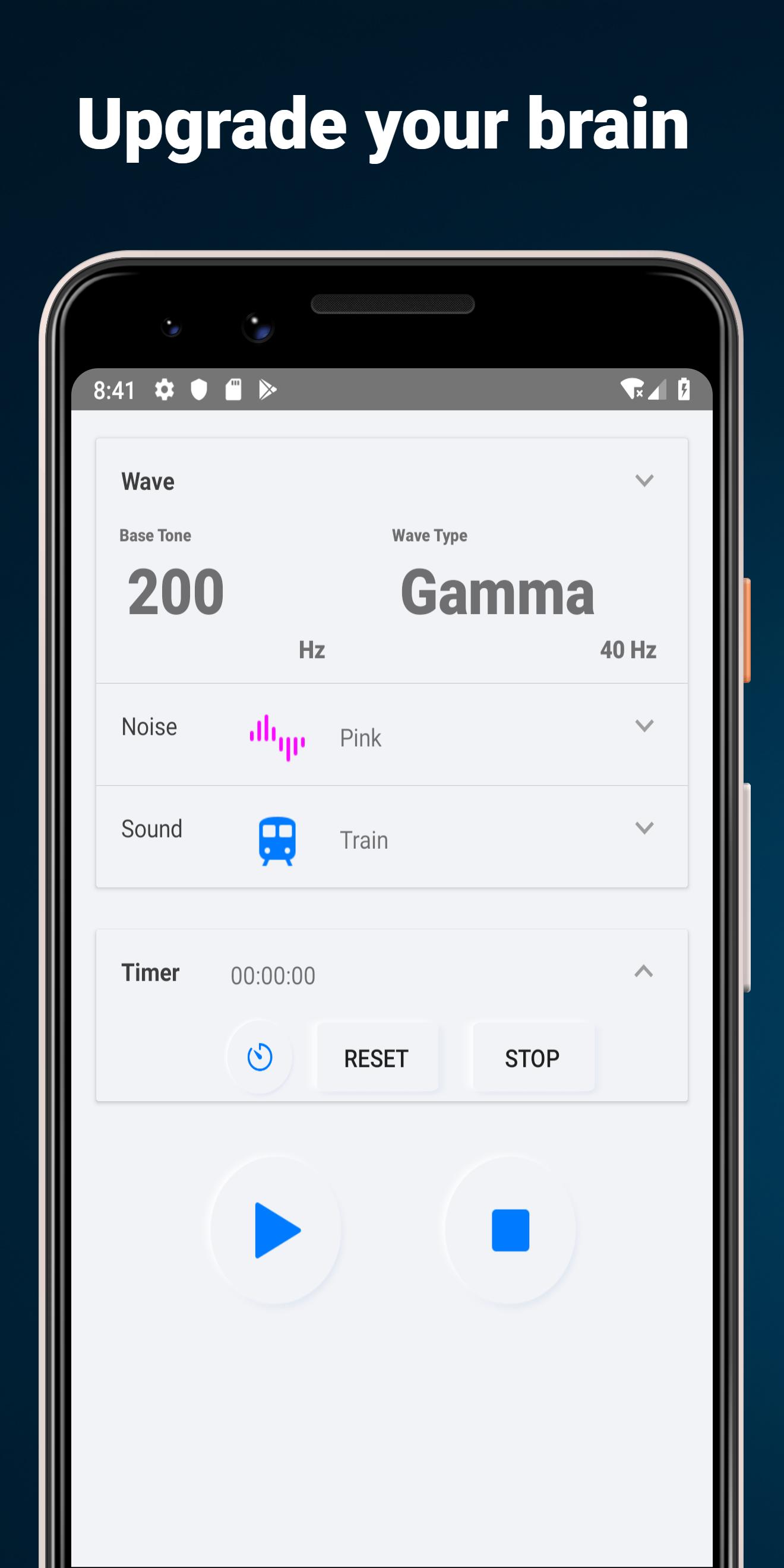
This app generates binaural beats and noises combination, and plays in background mode
- speaker or headphone mode
- flip fuction of binaural beat direction
- 5 types of wave
- base frequency from 25 to 800 Hz
- 6 types of noise sounds
- 5 types of dark wallpaper
- memory current setting
2 Mode Types
Binaural beat: for headphone or earphone
Isochronic tone:for speaker
Brain Selector
Flip Binaural beat in headphone mode
5 Wave Types
- alpha: 10 Hz, relaxation, pre-sleep and pre-wake drowsiness, REM sleep, Dreams
- beta: 20 Hz, active, busy or anxious thinking and active concentration, arousal, cognition, and or paranoia
- gamma: 40 Hz, higher mental activity, including perception, problem solving, fear, and consciousness
- delta: 2.5 Hz, deep dreamless sleep, loss of body awareness
- theta: 5 Hz, deep meditation/relaxation, NREM sleep
Frequency bands
Select base frequency from 25, 50, 100, 200, 300, 400, 500, 600, 700, 800 Hz
5 Noise types
White noise, pink noise, gray noise, blue noise, brown noise, purple noise
Wallpaper
Select background wallpaper from 5 types
預覽

標籤
生活品味訊息
開發商
Sollapps
最新版本
14
更新時間
2020-01-25
類別
生活品味
同時可用
Google Play
更多
如何在電腦上用 GameLoop 玩 Brain Upgrade: Binaural Beats
1. 從官網下載GameLoop,然後運行exe文件安裝GameLoop
2. 打開GameLoop,搜索“Brain Upgrade: Binaural Beats ”,在搜索結果中找到Brain Upgrade: Binaural Beats ,點擊“安裝”
3. 享受在 GameLoop 上玩 Brain Upgrade: Binaural Beats 的樂趣
Minimum requirements
OS
Windows 8.1 64-bit or Windows 10 64-bit
GPU
GTX 1050
CPU
i3-8300
Memory
8GB RAM
Storage
1GB available space
Recommended requirements
OS
Windows 8.1 64-bit or Windows 10 64-bit
GPU
GTX 1050
CPU
i3-9320
Memory
16GB RAM
Storage
1GB available space