
MyBuderus 電腦版
Bosch Thermotechnik GmbH
用GameLoop模拟器在電腦上玩MyBuderus
MyBuderus 電腦版
來自發行商 Bosch Thermotechnik GmbH 的 MyBuderus 能夠在安卓系統上運行。
現在,您可以在電腦上使用 GameLoop 模擬器流暢地玩 MyBuderus。
在 GameLoop 遊戲庫或搜索結果中下載。 不需要再暢玩遊戲時盯著電池電量或被令人懊惱的來電打斷。
只需在電腦大屏幕上免費下載暢玩MyBuderus 電腦版!
MyBuderus 簡介
Welcome to MyBuderus, your connection to the future.
With this app, you can remotely control your Buderus devices in a convenient and intuitive way.
Key features:
• Monitor and operate your Buderus system
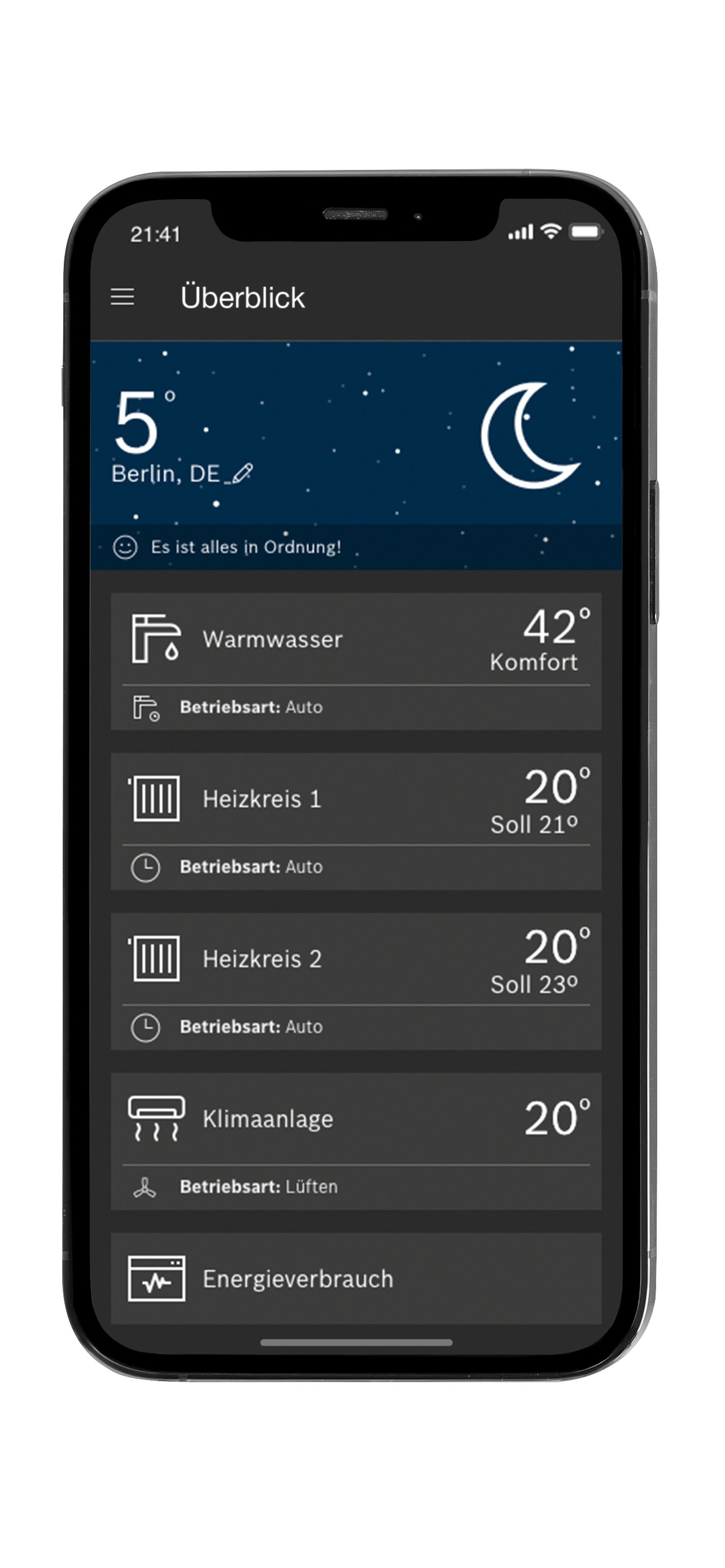
• Overview of all devices on the home screen
• Adjust room temperature, hot water, and set time schedules
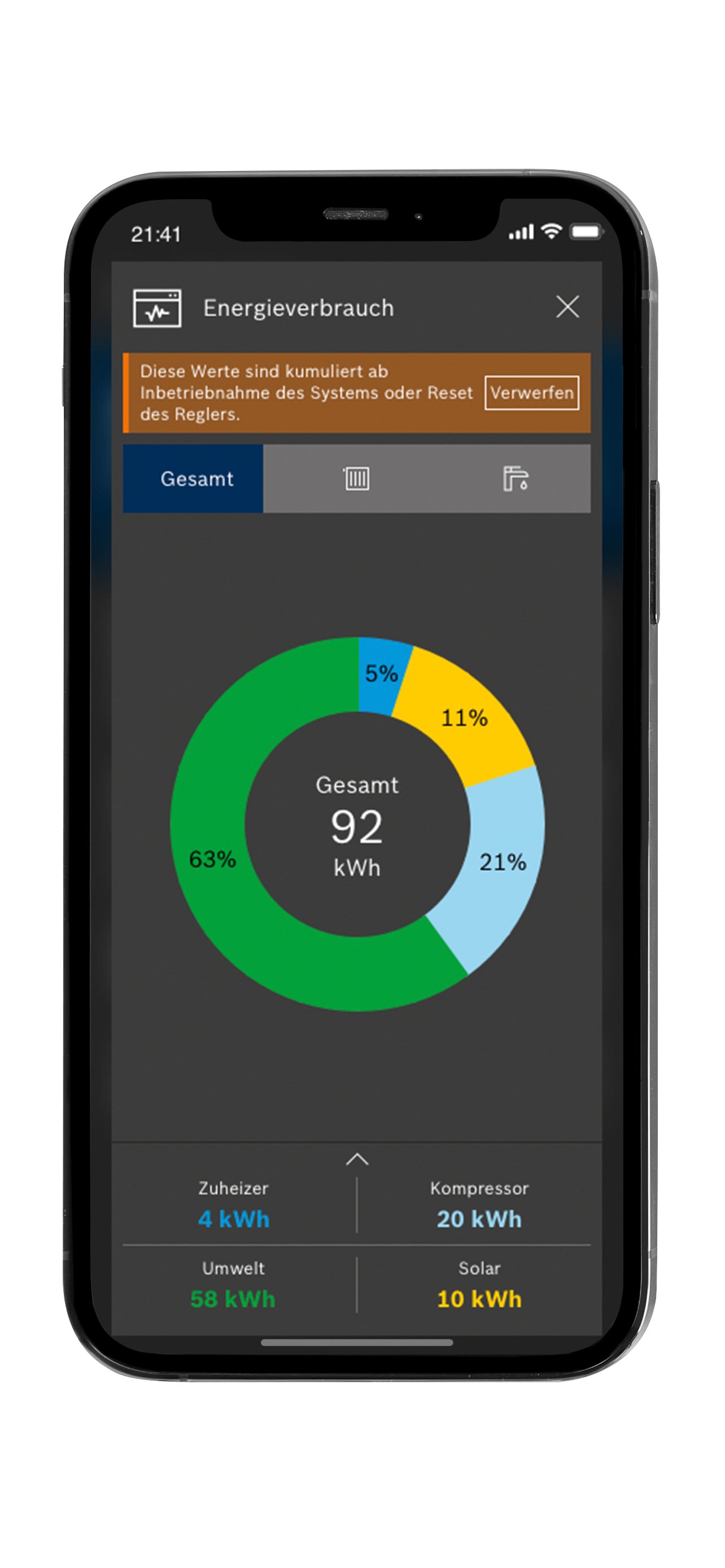
• Display energy consumption and its history
• All necessary information and settings can be configured for air conditioning units
Check the documentation for your device or connecting accessories for compatibility with MyBuderus. Not all functions are supported by every device.
Supported systems:
• Heat generators (oil and gas condensing boilers; heat pumps) with Logamatic EMS plus Logamatic RC300/RC310, Logamatic BC400, and Logamatic HMC300/310 system control units in conjunction with the following gateways: Integrated IP interface Logamatic web KM 50 or Logamatic web KM100/200 and MX300 radio module
• Logacool series air conditioning units
Notes:
If a Logamatic RC200 control unit is assigned to a heating circuit, viewing or changing the timer program for that heating circuit is not possible.
Additional internet connection charges may apply; an internet flat rate is therefore recommended.
Expanding the app's functionality requires updating the software on your gateway. To update, leave the gateway connected to the internet for at least 24 hours.
Your Buderus heating specialist will be happy to advise you on whether your heating system meets the technical requirements and, if necessary, supply and install the appropriate gateway. They will also provide you with personalized advice and support during use.
We would like to thank you in advance for your detailed feedback on our MyBuderus app. This will enable us to initiate further product developments.
You can find even more information about the MyBuderus app and Buderus products on our website:
Germany: www.buderus.de
Austria: www.buderus.at
Switzerland: www.buderus.ch
Luxembourg: www.buderus.lu
Data protection notice in accordance with Regulation (EU) 2023/2854 ("Data Protection Act") for connected services: https://information-on-product-and-service-related-data.bosch-homecomfortgroup.com/HomeComEasy-MyBuderus-IVTAnywhereII-VulcanoConnect-EasyControl-MyMode
預覽
標籤
House-&訊息
開發商
Bosch Thermotechnik GmbH
最新版本
3.6.1
更新時間
2025-11-27
類別
House-home
同時可用
Google Play
更多
如何在電腦上用 GameLoop 玩 MyBuderus
1. 從官網下載GameLoop,然後運行exe文件安裝GameLoop
2. 打開GameLoop,搜索“MyBuderus”,在搜索結果中找到MyBuderus,點擊“安裝”
3. 享受在 GameLoop 上玩 MyBuderus 的樂趣
Minimum requirements
OS
Windows 8.1 64-bit or Windows 10 64-bit
GPU
GTX 1050
CPU
i3-8300
Memory
8GB RAM
Storage
1GB available space
Recommended requirements
OS
Windows 8.1 64-bit or Windows 10 64-bit
GPU
GTX 1050
CPU
i3-9320
Memory
16GB RAM
Storage
1GB available space