
myDoctor : Telemedicine 電腦版
UMG Idealab
用GameLoop模拟器在電腦上玩myDoctor : Telemedicine
myDoctor : Telemedicine 電腦版
來自發行商 UMG Idealab 的 myDoctor : Telemedicine 能夠在安卓系統上運行。
現在,您可以在電腦上使用 GameLoop 模擬器流暢地玩 myDoctor : Telemedicine。
在 GameLoop 遊戲庫或搜索結果中下載。 不需要再暢玩遊戲時盯著電池電量或被令人懊惱的來電打斷。
只需在電腦大屏幕上免費下載暢玩myDoctor : Telemedicine 電腦版!
myDoctor : Telemedicine 簡介
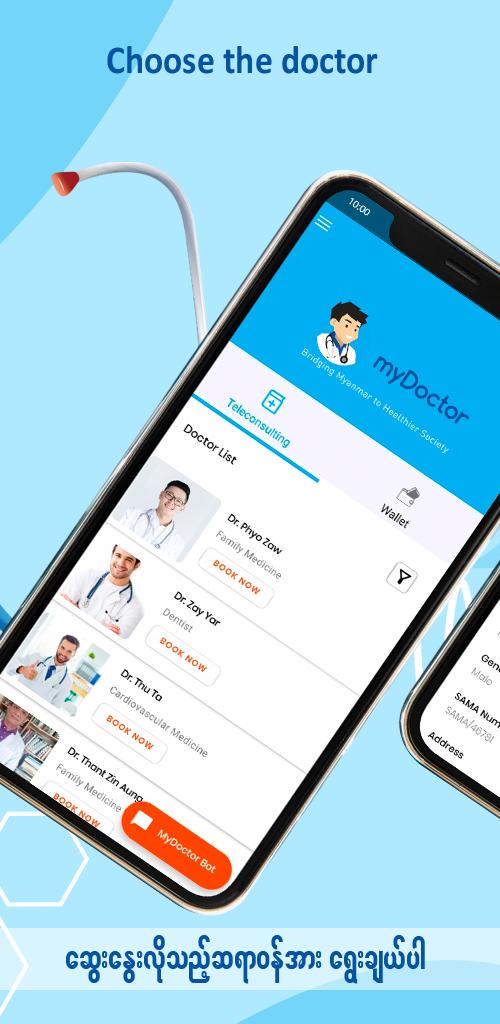
In 2020, myDoctor initiated tele-consultation service in Myanmar🇲🇲 with the purpose of connecting professional healthcare providers and patients, to deliver high quality care, convenient and affordable healthcare via phone or video visits. A doctor will contact you ready to listen, and resolve your issue.
HOW DOES IT WORK?
📲Request an appointment – Open the myDoctor app and request an appointment during the available hours of the doctors, provide medical history and pay for the visit.
👨🏻⚕️Consult with a doctor – Within minutes, a licensed doctor review your medical history and contacts you via phone or video.
💊Give treatment – The doctor discusses the issue with you, answers questions and recommends next steps. If medically necessary, doctor will send a prescription.
Find out more about us at - https://www.mydoctor.com.mm/
Follow us on Facebook - https://www.facebook.com/myDoctorMyanmar
預覽

標籤
Health-&訊息
開發商
UMG Idealab
最新版本
1.5.5
更新時間
2023-07-14
類別
Health-fitness
同時可用
Google Play
更多
如何在電腦上用 GameLoop 玩 myDoctor : Telemedicine
1. 從官網下載GameLoop,然後運行exe文件安裝GameLoop
2. 打開GameLoop,搜索“myDoctor : Telemedicine”,在搜索結果中找到myDoctor : Telemedicine,點擊“安裝”
3. 享受在 GameLoop 上玩 myDoctor : Telemedicine 的樂趣
Minimum requirements
OS
Windows 8.1 64-bit or Windows 10 64-bit
GPU
GTX 1050
CPU
i3-8300
Memory
8GB RAM
Storage
1GB available space
Recommended requirements
OS
Windows 8.1 64-bit or Windows 10 64-bit
GPU
GTX 1050
CPU
i3-9320
Memory
16GB RAM
Storage
1GB available space