
Rose Blackpink Video Call 電腦版
Macida Developer
用GameLoop模拟器在電腦上玩Rose Blackpink Video Call
Rose Blackpink Video Call 電腦版
來自發行商 Macida Developer 的 Rose Blackpink Video Call 能夠在安卓系統上運行。
現在,您可以在電腦上使用 GameLoop 模擬器流暢地玩 Rose Blackpink Video Call。
在 GameLoop 遊戲庫或搜索結果中下載。 不需要再暢玩遊戲時盯著電池電量或被令人懊惱的來電打斷。
只需在電腦大屏幕上免費下載暢玩Rose Blackpink Video Call 電腦版!
Rose Blackpink Video Call 簡介
Hi BLINK! How’s your feeling if you can make a call with your idol BLACKPINK Rose?
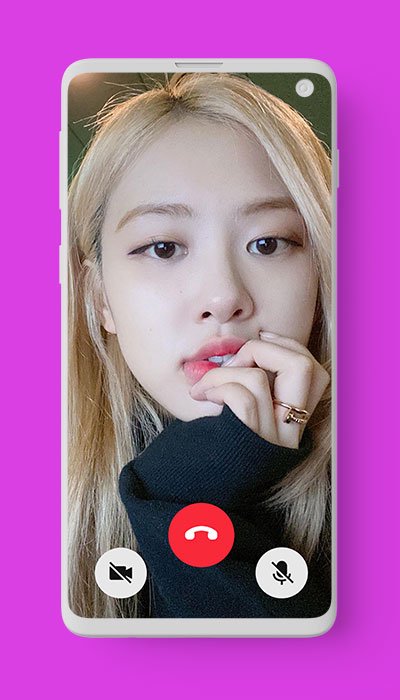
Through this Rose Blackpink Video Call app, you can make fake video call with KPOP Idol Rose Blackpink. Besides, Rose Blackpink Video Call app will help you to simulate fake call and video call right away from Rose with her real voice.
This Rose Blackpink Video Call app has good features with high quality definition. Moreover, you can download this app for completely free.
How to use:
1. Open Rose Blackpink Video Call app
2. Choose your beloved idol photo of Rose Blackpink
3. Choose voice or video call
4. Choose WhatsApp, Facebook, or telegram video call display
5. Choose the time to run
6. Wait for a second, a call is being made
7. Then press the “answer” button to start the app
8. Enjoy the magic and feel happy when you see Rose Blackpink calling you
Feel free to download this Rose Blackpink Video Call app and prank your friends by making Rose Blackpink live video call like a real. Even you can screenshot during video call and then sharing them on your social media such as Instagram, Facebook, WhatsApp, Twitter, and others.
Hope you enjoy!
Disclaimer:
Rose Blackpink Video Call application is intended for entertainment purpose only. This is not an official app and it is 100% fake.
預覽

標籤
娛樂訊息
開發商
Macida Developer
最新版本
1.0
更新時間
2021-08-28
類別
娛樂
同時可用
Google Play
更多
如何在電腦上用 GameLoop 玩 Rose Blackpink Video Call
1. 從官網下載GameLoop,然後運行exe文件安裝GameLoop
2. 打開GameLoop,搜索“Rose Blackpink Video Call”,在搜索結果中找到Rose Blackpink Video Call,點擊“安裝”
3. 享受在 GameLoop 上玩 Rose Blackpink Video Call 的樂趣
Minimum requirements
OS
Windows 8.1 64-bit or Windows 10 64-bit
GPU
GTX 1050
CPU
i3-8300
Memory
8GB RAM
Storage
1GB available space
Recommended requirements
OS
Windows 8.1 64-bit or Windows 10 64-bit
GPU
GTX 1050
CPU
i3-9320
Memory
16GB RAM
Storage
1GB available space