
Nebula: Cloud Gaming 電腦版
Nebula Gaming
用GameLoop模拟器在電腦上玩Nebula: Cloud Gaming
Nebula: Cloud Gaming 電腦版
來自發行商 Nebula Gaming 的 Nebula: Cloud Gaming 能夠在安卓系統上運行。
現在,您可以在電腦上使用 GameLoop 模擬器流暢地玩 Nebula: Cloud Gaming。
在 GameLoop 遊戲庫或搜索結果中下載。 不需要再暢玩遊戲時盯著電池電量或被令人懊惱的來電打斷。
只需在電腦大屏幕上免費下載暢玩Nebula: Cloud Gaming 電腦版!
Nebula: Cloud Gaming 簡介
Are you looking to play PC games but don't have a gaming PC?
Or just sick of mobile games that are boring and full of ads?
This app is for you.
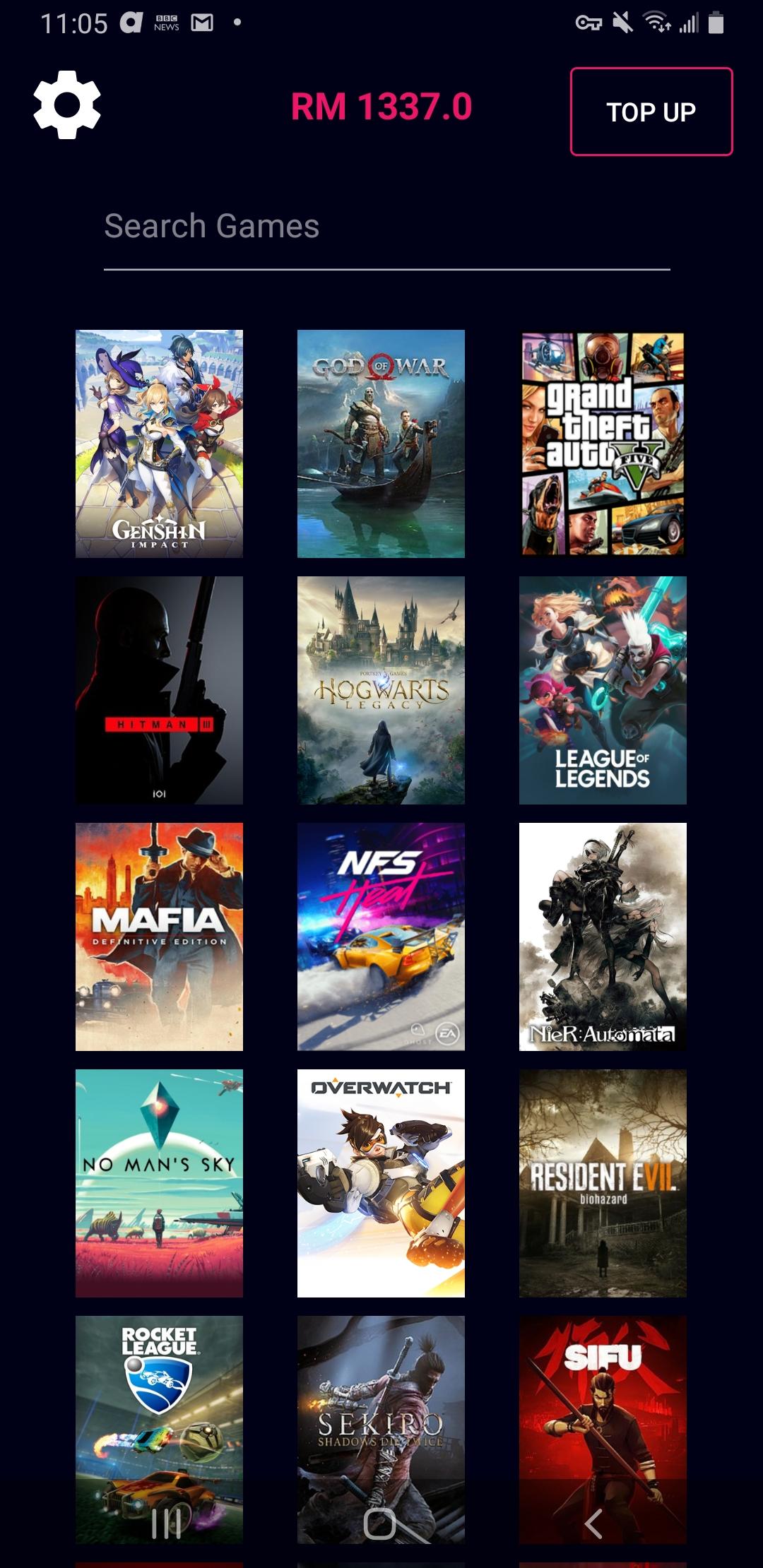
Nebula is a gaming app that lets you play the latest games from any Android device with a single click. Games included. No long installations. No need for gaming PCs. All you need is good internet.
Key Features :
1. Play AAA games from any Android device
2. Games are included
3. Free VPN (Limited by region - Southeast Asia connects to Singapore, etc.)
4. Cloud Save enabled (Start your game where you left off, every time)
5. Easy and user-friendly
How does it work?
In a nutshell, the game is running on another gamer's computer (a Host), but we stream the gameplay to your device for you to control and play. For your phone/tablet, it's just like watching Netflix, Twitch, YouTube, except you can control it. So any Android device will be able to enjoy PC gaming, the only thing you need is a good internet connection.
This is accomplished using a core feature in our app - Nebula's VPN. Once logged in, the Nebula app will automatically connect you to our VPN servers which will grant your device the ability to remotely communicate and connect to Host devices on our network. Our VPN feature is built based on the WireGuard protocol & utilizes the Android VpnService framework, to create a securely encrypted connection from your device to other devices on the network.
Nebula VPN Disclosure :
Our use of VpnService is used solely for the purpose of improving your gaming experience within our app. We do not track, collect or log any of your online activities and we adhere to strict privacy policies to safeguard your personal information.
Nebula VPN only activates when you're actively using our app, and automatically deactivates when the app is closed or in the background.
Is the VPN really necessary?
Absolutely, our VPN is the only permitted way to gain access into Nebula's network. Without Nebula's VPN feature, the app will not work as intended as you will lose connection to Nebula's network - and the games & devices that are available.
Nebula VPN Features :
1. Secure gaming - The VPN establishes a secure and direct end-to-end encrypted connection between your device and other devices on our network. This ensures that your gaming sessions remain private and protected.
2. Improved Performance - With our VPN, we can optimize network routes, reduce latency to provide you with a smoother and more responsive gaming experience.
3. Free - It works just like other paid VPNs and we offer it to you for free.
Permissions Required:
Network Access: This permission is necessary to establish the VPN connection. You will be prompted the moment you log in to our app, and Nebula's VPN will activate once you've granted permission. If you have any questions or concerns about our use of VpnService or our privacy practices, please feel free to contact us at any of the links below.
Is there a minimum requirement to use Nebula?
Minimum Internet Speed : 50 mbps
Internet speeds of 100 mbps and above would be ideal.
How do I start playing?
Download this app and create an account at www.nebula.my.
Then log in to the app with your account, select the game you'd like to play and the game begins!
Nebula uses a top-up credit system. Easily top up credits in your Nebula account that you can spend on gaming. We only deduct your credits based on what you use, no more no less. The more you top up, the more bonus credits you get! Check out our pricing here : www.nebula.my/pricing
Discord : https://discord.gg/Hh5tGrxuw3 (Nebula - Gaming Platform)
Instagram : @nebula_my
Contact Form : www.nebula.my/contact
Email : admin@nebula.my
Learn more at www.nebula.my
Privacy Policy : https://www.nebula.my/privacy
Terms and Conditions : https://www.nebula.my/terms
WireGuard is a registered trademark of Jason A. Donenfeld.
預覽
標籤
娛樂訊息
開發商
Nebula Gaming
最新版本
1.3.23
更新時間
2024-09-24
類別
娛樂
同時可用
Google Play
更多
如何在電腦上用 GameLoop 玩 Nebula: Cloud Gaming
1. 從官網下載GameLoop,然後運行exe文件安裝GameLoop
2. 打開GameLoop,搜索“Nebula: Cloud Gaming”,在搜索結果中找到Nebula: Cloud Gaming,點擊“安裝”
3. 享受在 GameLoop 上玩 Nebula: Cloud Gaming 的樂趣
Minimum requirements
OS
Windows 8.1 64-bit or Windows 10 64-bit
GPU
GTX 1050
CPU
i3-8300
Memory
8GB RAM
Storage
1GB available space
Recommended requirements
OS
Windows 8.1 64-bit or Windows 10 64-bit
GPU
GTX 1050
CPU
i3-9320
Memory
16GB RAM
Storage
1GB available space