Greenboard Magic Slate 電腦版
nectar Studio
用GameLoop模拟器在電腦上玩Greenboard Magic Slate
Greenboard Magic Slate 電腦版
來自發行商 nectar Studio 的 Greenboard Magic Slate 能夠在安卓系統上運行。
現在,您可以在電腦上使用 GameLoop 模擬器流暢地玩 Greenboard Magic Slate。
在 GameLoop 遊戲庫或搜索結果中下載。 不需要再暢玩遊戲時盯著電池電量或被令人懊惱的來電打斷。
只需在電腦大屏幕上免費下載暢玩Greenboard Magic Slate 電腦版!
Greenboard Magic Slate 簡介
Magical Slate | Greenboard -Back to School
Greenboard offers a delightful, modern mobile learning experience. It's Simple Magical Slate for Everyone. You can Draw or Write anything on this Digital and Virtual Magical Greenboard Magical Slate with Fun.
This Magical Slate application is specially designed for people of every age groups. Everyone can write, learn, play, colour and design with this Magical Simple and User friendly Greenboard Slate App.
By using “Greenboard - Magic Slate” app you can write letters, alphabets, draw different art and colour them as well as play games by finger point with involves any thing and easily erase the content by clicking eraser/duster.
शाळेत, कॉलेजमध्ये आणि क्लासमध्ये आपण ज्या पाटीवर आणि फळ्यावर शिकलो तोच फळा आणि पाटी पेन्सिल आता ग्रीन बोर्ड मॅजिक पाटी आता तुमचा फोन मध्ये. या अँप चा माध्यमातून तुम्ही वर्गात बसले आहात असा अनुभव तुम्हाला येईल.
By using this Magical Slate app you feel thar you are seeting in Classroom and write letters on Greenboard or real slate is in your hand.
Main motto of this app is,
Kids Education: Children to create willingness in them of remember alphabets, digit and all little habit of writing when they are using their parents cell phone.
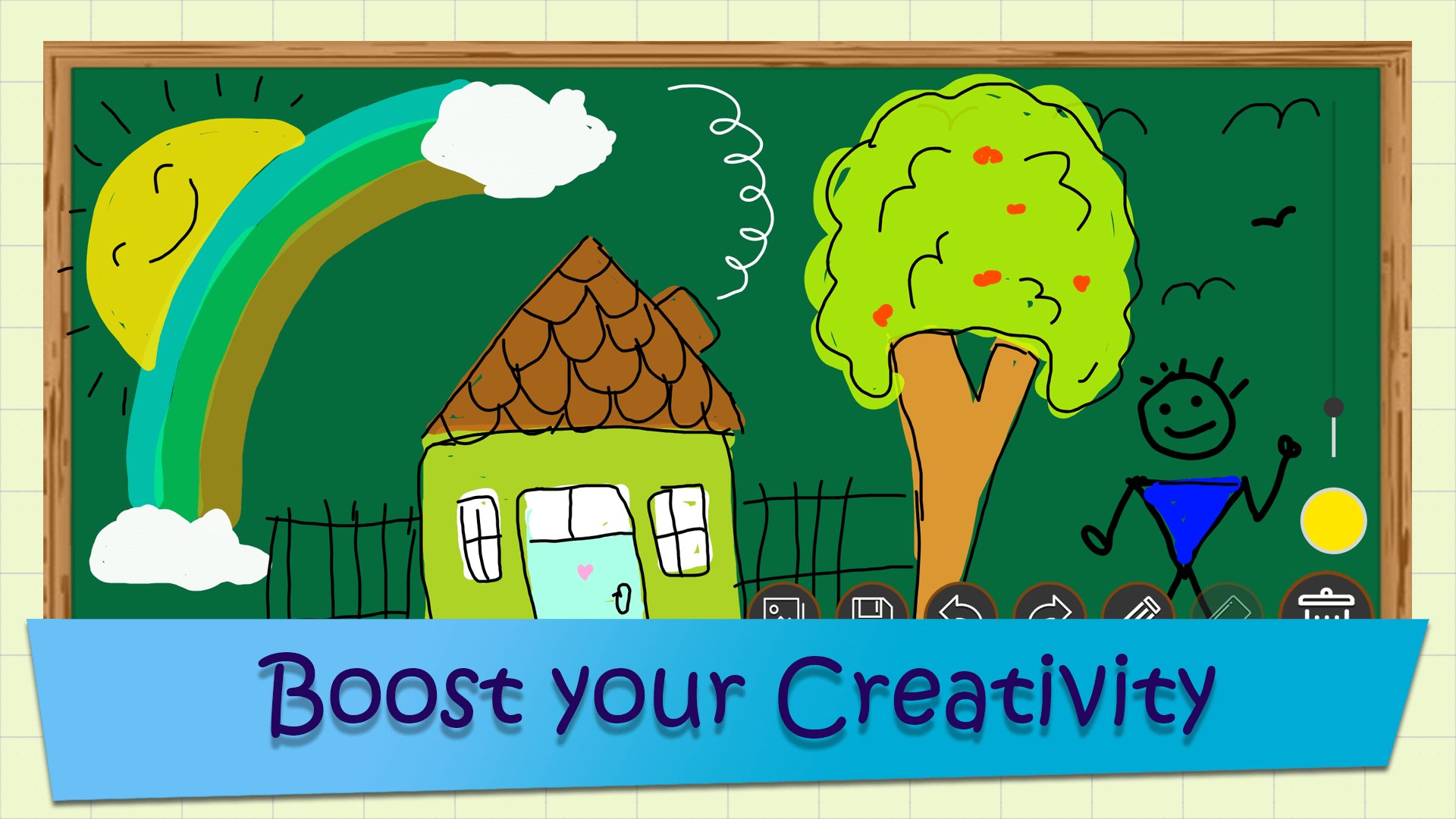
Creativity: Children's can draw and design their thoughts, ideas and design easily and color them.
Practice: Children as well as Students do their Maths formulas practice, solve maths sum, learn tables using this Magical Slate. Students can practice of Mpsc | Upsc | All civil service exam on this app.
Get rid of marker and erasing marks on the dress. Use Greenboard - Magic Slate on your tablet or mobile to practice and learn alphabets, numbers and draw your thought on the slate.
Greenboard | Magical Slate for every once First Vepon for Education. Unleash your child's creativity by drawing and learning using Slate.
Features :
◼ Simple & User Friendly UI
◼ Works Offline, No need of Internet connection is required
◼ Free for all
◼ Low app size
◼ Easy to use
◼ Draw, Write and Play
◼ Easily remove or Clean board by single click
◼ First realistic blackboard on your mobile device
◼ You can play different game on magical slate like Tic Tac Toe etc
◼ You can Learn, Teach and Practice Educational things
◼ You can Draw and Sketch of any Idea that comes in your mind
◼ Write Letters, Alphabets, Digits, Numbers, Barakhadi and many more
◼ You can generate your Signature using this app
◼ Using Greenboard - Magical Slate Parents can play with their kids and teach them
◼ Instade of playing games this learning app plays very important role in lives
◼ Create Drawing
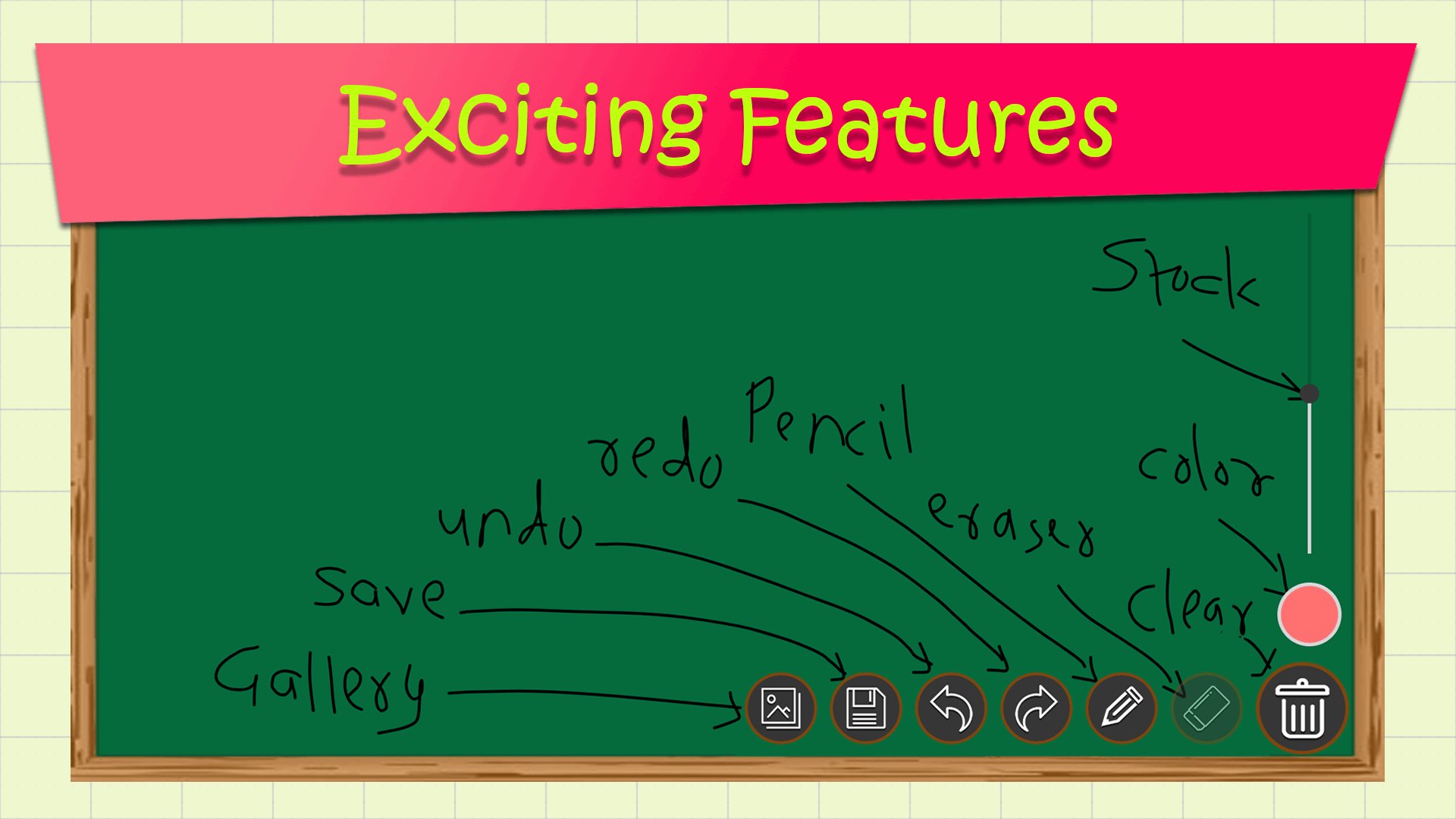
◼ Undo/Redo: You can undo or redo few steps your drawing. Using this feature you can reverse the effects.
◼ Save: You can Save your Drawing / Images using this feature for further reference. You can also save your signature in memory for long time. It is most important feature.
◼ Gallery: You can View all your Saved Drawing in App Gallery.
◼ Share: You can Share your saved Drawing to all your Friends on Social Media like FB, Instra, Whatsapp
◼ Save your Drawing and Share or Delete anytime
◼ Color Picker: Draw and sketch your drawing with multiple color. Pick any color shade to draw beautiful drawing on simple and easy Greenboard - Magical Slate.
How to use the App?
√ Open Greenboard | Magical Slate app
√ Start writing alphabets and numbers or drawing anything by dragging the finger on the slate | blackboard
√ Save your Drawings, Homework
√ Watch your drawings anytime by clicking gallery and share your friends
√ Click on Eraser | Duster icon at the right hand bottom corner to erase the writing on the slate
** If you like this magical Slate game, please rate it with 5 stars and leave a comment. As an indie developer your support is greatly appreciated. Thank you for your help!
預覽
標籤
娛樂訊息
開發商
nectar Studio
最新版本
1.8
更新時間
2025-11-18
類別
娛樂
同時可用
Google Play
更多
如何在電腦上用 GameLoop 玩 Greenboard Magic Slate
1. 從官網下載GameLoop,然後運行exe文件安裝GameLoop
2. 打開GameLoop,搜索“Greenboard Magic Slate”,在搜索結果中找到Greenboard Magic Slate,點擊“安裝”
3. 享受在 GameLoop 上玩 Greenboard Magic Slate 的樂趣
Minimum requirements
OS
Windows 8.1 64-bit or Windows 10 64-bit
GPU
GTX 1050
CPU
i3-8300
Memory
8GB RAM
Storage
1GB available space
Recommended requirements
OS
Windows 8.1 64-bit or Windows 10 64-bit
GPU
GTX 1050
CPU
i3-9320
Memory
16GB RAM
Storage
1GB available space