Typing Plus:English Typing App 電腦版
Career OTG Tools
用GameLoop模拟器在電腦上玩Typing Plus:English Typing App
Typing Plus:English Typing App 電腦版
來自發行商 Career OTG Tools 的 Typing Plus:English Typing App 能夠在安卓系統上運行。
現在,您可以在電腦上使用 GameLoop 模擬器流暢地玩 Typing Plus:English Typing App。
在 GameLoop 遊戲庫或搜索結果中下載。 不需要再暢玩遊戲時盯著電池電量或被令人懊惱的來電打斷。
只需在電腦大屏幕上免費下載暢玩Typing Plus:English Typing App 電腦版!
Typing Plus:English Typing App 簡介
English Typing App is help to Increase Typing Speed in your mobile at Free of cost. This English Typing Practice App useful to Give Typing Test for Govt Exams or Others Typing Tests Exams. And this Typing Course App is Help to Learn English Touch Typing & Give Typing Speed Tests & Learn Computer Typing for Increase Computer Typing Speed on Mobile. And this English Typing Tutorials App is design for QWERTY Keyboard Layout.
This is the English Typing Test App for Govt Typing Speed Tests Exams or Programmers, Typewriters, Bloggers, or Any other typing related workers for Increase Typing Speed. This English Typing Master App is helpful for you Learn Typing in mobile.
How to Use English Typing App :
Connect External/Real keyboard on Mobile via OTG Cable/Bluetooth and Open English Typing Plus App and Find how fast your Typing Speed and Accuracy. Use like a Computer Typing App in Mobile.
English Typing Plus App Features :
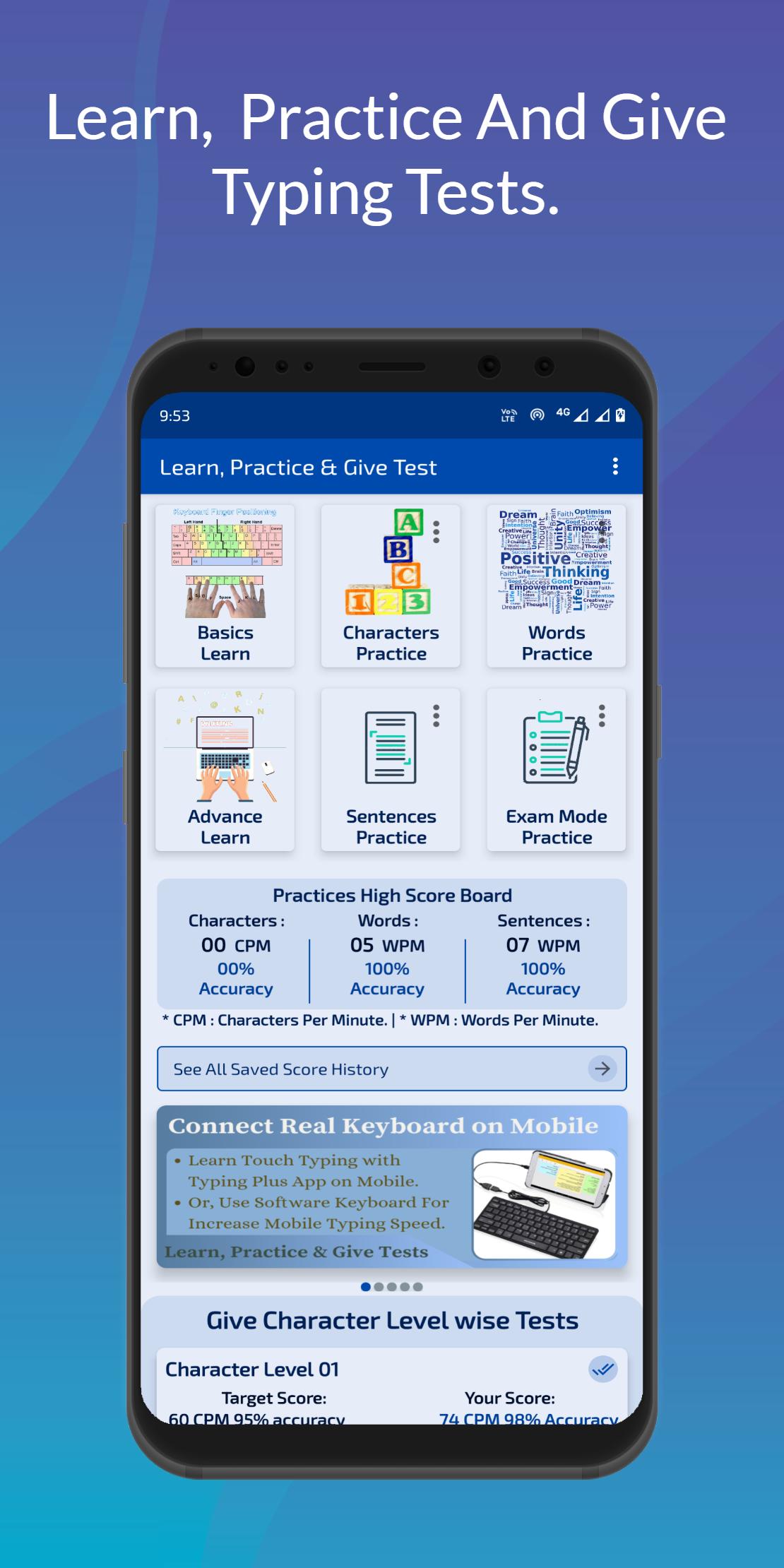
Basics Learn :
In this section, Learn basics information of Hard Keyboard, Uses of Keyboard keys, Learn English Touch Typing, Finger Position on Keyboard, Typing Rules, For Typing Master Tips to Increase Typing Speed and Learn Shortcuts Keys for Increase English Typing Speed etc.
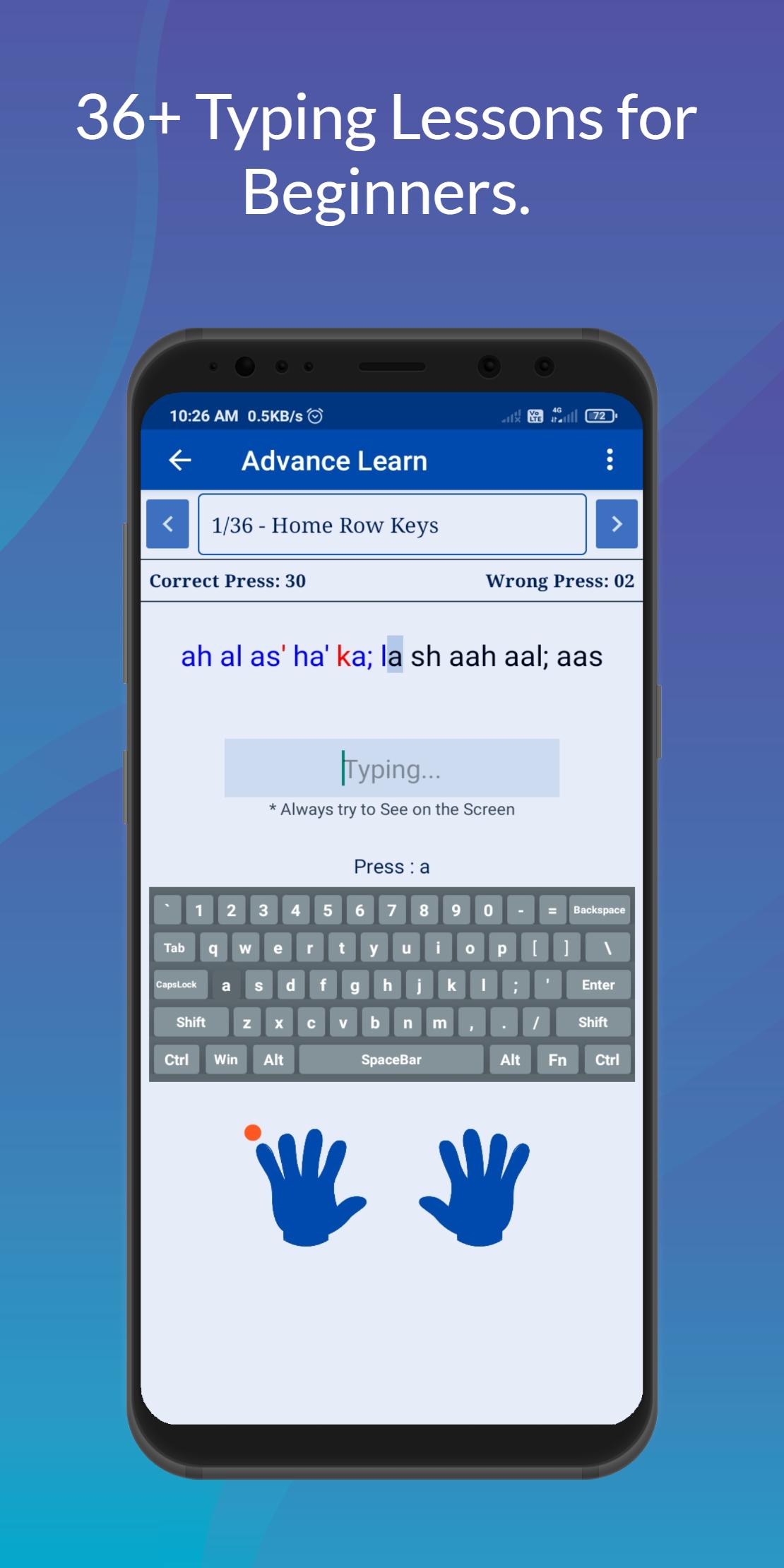
Advance Learn :
In this section, Learn which Fingers Type which Keys in Real (Physical) Keyboard with Different Row wise Typing Practice.
Like : Home Row, Top Row, Bottom Row, Number Row, Left Hand And Right Hand Practice for Beginners etc.
Characters Practice :
In this section, Single Character Typing Practice with a Customization.
Like : Right Hand, Left Hand, Home Row, Top Row, Bottom Row, Number Row Characters Practice with Randomly or Alphabetically etc.
Words Practice :
In this section, Single Word Typing Practice with a Customization.
Like : Right Hand, Left Hand, Home Row, Top Row, Bottom Row, Number Row Words Practice with Randomly etc.
Sentences Practice :
In this section, Paragraph Typing Practice with a Customization.
Like : Right Hand, Left Hand, Home Row, Top Row, Bottom Row and All Row Paragraph Practice etc.
Exam Mode Practices :
In this section, Practice for Typing Exams Preparation with a Customization.
* 45+ Paragraph Practice (Exams)
* Paste Your Paragraph & Do Practice
* Your Texts Practice (New)
* Your Texts Practice (Old)
* And More Others Customization.
Character Level wise Tests :
In this section, 1–25 Single Character Typing Tests.
Word Level wise Tests :
In this section, 1–30 Single Word Typing Tests.
Sentence Level wise Tests :
In this section, 1–36 Paragraph Typing Tests.
All levels are locked (except 1st level). 1st level is complete with target score then next level is unlock.
If any level is not complete then you go to Practice Section, Do Typing Practice with Customization and Try again that level. Every level learns you some new things, Master Typing and Regularly Improve Accuracy and Increasing Typing Speed.
At the end of all levels you found your English Typing Speed will be 60+ WPM (Words Per Minute) with 95% Accuracy without seeing keyboard then You Learn English Touch Typing.
This Offline English Typing Test App helps to Increase Typing Speed in Mobile, For Learn English Typing, Download English Typing Plus App.
預覽
標籤
教育訊息
開發商
Career OTG Tools
最新版本
1.6.1
更新時間
2025-10-23
類別
教育
同時可用
Google Play
更多
如何在電腦上用 GameLoop 玩 Typing Plus:English Typing App
1. 從官網下載GameLoop,然後運行exe文件安裝GameLoop
2. 打開GameLoop,搜索“Typing Plus:English Typing App”,在搜索結果中找到Typing Plus:English Typing App,點擊“安裝”
3. 享受在 GameLoop 上玩 Typing Plus:English Typing App 的樂趣
Minimum requirements
OS
Windows 8.1 64-bit or Windows 10 64-bit
GPU
GTX 1050
CPU
i3-8300
Memory
8GB RAM
Storage
1GB available space
Recommended requirements
OS
Windows 8.1 64-bit or Windows 10 64-bit
GPU
GTX 1050
CPU
i3-9320
Memory
16GB RAM
Storage
1GB available space