
OneLern Teacher 電腦版
OneLern
用GameLoop模拟器在電腦上玩OneLern Teacher
OneLern Teacher 電腦版
來自發行商 OneLern 的 OneLern Teacher 能夠在安卓系統上運行。
現在,您可以在電腦上使用 GameLoop 模擬器流暢地玩 OneLern Teacher。
在 GameLoop 遊戲庫或搜索結果中下載。 不需要再暢玩遊戲時盯著電池電量或被令人懊惱的來電打斷。
只需在電腦大屏幕上免費下載暢玩OneLern Teacher 電腦版!
OneLern Teacher 簡介
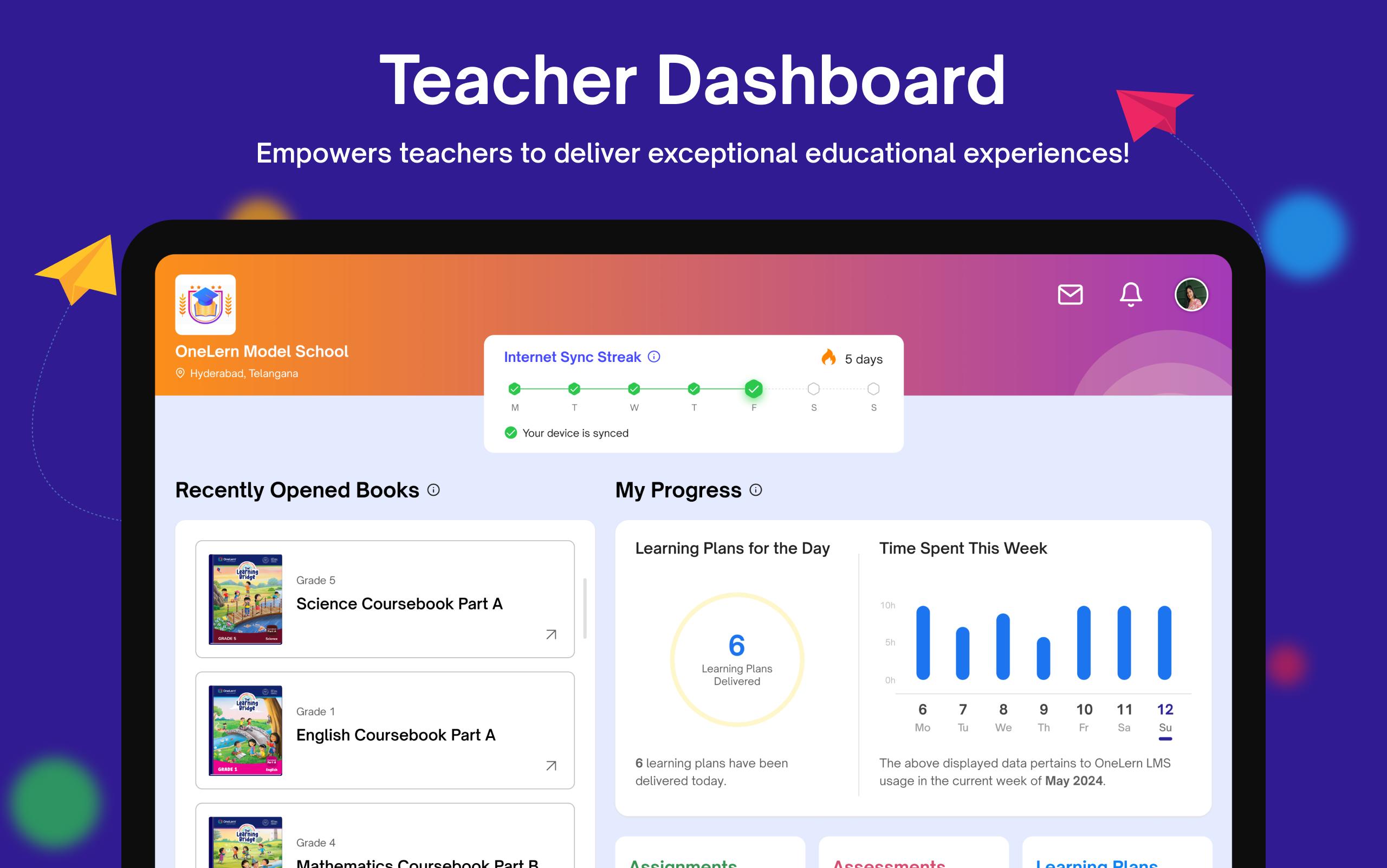
Augmenting the entire teaching experience!
OneLern provides teachers the support they need and allows them to plan their lessons, with content, assignments, and submissions across subjects and curriculums, all through a dedicated device. OneLern analytical engine provides teachers with deeper insights into each student’s progress
Salient Features of OneLern Teacher app:
• Provide digital books for conducting classes.
• Provides digital books offline (SD-Card) as well.
• Teachers can add custom question banks (SD-Card).
• Teachers can additional activities.
• Supports integration of third party content delivered through SD-Card.
• Planning delivery of lesson plans associated with digital books.
• Access interactive digital activities part of eBooks.
• Solve students’ problems through doubts.
• Publish additional material through publish content and many more.
• Provides timetable for various classes.
• Teachers can mark Attendance.
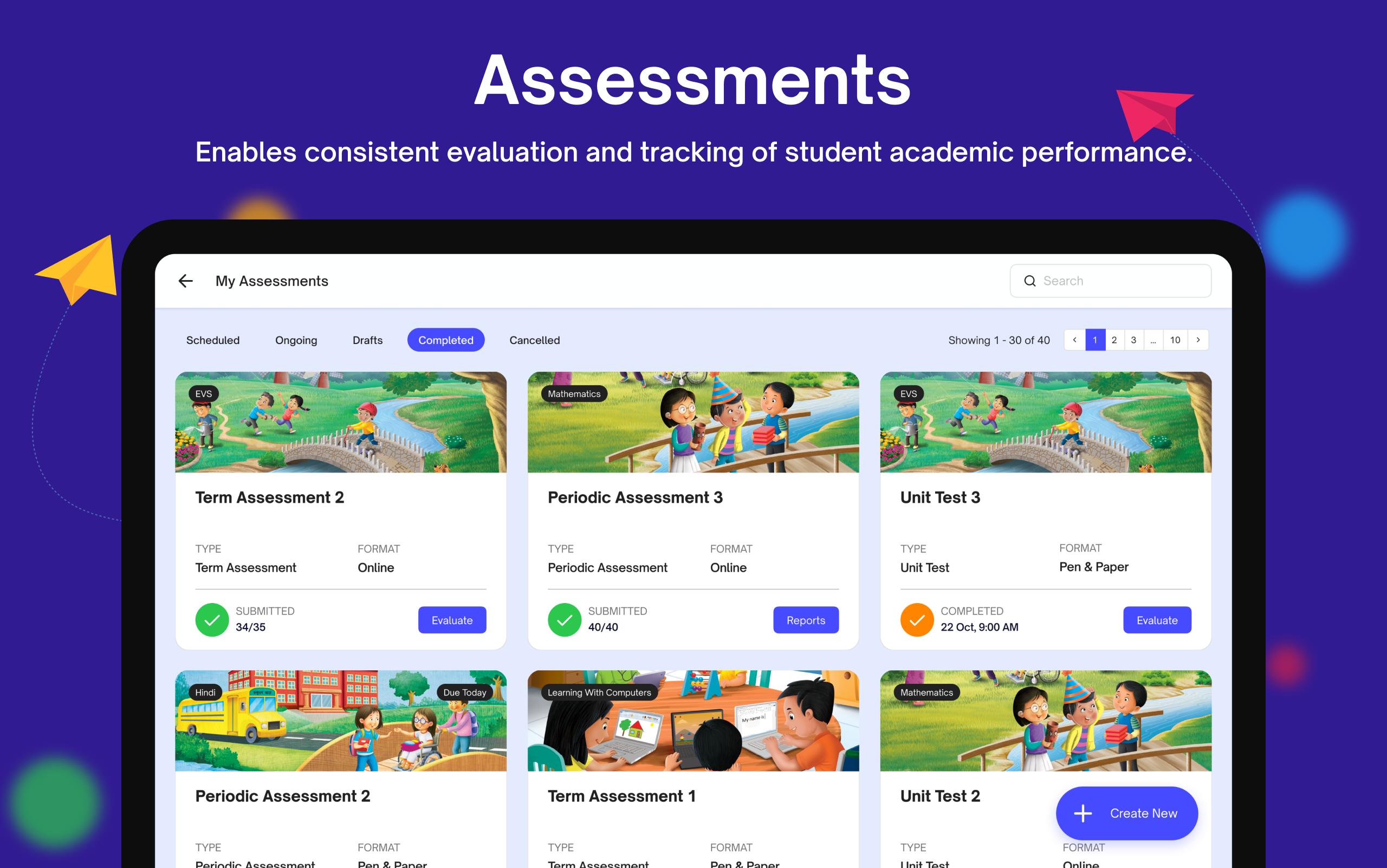
• Teachers can plan Assignments & Assessments (Offline & Online).
• Supports read-along for Pre-Primary digital books.
• Supports voice-over for students with reading - disabilities.
• In-app notifications for various events & reminders.
• Provides performance and usage analytics.
Note:
• App users shall approve storage permissions while launching the app for the first time for the app to function.
Permissions:
• "android.permission.INTERNET"
To get internet for the app to function online.
• "android.permission.ACCESS_NETWORK_STATE"
To get information whether the user is online or offline.
• "android.permission.MANAGE_EXTERNAL_STORAGE"
To access the content saved on storage (SD-Card & Internal).
• "android.permission.RECORD_AUDIO"
To record audio for activity's
預覽
標籤
教育訊息
開發商
OneLern
最新版本
4.0.1
更新時間
2025-09-11
類別
教育
同時可用
Google Play
更多
如何在電腦上用 GameLoop 玩 OneLern Teacher
1. 從官網下載GameLoop,然後運行exe文件安裝GameLoop
2. 打開GameLoop,搜索“OneLern Teacher”,在搜索結果中找到OneLern Teacher,點擊“安裝”
3. 享受在 GameLoop 上玩 OneLern Teacher 的樂趣
Minimum requirements
OS
Windows 8.1 64-bit or Windows 10 64-bit
GPU
GTX 1050
CPU
i3-8300
Memory
8GB RAM
Storage
1GB available space
Recommended requirements
OS
Windows 8.1 64-bit or Windows 10 64-bit
GPU
GTX 1050
CPU
i3-9320
Memory
16GB RAM
Storage
1GB available space