
Ocene - Ocene i moj esDnevnik 電腦版
BokaDev
用GameLoop模拟器在電腦上玩Ocene - Ocene i moj esDnevnik
Ocene - Ocene i moj esDnevnik 電腦版
來自發行商 BokaDev 的 Ocene - Ocene i moj esDnevnik 能夠在安卓系統上運行。
現在,您可以在電腦上使用 GameLoop 模擬器流暢地玩 Ocene - Ocene i moj esDnevnik。
在 GameLoop 遊戲庫或搜索結果中下載。 不需要再暢玩遊戲時盯著電池電量或被令人懊惱的來電打斷。
只需在電腦大屏幕上免費下載暢玩Ocene - Ocene i moj esDnevnik 電腦版!
Ocene - Ocene i moj esDnevnik 簡介
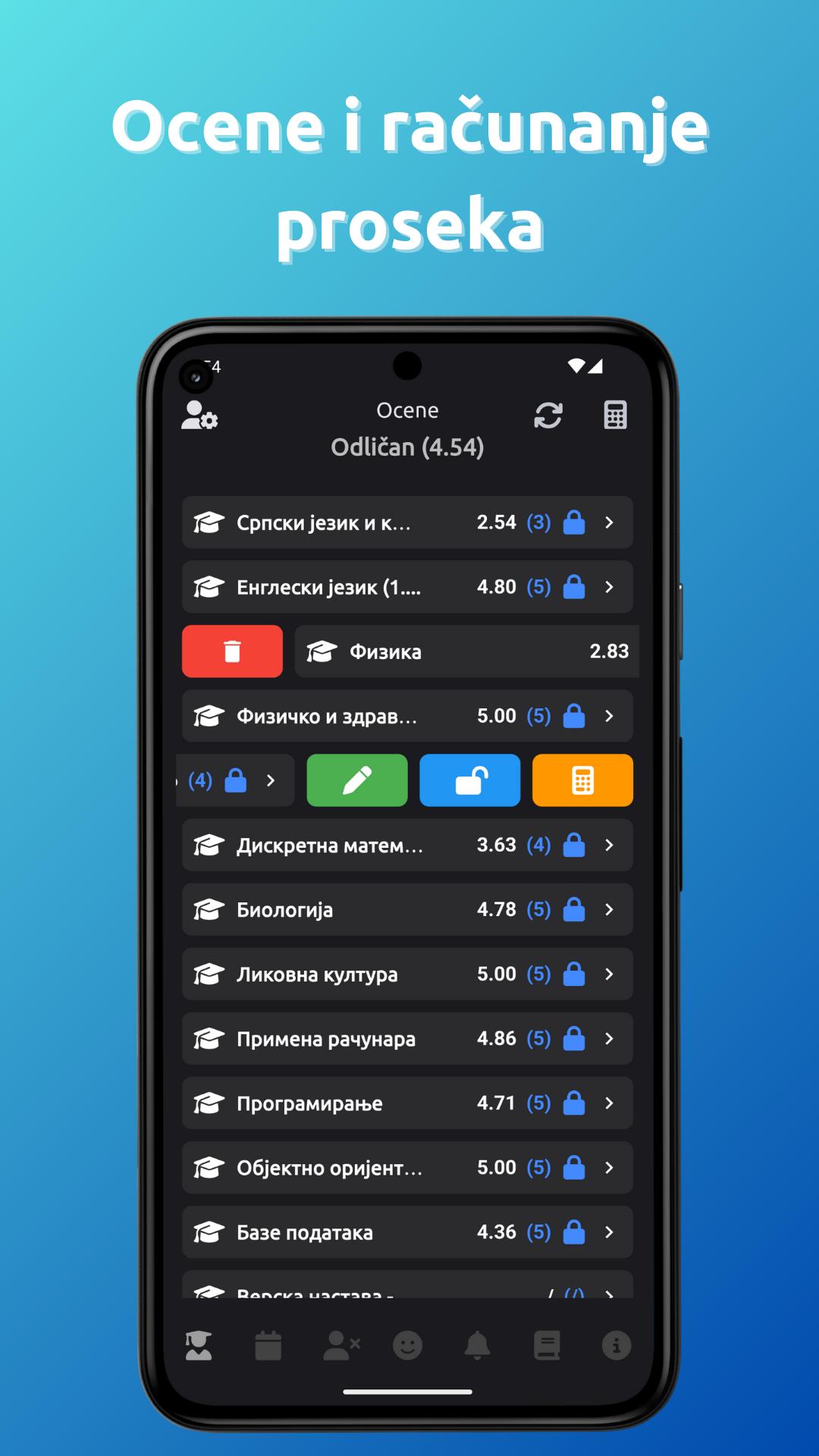
Grades is an ideal app for students and parents who use their phones to track their academic performance, class schedules, bell schedules, and deadlines. You can quickly review your grades, calculate averages, track activities and absences, simulate grades, and calculate points for high school or college admission. You can also add notes and reminders to keep it more organized. The "My esDnevnik" function allows you to access the online diary from the application.
Grades and Average Calculation: This option calculates your average for you. You can conclude the grade as you wish, even if you do not have an average for the same. You don't have to enter all subjects and grades manually - the application can automatically import all your subjects, grades, activities and absences from the official esDnevnik!
Dual Shift Class Schedule: App Ratings supports morning and afternoon shift class schedules. You can add as many classes as you want, and the application will automatically show you the schedule for today.
Reminders: Quickly and easily add a reminder as desired.
Notes: Want to write something down? In the Grades application, you can add notes quickly and easily.
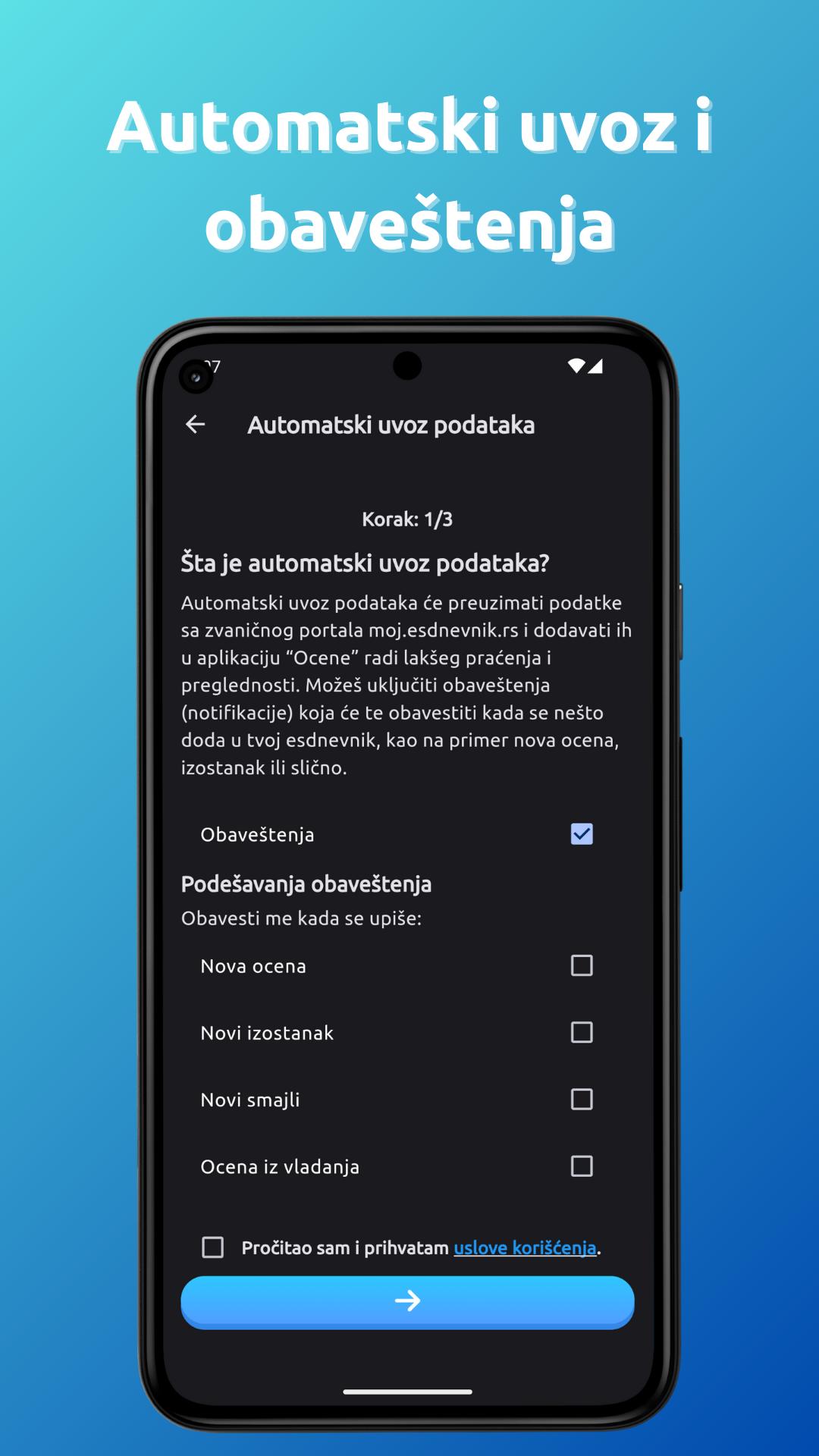
Automatic data import from esDnevnik: With the Grades application, you no longer have to manually enter grades, absences and activities - everything is imported automatically from the portal my esdnevnik.
Grades and Points Simulation: Track how potential grades affect your GPA and calculate high school or college admissions points.
Make your own bell schedule: Can't find a bell schedule online or can't remember when the bell rings or class starts? With the Ratings application, create your own ringtone schedule as desired.
Add your ringtone schedule to your home screen: You've created a ringtone schedule, but hate having to go into the app every time to see when it's ringing? Add a widget to your home screen!
School calendar: Are you interested in when the next vacation is or when there is no school? App reviews has school calendars for primary and secondary schools, including calendars for schools in Vojvodina!
預覽
標籤
教育訊息
開發商
BokaDev
最新版本
3.1.1
更新時間
2024-10-21
類別
教育
同時可用
Google Play
更多
如何在電腦上用 GameLoop 玩 Ocene - Ocene i moj esDnevnik
1. 從官網下載GameLoop,然後運行exe文件安裝GameLoop
2. 打開GameLoop,搜索“Ocene - Ocene i moj esDnevnik”,在搜索結果中找到Ocene - Ocene i moj esDnevnik,點擊“安裝”
3. 享受在 GameLoop 上玩 Ocene - Ocene i moj esDnevnik 的樂趣
Minimum requirements
OS
Windows 8.1 64-bit or Windows 10 64-bit
GPU
GTX 1050
CPU
i3-8300
Memory
8GB RAM
Storage
1GB available space
Recommended requirements
OS
Windows 8.1 64-bit or Windows 10 64-bit
GPU
GTX 1050
CPU
i3-9320
Memory
16GB RAM
Storage
1GB available space