
Brain Game: Math Games for Kid 電腦版
Bexcode Services
用GameLoop模拟器在電腦上玩Brain Game: Math Games for Kid
Brain Game: Math Games for Kid 電腦版
來自發行商 Bexcode Services 的 Brain Game: Math Games for Kid 能夠在安卓系統上運行。
現在,您可以在電腦上使用 GameLoop 模擬器流暢地玩 Brain Game: Math Games for Kid。
在 GameLoop 遊戲庫或搜索結果中下載。 不需要再暢玩遊戲時盯著電池電量或被令人懊惱的來電打斷。
只需在電腦大屏幕上免費下載暢玩Brain Game: Math Games for Kid 電腦版!
Brain Game: Math Games for Kid 簡介
Are you tired of boring math lessons and textbooks? Say hello to Math Games: Solve Math Quizzes, it is an educational game app designed to make math learning fun and interactive for players of all levels. This educational game combines the pleasure of gaming with the benefits of education, with a wide selection of cool math games. This Math game has a wide range of exciting gameplay that will keep you engaged, intrigued, and challenged for hours.
Providing Outstanding Math Game Features That You Can’t Ignore:
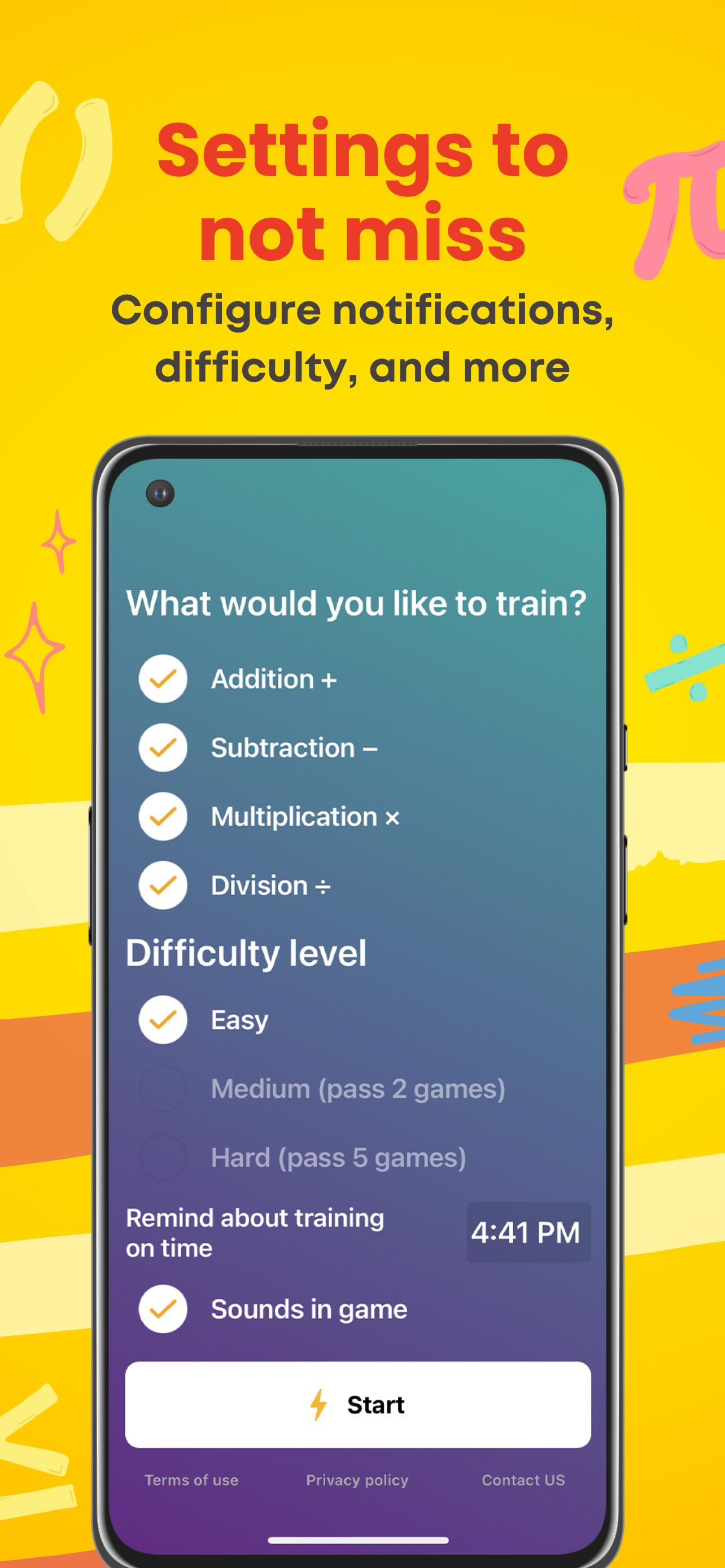
Daily Reminder
Users can customize reminders by selecting a desired time throughout the day using the app for playing math. When scheduled, the application delivers a notification or alert to remind users to do their daily math games.
Track Daily Progress
Insights provide valuable feedback and measurable outcomes that aid in developing mathematics understanding. Users may experience their improvement and win by recording and visualizing their progress, which is a great motivator to continue playing math game apps.
User-Friendly Interface
Users may instantly grasp the game principles and understand how to interact with various parts due to this simple math game user interface. Because of the reduced extra complexity, the program is usable by various users, with different levels of mathematical proficiency.
Multiple Training Stages
Various stages are designed to gradually challenge and educate players, ensuring they build a deeper understanding of mathematical topics and enhance their problem-solving ability. Each stage of training in the math game learning app is carefully designed to provide a balanced mix of challenge and help.
Undo and Edit
Making mistakes is an essential part of the learning process. The "Undo" function allows users to go back while playing mcq to undo their earlier actions. This is especially handy when players realize they have made a calculation error or selected the incorrect answer.
Whether you're a student trying to excel in math or an enthusiast looking to expand your knowledge, our educational math games provide a dynamic learning experience. You may discover a new world of learning fun with our math game cool learning app. You may solve quizzes, like subtraction, adding, division, multiplication game, play math interactive number games, take a multiplication quiz, and gain a better understanding of cool math using an engaging and user-friendly design.
Explore The Benefits Of The Math Brain Booster Game App
Increases mental calculation speed
It assists in keeping education on track.
Increase student motivation and engagement.
Improves brain functionality, focus, and mathematics skills
Aids in understanding and use of many math concepts in real life.
Helps strengthen their memory and attention skills.
Enter the realm of mathematics, take on the challenge, and begin an interesting educational adventure. Download Math Adventure now and explore your inner mathematician!
____________________________________________________________________________
Follow us on our social media channels to stay up to date on Math Games: Solve Math Quizzes new features and functionality:
Facebook: https://www.facebook.com/MathBrainGames
Instagram: https://www.instagram.com/mathbraingame/
Tiktok: https://www.tiktok.com/@mathgames_mathbrain
Youtube: https://www.youtube.com/channel/UCvUILYrOuVnWbsNb9CVILrQ
預覽
標籤
教育教育訊息
開發商
Bexcode Services
最新版本
2.2.16
更新時間
2023-06-28
類別
教育
同時可用
Google Play
更多
如何在電腦上用 GameLoop 玩 Brain Game: Math Games for Kid
1. 從官網下載GameLoop,然後運行exe文件安裝GameLoop
2. 打開GameLoop,搜索“Brain Game: Math Games for Kid”,在搜索結果中找到Brain Game: Math Games for Kid,點擊“安裝”
3. 享受在 GameLoop 上玩 Brain Game: Math Games for Kid 的樂趣
Minimum requirements
OS
Windows 8.1 64-bit or Windows 10 64-bit
GPU
GTX 1050
CPU
i3-8300
Memory
8GB RAM
Storage
1GB available space
Recommended requirements
OS
Windows 8.1 64-bit or Windows 10 64-bit
GPU
GTX 1050
CPU
i3-9320
Memory
16GB RAM
Storage
1GB available space