
MarkSheet: answer sheet 電腦版
enoiu
用GameLoop模拟器在電腦上玩MarkSheet: answer sheet
MarkSheet: answer sheet 電腦版
來自發行商 enoiu 的 MarkSheet: answer sheet 能夠在安卓系統上運行。
現在,您可以在電腦上使用 GameLoop 模擬器流暢地玩 MarkSheet: answer sheet。
在 GameLoop 遊戲庫或搜索結果中下載。 不需要再暢玩遊戲時盯著電池電量或被令人懊惱的來電打斷。
只需在電腦大屏幕上免費下載暢玩MarkSheet: answer sheet 電腦版!
MarkSheet: answer sheet 簡介
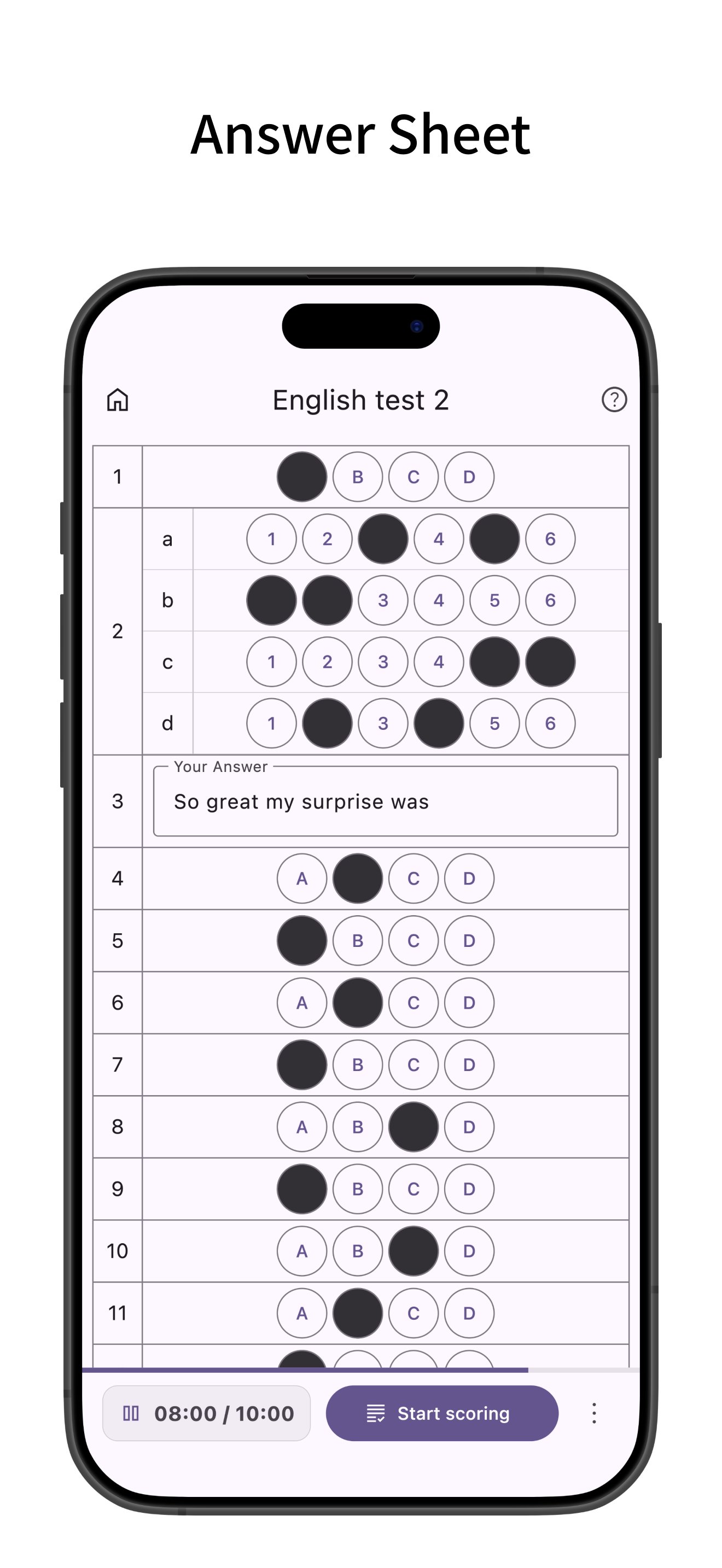
Answer sheet app for bubble sheet (OMR) exams.
Ideally suited for quizzes and tests, you can freely set the number of questions and choices.
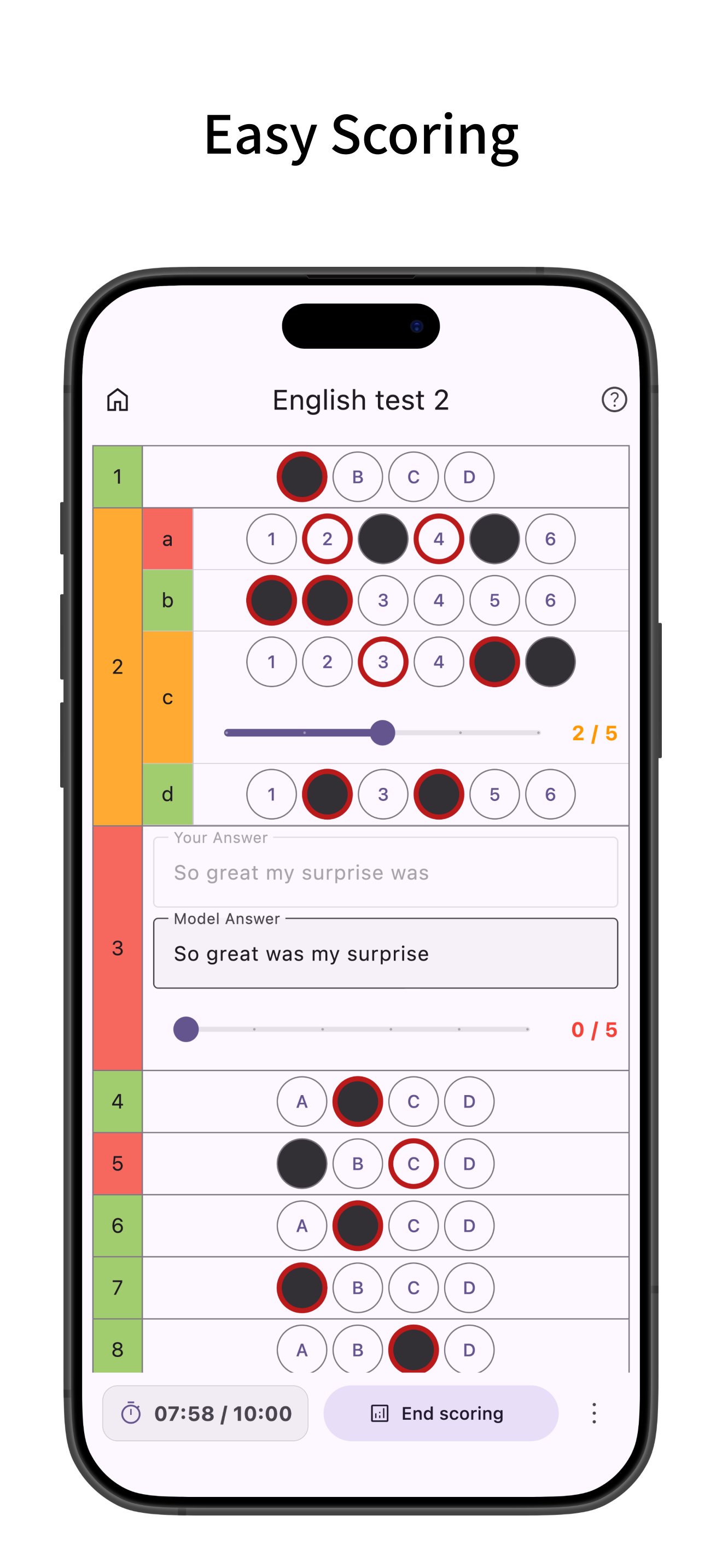
Easy scoring, supports multiple answers, sub-questions, and descriptive questions.
Creating Answer Sheets
- Create bubble sheet style answer sheets.
- Configure the number of questions and choices. Choices are customizable, and bubble size (width, height, font size) can be adjusted. You can also save configured choices as presets.
- Supports multiple answers, sub-questions, and descriptive questions. For descriptive questions, you can set character limits and model answers.
- Set timers and time limits.
- Pre-enter correct answers (you can also enter correct answers during scoring after answering).
- Set point allocation. You can input the total score and distribute points evenly across questions.
- Configure question numbers. You can renumber all questions based on the first question number.
Answering
- When using a timer, the time taken for each question is recorded and can be viewed in a graph after scoring.
- After finishing the test, it enters scoring mode where you can easily grade by just tapping the correct answer choices.
- Supports partial credit for multiple-choice and descriptive questions.
- After scoring, view percentage, score, and number of correct answers.
- Tap a main question number to see the total score and total time for sub-questions within that main question.
- Highlight rows (long press or checkbox).
Mark Sheet Management
- Add labels to sheets for easy filtering. You can filter by multiple labels.
- Filter by status: answering, scoring, or scoring completed.
- Tap the search bar to search sheets by title.
- Sort sheets by title, creation date, or last viewed.
- Edit labels or duplicate sheets from the menu on the right of each sheet.
- Long press to select multiple sheets for bulk deletion or labeling.
- Supports backup and restore of app data via ZIP files.
Mark Sheet Settings
- Manage choice presets. You can also save bubble sizes.
- Set the default number of questions, choices, and timer for new sheets. Defaults to the previously used settings.
- Configure row highlighting behavior: long press, checkbox, or off. Opacity of the highlight can be changed.
- Change the opacity of the mark fill.
- Change the default bubble size (width, height, font size).
- Keep the screen on while answering.
Customization
- Supports Dark Mode.
- Change theme colors.
- Simple design compliant with Material Design.
預覽
標籤
教育訊息
開發商
enoiu
最新版本
4.1.1
更新時間
2026-02-26
類別
教育
同時可用
Google Play
更多
如何在電腦上用 GameLoop 玩 MarkSheet: answer sheet
1. 從官網下載GameLoop,然後運行exe文件安裝GameLoop
2. 打開GameLoop,搜索“MarkSheet: answer sheet”,在搜索結果中找到MarkSheet: answer sheet,點擊“安裝”
3. 享受在 GameLoop 上玩 MarkSheet: answer sheet 的樂趣
Minimum requirements
OS
Windows 8.1 64-bit or Windows 10 64-bit
GPU
GTX 1050
CPU
i3-8300
Memory
8GB RAM
Storage
1GB available space
Recommended requirements
OS
Windows 8.1 64-bit or Windows 10 64-bit
GPU
GTX 1050
CPU
i3-9320
Memory
16GB RAM
Storage
1GB available space