
iEman 電腦版
Arrahman Arraheem
用GameLoop模拟器在電腦上玩iEman
iEman 電腦版
來自發行商 Arrahman Arraheem 的 iEman 能夠在安卓系統上運行。
現在,您可以在電腦上使用 GameLoop 模擬器流暢地玩 iEman。
在 GameLoop 遊戲庫或搜索結果中下載。 不需要再暢玩遊戲時盯著電池電量或被令人懊惱的來電打斷。
只需在電腦大屏幕上免費下載暢玩iEman 電腦版!
iEman 簡介
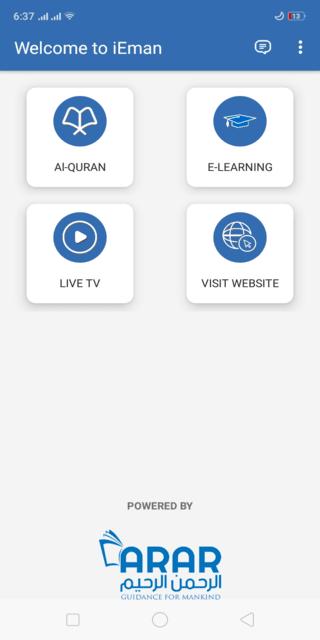
iEman aims at making the readership of the Holy Quran convenient and to promote the same so that mankind can understand the message for humanity contained in this Book.
iEman has been designed with a user friendly reading interface where you can not only easily access any portion of Quran e Kareem but also be able to set preferences according to your own reading habits. This includes options for selection of font size and translation language. Other activities that you can perform in the app are described as follows:
• You can easily access any of the 30 Paras, 114 Surahs and respective verses (Ayah)
• Translation is provided in Urdu and English languages to facilitate as many people around the world
• Using Keyword search, users can access required sections of the Quran quickly and easily
• You can also add Bookmarks to Aayahs that you want to remember or read at a later time
• iEman also allows you to share your favourite parts of the Quran with your loved ones on various platforms such as Whatsapp, Facebook and SMS
• In addition to reading Quran e Kareem, you can also watch live streaming of Arrahman-Arraheem channel which aims to promote the true spirit of Islam by building bridges between communities and nations
iEman has been developed to work on all Android phones.
預覽

標籤
教育訊息
開發商
Arrahman Arraheem
最新版本
2.9.5
更新時間
2023-09-06
類別
教育
同時可用
Google Play
更多
如何在電腦上用 GameLoop 玩 iEman
1. 從官網下載GameLoop,然後運行exe文件安裝GameLoop
2. 打開GameLoop,搜索“iEman”,在搜索結果中找到iEman,點擊“安裝”
3. 享受在 GameLoop 上玩 iEman 的樂趣
Minimum requirements
OS
Windows 8.1 64-bit or Windows 10 64-bit
GPU
GTX 1050
CPU
i3-8300
Memory
8GB RAM
Storage
1GB available space
Recommended requirements
OS
Windows 8.1 64-bit or Windows 10 64-bit
GPU
GTX 1050
CPU
i3-9320
Memory
16GB RAM
Storage
1GB available space