Aac Talking Tabs 電腦版
Andrea Colzi
用GameLoop模拟器在電腦上玩Aac Talking Tabs
Aac Talking Tabs 電腦版
來自發行商 Andrea Colzi 的 Aac Talking Tabs 能夠在安卓系統上運行。
現在,您可以在電腦上使用 GameLoop 模擬器流暢地玩 Aac Talking Tabs。
在 GameLoop 遊戲庫或搜索結果中下載。 不需要再暢玩遊戲時盯著電池電量或被令人懊惱的來電打斷。
只需在電腦大屏幕上免費下載暢玩Aac Talking Tabs 電腦版!
Aac Talking Tabs 簡介
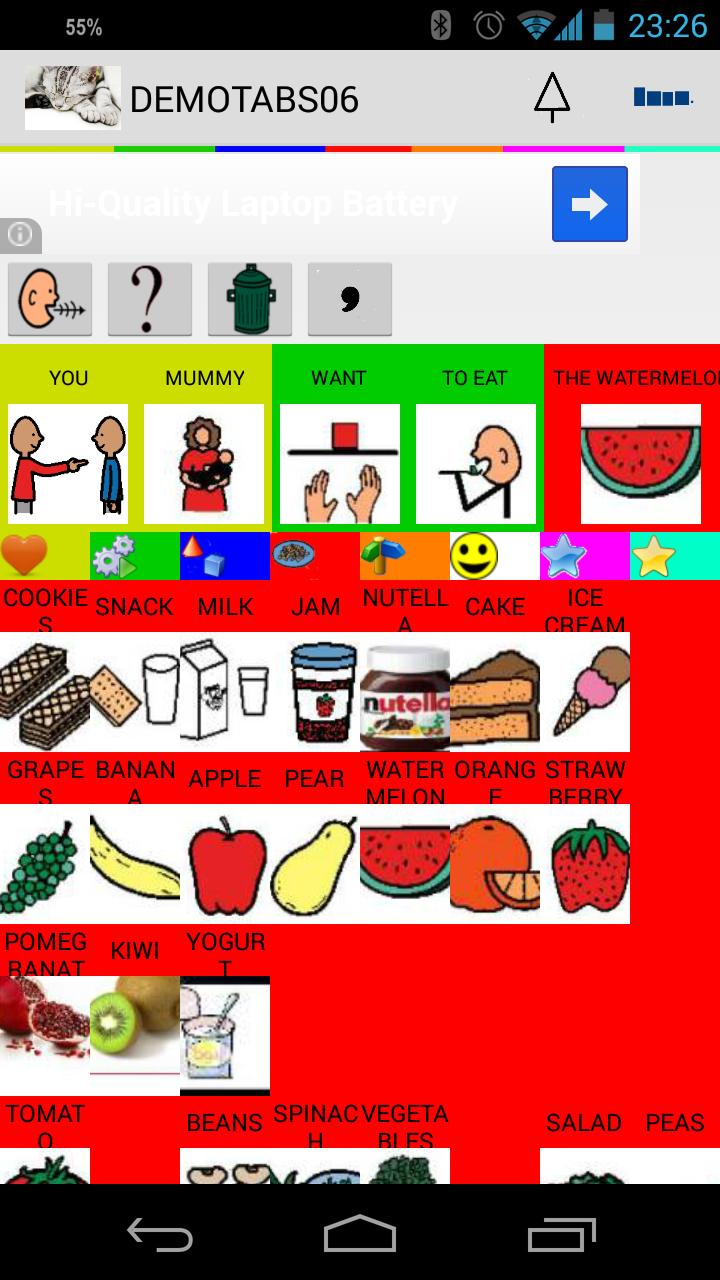
Aac Talking Tabs is a simple augmentative and alternative communication (AAC) device. It can be used for anyone with speech disorder, mostly children but useful for anyone that has this kind of problem.
Included with the application now you can use 9000+ ARASAAC images in Italian, English, German, French, Spanish and Portuguese to build your tables and book.
Arasaac Symbols License
Pictographic symbols used are a property of CATEDU(http://catedu.es/arasaac /) under Creative Commonís License and they have been created by Sergio Palao
You can create tables or tales and books as well.
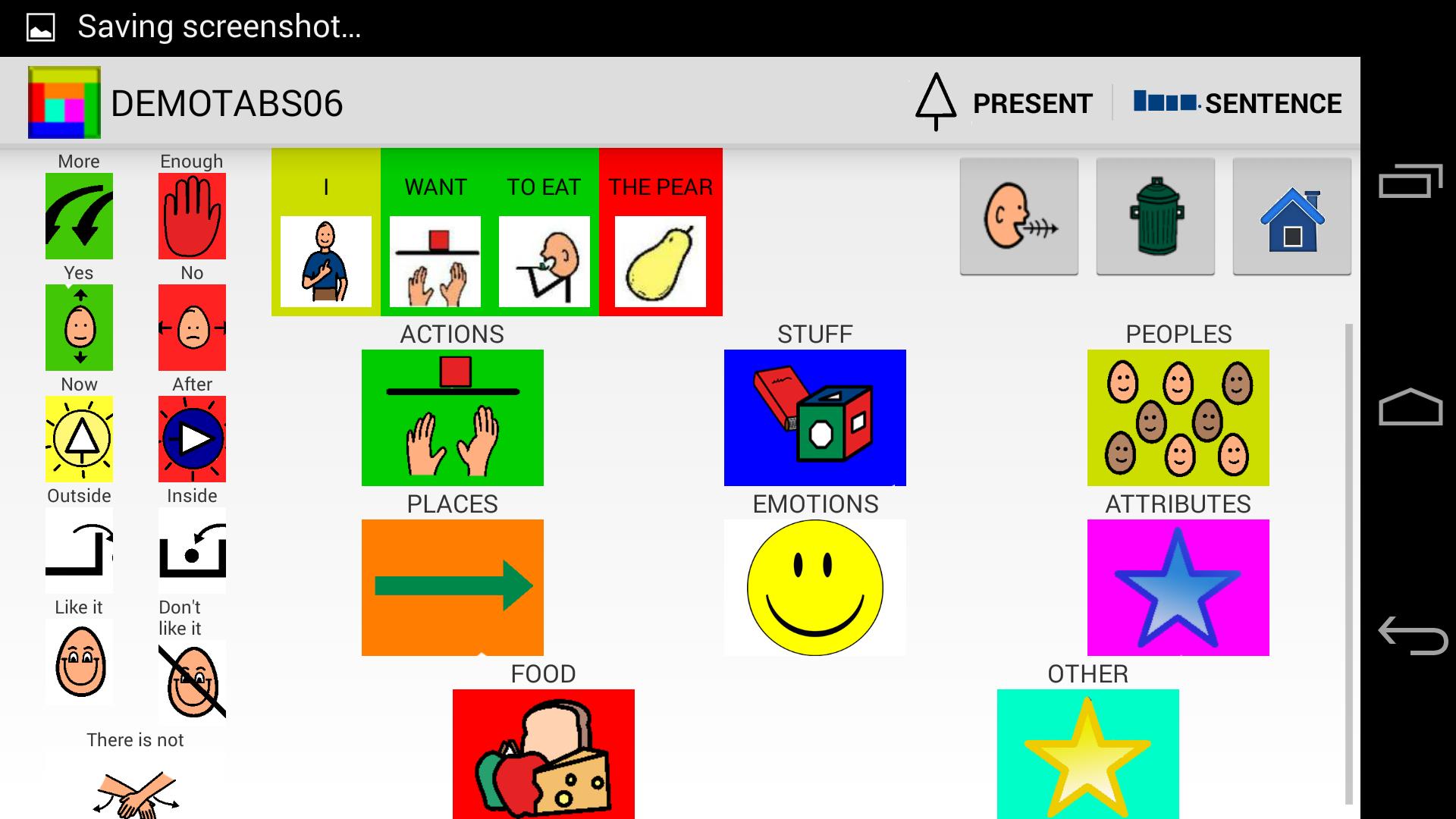
The tables are divided into 8 categories, People, Actions, Emotions, Objects, Food, Places, Adjectives, Other. You can decide to build a simple phrase or tap and talk.
Now you can easily send the sentences with WhatsApp
https://youtu.be/uacG8T07PzE
About the Tales, you can choose to let the device to tell the tales or tap each image to listen at your pace.
You can write your books and add question and answer to check whether the child has understood what he read. At https://drive.google.com/open?id=0ByaE3Pldz4TybG9ldEJsUENzRWs&authuser=0 you can find an example (in Italian).
Building tables and tales is very simple. If you chose Edit Mode, you are able to insert delete and modify any images on tables or tales.
You can copy and paste a text to build your book in symbols in few seconds.
New Simple Tabs are available. Switching from Talking tabs to Simple Tabs is easy.
Backup and Restore let you save your work and transfer them to other devices with Aac Talking Tabs.
The application can run from smartphone to tablets.
Note that only on O.S. >=3.x you can use full functionality such as drag and drop
Anyone who like to be a beta tester, just go with your google account to the following address
https://play.google.com/apps/testing/it.ac19.aac
and give your consent
預覽
標籤
教育訊息
開發商
Andrea Colzi
最新版本
1.6.1.6
更新時間
2023-11-03
類別
教育
同時可用
Google Play
更多
如何在電腦上用 GameLoop 玩 Aac Talking Tabs
1. 從官網下載GameLoop,然後運行exe文件安裝GameLoop
2. 打開GameLoop,搜索“Aac Talking Tabs”,在搜索結果中找到Aac Talking Tabs,點擊“安裝”
3. 享受在 GameLoop 上玩 Aac Talking Tabs 的樂趣
Minimum requirements
OS
Windows 8.1 64-bit or Windows 10 64-bit
GPU
GTX 1050
CPU
i3-8300
Memory
8GB RAM
Storage
1GB available space
Recommended requirements
OS
Windows 8.1 64-bit or Windows 10 64-bit
GPU
GTX 1050
CPU
i3-9320
Memory
16GB RAM
Storage
1GB available space