
臺中市立圖書館 電腦版
臺 中 市 政 府
用GameLoop模拟器在電腦上玩臺中市立圖書館
臺中市立圖書館 電腦版
來自發行商 臺 中 市 政 府 的 臺中市立圖書館 能夠在安卓系統上運行。
現在,您可以在電腦上使用 GameLoop 模擬器流暢地玩 臺中市立圖書館。
在 GameLoop 遊戲庫或搜索結果中下載。 不需要再暢玩遊戲時盯著電池電量或被令人懊惱的來電打斷。
只需在電腦大屏幕上免費下載暢玩臺中市立圖書館 電腦版!
臺中市立圖書館 簡介
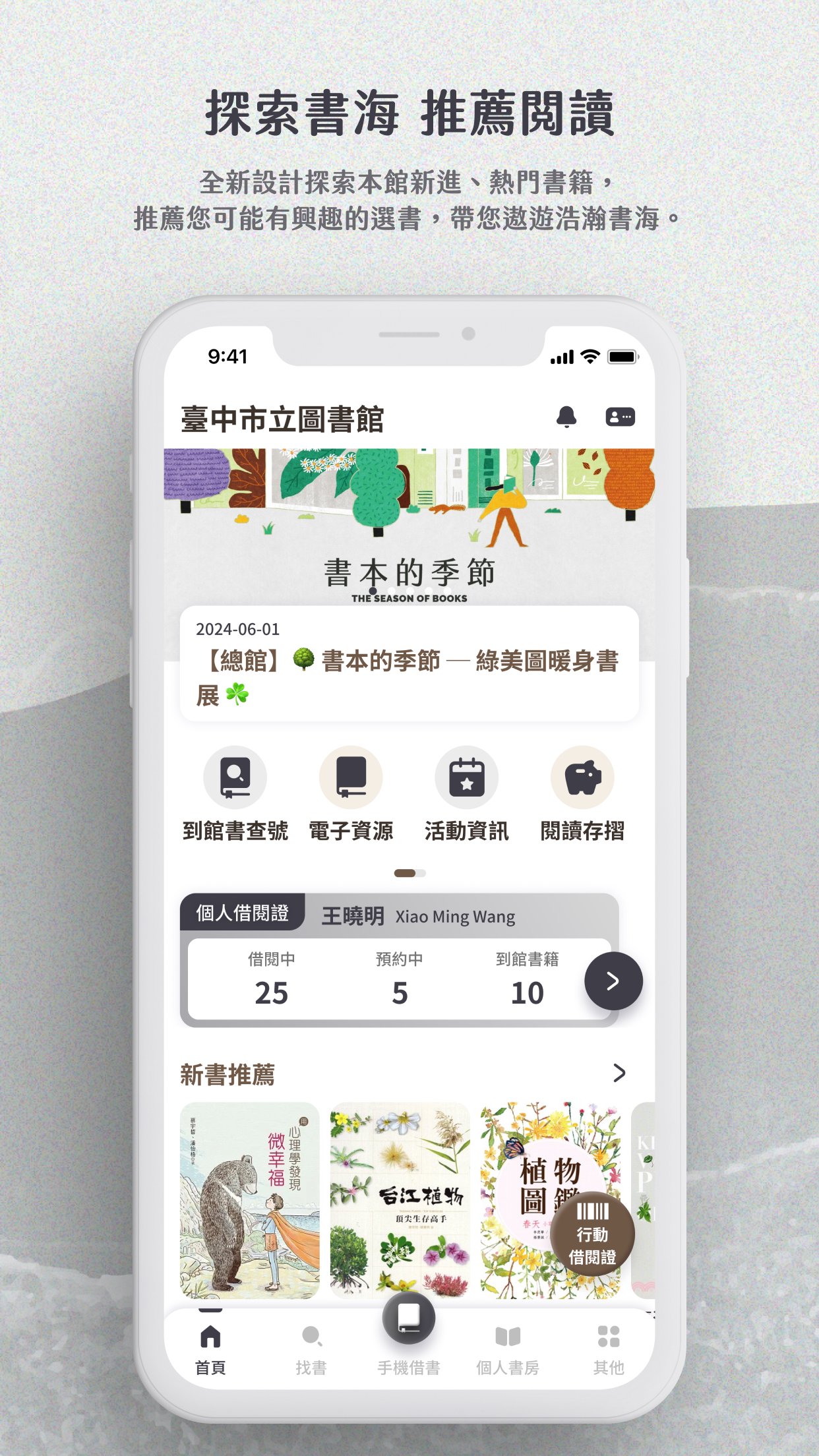
1. Explore recommendations and discover more reading inspiration
Provide new book recommendations, popular rankings and books you may like, so you can keep up with reading trends at any time.
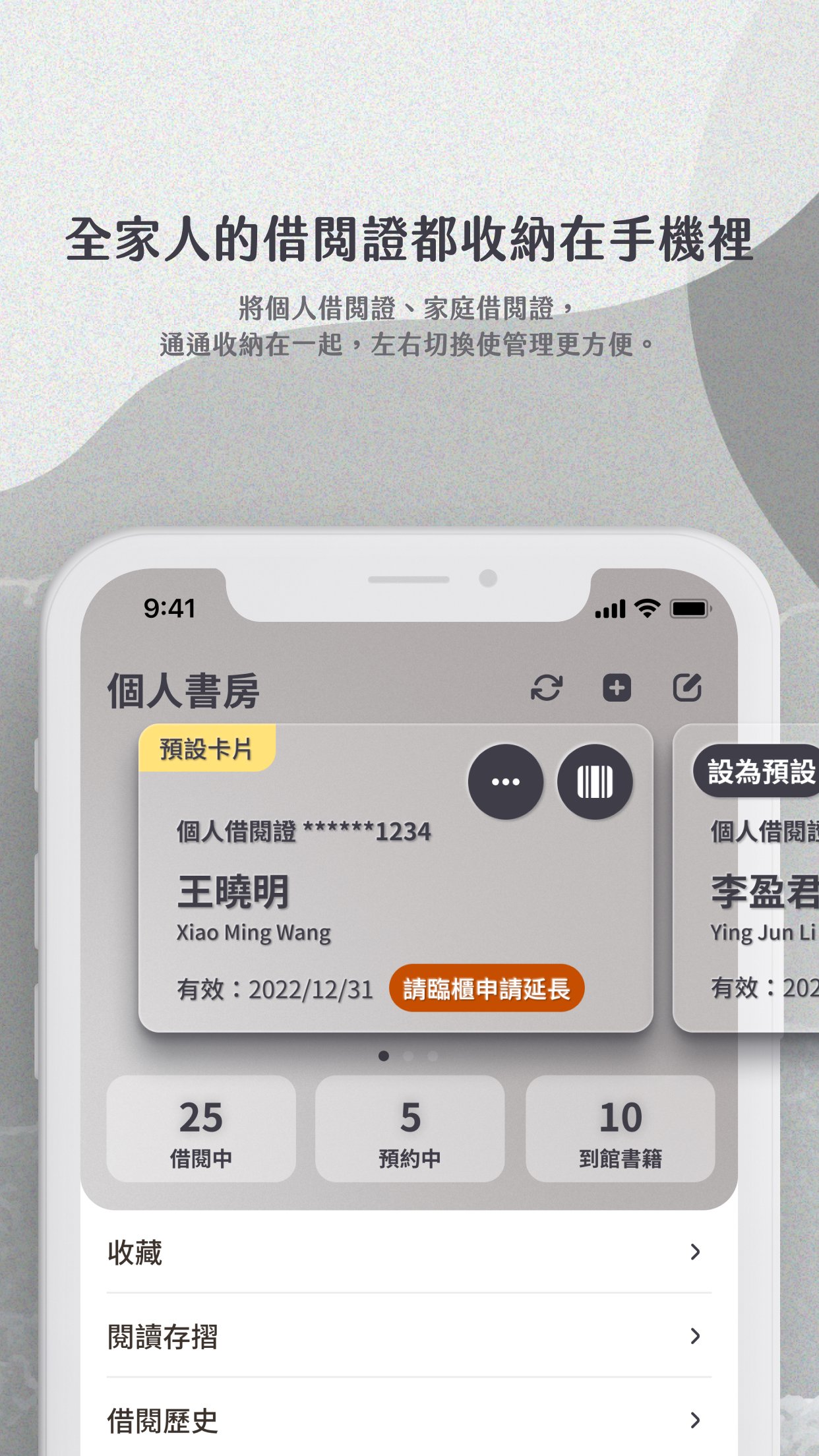
2. Support multiple library cards and mobile library card barcodes
You can add your own and your family's library cards, switch freely, and borrow books by showing the mobile barcode without carrying physical cards.
Each library card can independently view borrowing, reservation and arrival information, and you can customize commonly used cards as defaults.
3. Message push notifications
Important notifications such as loan expiration and reservation arrival are instantly reminded through push notifications, so you don't miss any messages.
Notifications are concentrated in the message center for easy access at any time.
4. Collection query
Enter keywords to query the collection, support prompts while entering, and provide multi-condition advanced query and collection screening.
You can also scan the ISBN barcode of the book to quickly obtain detailed information.
5. Book information on one page
Book information, collection status, borrowable branches and reservation functions are integrated on a single page, making reading and operation more intuitive and smooth.
6. Mobile Book Borrowing
Scan the barcode of the book to complete the book borrowing process, no need to queue at the counter, saving your precious time.
7. Read the passbook
You can check and redeem various rewards, and clearly understand the points accumulation and usage details.
It also provides a retroactive registration function, and you can quickly register points by scanning the QR code.
預覽
標籤
教育訊息
開發商
臺 中 市 政 府
最新版本
4.0.40
更新時間
2026-06-24
類別
教育
同時可用
Google Play
更多
如何在電腦上用 GameLoop 玩 臺中市立圖書館
1. 從官網下載GameLoop,然後運行exe文件安裝GameLoop
2. 打開GameLoop,搜索“臺中市立圖書館”,在搜索結果中找到臺中市立圖書館,點擊“安裝”
3. 享受在 GameLoop 上玩 臺中市立圖書館 的樂趣
Minimum requirements
OS
Windows 8.1 64-bit or Windows 10 64-bit
GPU
GTX 1050
CPU
i3-8300
Memory
8GB RAM
Storage
1GB available space
Recommended requirements
OS
Windows 8.1 64-bit or Windows 10 64-bit
GPU
GTX 1050
CPU
i3-9320
Memory
16GB RAM
Storage
1GB available space