
Animated Sticker Maker Whats 電腦版
Alwalidi Dev
用GameLoop模拟器在電腦上玩Animated Sticker Maker Whats
Animated Sticker Maker Whats 電腦版
來自發行商 Alwalidi Dev 的 Animated Sticker Maker Whats 能夠在安卓系統上運行。
現在,您可以在電腦上使用 GameLoop 模擬器流暢地玩 Animated Sticker Maker Whats。
在 GameLoop 遊戲庫或搜索結果中下載。 不需要再暢玩遊戲時盯著電池電量或被令人懊惱的來電打斷。
只需在電腦大屏幕上免費下載暢玩Animated Sticker Maker Whats 電腦版!
Animated Sticker Maker Whats 簡介
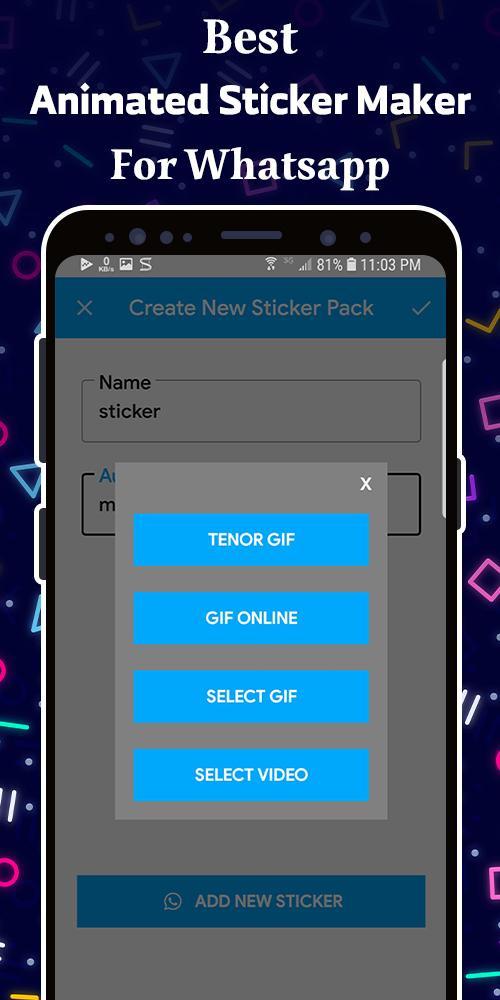
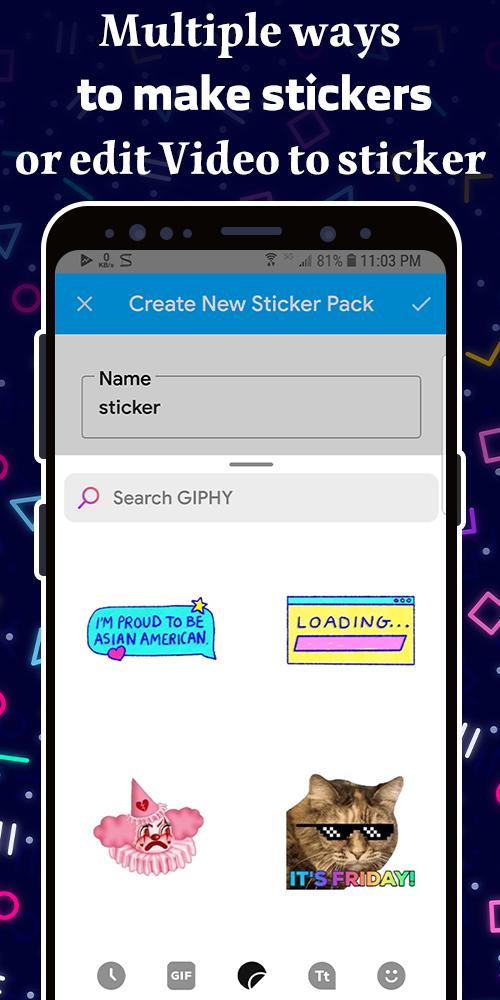
It’s the app that can change animated images like .gif / .webp / .mp4 to be a sticker. You can collect as many as you want from online resource like Giphy or Tenor by searching keywords.
and If you want to make your photos be stickers, Animated Sticker Maker helps you add the funny captions animated stickers.
To have the sticker packs made by other users, you can add them to your WhatsApp with one click.
If you prefer, you can use our search engine where you will find more than 300,000 GIFs available to convert into stickers.
Collect stickers from online resource with 3 steps:
1. Search by words you want, such as "love, hi, thank you, good morning, good night…" or any word click the animated image you like from the results.
2. The animated gif will be broken down to static pictures by frames of motion, choose the one you like to be your sticker. You can go back to step 1 to add more.
3. Give a name to your sticker pack and yourself, then add to Wa.
Easy to share stickers to WhatsApp (WAStickerApps) with our WhatsApp Personal Sticker app animated.
Use your own photos from phone to make stickers with 2 steps:
1. Give a name to your sticker pack and yourself first, then go to select photo from your phone one by one.
2. Write captions or greeting words on, you can click the dice icon to use the captions we prepare for you. After all editions done, click “add to Wa”
** App Features
* Create personal or custom animated stickers
* Create unlimited own animated Sticker packages
* Add emojis/smileys to animated stickers
* Crop images while making stickers
* Background eraser feature to make WhatsApp Stickers
* Scale stickers to the Perfect size.
* Share stickers with friends & family members
* Personal WhatsApp animated stickers with text
* Personal WhatsApp animated stickers with emoji
Don’t worry, if you are too lazy to make your own sticker pack, you can just add others sticker from animated sticker store’we uploaded packs to your Wa hatsApp WAStickerApps with only one click!
Share with your friends, let them chat with stickers from now on! With Animated Sticker Maker you can make a lot of packs of sticker or meme of dog / cat / celebrity even anime pictures with funny expressions, never get bored.
Just download Animated Sticker Maker now!
Create animated sticker from WhatsApp now is the best app for you
Disclaimer:
This app is not endorsed or affiliated by WhatsApp Inc, All the pictures are user-generated or user-contributed, and we are not responsible in any way on the generated content. Any questions/suggestions/ problems about our sticker app, please contact us by email
預覽
標籤
通訊訊息
開發商
Alwalidi Dev
最新版本
1.8
更新時間
2023-06-05
類別
通訊
同時可用
Google Play
更多
如何在電腦上用 GameLoop 玩 Animated Sticker Maker Whats
1. 從官網下載GameLoop,然後運行exe文件安裝GameLoop
2. 打開GameLoop,搜索“Animated Sticker Maker Whats”,在搜索結果中找到Animated Sticker Maker Whats,點擊“安裝”
3. 享受在 GameLoop 上玩 Animated Sticker Maker Whats 的樂趣
Minimum requirements
OS
Windows 8.1 64-bit or Windows 10 64-bit
GPU
GTX 1050
CPU
i3-8300
Memory
8GB RAM
Storage
1GB available space
Recommended requirements
OS
Windows 8.1 64-bit or Windows 10 64-bit
GPU
GTX 1050
CPU
i3-9320
Memory
16GB RAM
Storage
1GB available space