
마루뷰어-만화뷰어,텍스트뷰어,스캔뷰어,소설뷰어 電腦版
마루치아라치
用GameLoop模拟器在電腦上玩마루뷰어-만화뷰어,텍스트뷰어,스캔뷰어,소설뷰어
마루뷰어-만화뷰어,텍스트뷰어,스캔뷰어,소설뷰어 電腦版
來自發行商 마루치아라치 的 마루뷰어-만화뷰어,텍스트뷰어,스캔뷰어,소설뷰어 能夠在安卓系統上運行。
現在,您可以在電腦上使用 GameLoop 模擬器流暢地玩 마루뷰어-만화뷰어,텍스트뷰어,스캔뷰어,소설뷰어。
在 GameLoop 遊戲庫或搜索結果中下載。 不需要再暢玩遊戲時盯著電池電量或被令人懊惱的來電打斷。
只需在電腦大屏幕上免費下載暢玩마루뷰어-만화뷰어,텍스트뷰어,스캔뷰어,소설뷰어 電腦版!
마루뷰어-만화뷰어,텍스트뷰어,스캔뷰어,소설뷰어 簡介
It is an app that lets you open text files, comics files, compressed files, PDFs, and epub files stored in your Android phone or web hard drive and view them like a book.
※ By default, content (novel/comic files) is not provided.
※ Only Google Play Protect certified devices are supported.
The main features are as follows.
1. Text Viewer
- txt, csv, smi, sub, srt support
- epub support (text and picture display)
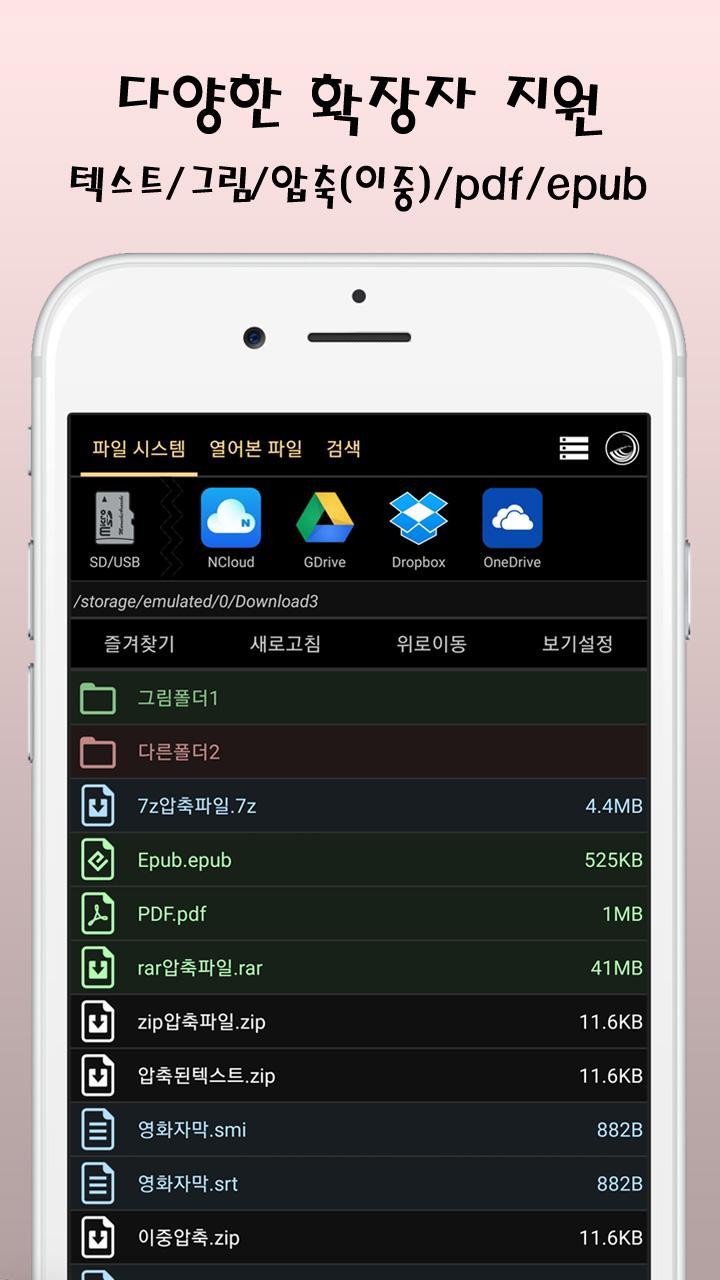
- Open compressed text (zip, rar, 7z): Open directly without decompression
- Font (calligraphy/Myeongjo) change, size/line spacing/margin adjustment
- Fix character encoding (auto/EUC-KR/UTF-8,...)
- Change text color/background color
- How to turn pages: arrow/screen tap/screen drag/volume button
- Flip effect (animation): roll, slide, push, scroll up and down
- Quick search: navigation bar, dial, page input
- Add/Rename/Sort/View Bookmarks
- Reading: language selection, speed control, special characters/kanji exclusion options
- Slideshow support: speed control
※ Background execution possible in the paid version
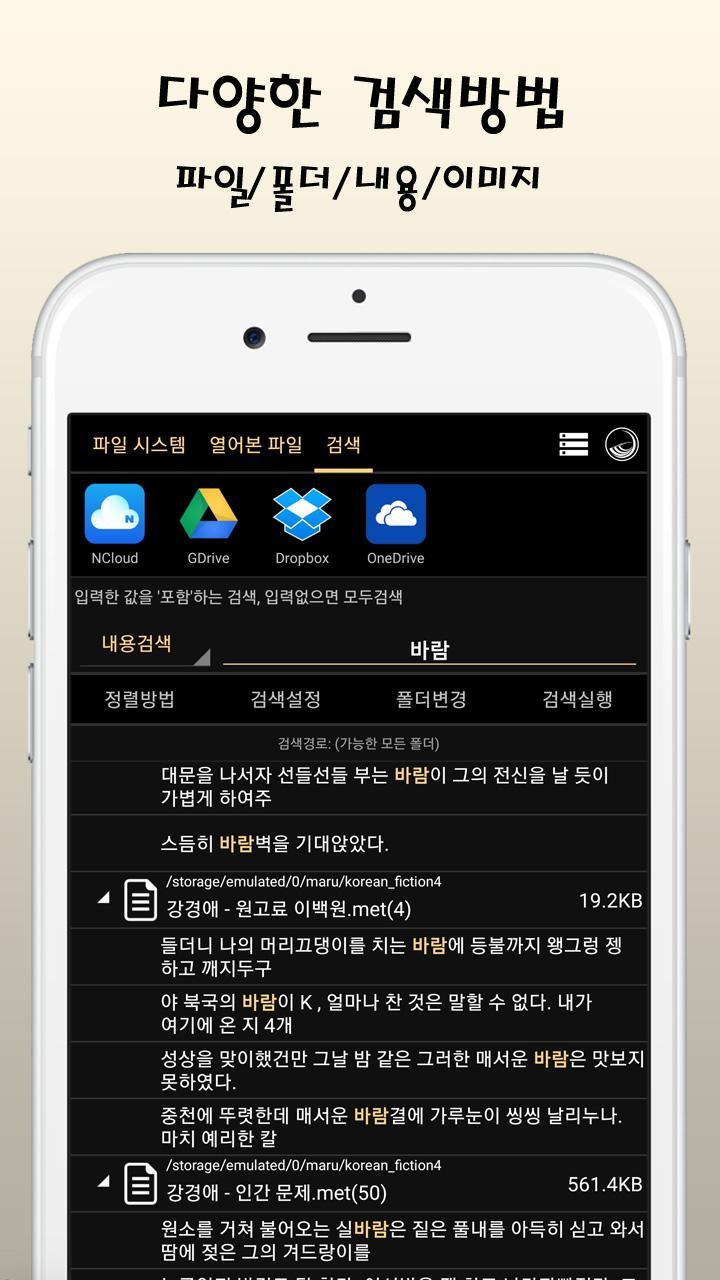
- Text Search: Search one by one, all
- Text editing: edit, add new file
- Text Alignment: Left, Both Sides, Horizontal 2 Views
- Support for two-column view
- Organize sentences, divide files (long tap on file name)
2. Manga Viewer
- Supports jpg, png, gif, bmp, webp, tiff, zip, rar, 7z, cbz, cbr, cb7, pdf files
- Open compressed image (zip, rar, 7z): Open directly without decompression
- Double compression support
- pdf support: up to 8x magnification option and sharp option when magnified
- Left-to-right order/divide: Left -> Right, Right->Left (Japanese style), View 2 horizontally
- Zoom in/out/magnifying glass (when animation is not used)
- How to turn pages: arrow/screen tap/screen drag/volume button
- Flip effect (animation): scroll left and right, scroll up and down, scroll webtoon
※ Webtoon Scroll enables smooth scrolling of very long pictures
- Quick search: navigation bar, dial, page input
- Add/Rename/Sort/View Bookmarks
- Slideshow support: set in seconds
- keep the picture enlarged
- Animated gif support
- Picture rotation support (manual rotation/JPEG auto rotation)
3. File function
- Reading information color display: red (recent), green (partially read), blue (completely read)
- Preview: Tile type (large, small), view details
- Select file extension
- Sort: name, size, date
- Delete (multiple) support
- Rename support
- Search support: name, content, picture
4. Others
- theme/color support
- Language selection support (Korean, Chinese, Japanese, English)
- SFTP (secure file transport protocol) support
- FTP (file transport protocol) support
- SMB (Windows shared folder, Samba) support
- Google Drive support
- Dropbox support
- MS OneDrive support
- password lock
- Note 9 and above spen support: page turning, slideshow pause
- Headset button support: Pause slideshow
- Media button (Bluetooth earphone, etc.) support: Pause reading
- Backup/restore settings (compatible with Maru, Maru Viewer, and Ara)
- Shortcut management function (eg, add/delete Naver NDrive app shortcut)
permission information
- Storage space (required): Read contents or edit/delete files
預覽
標籤
漫畫訊息
開發商
마루치아라치
最新版本
2.0.23
更新時間
2025-08-12
類別
漫畫
同時可用
Google Play
更多
如何在電腦上用 GameLoop 玩 마루뷰어-만화뷰어,텍스트뷰어,스캔뷰어,소설뷰어
1. 從官網下載GameLoop,然後運行exe文件安裝GameLoop
2. 打開GameLoop,搜索“마루뷰어-만화뷰어,텍스트뷰어,스캔뷰어,소설뷰어”,在搜索結果中找到마루뷰어-만화뷰어,텍스트뷰어,스캔뷰어,소설뷰어,點擊“安裝”
3. 享受在 GameLoop 上玩 마루뷰어-만화뷰어,텍스트뷰어,스캔뷰어,소설뷰어 的樂趣
Minimum requirements
OS
Windows 8.1 64-bit or Windows 10 64-bit
GPU
GTX 1050
CPU
i3-8300
Memory
8GB RAM
Storage
1GB available space
Recommended requirements
OS
Windows 8.1 64-bit or Windows 10 64-bit
GPU
GTX 1050
CPU
i3-9320
Memory
16GB RAM
Storage
1GB available space