
Thermotrack Mobile Edition 電腦版
Proges Plus
用GameLoop模拟器在電腦上玩Thermotrack Mobile Edition
Thermotrack Mobile Edition 電腦版
來自發行商 Proges Plus 的 Thermotrack Mobile Edition 能夠在安卓系統上運行。
現在,您可以在電腦上使用 GameLoop 模擬器流暢地玩 Thermotrack Mobile Edition。
在 GameLoop 遊戲庫或搜索結果中下載。 不需要再暢玩遊戲時盯著電池電量或被令人懊惱的來電打斷。
只需在電腦大屏幕上免費下載暢玩Thermotrack Mobile Edition 電腦版!
Thermotrack Mobile Edition 簡介
MAIN FUNCTIONS
• Read Thermo and Hygro Buttons on your Android Smartphone or Tablet
• Send data
o In Thermotrack, PC, Online, Webserve
o In PDF per Email to the person you choose
o In CSV per Email
• Show highest, lowest, average records and last measurement
• Check the alarms with temporization
• Relaunch Mission
• Mission (Setting)
DESCRIPTION
Thermotrack Mobile Edition is a free app which enable you to use your Thermo and Hygro Buttons anywhere using your Android Smartphone or Tablet.
Thermotrack Mobile can:
• Control occurrence of Temperature alarms on site
• Download data on your smartphone
• Transfer it on your favorite application or send the graph per email in PDF to the person you choose
• Reset or relaunch the current mission of the Thermo or Hygro Button.
DOWNLOAD AND TRANSFER
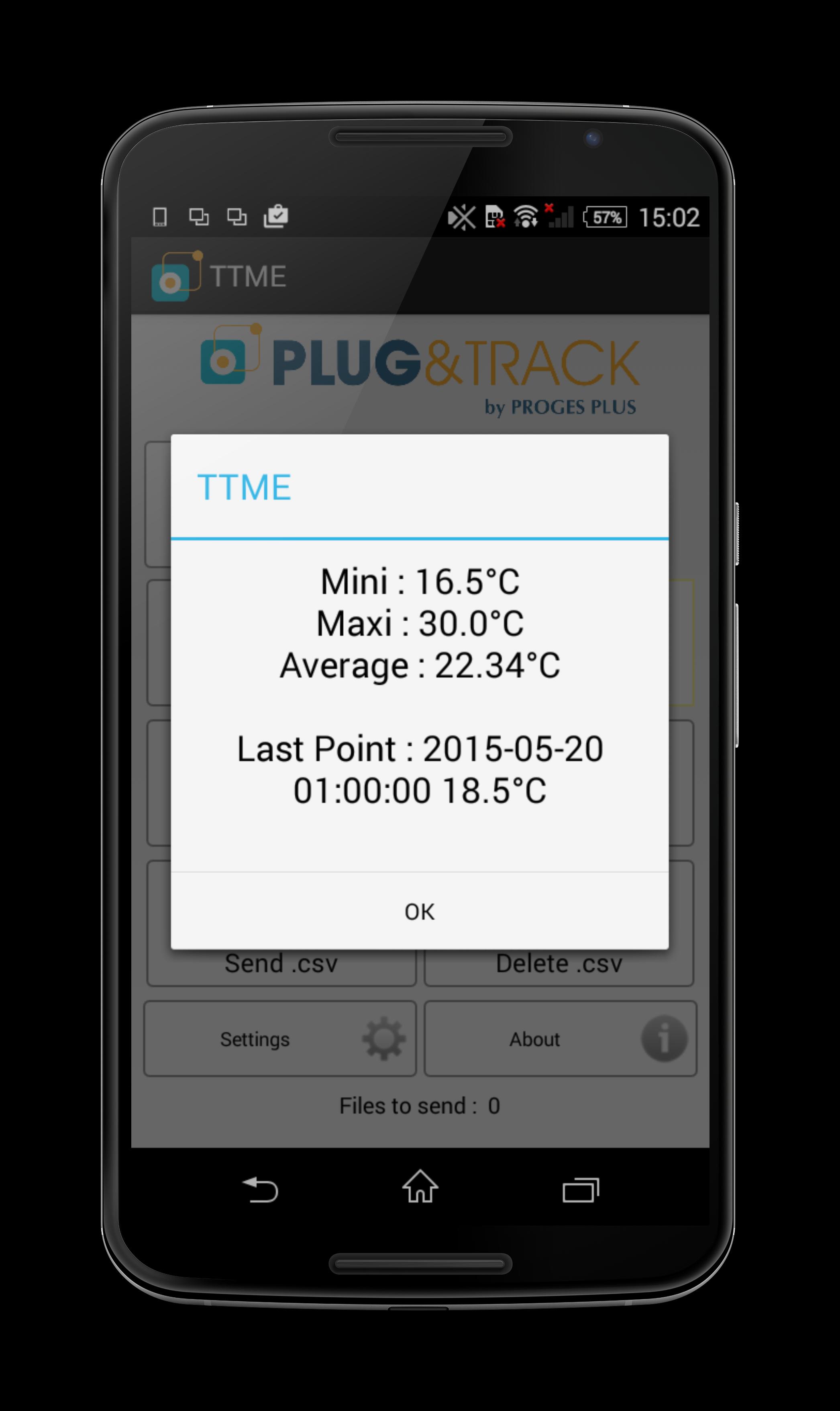
When reading the Buttons, Thermotrack mobile shows the highest, lowest, average records and last measurement.
You can immediately send the graph in PDF by email to the person you choose. You can also send the data directly to your favorite Thermotrack applications.
If you don’t have Thermotrack, you can also send the data by email in a CSV file.
MISSION RELAUNCH
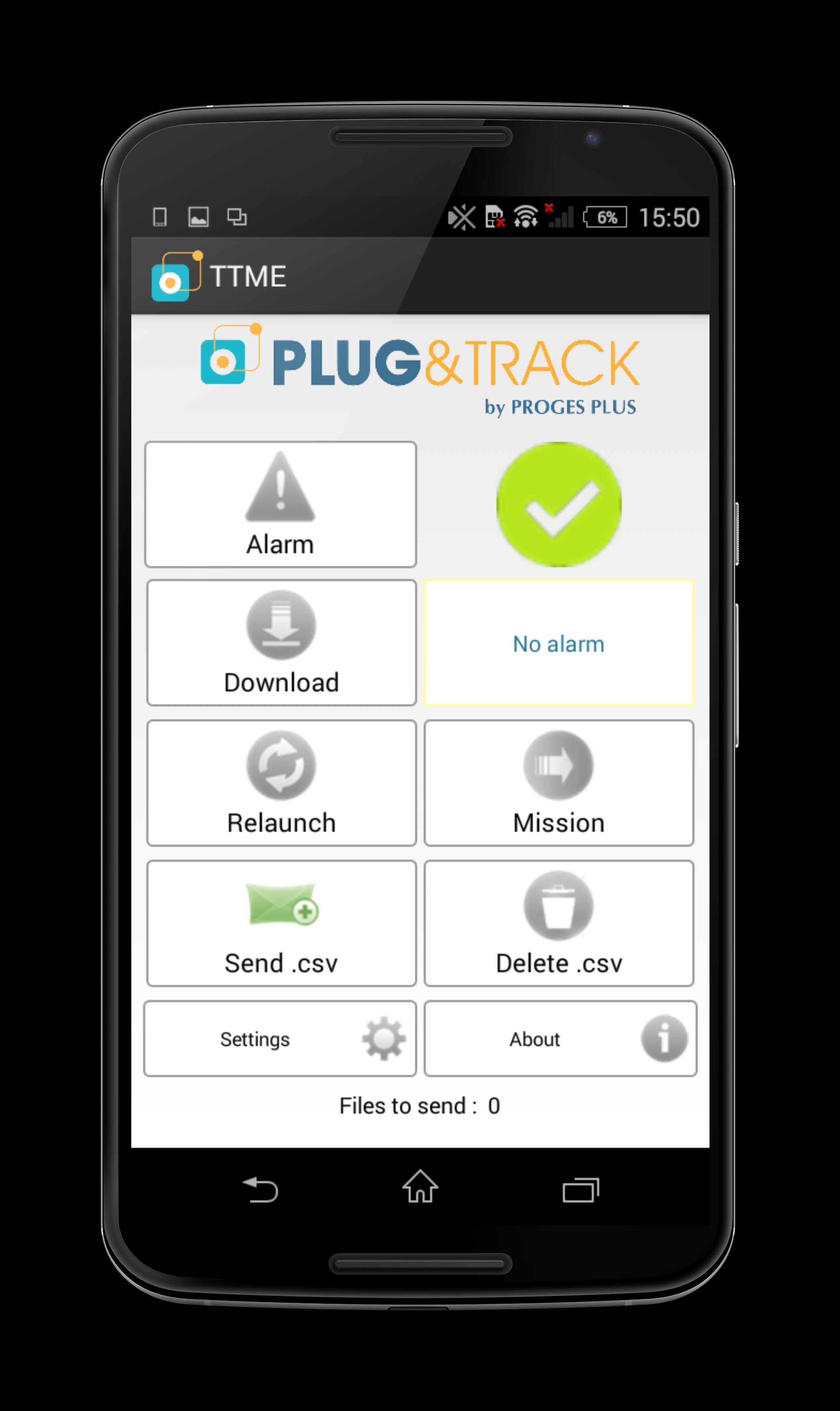
If you want to clear the Button memory and start a new mission, just press the icon «Relaunch»
Thanks to the new function “Mission” you can also reset your loggers completely and start a new mission.
ALARM CONTROL
Plug the reader on a Thermo Button or Hygro Button and touch the icon «alarm». The icon turns:
• Green if no alarms
• Orange if temperatures threshold have been reached but within an acceptable duration (Temporization)
• Red if both thresholds and temporization have been reached
預覽
標籤
商業訊息
開發商
Proges Plus
最新版本
20230130
更新時間
2023-01-30
類別
商業
同時可用
Google Play
更多
如何在電腦上用 GameLoop 玩 Thermotrack Mobile Edition
1. 從官網下載GameLoop,然後運行exe文件安裝GameLoop
2. 打開GameLoop,搜索“Thermotrack Mobile Edition”,在搜索結果中找到Thermotrack Mobile Edition,點擊“安裝”
3. 享受在 GameLoop 上玩 Thermotrack Mobile Edition 的樂趣
Minimum requirements
OS
Windows 8.1 64-bit or Windows 10 64-bit
GPU
GTX 1050
CPU
i3-8300
Memory
8GB RAM
Storage
1GB available space
Recommended requirements
OS
Windows 8.1 64-bit or Windows 10 64-bit
GPU
GTX 1050
CPU
i3-9320
Memory
16GB RAM
Storage
1GB available space