
Screen Cut – Screenshot app 電腦版
ドルフィン・ブラウザ株式会社
用GameLoop模拟器在電腦上玩Screen Cut – Screenshot app
Screen Cut – Screenshot app 電腦版
來自發行商 ドルフィン・ブラウザ株式会社 的 Screen Cut – Screenshot app 能夠在安卓系統上運行。
現在,您可以在電腦上使用 GameLoop 模擬器流暢地玩 Screen Cut – Screenshot app。
在 GameLoop 遊戲庫或搜索結果中下載。 不需要再暢玩遊戲時盯著電池電量或被令人懊惱的來電打斷。
只需在電腦大屏幕上免費下載暢玩Screen Cut – Screenshot app 電腦版!
Screen Cut – Screenshot app 簡介
★★★★★
Screen Cut is a simple and convenient screenshot tool, which will help you to take any kind of capture (region crop, full screen screenshot or long page screenshot), edit it by drawing or writing over the screenshot and share it with your friends via Facebook, Twitter, email or any other way!
Features
✔ Simple and clean interface - enjoy taking screen captures and drawing scrabble over the screenshot with light and clean user interface of Screen Cut – Screenshot app;
✔ All screen capture modes are supported – choose the way to capture the screen according to your needs between the region crop (free crop), full screen capture or the whole page screenshot (for long page capture) with Screen Cut – Screenshot app:
- Region Crop – free crop mode, chose any area on the screen and crop it. Use this capture mode to crop only the specific part of the screen (image capture; title capture; post capture, etc.) ;
- Full Screen Capture Mode – capture all visible content of the page using full screen capture mode;
- Whole page screenshot – very useful capture mode, if you want to capture all of the content on a long page (a fully-expanded Facebook wall, for example). But be sure, that the webpage is FULL LOADED before you capture it;
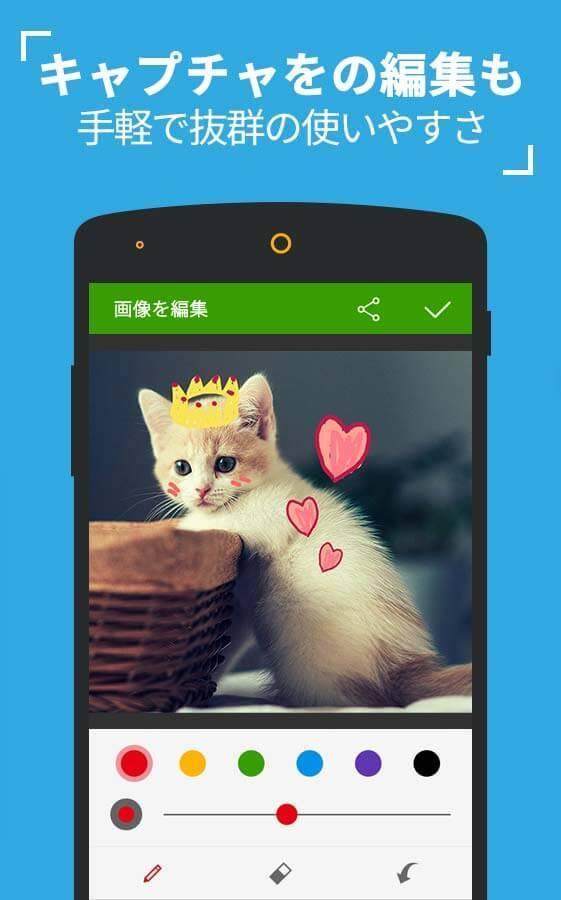
✔ Positive Capture Editor – use the pencil to draw scrabble and paint over your screenshots, easily customize the line size or pencil color in Capture Editor of Screen Cut. Simply have fun! Go crazy!
✔ Easy to Share – share your screenshots and screen captures with your friends via Facebook, Twitter, email or any other way you want. With Screen Cut it’s easy. Btw, the screenshot will be automatically saved in your SD card or Photo Gallery, so don’t worry about losing it;
✔ NO ROOT NEEDED – capture screen without root your phone with Screen Cut – Screenshot App;
✔Easy access from Dolphin Browser
How to use Screen Cut
- Open the webpage;
- Open the right sidebar and click Screen Cut;
- Choose the capture mode (region crop, full screen screenshot or the whole page screenshot);
- Edit the screenshot by drawing over the capture if you like and press “✔”;
- Share the screenshot with your friends via Facebook, Twitter, email, etc;
NOTICE: Screenshot will be saved in your SD card or Photo Gallery in JPG format.
Screen Cut – screenshot app is one of the most unique & free apps developed by the Dolphin Browser Team. You can use it like an exclusive Add-on for Dolphin Browser, the best mobile browser with extensive Flash support, Private Mode and the most customizable browsing experience on the market. We have already reached over 150 Million downloads on Android and iOS worldwide and are very happy to receive positive feedback from you every day. To get more Dolphin Add-ons please visit: http://goo.gl/Cjm8xM
🐬 Join the Dolphin Browser community on:
ドルフィンFacebookページ:http://www.facebook.com/DolphinFansJp
ドルフィンTwitter:https://twitter.com/JP_Dolphin
ドルフィンGoogle+ ページ:http://gplus.to/DolphinBrowserJP
ドルフィンウェブサイト:http://www.dolphin-browser.jp/
Enjoy using Screen Cut!
🐬❤👪, 🚄🚃📷🎥🎧🎮🎡🎠🎢🌏🚃, 🚀🏁🏆🎆
預覽

標籤
商業訊息
開發商
ドルフィン・ブラウザ株式会社
最新版本
1.0
更新時間
2016-03-08
類別
商業
同時可用
Google Play
更多
如何在電腦上用 GameLoop 玩 Screen Cut – Screenshot app
1. 從官網下載GameLoop,然後運行exe文件安裝GameLoop
2. 打開GameLoop,搜索“Screen Cut – Screenshot app”,在搜索結果中找到Screen Cut – Screenshot app,點擊“安裝”
3. 享受在 GameLoop 上玩 Screen Cut – Screenshot app 的樂趣
Minimum requirements
OS
Windows 8.1 64-bit or Windows 10 64-bit
GPU
GTX 1050
CPU
i3-8300
Memory
8GB RAM
Storage
1GB available space
Recommended requirements
OS
Windows 8.1 64-bit or Windows 10 64-bit
GPU
GTX 1050
CPU
i3-9320
Memory
16GB RAM
Storage
1GB available space