
Promatic WorkTracker 電腦版
Promatic Software
用GameLoop模拟器在電腦上玩Promatic WorkTracker
Promatic WorkTracker 電腦版
來自發行商 Promatic Software 的 Promatic WorkTracker 能夠在安卓系統上運行。
現在,您可以在電腦上使用 GameLoop 模擬器流暢地玩 Promatic WorkTracker。
在 GameLoop 遊戲庫或搜索結果中下載。 不需要再暢玩遊戲時盯著電池電量或被令人懊惱的來電打斷。
只需在電腦大屏幕上免費下載暢玩Promatic WorkTracker 電腦版!
Promatic WorkTracker 簡介
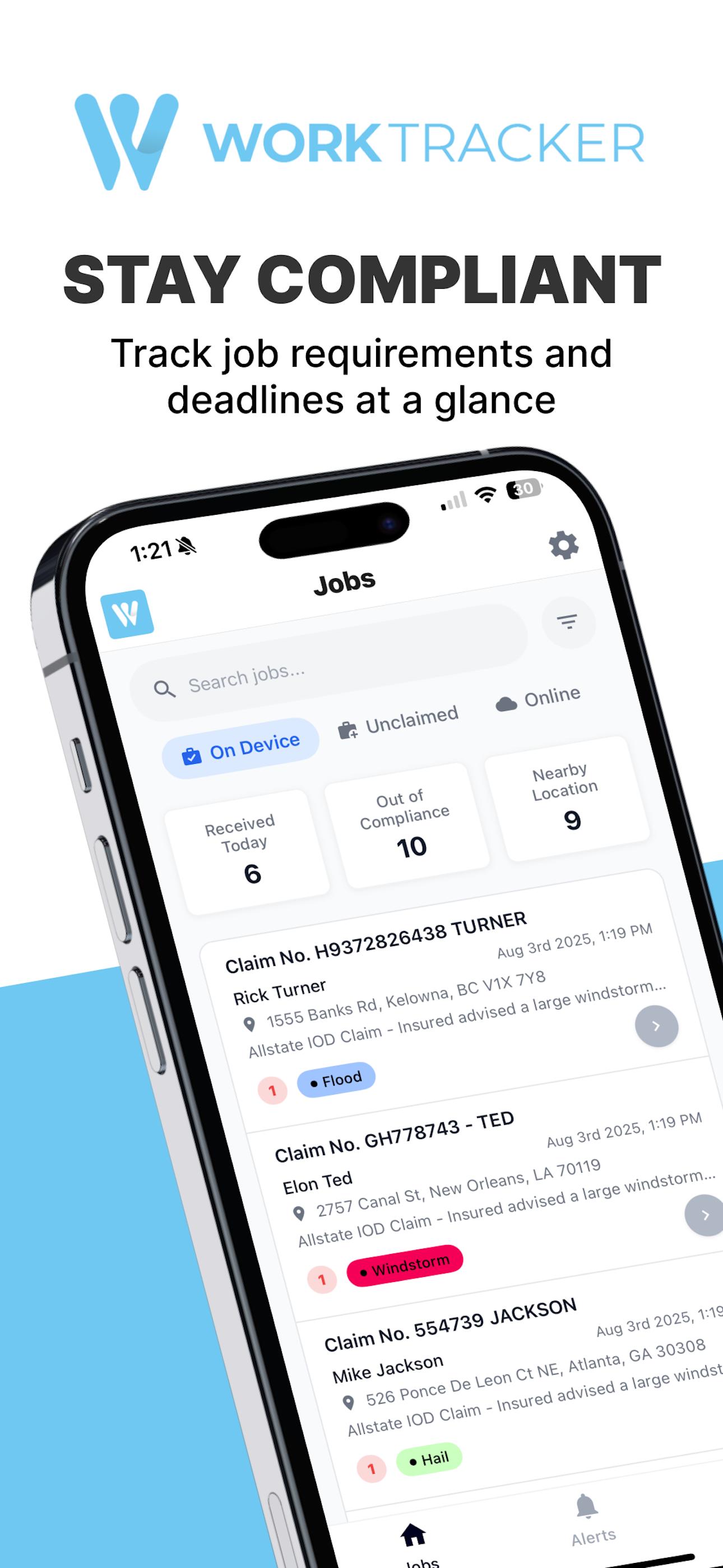
WorkTracker is the all-in-one field management app for restoration contractors and insurance adjusters. Whether you're handling water mitigation, fire damage, abatement, or reconstruction, WorkTracker helps you stay compliant, document everything, and manage every job from your mobile device.
Built to simplify field documentation and compliance management, WorkTracker connects teams, streamlines reporting, and ensures no job falls behind on requirements.
Key Features:
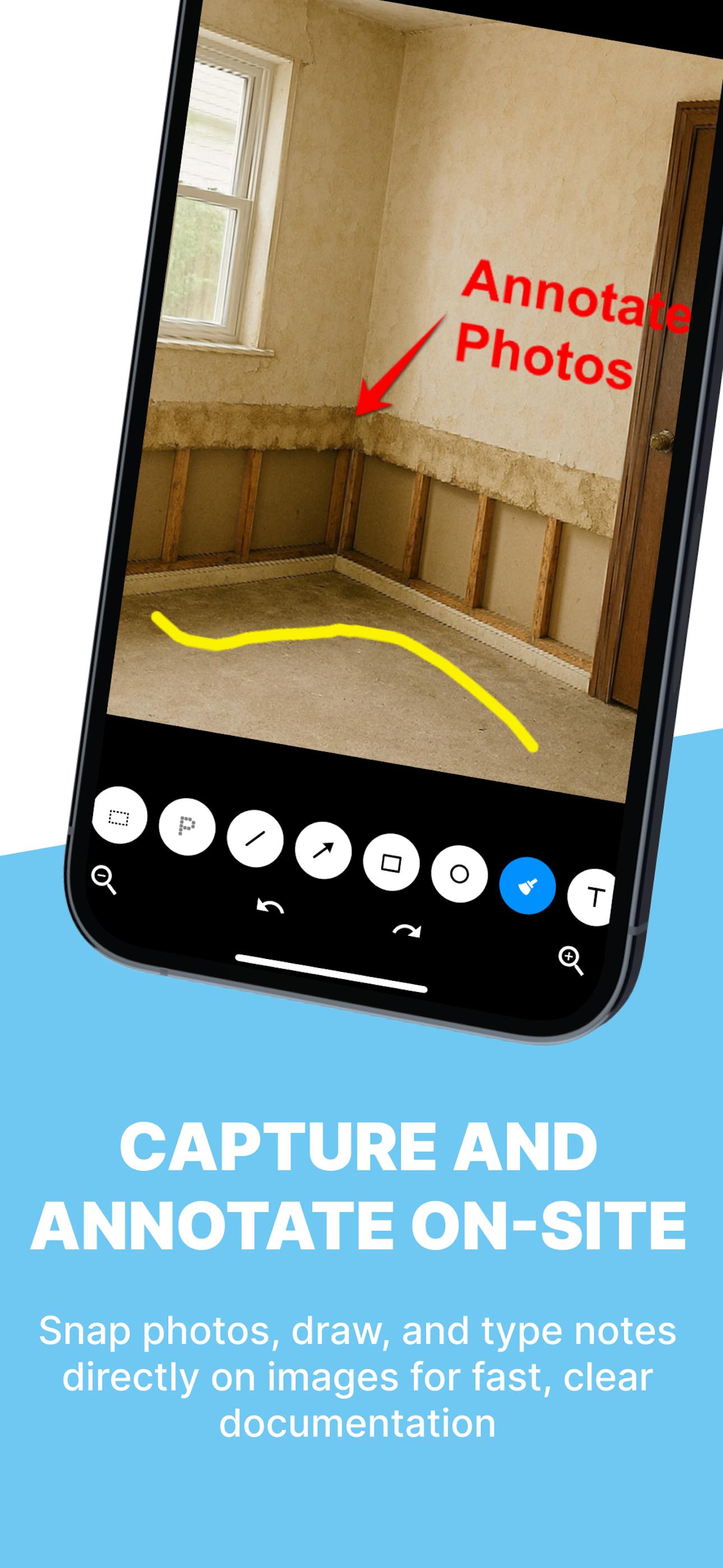
- Photo Capture & Annotations
Snap photos, draw or type notes directly on them, and upload instantly.
- Form Completion & Remote Signatures
Fill out digital forms on-site or remotely, and collect signatures in seconds.
- Compliance-Driven Workflows
Track required actions, receive alerts before leaving a job, and avoid costly oversights.
- Alerts & Reminders
Get push notifications for upcoming deadlines and unresolved tasks.
- Calendar & Scheduling
View and manage your daily job schedule with built-in calendar integration.
- Smart Equipment Tracking
Add rooms and materials, calculate drying equipment (IICRC S500), GPP, and manage gear usage.
- Real-Time Job Status & Date Updates
Stay aligned with timelines, milestones, and carrier expectations.
- Note-Taking Made Easy
Add detailed voice or text notes directly to each job file.
For Adjusters & Compliance Teams:
WorkTracker helps adjusters manage carrier compliance and SLAs with real-time visibility into job progress, documentation, and deadlines — improving accuracy, accountability, and speed to resolution.
Optional add-ons like AssetTracker provide automated equipment billing and labor hour tracking for even more efficiency.
Work smarter. Stay compliant. Finish faster — with WorkTracker.
預覽
標籤
商業訊息
開發商
Promatic Software
最新版本
3.0.3
更新時間
2025-09-25
類別
商業
同時可用
Google Play
更多
如何在電腦上用 GameLoop 玩 Promatic WorkTracker
1. 從官網下載GameLoop,然後運行exe文件安裝GameLoop
2. 打開GameLoop,搜索“Promatic WorkTracker”,在搜索結果中找到Promatic WorkTracker,點擊“安裝”
3. 享受在 GameLoop 上玩 Promatic WorkTracker 的樂趣
Minimum requirements
OS
Windows 8.1 64-bit or Windows 10 64-bit
GPU
GTX 1050
CPU
i3-8300
Memory
8GB RAM
Storage
1GB available space
Recommended requirements
OS
Windows 8.1 64-bit or Windows 10 64-bit
GPU
GTX 1050
CPU
i3-9320
Memory
16GB RAM
Storage
1GB available space