
Olsera POS 電腦版
PT Olsera Indonesia Pratama
用GameLoop模拟器在電腦上玩Olsera POS
Olsera POS 電腦版
來自發行商 PT Olsera Indonesia Pratama 的 Olsera POS 能夠在安卓系統上運行。
現在,您可以在電腦上使用 GameLoop 模擬器流暢地玩 Olsera POS。
在 GameLoop 遊戲庫或搜索結果中下載。 不需要再暢玩遊戲時盯著電池電量或被令人懊惱的來電打斷。
只需在電腦大屏幕上免費下載暢玩Olsera POS 電腦版!
Olsera POS 簡介
"Are you looking for a Cashier (Point of Sale) Application with the Most Complete Features and the Best Price?"
It could be that you are bored with various similar Point of Sale applications that are expensive or even stingy with features, which ends up being met with your operational needs.
OlseraPOS is a feature-rich and inexpensive solution for Indonesian MSMEs.
Supporting Android, iOS to Windows devices, Olsera POS is the most flexible, fully featured yet friendly point of sale software for MSMEs.
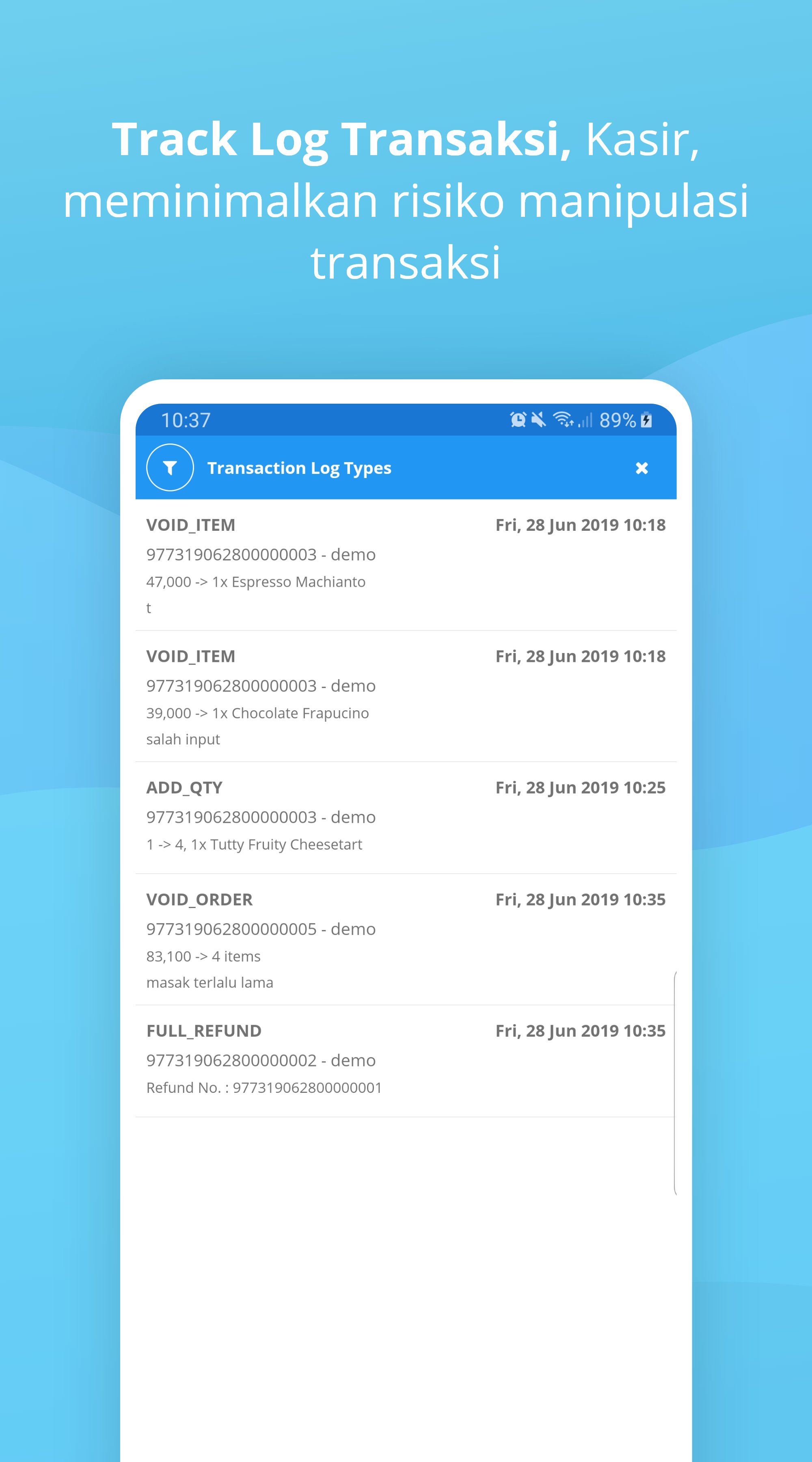
Used by thousands of business actors throughout Indonesia, the development of the latest OlseraPOS has supported loyalty / reward point features, split bill, installment payment, barcode scanning mode, lock screen, partial refund, transaction logs, to support for non-cash payments such as OVO, GO-PAY up to Cashlez.
-------------------------------------------------- -----
Note:
Make sure you have registered at olsera.com/id.sign-up (free 14 day trial) in order to get an account to sign in to the Olsera POS program.
If you do not have an account and want to test the appearance and operation of the OlseraPOS app, please use the user login below:
Demo Test:
For Retail etc: allinolsera.myolsera.com, user: demo, password: 12345
For F&B: allinolsera2.myolsera.com, user: demo, password: 12345
-------------------------------------------------- ------
Please compare, OlseraPOS gives you complete features with the best value, including:
01. There is no limit to the number of POS Users and Devices for your shop
02. POS works perfectly with or without internet (online & offline)
03. The printer support is more extensive and flexible
04. Supports Barcode scanners for retail stores & minimarkets
05. Discounts to Vouchers for Members (CRM)
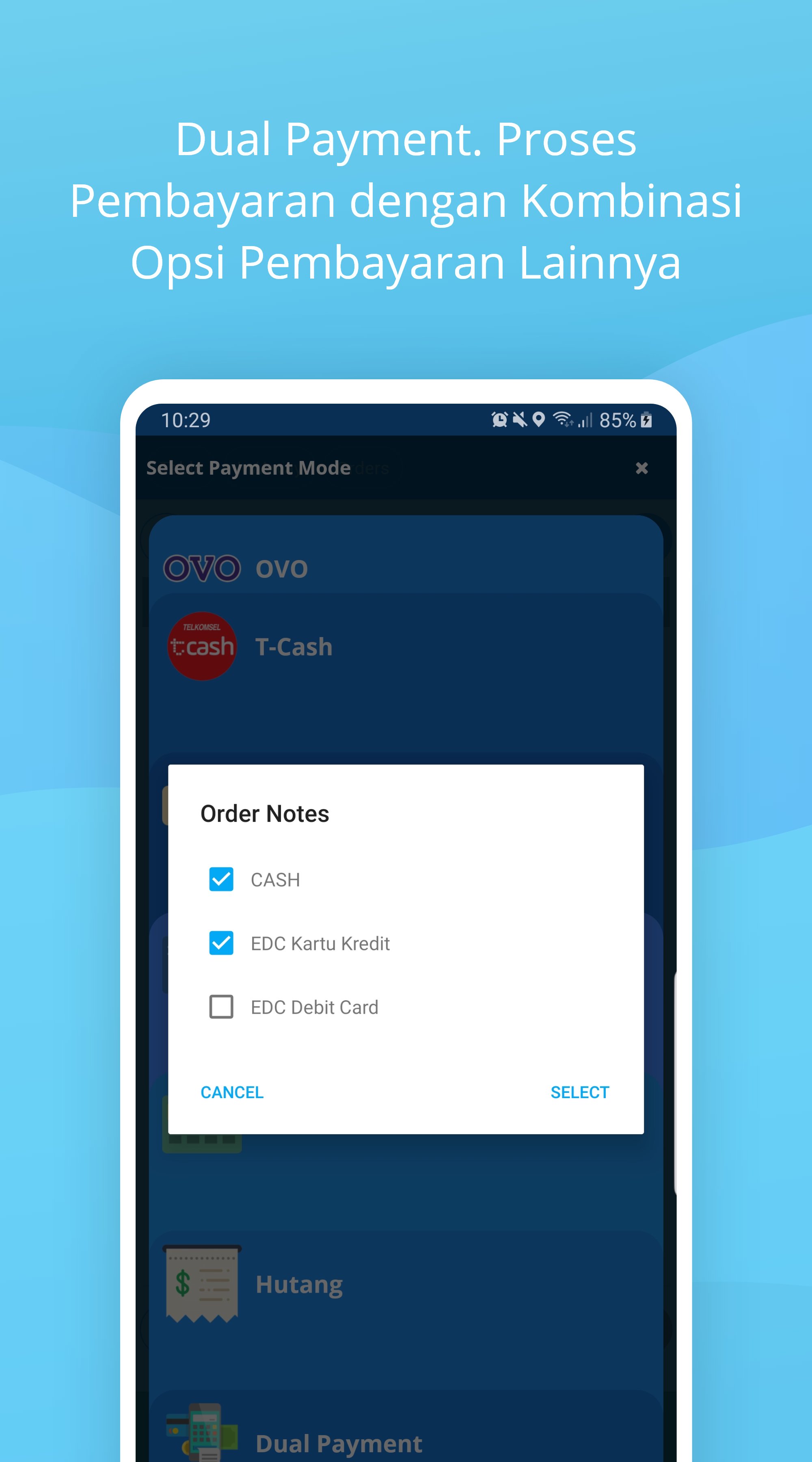
06.Cash, GO-PAY, OVO, Credit Card, Debit Card, DP / Debt payment methods, Dual Payment to Cash on Delivery
07. Direct integration with the latest mPOS payment tools
08. Automatically calculate shipping costs directly from the POS
09. Send the receipt to the buyer's email if it doesn't need to be printed
10. Supports Shift mode & reporting
11. Distribution of custom molds for kitchens and bars (restaurant mode)
12. Display the order menu in the kitchen (restaurant mode)
13. Seating arrangement & reservation (restaurant mode)
14. Add order notes (restaurant mode)
15. Inventory control of recipes and raw materials (restaurant mode)
16. Closing sales directly from POS
17.Sync products & reports with the Olsera Online Shop Website (if any)
18. Access the latest reports from anywhere, anytime via the Cloud
19. Manage multi outlets / branches
20. Centralized CRM for sharing to all outlets
21. Supports multi-platform usage between Android, iOS and Windows
22. Return of goods part of the transaction
23. Separating the bill for each payment
24. Manage payment in installments
25. Loyalty or reward points for every purchase
26. Lock screen when leaving POS
27. Complete transaction log
28. Check stock directly at POS, and various other powerful features
"Try it, prove it and subscribe only when you are satisfied with Olsera POS!"
START
1. Free download the Olsera POS V2 cashier application
2. Please create your cloud shop at http://www.olsera.com/id/sign-up, free 14 days Trial
3. Start by filling out your product
4. Sign in on your app and start selling
CONTACT US
Feel free to contact our team whenever you need assistance.
Online Support & CS: www.olsera.com
Email: enquiry@olsera.com
Call: 0811-1956-9188 / +62778 4883-678
WA: http://bit.ly/olseraofficial / 0821 1818 1187
預覽
標籤
商業訊息
開發商
PT Olsera Indonesia Pratama
最新版本
1.9.1.1
更新時間
2026-06-16
類別
商業
同時可用
Google Play
更多
如何在電腦上用 GameLoop 玩 Olsera POS
1. 從官網下載GameLoop,然後運行exe文件安裝GameLoop
2. 打開GameLoop,搜索“Olsera POS”,在搜索結果中找到Olsera POS,點擊“安裝”
3. 享受在 GameLoop 上玩 Olsera POS 的樂趣
Minimum requirements
OS
Windows 8.1 64-bit or Windows 10 64-bit
GPU
GTX 1050
CPU
i3-8300
Memory
8GB RAM
Storage
1GB available space
Recommended requirements
OS
Windows 8.1 64-bit or Windows 10 64-bit
GPU
GTX 1050
CPU
i3-9320
Memory
16GB RAM
Storage
1GB available space