
Olsera Office 電腦版
PT Olsera Indonesia Pratama
用GameLoop模拟器在電腦上玩Olsera Office
Olsera Office 電腦版
來自發行商 PT Olsera Indonesia Pratama 的 Olsera Office 能夠在安卓系統上運行。
現在,您可以在電腦上使用 GameLoop 模擬器流暢地玩 Olsera Office。
在 GameLoop 遊戲庫或搜索結果中下載。 不需要再暢玩遊戲時盯著電池電量或被令人懊惱的來電打斷。
只需在電腦大屏幕上免費下載暢玩Olsera Office 電腦版!
Olsera Office 簡介
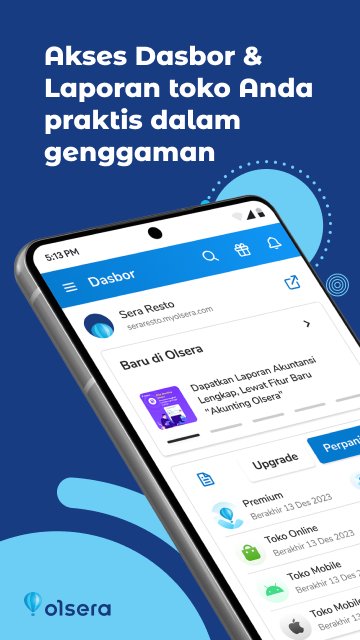
Olsera Office is a pioneer, the first app version of the back-office solution presented to complement cloud-based Point of Sale in Indonesia.
Olsera Office is an alternative for you business owners who are mobile and more comfortable using a smartphone to monitor your store sales compared to doing it through a browser to access the web version of the database.
Olsera Office also brings more convenience with the following features:
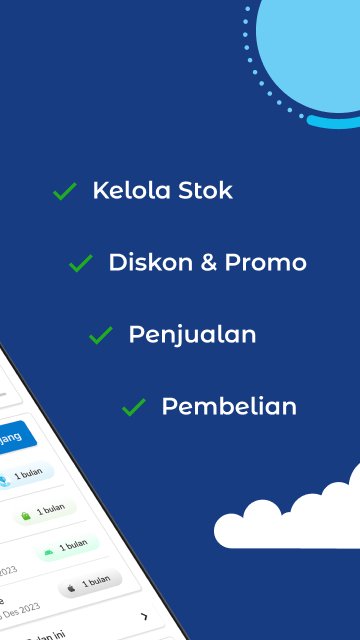
1. all the features of the web version of the "back-office", from uploading products, add-ons, managing inventory / stock of products and raw materials, promotion & commission programs, customer CRM, loyalty point programs, payment management, to complete reports. (please refer to www.olsera.com for updated feature list)
2. Native app with responsive navigation, lighter and faster.
3. notification of orders from online stores, makes it easy for you to immediately find out and process them directly on the store POS device
4. Submission of OVO, GO-PAY, Cashlez directly in the app
5. low stock notification, according to the settings
6. Notifications of the latest features and developments from the Olsera development team
7. notification "Closing Sales / Close Sales" every time the store operation is finished / change shifts (coming soon)
This application was developed for use by Olsera merchants at no additional cost.
The Olsera Developer Team hopes that the presence of Olsera Office will provide more convenience, comfort and satisfaction with the experience of using Olsera.
Note:
If you don't have an account with Olsera, please register directly on the Olsera Office app or via the official website www.olsera.com.
To download the OlseraPOS cashier application, click the following link.
https://play.google.com/store/apps/details?id=com.olserapratama.pos&hl=in
CONTACT US
Feel free to contact our team whenever you need assistance.
Online Support & CS: www.olsera.com
Email: enquiry@olsera.com
Call: 0811-1956-9188 / +62778 4883-678
WA: http://bit.ly/olseraofficial / 0821 1818 1187
預覽
標籤
商業訊息
開發商
PT Olsera Indonesia Pratama
最新版本
2.2.6
更新時間
2026-02-26
類別
商業
同時可用
Google Play
更多
如何在電腦上用 GameLoop 玩 Olsera Office
1. 從官網下載GameLoop,然後運行exe文件安裝GameLoop
2. 打開GameLoop,搜索“Olsera Office”,在搜索結果中找到Olsera Office,點擊“安裝”
3. 享受在 GameLoop 上玩 Olsera Office 的樂趣
Minimum requirements
OS
Windows 8.1 64-bit or Windows 10 64-bit
GPU
GTX 1050
CPU
i3-8300
Memory
8GB RAM
Storage
1GB available space
Recommended requirements
OS
Windows 8.1 64-bit or Windows 10 64-bit
GPU
GTX 1050
CPU
i3-9320
Memory
16GB RAM
Storage
1GB available space