
myAccount 電腦版
FleXtel
用GameLoop模拟器在電腦上玩myAccount
myAccount 電腦版
來自發行商 FleXtel 的 myAccount 能夠在安卓系統上運行。
現在,您可以在電腦上使用 GameLoop 模擬器流暢地玩 myAccount。
在 GameLoop 遊戲庫或搜索結果中下載。 不需要再暢玩遊戲時盯著電池電量或被令人懊惱的來電打斷。
只需在電腦大屏幕上免費下載暢玩myAccount 電腦版!
myAccount 簡介
The Flextel myAccount app, available for iOS and Android, lets you control your phone calls remotely from any country in the world.
To enjoy the benefits, you will need to get a Flextel phone number from http://www.flextel.com. There are thousands of these flexible virtual numbers free to own and use - some even earn you rewards as you use them.
Using the app with a Flextel phone number means you can instantly receive calls on any mobile, international or internet phone (VoIP). What's more, in just a few taps you can instantaneously change which phone you want to use to answer calls to your Flextel number.
We have listened to your feedback, our myAccount app features include:
- Managing your full Flextel account.
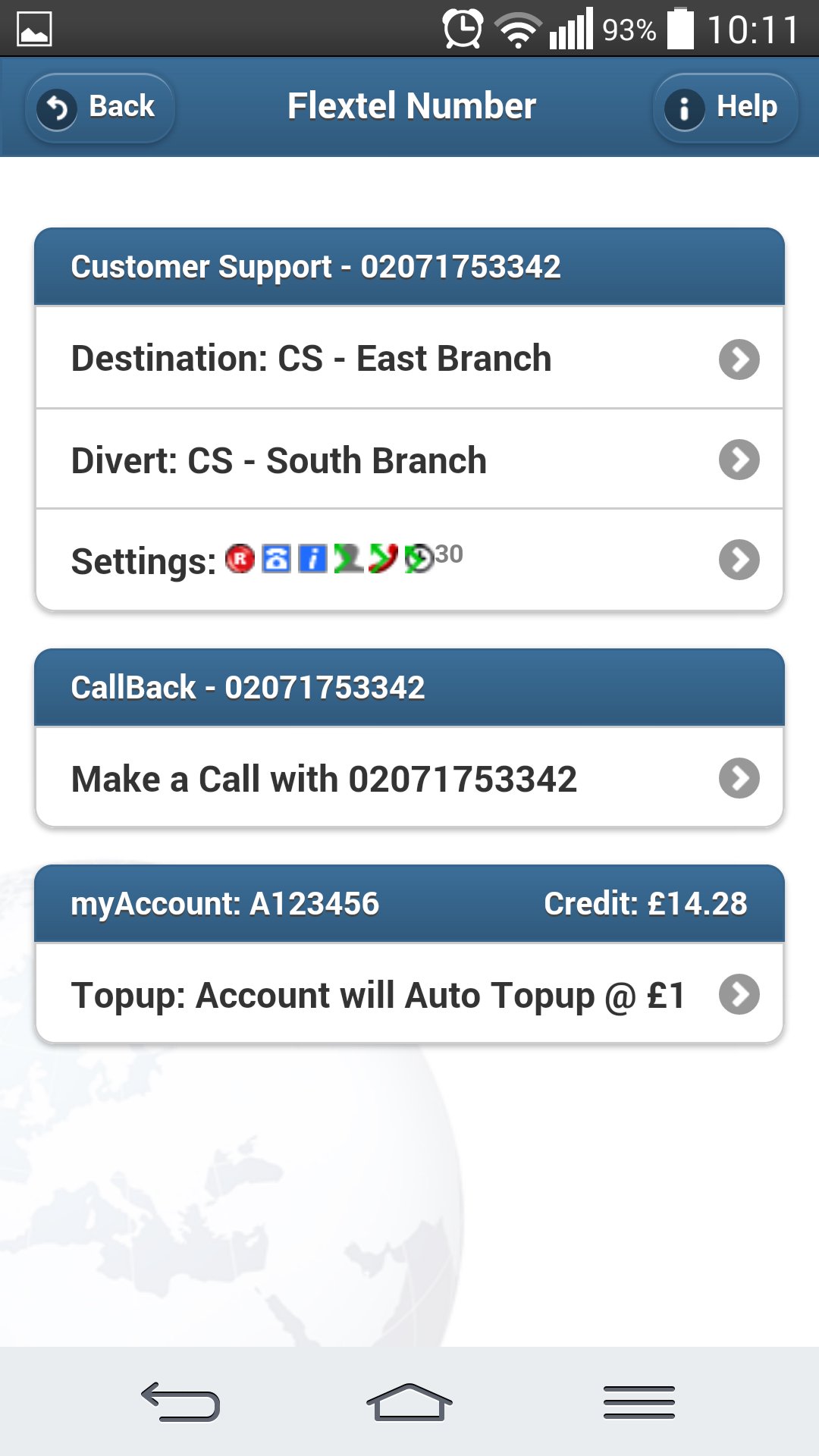
- Topup your FlexCredit
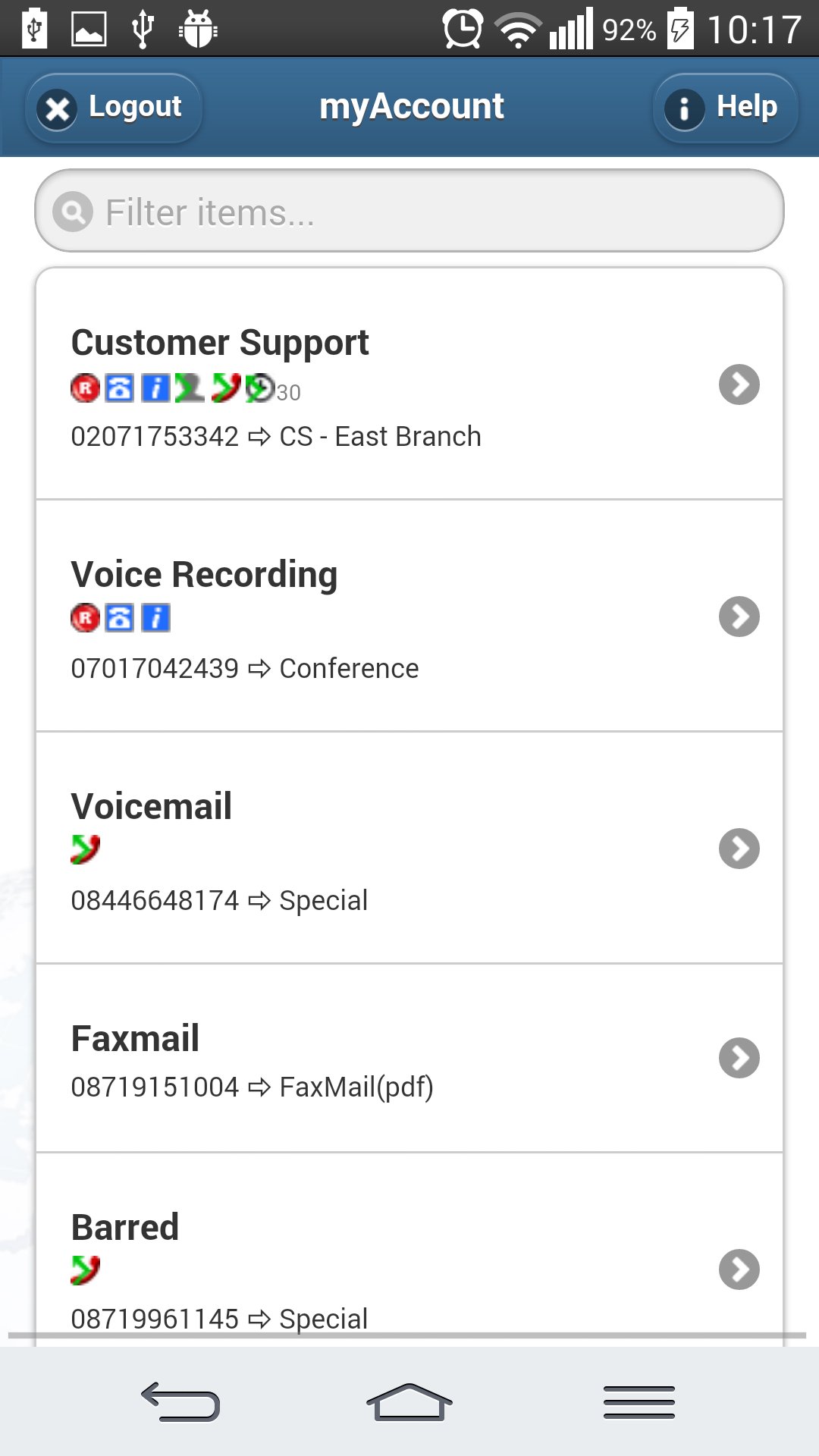
- Filter your numbers, to find certain numbers quickly in larger accounts.
- 'Quick tap' memories (similar to speed-dial) for your frequently used destination phones.
- A second 'Divert' destination in case the first is busy or unavailable.
- Voicemail: All voicemails are emailed to you as a sound file for saving or sharing.
- Call recording: All recorded phone calls are emailed to you as a sound file for saving or sharing.
- Notifications: If you choose you will be emailed a notification with the caller's phone number and when they called.
- Paperless faxing: Setting your number to 'Fax' mode means that it can receive faxes - you will then be emailed the file for saving or sharing.
- Call recognition: Dialled Number Display lets you distinguish between callers using your Flextel number and those who are calling you directly.
- Conference calling: Setting your number to 'Conference' mode means you can use it to talk to several people simultaneously in one phone call.
- Telephone menu: 'Auto-attendant' mode means you can create and customise a touch-tone menu for your callers, similar to a switchboard (e.g. “Press one for sales, press 2 for customer support...”).
- Many more features also included!
- This app is compatible with iPhone, iPod, iPad and most Android devices.
For more information about this app, Flextel numbers, please visit http://www.flextel.com.
預覽
標籤
商業訊息
開發商
FleXtel
最新版本
1.9.0
更新時間
2025-08-30
類別
商業
同時可用
Google Play
更多
如何在電腦上用 GameLoop 玩 myAccount
1. 從官網下載GameLoop,然後運行exe文件安裝GameLoop
2. 打開GameLoop,搜索“myAccount”,在搜索結果中找到myAccount,點擊“安裝”
3. 享受在 GameLoop 上玩 myAccount 的樂趣
Minimum requirements
OS
Windows 8.1 64-bit or Windows 10 64-bit
GPU
GTX 1050
CPU
i3-8300
Memory
8GB RAM
Storage
1GB available space
Recommended requirements
OS
Windows 8.1 64-bit or Windows 10 64-bit
GPU
GTX 1050
CPU
i3-9320
Memory
16GB RAM
Storage
1GB available space