
iPECS UCE+ 電腦版
Ericsson-LG Enterprise Co., Ltd.
用GameLoop模拟器在電腦上玩iPECS UCE+
iPECS UCE+ 電腦版
來自發行商 Ericsson-LG Enterprise Co., Ltd. 的 iPECS UCE+ 能夠在安卓系統上運行。
現在,您可以在電腦上使用 GameLoop 模擬器流暢地玩 iPECS UCE+。
在 GameLoop 遊戲庫或搜索結果中下載。 不需要再暢玩遊戲時盯著電池電量或被令人懊惱的來電打斷。
只需在電腦大屏幕上免費下載暢玩iPECS UCE+ 電腦版!
iPECS UCE+ 簡介
iPECS UCE+ is a mobile client App for iPECS system and you need a license for using iPECS UCE+ system.
As an iPECS client device, iPECS UCE+ has access to the various features of the iPECS host.
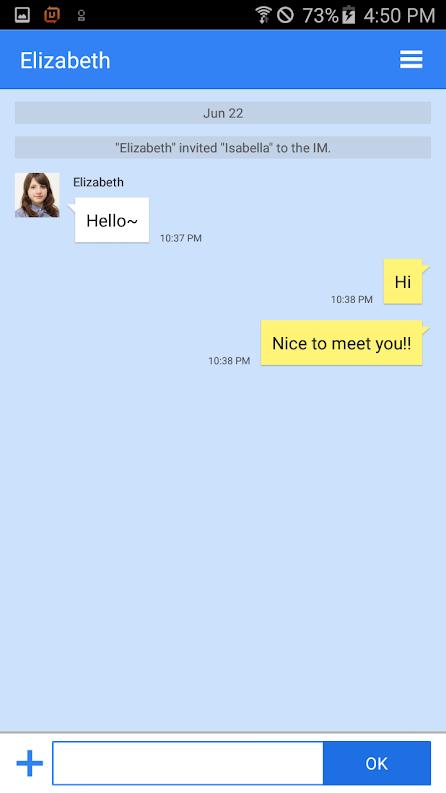
iPECS UCE+ clients employ Wi-Fi or mobile data network to connect with iPECS UCE+ system for business communication services such as presence, call, and IM.
There are differences in the iPECS UCE+ functions depending on which host system is used, and the function screen may be different as a result.
Basic features of the iPECS host available to iPECS UCE+ include :
- Presence
- Chat
- Call
- Conference
- Contacts
- Favorites
預覽

標籤
商業訊息
開發商
Ericsson-LG Enterprise Co., Ltd.
最新版本
A-UCE-Rls2204-4.3.11
更新時間
2022-04-05
類別
商業
同時可用
Google Play
更多
如何在電腦上用 GameLoop 玩 iPECS UCE+
1. 從官網下載GameLoop,然後運行exe文件安裝GameLoop
2. 打開GameLoop,搜索“iPECS UCE+”,在搜索結果中找到iPECS UCE+,點擊“安裝”
3. 享受在 GameLoop 上玩 iPECS UCE+ 的樂趣
Minimum requirements
OS
Windows 8.1 64-bit or Windows 10 64-bit
GPU
GTX 1050
CPU
i3-8300
Memory
8GB RAM
Storage
1GB available space
Recommended requirements
OS
Windows 8.1 64-bit or Windows 10 64-bit
GPU
GTX 1050
CPU
i3-9320
Memory
16GB RAM
Storage
1GB available space