
EPiC Mobile 電腦版
ABB Information Systems AG
用GameLoop模拟器在電腦上玩EPiC Mobile
EPiC Mobile 電腦版
來自發行商 ABB Information Systems AG 的 EPiC Mobile 能夠在安卓系統上運行。
現在,您可以在電腦上使用 GameLoop 模擬器流暢地玩 EPiC Mobile。
在 GameLoop 遊戲庫或搜索結果中下載。 不需要再暢玩遊戲時盯著電池電量或被令人懊惱的來電打斷。
只需在電腦大屏幕上免費下載暢玩EPiC Mobile 電腦版!
EPiC Mobile 簡介
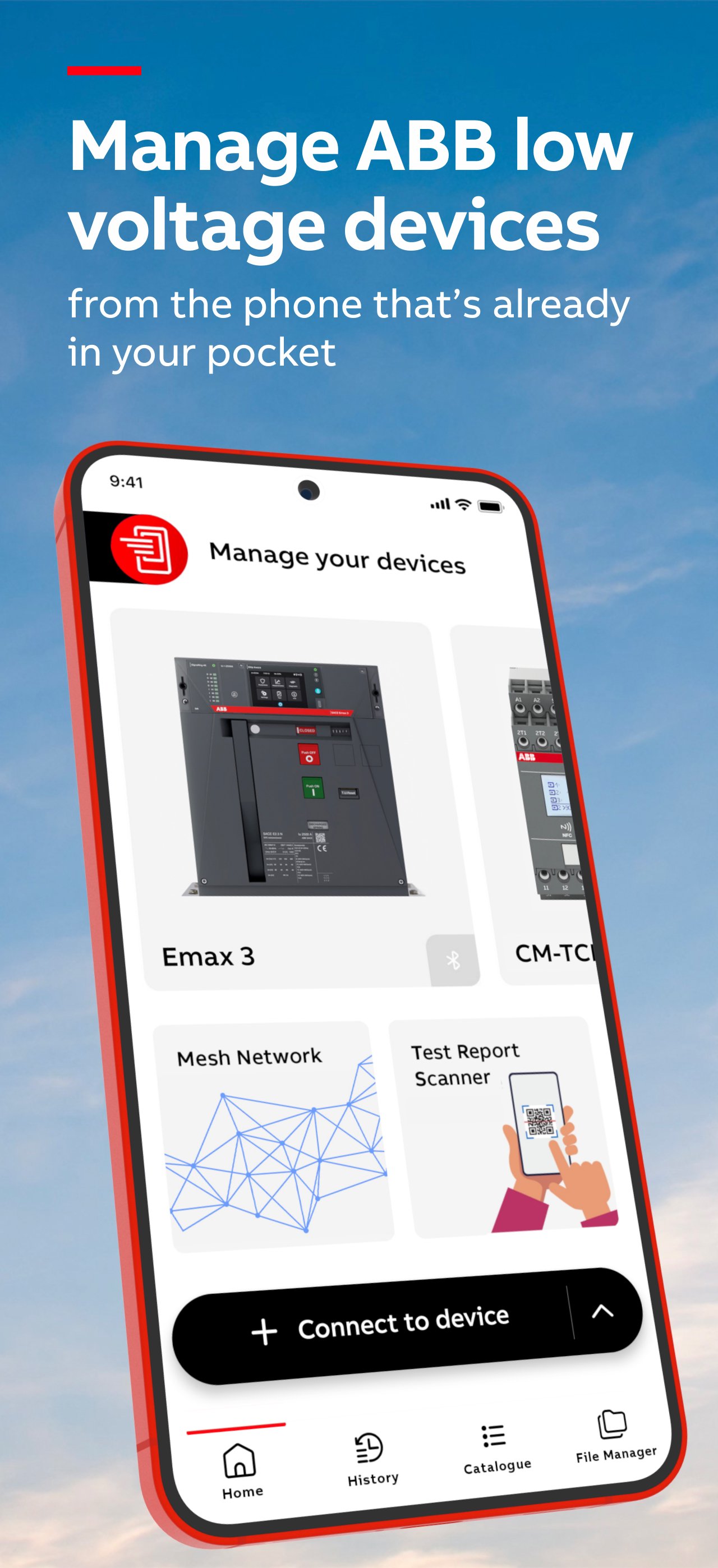
EPiC Mobile 4.0 – Pocket sized. EPiC control.
Manage ABB low-voltage devices with precision, speed and confidence, from the phone that's already in your pocket. EPiC Mobile is designed to help you monitor, install devices and digitally upgrade your hardware’s features.
Built for technicians, panel builders, and service engineers, EPiC Mobile gives you the tools and insights you need - whenever and wherever you need them.
Compatible devices
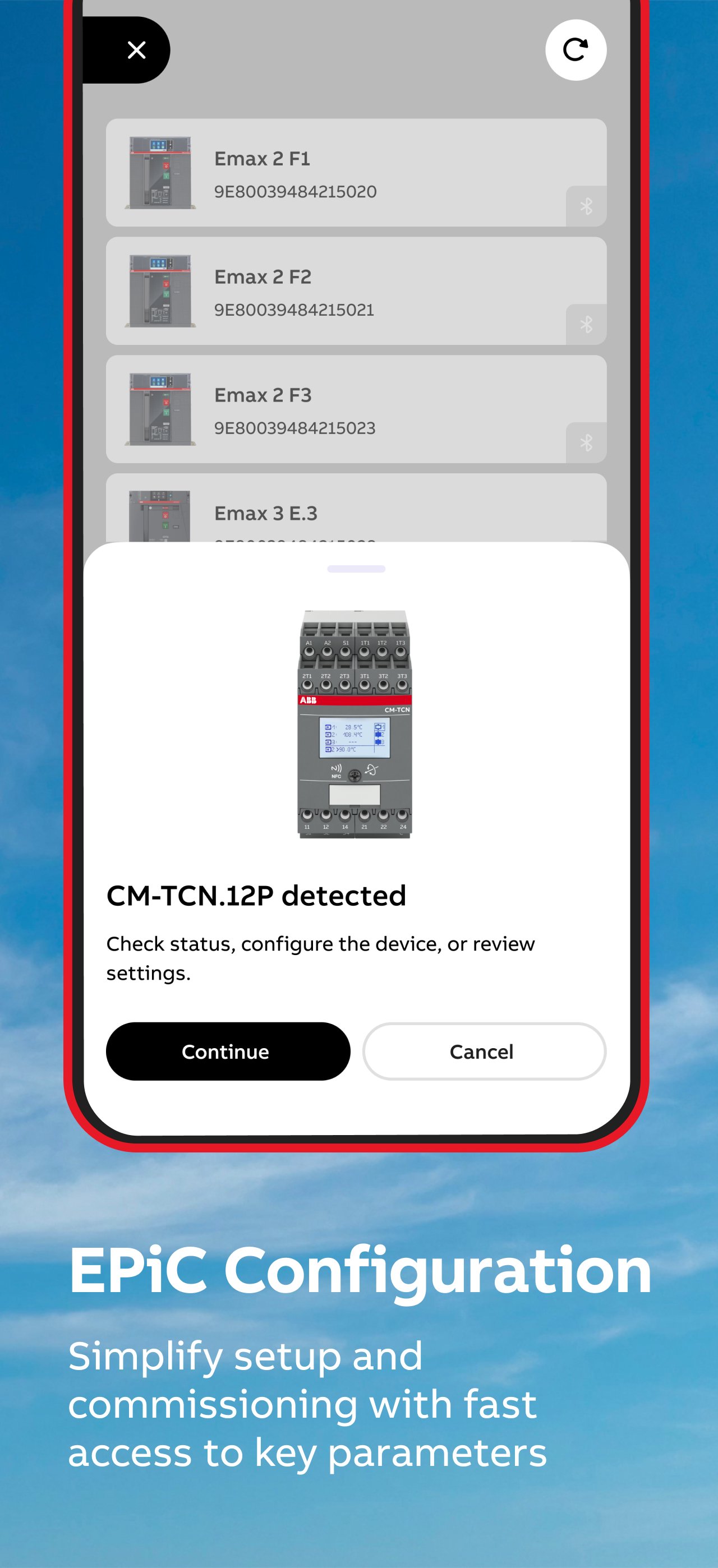
SACE Emax 3, SACE Emax 2, ABB SACE Tmax XT series (XT2, XT4, XT5), SACE Infinitus, Ekip UP+, CM-TCN.011 – 012 (via NFC), ABB CM-TCS.011 (via NFC)
What you can do
Connect first. Act faster.
Start by connecting to your device and instantly see what you can do - no guesswork. Access the right actions, data, and tools based on the device in front of you.
Commission and configure in minutes
Set parameters, apply configurations, and get devices up and running quickly via Bluetooth, USB-C, or NFC (depending on device model).
Monitor performance in real time
Connect to the device to view key data such as current, voltage, power, and temperature. Understand device status immediately and react before issues escalate.
Troubleshoot with clarity
Access alarms, event history, and diagnostics tools to identify and resolve problems faster - directly on-site.
Work offline
It works where you do, providing seamless wireless control and reliable offline access to ensure you get the job done. Selected features require an active internet connection.
Reduce risk. Increase safety
Connect wirelessly and avoid unnecessary exposure to live equipment.
React to trips and protection events before they escalate into downtime or danger. Access device data safely – even without powering it (where supported).
Stay efficient with smart features
• Recents: Quickly reconnect to recently used devices or review past data
• Dashboards: See key information and device status in one place
• Event overview: View all alarms at once for faster issue detection
• Context help: Get instant, screen-specific guidance whenever you need it
Built for the field
EPiC Mobile is designed to support your daily work:
• Configure devices faster and with less effort
• Minimize errors
• Improve troubleshooting speed
• See device status at a glance
• Keep systems running reliably
Emax 3 – Advanced capabilities
With ABB SACE Emax 3, unlock additional powerful features:
• Bluetooth Mesh for continuous thermal monitoring
• Integrated network analyzer for power quality insights
• USB-C connectivity for fast, reliable access
• Trip reader for detailed trip analysis
Why EPiC Mobile
With EPiC Mobile 4.0, your smartphone becomes a powerful tool to manage ABB low voltage devices - helping you work faster, make better decisions, and stay in control.
預覽
標籤
商業訊息
開發商
ABB Information Systems AG
最新版本
4.0.1
更新時間
2026-06-15
類別
商業
同時可用
Google Play
更多
如何在電腦上用 GameLoop 玩 EPiC Mobile
1. 從官網下載GameLoop,然後運行exe文件安裝GameLoop
2. 打開GameLoop,搜索“EPiC Mobile”,在搜索結果中找到EPiC Mobile,點擊“安裝”
3. 享受在 GameLoop 上玩 EPiC Mobile 的樂趣
Minimum requirements
OS
Windows 8.1 64-bit or Windows 10 64-bit
GPU
GTX 1050
CPU
i3-8300
Memory
8GB RAM
Storage
1GB available space
Recommended requirements
OS
Windows 8.1 64-bit or Windows 10 64-bit
GPU
GTX 1050
CPU
i3-9320
Memory
16GB RAM
Storage
1GB available space