
ZScheduling Enterprise Edition 電腦版
Zucchetti
用GameLoop模拟器在電腦上玩ZScheduling Enterprise Edition
ZScheduling Enterprise Edition 電腦版
來自發行商 Zucchetti 的 ZScheduling Enterprise Edition 能夠在安卓系統上運行。
現在,您可以在電腦上使用 GameLoop 模擬器流暢地玩 ZScheduling Enterprise Edition。
在 GameLoop 遊戲庫或搜索結果中下載。 不需要再暢玩遊戲時盯著電池電量或被令人懊惱的來電打斷。
只需在電腦大屏幕上免費下載暢玩ZScheduling Enterprise Edition 電腦版!
ZScheduling Enterprise Edition 簡介
Managing shifts is difficult? Make everything simpler with ZScheduling Enterprise Edition, the app designed to manage the daily activities of those responsible for planning shifts and shift workers.
How?
By simplifying shift schedule management, which then becomes accessible from mobile devices for both the planner and for the workers: in this way, everyone knows about the shifts, can propose changes and are updated on each variation.
With ZScheduling app you can in fact:
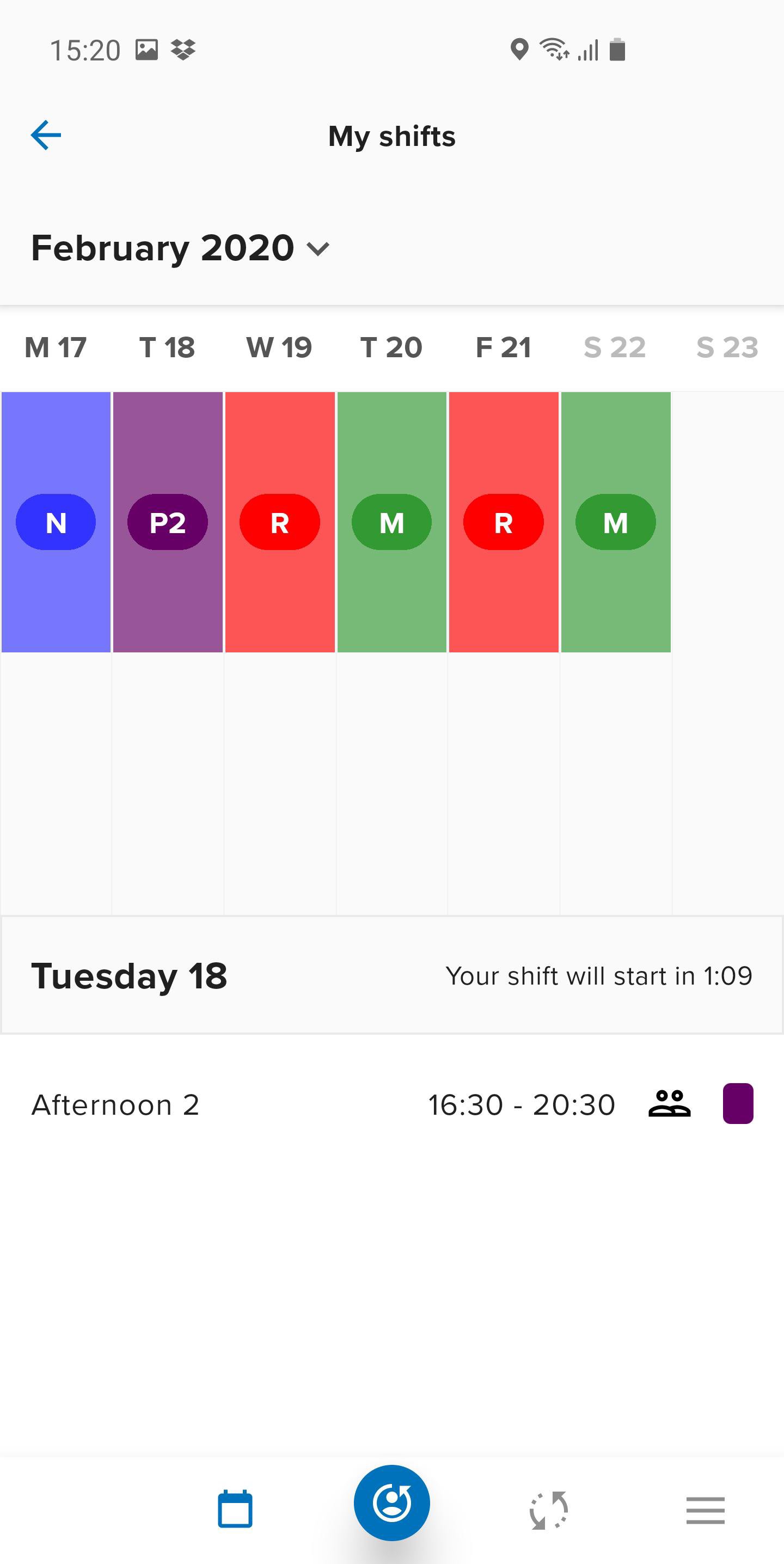
- see your shifts with a weekly or daily view
- see the colleagues working the same shift
- always have company contact numbers for colleagues assigned to the same shift
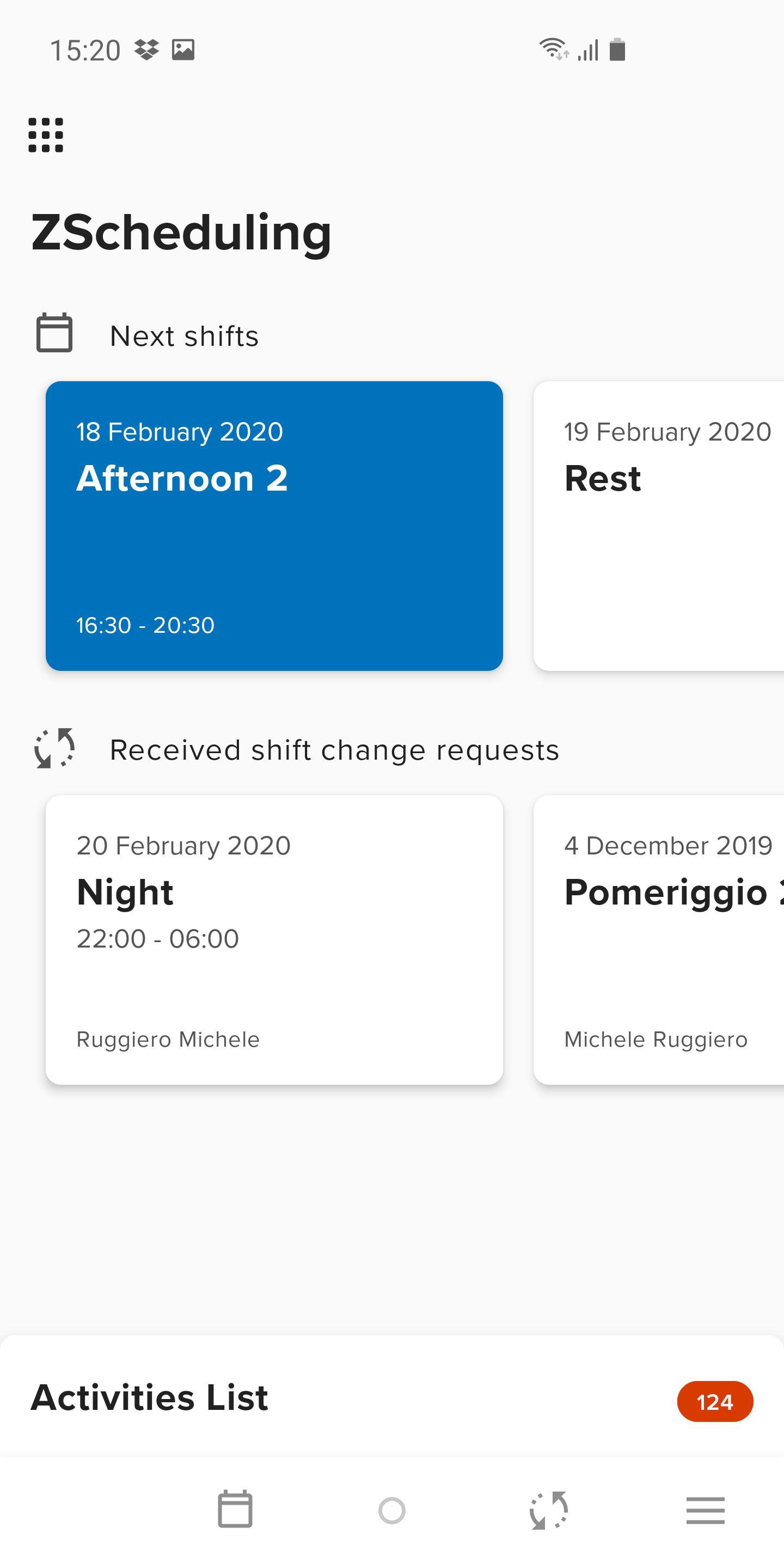
- request shift changes to the colleagues assigned to the same shift
- accept/refuse shift change requests proposed by the colleagues assigned to the same shift
- receive notifications for the publishing of the shift calendar
- receive notifications when getting a shift change request
- receive notifications when sending a shift change request
- view your planned activities in Activity Plan
ZScheduling allows workers and company to save time because its uniqueness lies in being natively integrated with:
- Zucchetti’s shift management ZScheduling software
- Zucchetti’s Time & Attendance, Timesheet and Travel & Expenses management software
In this way, all information can be easily accessible with just one click, from any place and at any time, even for those who do not work with a PC or on a fixed work station.
Who is it dedicated to?
ZScheduling Enterprise Edition is available to all companies that purchased Zucchetti’s ZScheduling software.
In particular, the company has to be using the following modules:
- Scheduling: for shift calendar visualization and management
- Workflow Scheduling: to request shift changes
- Activity Plan: to insert and view individual activities
For further information on ZScheduling software, visit www.zucchetti.com
For further information on ZScheduling Enterprise Edition take a look at the FAQ inside the app or on www.zucchetti.com
Operational notes:
In order for the app to work properly, the company needs to purchase the ZScheduling Enterprise Edition license and enable employees before letting them download the app from the store.
It is necessary to install the HR portal 07.03.00 version or higher and ZScheduling 04.01.00 version or higher.
Technical requirements – Server
HR portal 08.00.00 version or higher
ZScheduling . 05.02.00
Technical requirements – Device
Android 5.0 (Lollipop) or higher
預覽
標籤
商業訊息
開發商
Zucchetti
最新版本
25.09.00.27697
更新時間
2025-09-12
類別
商業
同時可用
Google Play
更多
如何在電腦上用 GameLoop 玩 ZScheduling Enterprise Edition
1. 從官網下載GameLoop,然後運行exe文件安裝GameLoop
2. 打開GameLoop,搜索“ZScheduling Enterprise Edition”,在搜索結果中找到ZScheduling Enterprise Edition,點擊“安裝”
3. 享受在 GameLoop 上玩 ZScheduling Enterprise Edition 的樂趣
Minimum requirements
OS
Windows 8.1 64-bit or Windows 10 64-bit
GPU
GTX 1050
CPU
i3-8300
Memory
8GB RAM
Storage
1GB available space
Recommended requirements
OS
Windows 8.1 64-bit or Windows 10 64-bit
GPU
GTX 1050
CPU
i3-9320
Memory
16GB RAM
Storage
1GB available space