Bible Bookmark (Light Version) 電腦版
Donut Pond
用GameLoop模拟器在電腦上玩Bible Bookmark (Light Version)
Bible Bookmark (Light Version) 電腦版
來自發行商 Donut Pond 的 Bible Bookmark (Light Version) 能夠在安卓系統上運行。
現在,您可以在電腦上使用 GameLoop 模擬器流暢地玩 Bible Bookmark (Light Version)。
在 GameLoop 遊戲庫或搜索結果中下載。 不需要再暢玩遊戲時盯著電池電量或被令人懊惱的來電打斷。
只需在電腦大屏幕上免費下載暢玩Bible Bookmark (Light Version) 電腦版!
Bible Bookmark (Light Version) 簡介
Features:
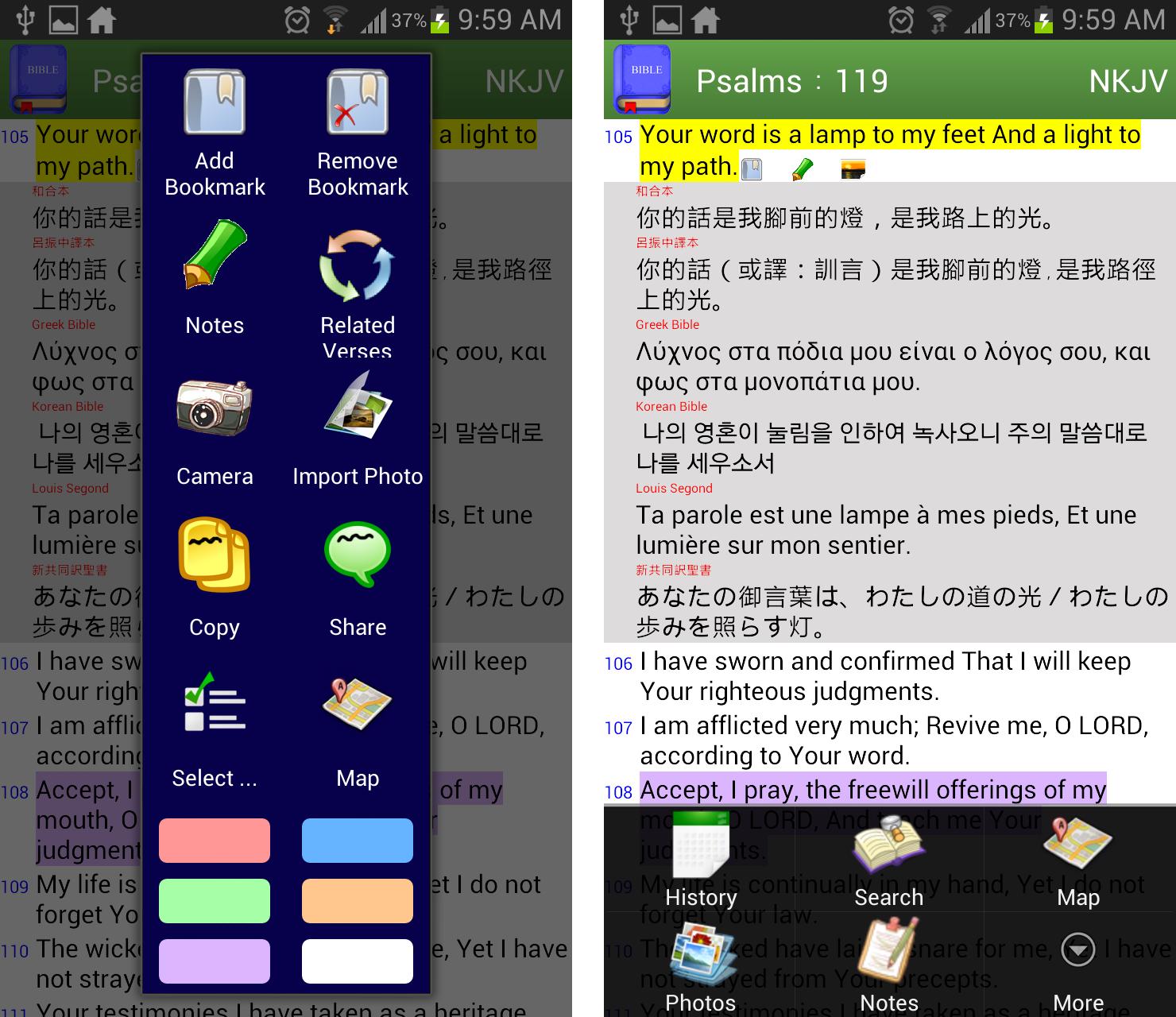
✔ bookmarks are organized in tree structure
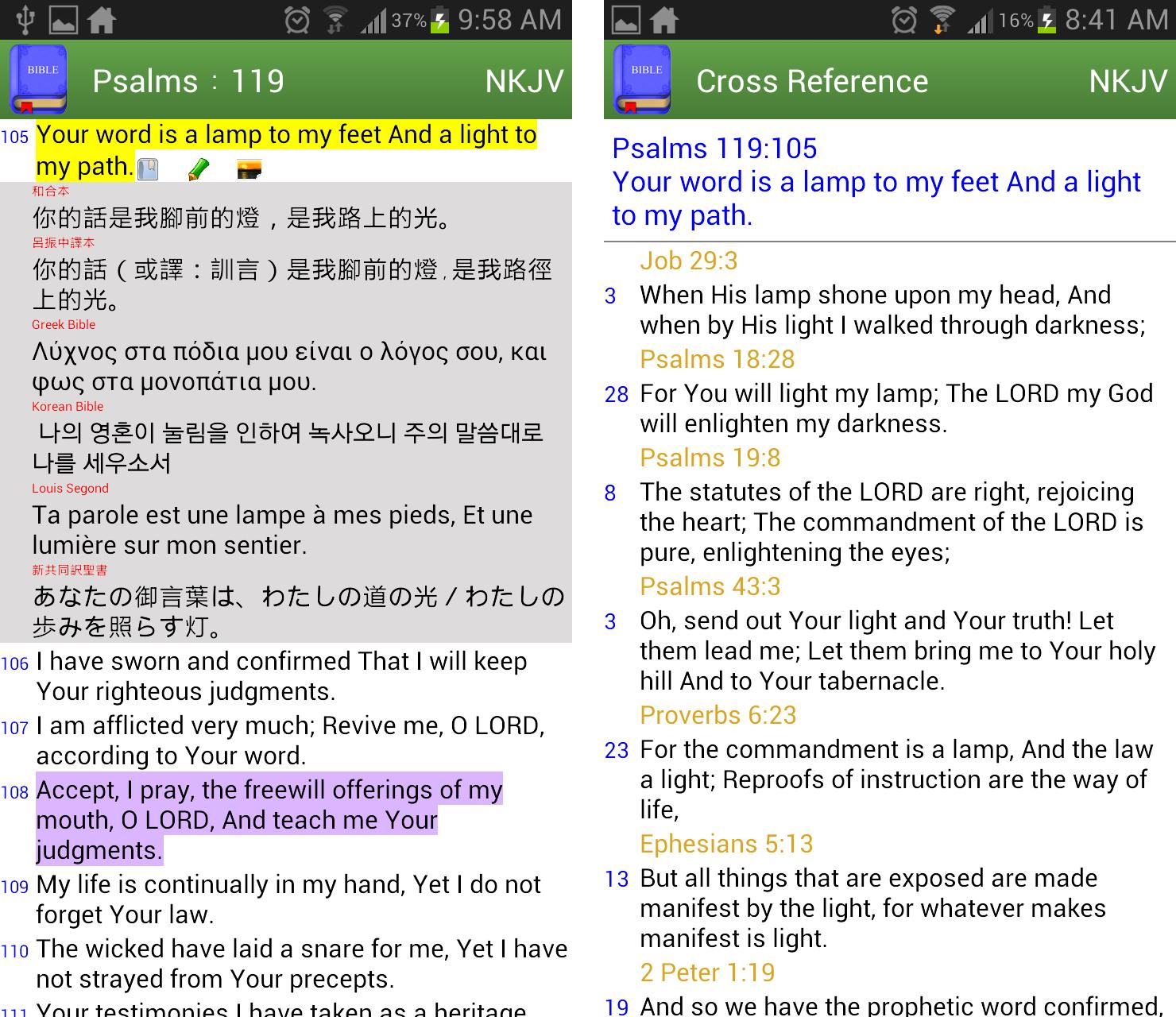
✔ easy to compare multiversion of translations verse by verse
✔ built-in common verses index like "My comfort", "My living", "Evangelistic" so that you can quickly find some reminder from God in need
✔ built-in related concordance, a.k.a. Treasury of Scripture Knowledge
✔ take or import photos to be linked to verse level
✔ highlight verses in colors
✔ view bible locations in Google Map
✔ write notes in verse level
✔ support white or dark theme
✔ select book by mnemonic view or full book name according to main language
✔ fast search of text from old/new testament, book range or previous search results
✔ volume up/down button to scroll page up/down
✔ share arbitrary verses to other apps
✔ change font size by pinch zoom or setting
Free App Limitations:
★ add bookmark/note/photo, copy and share functions are limited to new testament only
★ I'd never ever put any adv here to respect every single word from God. If you like this app, please rate and share it to the one you love.
Contact:
If you have any questions and suggestions or want to translate the interface to your language, please email me
bible.bookmarks.for.jesus@gmail.com
預覽
標籤
Books-&訊息
開發商
Donut Pond
最新版本
2.70
更新時間
2020-12-31
類別
Books-reference
同時可用
Google Play
更多
如何在電腦上用 GameLoop 玩 Bible Bookmark (Light Version)
1. 從官網下載GameLoop,然後運行exe文件安裝GameLoop
2. 打開GameLoop,搜索“Bible Bookmark (Light Version)”,在搜索結果中找到Bible Bookmark (Light Version),點擊“安裝”
3. 享受在 GameLoop 上玩 Bible Bookmark (Light Version) 的樂趣
Minimum requirements
OS
Windows 8.1 64-bit or Windows 10 64-bit
GPU
GTX 1050
CPU
i3-8300
Memory
8GB RAM
Storage
1GB available space
Recommended requirements
OS
Windows 8.1 64-bit or Windows 10 64-bit
GPU
GTX 1050
CPU
i3-9320
Memory
16GB RAM
Storage
1GB available space