
مصحف التجويد بالألوان برواية و 電腦版
art 4 muslim
用GameLoop模拟器在電腦上玩مصحف التجويد بالألوان برواية و
مصحف التجويد بالألوان برواية و 電腦版
來自發行商 art 4 muslim 的 مصحف التجويد بالألوان برواية و 能夠在安卓系統上運行。
現在,您可以在電腦上使用 GameLoop 模擬器流暢地玩 مصحف التجويد بالألوان برواية و。
在 GameLoop 遊戲庫或搜索結果中下載。 不需要再暢玩遊戲時盯著電池電量或被令人懊惱的來電打斷。
只需在電腦大屏幕上免費下載暢玩مصحف التجويد بالألوان برواية و 電腦版!
مصحف التجويد بالألوان برواية و 簡介
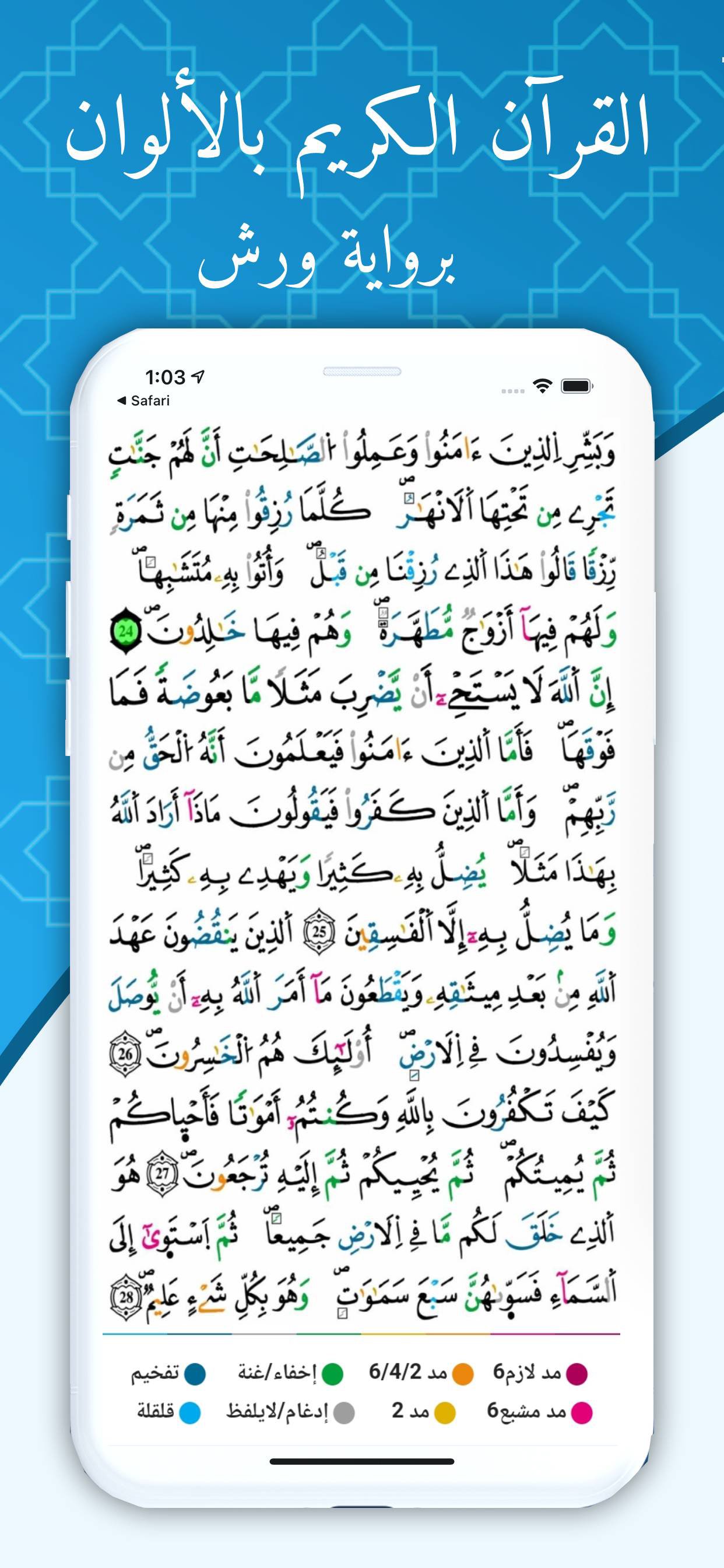
Tajweed Qur’an in color, with the narration of Warsh on the authority of Nafeh. We adopted high-quality images to show the colors in a clear manner, and there is no confusion between them because the color tones of the Qur’an are close.
We have also put a lot of options in the Qur’an:
1- Screen options for the Tajweed Qur’an in color, by Warsh by Nafeh (one click on the screen):
When you click on the screen once, a set of basic screen options appears, which are the name of the surah, the number of the party, and the part that you are in in addition to the search icon that by clicking on it, you can search with any word to show all possible results and if the user wants to obtain more accurate results for the search, then what? He should only write as many words of the verse as possible in the search field. We also have an icon of the main menu, through which the main menu is accessed, which in turn contains a group of important indexes, including the Surah index, the index of the chapters, the index of parts, and other important abbreviations and indexes.
In the middle of the screen there is an indicator showing the page number you are on now with an indication if the page is on the right or left in the real Qur’an with a button to add a bookmark that can be placed anywhere you want to refer to it for any presentation. Also, the Qur’an automatically saves the last page the user was on. Once the Qur’an is opened, it opens on the last page you were on.
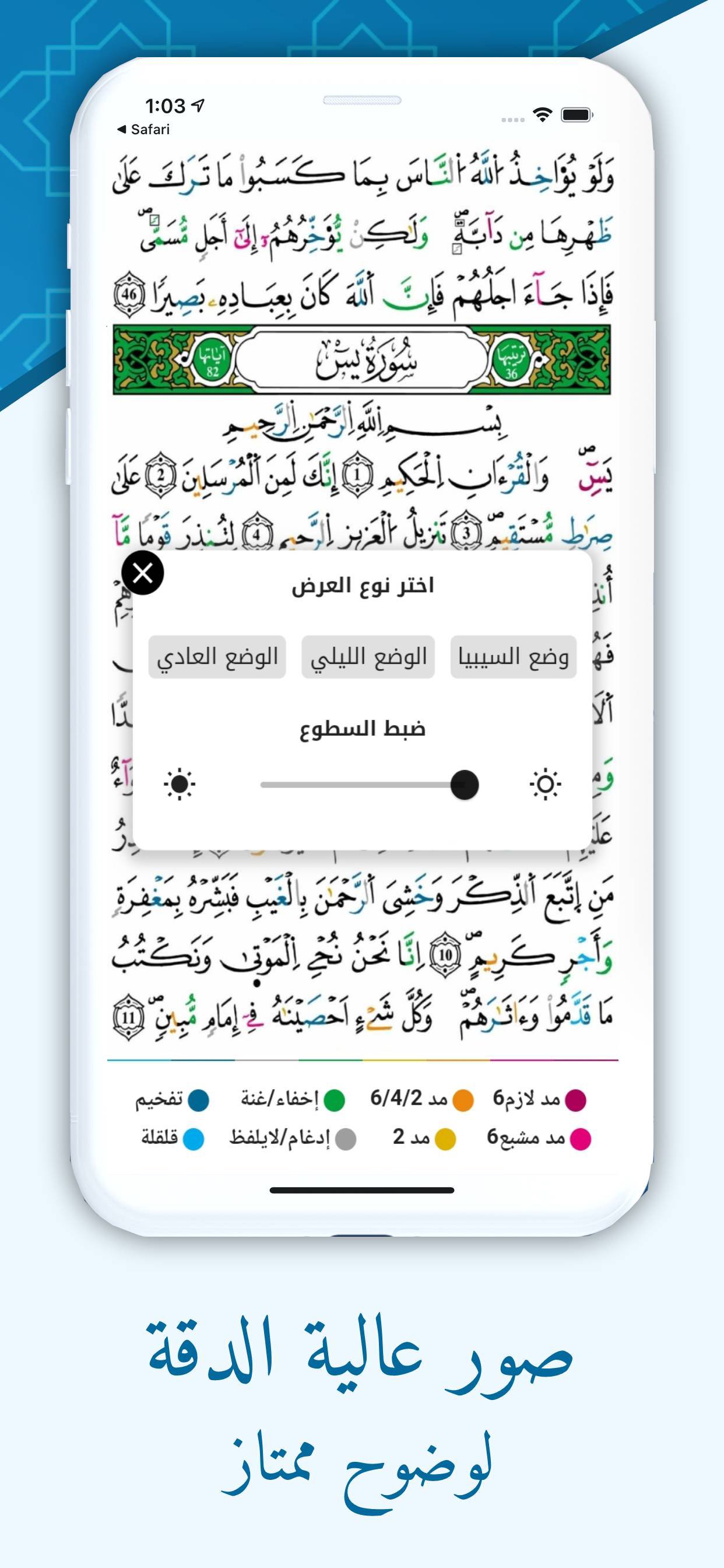
2- Options for displaying the Tajweed Qur’an in color with Warsh’s narration on Nafeh (two clicks on the screen)
The display options have been set up so that the user can browse the Qur’an in more than one way, which are:
- Normal mode: where the background of the screen is white and the Qur’an in color, and at the bottom there is a key for the colors of the Qur’an that briefly explains to the user the various provisions of the recitation.
- Sepia mode: where the background of the screen is yellowish and there is no color in the Qur’an in order to give the user more comfort in reading, and in this case we have removed the color key from the bottom.
Night mode: like Sepia mode, but the wallpaper here is black and the writing is white.
- Define the brightness: It is an option that determines the brightness that the user wants for lighting in the screens of the Qur’an.
預覽
標籤
Books-&訊息
開發商
art 4 muslim
最新版本
1.0.0
更新時間
2024-07-18
類別
Books-reference
同時可用
Google Play
更多
如何在電腦上用 GameLoop 玩 مصحف التجويد بالألوان برواية و
1. 從官網下載GameLoop,然後運行exe文件安裝GameLoop
2. 打開GameLoop,搜索“مصحف التجويد بالألوان برواية و”,在搜索結果中找到مصحف التجويد بالألوان برواية و,點擊“安裝”
3. 享受在 GameLoop 上玩 مصحف التجويد بالألوان برواية و 的樂趣
Minimum requirements
OS
Windows 8.1 64-bit or Windows 10 64-bit
GPU
GTX 1050
CPU
i3-8300
Memory
8GB RAM
Storage
1GB available space
Recommended requirements
OS
Windows 8.1 64-bit or Windows 10 64-bit
GPU
GTX 1050
CPU
i3-9320
Memory
16GB RAM
Storage
1GB available space