
Sketch Master: Draw & Paint 電腦版
BariLab
用GameLoop模拟器在電腦上玩Sketch Master: Draw & Paint
Sketch Master: Draw & Paint 電腦版
來自發行商 BariLab 的 Sketch Master: Draw & Paint 能夠在安卓系統上運行。
現在,您可以在電腦上使用 GameLoop 模擬器流暢地玩 Sketch Master: Draw & Paint。
在 GameLoop 遊戲庫或搜索結果中下載。 不需要再暢玩遊戲時盯著電池電量或被令人懊惱的來電打斷。
只需在電腦大屏幕上免費下載暢玩Sketch Master: Draw & Paint 電腦版!
Sketch Master: Draw & Paint 簡介
Most drawing apps bury you in menus and settings. Sketch Master doesn't.
Sketch Master is the drawing app that stays out of your way: a simple, familiar interface, backed by tools made for real digital art — unlimited layers, smooth brushes, 3000% zoom and photo import. Open a canvas and start drawing in seconds. No account and no tutorial required.
Easy to start. Powerful when you need it. That is the whole idea.
DRAWING TOOLS
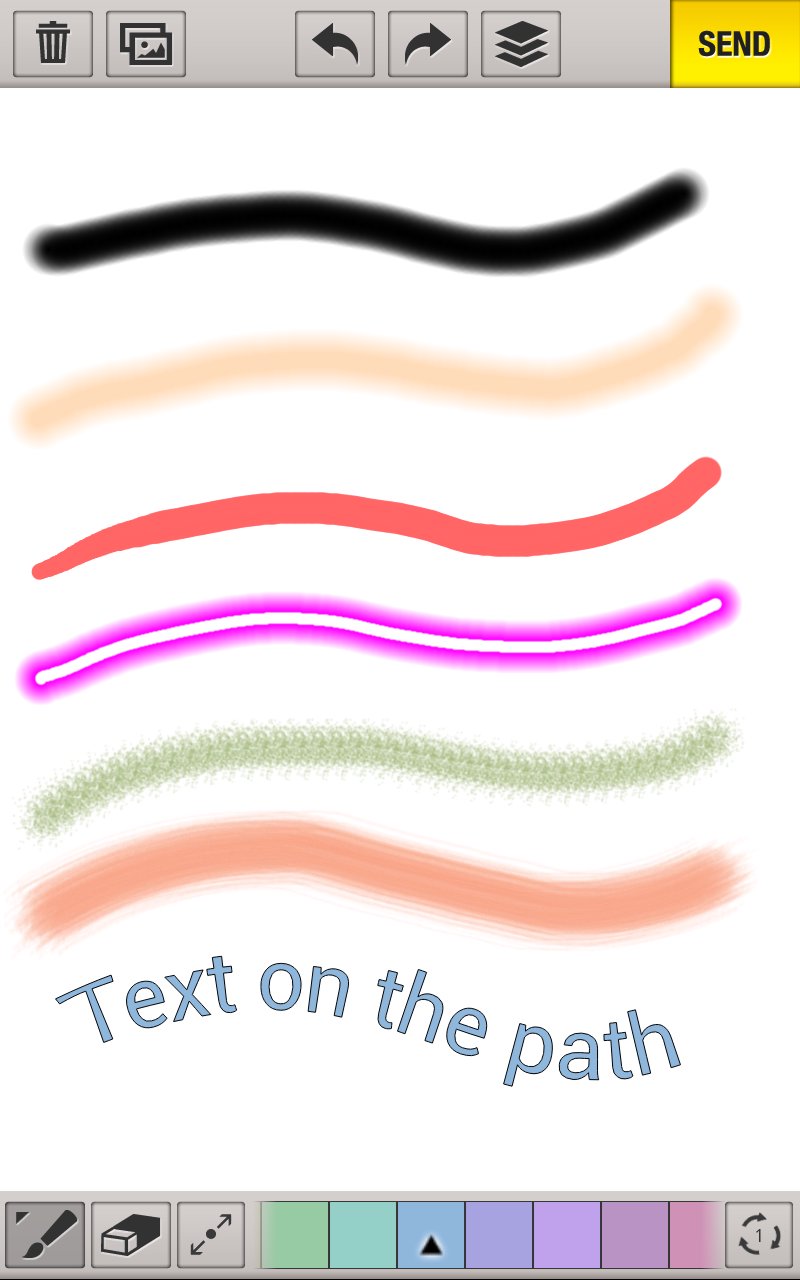
◆ 7 Versatile Brushes + Flood Fill
Pens, brushes and fill tools for every style — quick doodles, line art, coloring, and detailed illustration.
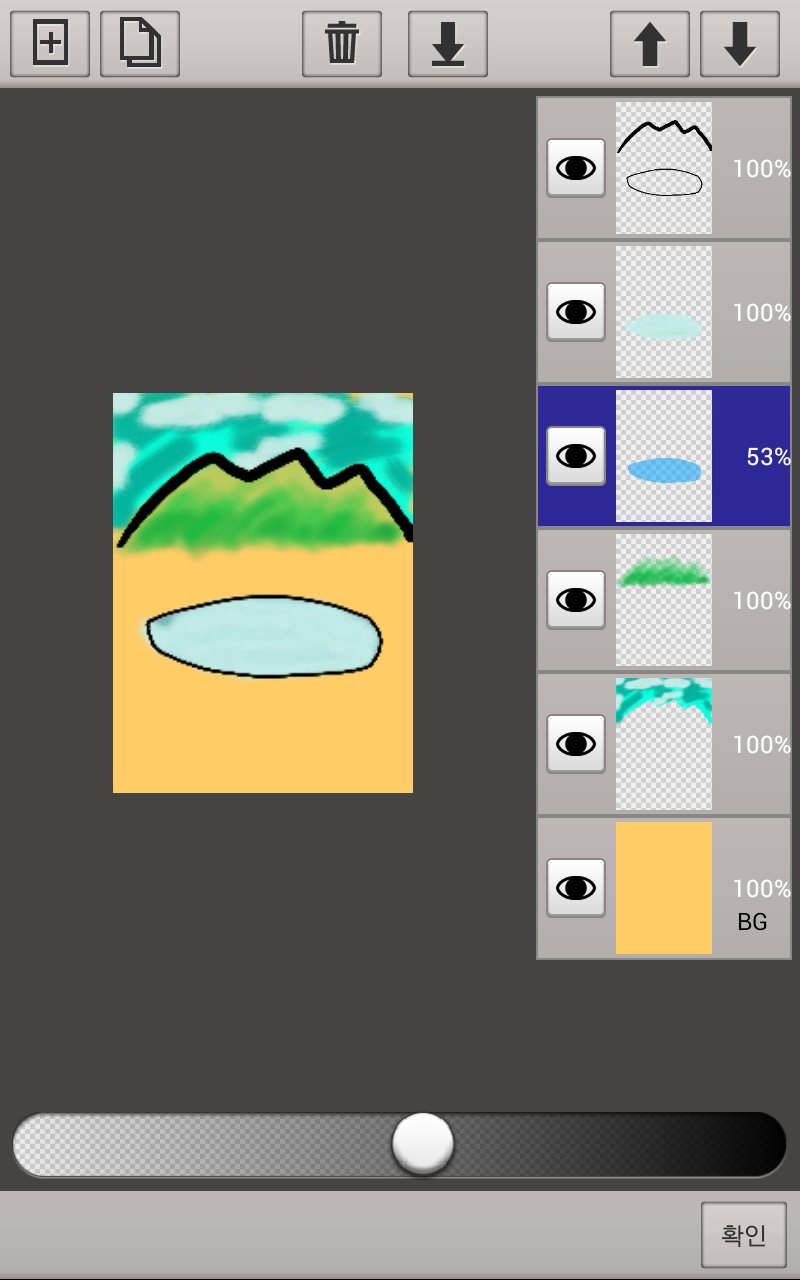
◆ Unlimited Layers
Add as many layers as your device allows. Duplicate, merge, reorder, hide, and adjust opacity with a few taps — real layer-based digital art on mobile.
◆ Hand Correction for Smooth Strokes
Shaky lines become clean, fluid strokes automatically. Great for beginners and precise line art alike.
◆ Zoom up to 3000%
Two-finger pan and zoom lets you work on the tiniest details of your drawing with total control.
◆ Text on a Path
Curve your text along any line for posters, cards, lettering and creative designs.
◆ Photo Import & Tracing
Load a picture from your gallery or camera and draw over it — trace, annotate, or turn photos into sketches.
◆ Rich Color Tools
HSB color space, swatches and a color picker give you every color you need for painting and coloring.
◆ Stickers & Sharing
Decorate with stickers, then save and share your artwork in one tap.
PERFECT FOR
• Sketching & drawing practice anywhere — your sketchbook is always with you
• Digital art & illustration with layers, like a lightweight drawing studio
• Coloring & painting to relax
• Doodling for fun in spare moments
• Quick visual notes, diagrams and doodles
• Tracing photos to learn to draw
WORKS GREAT WITH
Phones, tablets and foldables — the canvas is created to match your screen resolution. Designed for comfortable finger drawing.
WE KEEP IMPROVING
We read your reviews and keep improving — recent updates added stickers and foldable phone support.
Whether you want a serious sketchbook app, a painting app for relaxing, or a fun drawing pad for quick doodles — download Sketch Master and start creating today. Everyone has an artist inside. Let yours out.
預覽
標籤
Art-&訊息
開發商
BariLab
最新版本
2.71
更新時間
2026-08-11
類別
Art-design
同時可用
Google Play
更多
如何在電腦上用 GameLoop 玩 Sketch Master: Draw & Paint
1. 從官網下載GameLoop,然後運行exe文件安裝GameLoop
2. 打開GameLoop,搜索“Sketch Master: Draw & Paint”,在搜索結果中找到Sketch Master: Draw & Paint,點擊“安裝”
3. 享受在 GameLoop 上玩 Sketch Master: Draw & Paint 的樂趣
Minimum requirements
OS
Windows 8.1 64-bit or Windows 10 64-bit
GPU
GTX 1050
CPU
i3-8300
Memory
8GB RAM
Storage
1GB available space
Recommended requirements
OS
Windows 8.1 64-bit or Windows 10 64-bit
GPU
GTX 1050
CPU
i3-9320
Memory
16GB RAM
Storage
1GB available space