
Chuckie Egg 電腦版
Rob Edwards
用GameLoop模拟器在電腦上玩Chuckie Egg
Chuckie Egg 電腦版
來自發行商 Rob Edwards 的 Chuckie Egg 能夠在安卓系統上運行。
現在,您可以在電腦上使用 GameLoop 模擬器流暢地玩 Chuckie Egg。
在 GameLoop 遊戲庫或搜索結果中下載。 不需要再暢玩遊戲時盯著電池電量或被令人懊惱的來電打斷。
只需在電腦大屏幕上免費下載暢玩Chuckie Egg 電腦版!
Chuckie Egg 簡介
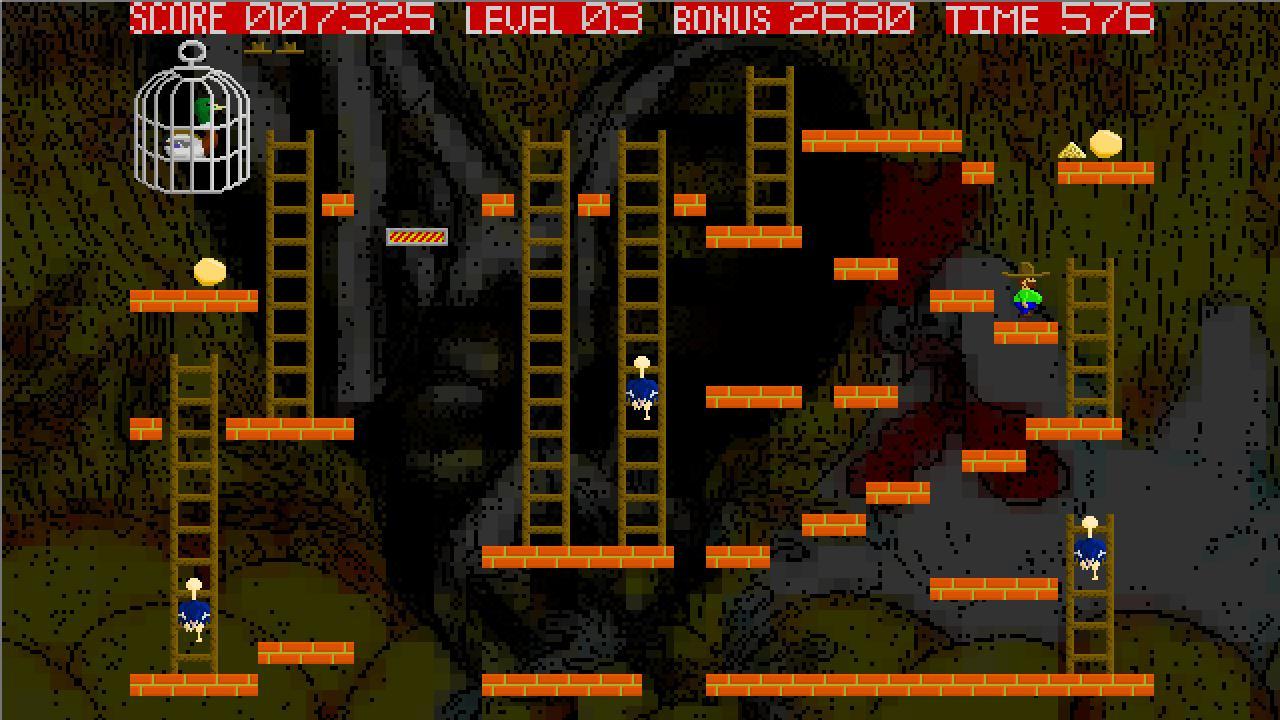
Remake of ZX Spectrum game from 1983 by Nigel Alderton.
*** Updated with new controls option, and on-screen control indicators ***
Run around the platforms and ladders and collect the eggs to complete the level.
Collect corn for points and to stop the timer.
Avoid the ostriches.
When the duck gets out of the cage, there will be trouble!
Default Control method:
Tilt to move player left and right.
Tap right edge of screen to jump.
Tap upper left edge of screen to climb up ladder.
Tap lower left edge of screen to climb down ladder.
Optional Control method:
Left quarter of screen = left
Left middle quarter of screen = right
Upper right portion of screen = climb up ladder
Middle right portion of screen = jump
Lower right portion of screen = climb down ladder
Tips:
Press up/down as you run/jump/fall past a ladder to grab it and start climbing.
Tilt left/right as you climb past a platform to run off the ladder.
New to this release is air control when falling - use this to your advantage.
No air control when jumping.
Bouncing off platforms and screen edges prevents air control.
Features:
All new graphics.
All new music and sounds.
Classic gameplay, updated for new controls.
Tags:
Retro ZX Spectrum Platforms Ladders Jumping
預覽

訊息
開發商
Rob Edwards
最新版本
1.1.11
更新時間
2013-09-29
類別
街機
同時可用
Google Play
更多
如何在電腦上用 GameLoop 玩 Chuckie Egg
1. 從官網下載GameLoop,然後運行exe文件安裝GameLoop
2. 打開GameLoop,搜索“Chuckie Egg”,在搜索結果中找到Chuckie Egg,點擊“安裝”
3. 享受在 GameLoop 上玩 Chuckie Egg 的樂趣
Minimum requirements
OS
Windows 8.1 64-bit or Windows 10 64-bit
GPU
GTX 1050
CPU
i3-8300
Memory
8GB RAM
Storage
1GB available space
Recommended requirements
OS
Windows 8.1 64-bit or Windows 10 64-bit
GPU
GTX 1050
CPU
i3-9320
Memory
16GB RAM
Storage
1GB available space