
IPEXO IPTV Player – M3U & XC PC
Intellisobs
Download IPEXO IPTV Player – M3U & XC on PC With GameLoop Emulator
IPEXO IPTV Player – M3U & XC on PC
IPEXO IPTV Player – M3U & XC, coming from the developer Intellisobs, is running on Android systerm in the past.
Now, You can play IPEXO IPTV Player – M3U & XC on PC with GameLoop smoothly.
Download it in the GameLoop library or search results. No more eyeing the battery or frustrating calls at the wrong time any more.
Just enjoy IPEXO IPTV Player – M3U & XC PC on the large screen for free!
IPEXO IPTV Player – M3U & XC Introduction
Experience fast, reliable IPTV streaming on Android with IPEXO.
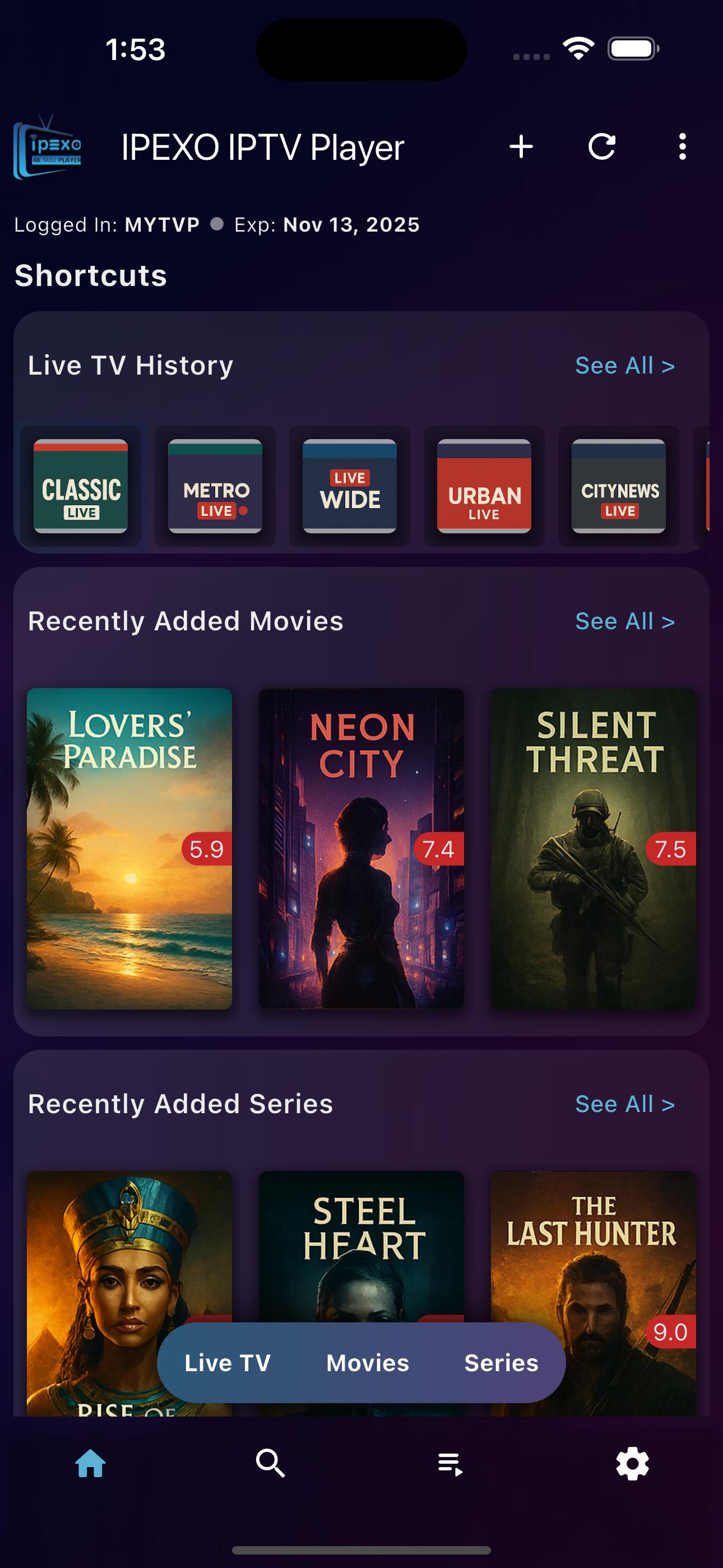
This smart IPTV player supports M3U, M3U8 playlists and Xtream Codes API, giving you full control over your content. Watch Live TV, movies, and series in one powerful and user-friendly IPTV app.
🚀 Why Choose this IPTV Player or M3U Player?
📁 Supports M3U & M3U8 Playlists
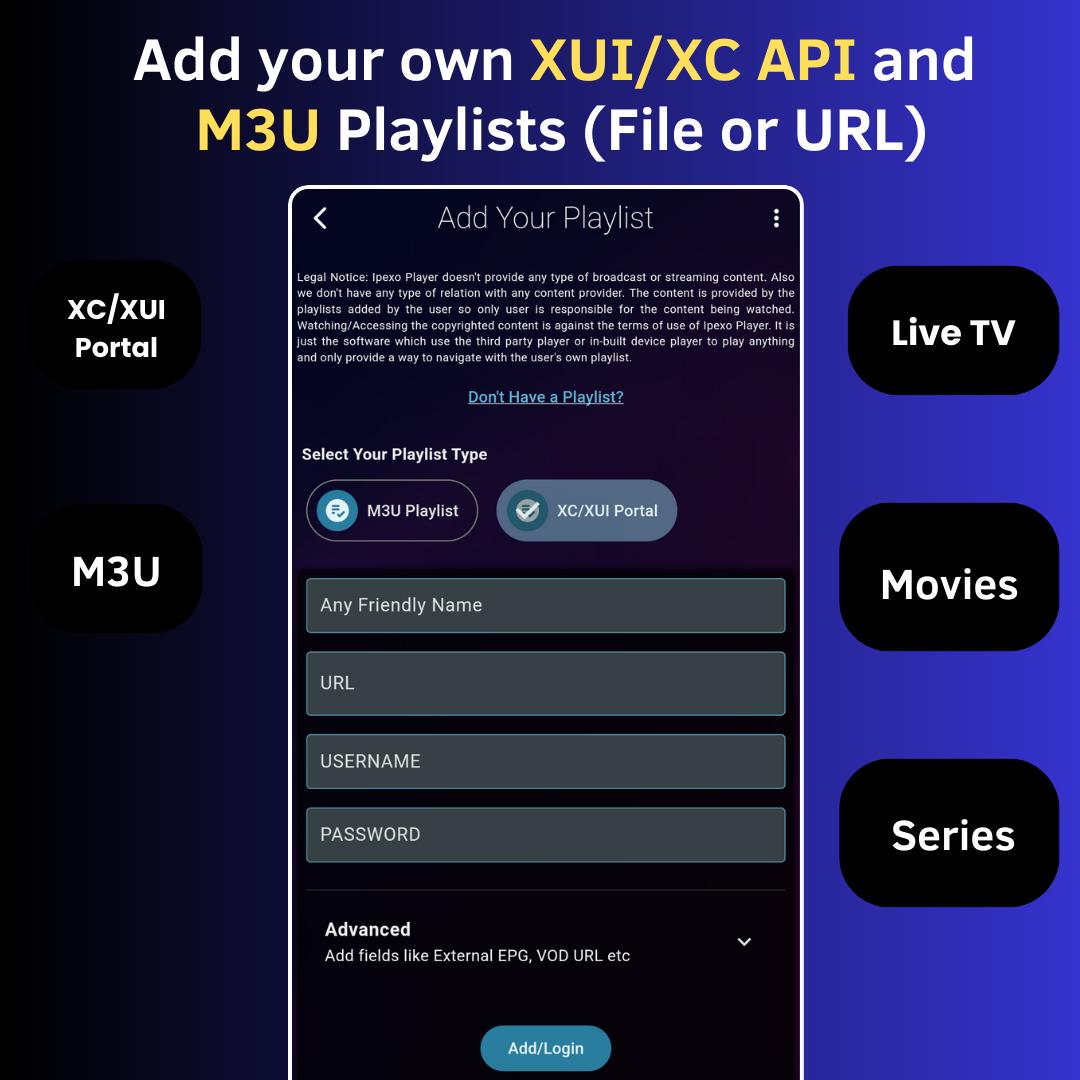
Easily import IPTV playlists from URL or local storage to stream your favorite content. This M3U Player also supports the EPG if your M3U Playlist contain it.
🔗 Xtream Codes API Compatible (or Xtream UI API)
Add Xtream Codes or Xtream UI and enjoy a premium experience with EPG, categories, and more.
📁Add External VOD or EPG
You can also add External VOD or EPG URL in our M3U Player. It supports .GZ or .XML Format of EPG from Local or URL/Link.
🎬 Watch Live TV, Movies & Series
Smart organization helps you browse Live TV, VOD, and Series with category filtering.
🔐 Advanced Controls
Enable parental lock, hide unwanted groups, and pin favorite categories or groups at the top for quick access.
📽️ Smooth Playback & Resume
Continue watching from where you left off with auto-resume for movies, episodes, and live streams. A simple Shorrcut to watch from beginning or resume.
📚 Detailed Content Info
See cast, episode lists, movie progress and series episode progress for your movies and shows. It also gives you the playing content resolution info.
⭐ Favorites & History
Save as Favorites and access your most-watched channels and series anytime from continue watching or History. App Provides easy access for live tv history from the playback screen.
📅 EPG Program Guide
Get full Electronic Program Guide (EPG) support for your Live TV streams.
⚙️ Optimized for Android Devices
Built for Android phones and tablets with support for both software & hardware decoding. You can watch in Portrait or Landscape mode with Playback Speed controls.
▶️ Play with External Player
You can play any Live TV Channel, Movie or Series Episode on another app installed on your device by simply clicking the 'Play with External Player' Button.
🎦 PIP: Picture in Picture Mode
You can launch the PIP Mode easily and enjoy streaming while using other apps with this IPTV Player.
📽️ Support Trailer
You can watch the Trailor of Movie or Series easily.
🎵 Audio Track and 📄 Subtitle Track
You can switch between available Audio Tracks and Subtitle Tracks in this M3U Player.
🎬 Powerful Media Player In-Built
App has a powerful media-player library inside to play any a wide range of codecs. It also support the Screen Brightness and Volume Controls from the Swipe Gesture.
🌐 Multiple Language Support
App supports Arabic, Bengali, Chinese, German, French, Hindi, English (USA, UK), Russian, Portuguese (Portugal, Brazil), Urdu, Spanish etc Languages.
🚫 Disclaimer:
IPEXO IPTV Player does not provide any content or playlists. Users must add their own M3U, M3U8 files, or Xtream Codes. We do not endorse or host any streaming content. Please use the app responsibly according to the Local Laws in your country.
🔒 Privacy Policy: https://ipexoplayer.com/privacy-policy
📄 Terms: https://ipexoplayer.com/terms-and-conditions
📧 Contact: support@ipexoplayer.com
Preview
Tags
Video-PlayersInformation
Developer
Intellisobs
Latest Version
2.5.0
Last Updated
2025-07-01
Category
Video-players-editors
Available on
Google Play
Show More
How to play IPEXO IPTV Player – M3U & XC with GameLoop on PC
1. Download GameLoop from the official website, then run the exe file to install GameLoop
2. Open GameLoop and search for “IPEXO IPTV Player – M3U & XC” , find IPEXO IPTV Player – M3U & XC in the search results and click “Install”
3. Enjoy playing IPEXO IPTV Player – M3U & XC on GameLoop
Minimum requirements
OS
Windows 8.1 64-bit or Windows 10 64-bit
GPU
GTX 1050
CPU
i3-8300
Memory
8GB RAM
Storage
1GB available space
Recommended requirements
OS
Windows 8.1 64-bit or Windows 10 64-bit
GPU
GTX 1050
CPU
i3-9320
Memory
16GB RAM
Storage
1GB available space