
Karobar - Nepali Digital Khata PC
Bytecare Technology
Download Karobar - Nepali Digital Khata on PC With GameLoop Emulator
Karobar - Nepali Digital Khata on PC
Karobar - Nepali Digital Khata, coming from the developer Bytecare Technology, is running on Android systerm in the past.
Now, You can play Karobar - Nepali Digital Khata on PC with GameLoop smoothly.
Download it in the GameLoop library or search results. No more eyeing the battery or frustrating calls at the wrong time any more.
Just enjoy Karobar - Nepali Digital Khata PC on the large screen for free!
Karobar - Nepali Digital Khata Introduction
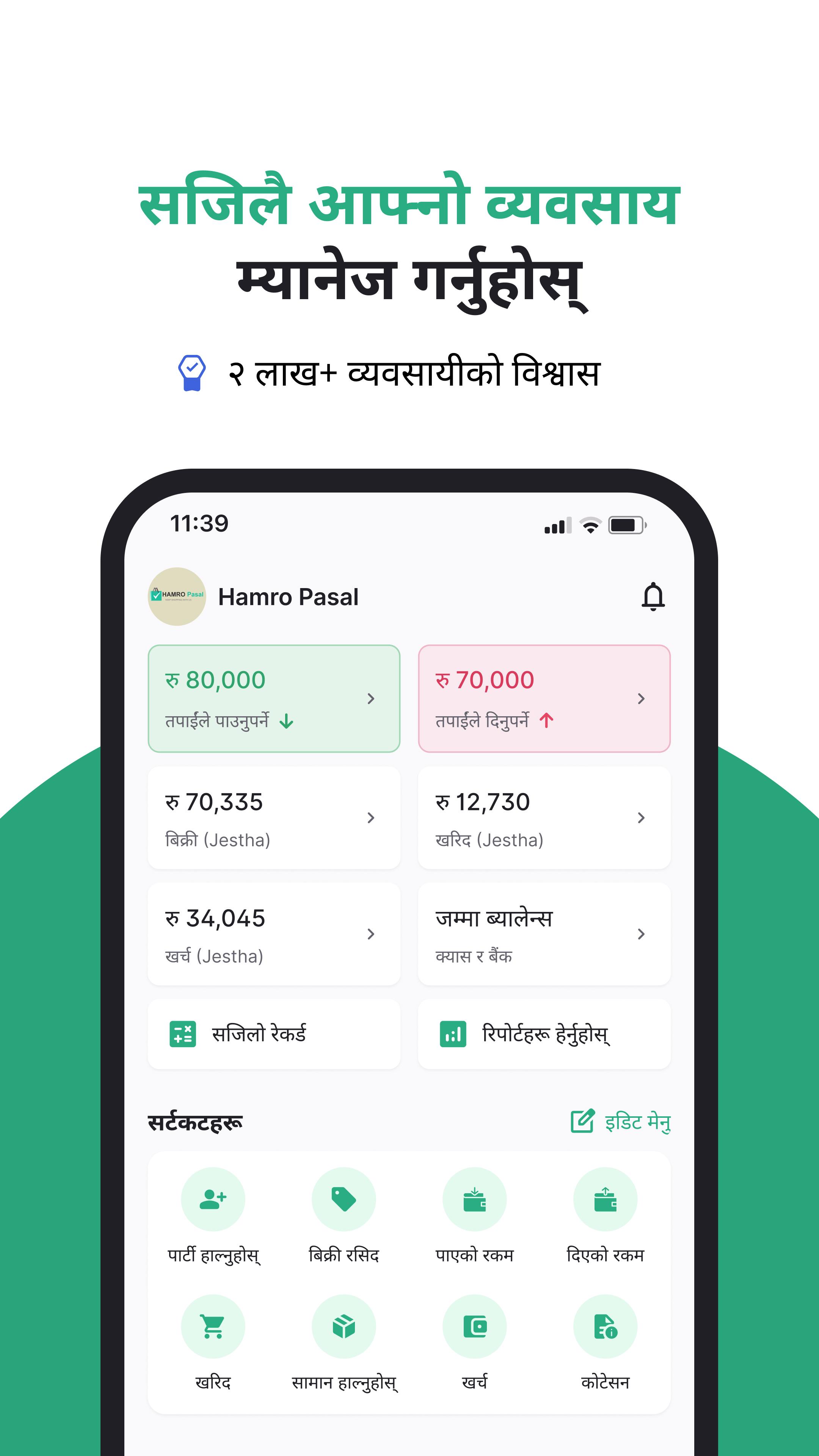
Karobar is an All-in-One business management app built for Nepali entrepreneurs. Built with small and medium businesses in mind, Karobar simplifies accounting, inventory management, credit recovery, customer relations, and more.
Karobar App is for all growing businesses:
🛒 Retailers and Shop Owners
📦 Wholesalers and Distributors
🏠 Home-Based and Small Businesses
💼 Freelancers and Service Providers
🏭 Manufacturers and Traders
Financial Management Made Easy
💸 Simple Bookkeeping for Businesses: Record sales, purchases, and expenses effortlessly
📊 Business Insights: View 20+ Reports on business revenue, expenses, inventory, profit & loss to make informed business decisions
Simplified Invoicing
📄 Professional Invoicing: Generate & share customized invoices & quotations in seconds, complete with your business logo, signature, and multiple style options.
📷 Upload Bill Images Digitally: Take photos of paper bills and store them securely within Karobar for easy reference.
Efficient Inventory Management
📦 Track Inventory: Manage inventory in real-time, group items into categories, receive low-stock alerts, and analyze product performance.
💰 Flexible Pricing Management: Set different prices for products such as MRP and Wholesale prices.
Customer Relationship Management (CRM)
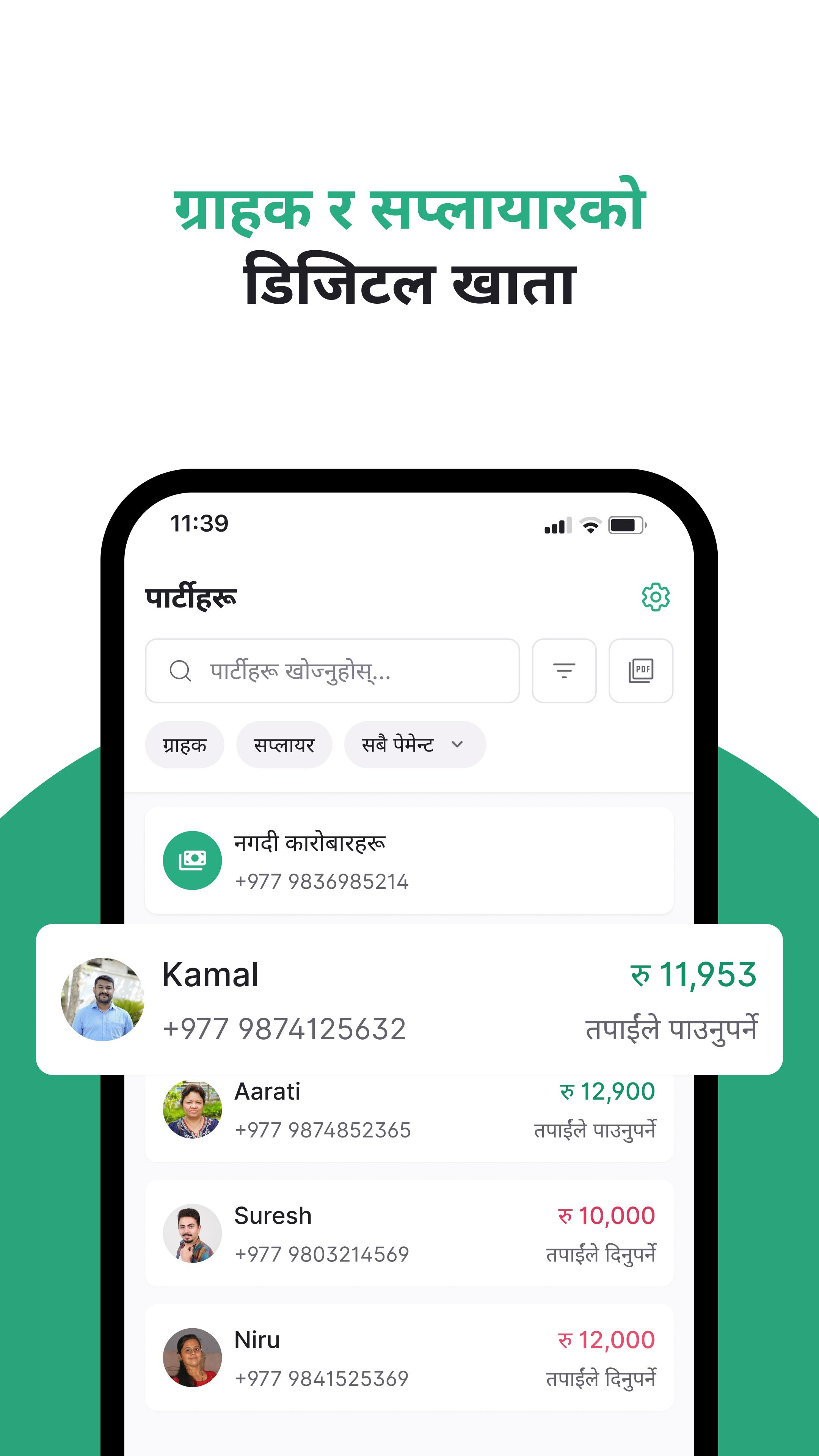
👤 Party Management: Easily manage your customer and supplier ledger in one place, and keep track of their details & transactions with your business.
🔔 Send Payment Reminders: Set Due Date Reminders for credit transactions and easily send reminders to customers to collect money on time.
Advanced Business Management
🏢 Multi-Business: Manage more than one business from a single account.
👥 Multi-Staff Access: Add staff & set role-based permissions to manage your business.
🏦 Bank Account Management: Manage multiple bank accounts & track their payment history.
🔗 Share Transactions Links: Send your customers online link to view their transactions easily.
💳 Personal Finance Management: Track your personal income, expenses & credits.
💻 Desktop Login: Manage your business from both mobile & desktop.
Built for Usability, Reliability & Security
🌐 Works Offline & Online: Record transactions and access data anytime, anywhere.
💬 Local Language: Use the app in your own Nepali language & calendar.
🔒 App Lock & Security: Protect your data with app lock and security features.
☁️ Backup: Advanced automatic data backup & security mechanism.
Utility Tools for Everyday Business Needs
📂 Data Import: Import existing customer and product data from Excel to get started quickly.
💌 Business & Greeting Cards: Share personalized business cards and greetings to customers.
📐 Business Calculators: Use built-in EMI, interest, and other financial calculators for quick calculations.
🔔 Reminder Alerts: Set important reminders to keep your business organized and on schedule.
Download Karobar App today & start managing your business digitally!
Preview
Tags
ProductivityBusinessInformation
Developer
Bytecare Technology
Latest Version
7.3.5
Last Updated
2025-09-19
Category
Productivity
Available on
Google Play
Show More
How to play Karobar - Nepali Digital Khata with GameLoop on PC
1. Download GameLoop from the official website, then run the exe file to install GameLoop
2. Open GameLoop and search for “Karobar - Nepali Digital Khata” , find Karobar - Nepali Digital Khata in the search results and click “Install”
3. Enjoy playing Karobar - Nepali Digital Khata on GameLoop
Minimum requirements
OS
Windows 8.1 64-bit or Windows 10 64-bit
GPU
GTX 1050
CPU
i3-8300
Memory
8GB RAM
Storage
1GB available space
Recommended requirements
OS
Windows 8.1 64-bit or Windows 10 64-bit
GPU
GTX 1050
CPU
i3-9320
Memory
16GB RAM
Storage
1GB available space