
Float Video Player - Popup PC
NetSoftTouch
قم بتنزيل Float Video Player - Popup على جهاز الكمبيوتر باستخدام GameLoop Emulator
Float Video Player - Popup على الكمبيوتر الشخصي
Float Video Player - Popup ، القادم من المطور NetSoftTouch ، يعمل على نظام Android في الماضي.
الآن ، يمكنك لعب Float Video Player - Popup على جهاز الكمبيوتر باستخدام GameLoop بسلاسة.
قم بتنزيله في مكتبة GameLoop أو في نتائج البحث. لا مزيد من الانتباه إلى البطارية أو المكالمات المحبطة في الوقت الخطأ بعد الآن.
ما عليك سوى الاستمتاع بجهاز Float Video Player - Popup على الشاشة الكبيرة مجانًا!
Float Video Player - Popup مقدمة
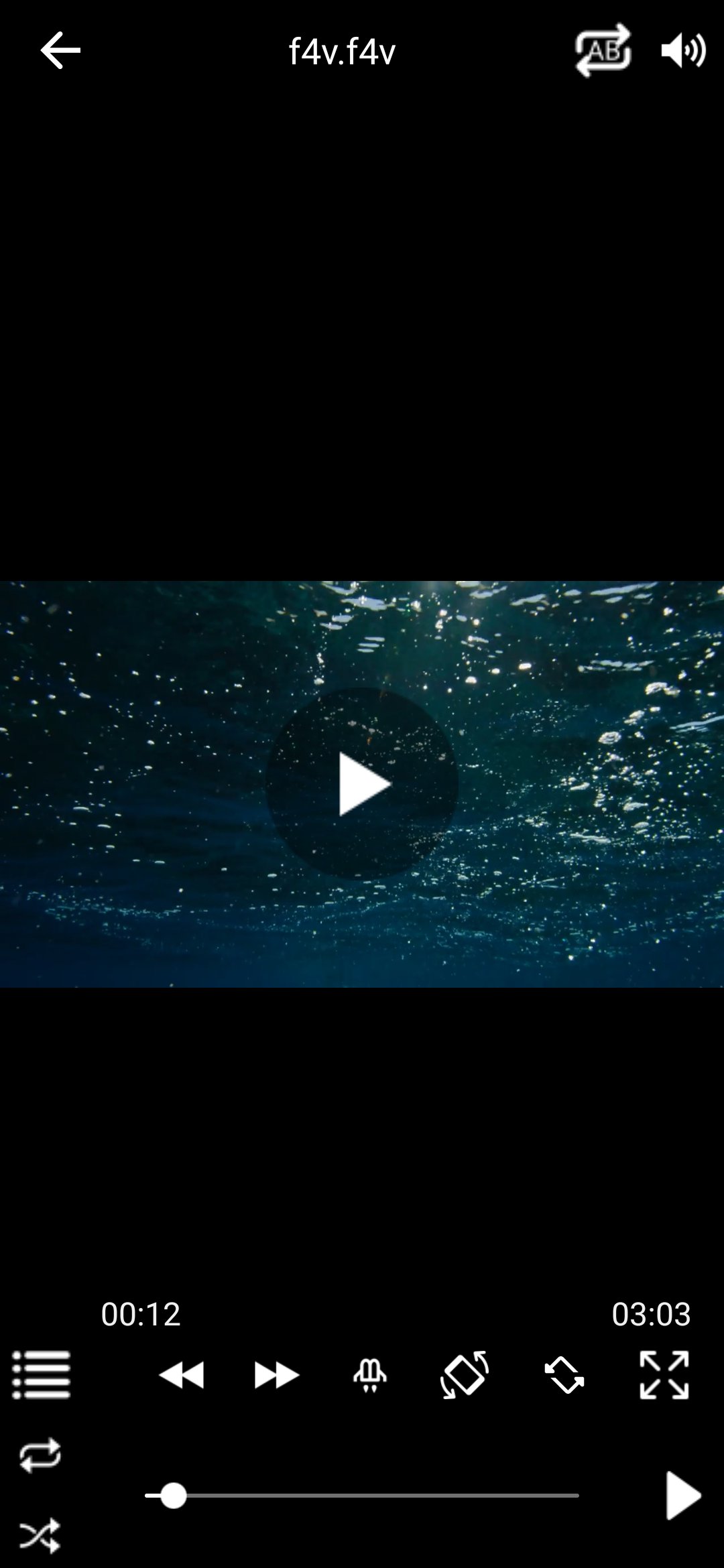
Float Video Player is a lightweight and powerful media player that lets you watch videos and listen to music while multitasking on your device. Enjoy seamless floating window playback, multi-video support, and smooth background audio streaming.
✨ KEY FEATURES:
🎬 Floating Window & Multi-Window Mode
• Watch videos in a movable and resizable pop-out window on top of any other application.
• Play games, chat, or browse the web without pausing your video.
• Multi-tasking support: Play multiple floating videos simultaneously (depending on device performance), or switch on Single Video Mode to keep just one window at a time.
• Fine-tune the experience in Settings: edge snapping limit and minimum window size.
🎵 Background Audio & Music Playback
• Play your favorite video tracks as background audio, or browse your device music library from the Audios tab.
• Control playback from the notification panel, and headset or Bluetooth media buttons.
• Built-in sleep timer and audio equalizer with presets to customize your listening experience.
📂 Library, File Browser & Smart Sharing
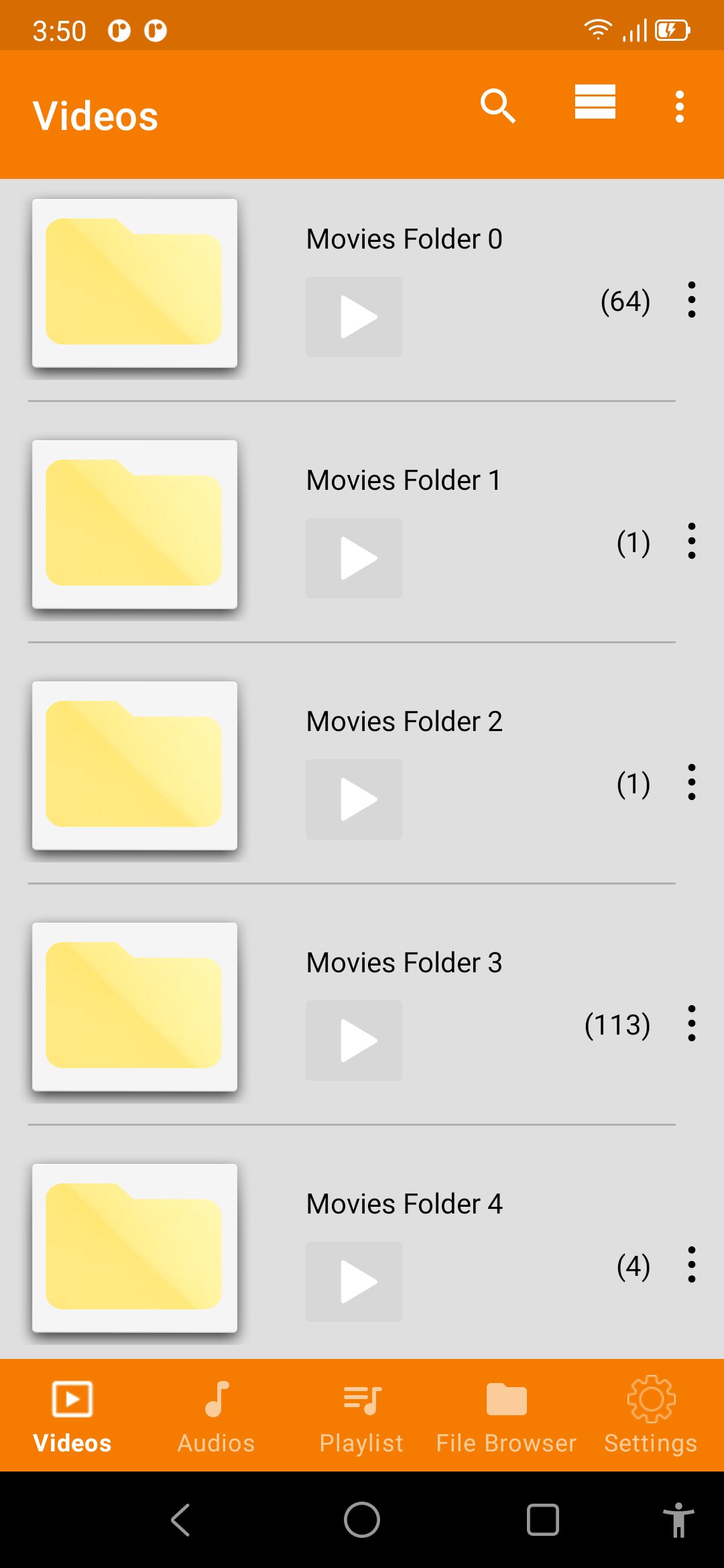
• Browse by folder, or use the built-in File Browser to reach internal storage.
• Search, sort (name, date, size), share and delete your media without leaving the app.
• Play directly from local storage, your file manager, or via the "Share" menu from supported apps.
• Wide format support: MP4, MKV, FLV, AVI, MOV, WMV, TS, M2TS, WebM, and more.
• Smooth playback for Ultra HD, 4K, and 1080p Full HD media files.
⚙️ Smart Controls & Convenience
• Auto-resume: saves your last watched position and jumps back to it for videos longer than 5 minutes.
• Smart auto-close: window closes automatically when video or playlist finishes.
• Fullscreen mode with on-screen controls for volume and playback speed.
• Organize and manage custom playlists effortlessly.
🔒 Permissions Disclosure:
Float Video Player requires the following permissions strictly for core functionality:
• Display Over Other Apps: Required to show floating video windows.
• Media / Storage Access: Required to browse and play your local audio and video files.
• Notifications & Foreground Service: Required to provide uninterrupted background media playback and notification controls.
🔐 Ads & Privacy:
• This app is free and supported by ads (Google AdMob).
• Users in the EEA/UK are asked for consent before any personalised ad is shown, and can change or withdraw that choice at any time from Settings › Ad Privacy Settings.
• Anonymous usage and crash reporting helps us fix problems faster, and can be turned off at any time from Settings › Usage & crash reporting.
• Privacy Policy: https://nguyenminhthuanvnn.github.io/netsofttouch/privacy-policy.html
📄 Open Source & License Notice:
• Float Video Player uses LibVLC for Android (version 3.7.6), licensed under the GNU Lesser General Public License v2.1 or later (LGPL-2.1-or-later). LibVLC is used unmodified and linked dynamically.
• The complete corresponding source code for the LibVLC version shipped in this app is available at: https://code.videolan.org/videolan/vlc-android
• A copy of the LGPL v2.1 licence text is included in the app under Settings › Open Source Licenses.
• Written offer: a copy of the corresponding source code is available on request for at least three years from netsofttouch@gmail.com.
• VLC® and VideoLAN® are registered trademarks of the VideoLAN non-profit organization. Float Video Player is an independent application and is NOT affiliated with, endorsed by, or sponsored by VideoLAN.
• Float Video Player plays media files that are already stored on your device or that you open yourself. It does not download, rip, or convert content from YouTube or any other streaming service.
معاينة
العلامات
Video-Playersمعلومة
مطور
NetSoftTouch
احدث اصدار
2.27.1004_2
آخر تحديث
2026-10-04
فئة
Video-players-editors
متاح على
Google Play
أظهر المزيد
كيف تلعب Float Video Player - Popup مع GameLoop على جهاز الكمبيوتر
1. قم بتنزيل GameLoop من الموقع الرسمي ، ثم قم بتشغيل ملف exe لتثبيت GameLoop.
2. افتح GameLoop وابحث عن "Float Video Player - Popup" ، وابحث عن Float Video Player - Popup في نتائج البحث وانقر على "تثبيت".
3. استمتع بلعب Float Video Player - Popup على GameLoop.
Minimum requirements
OS
Windows 8.1 64-bit or Windows 10 64-bit
GPU
GTX 1050
CPU
i3-8300
Memory
8GB RAM
Storage
1GB available space
Recommended requirements
OS
Windows 8.1 64-bit or Windows 10 64-bit
GPU
GTX 1050
CPU
i3-9320
Memory
16GB RAM
Storage
1GB available space