
Oxford Tube: Plan>Track>Buy PC
Stagecoach Group plc
قم بتنزيل Oxford Tube: Plan>Track>Buy على جهاز الكمبيوتر باستخدام GameLoop Emulator
Oxford Tube: Plan>Track>Buy على الكمبيوتر الشخصي
Oxford Tube: Plan>Track>Buy ، القادم من المطور Stagecoach Group plc ، يعمل على نظام Android في الماضي.
الآن ، يمكنك لعب Oxford Tube: Plan>Track>Buy على جهاز الكمبيوتر باستخدام GameLoop بسلاسة.
قم بتنزيله في مكتبة GameLoop أو في نتائج البحث. لا مزيد من الانتباه إلى البطارية أو المكالمات المحبطة في الوقت الخطأ بعد الآن.
ما عليك سوى الاستمتاع بجهاز Oxford Tube: Plan>Track>Buy على الشاشة الكبيرة مجانًا!
Oxford Tube: Plan>Track>Buy مقدمة
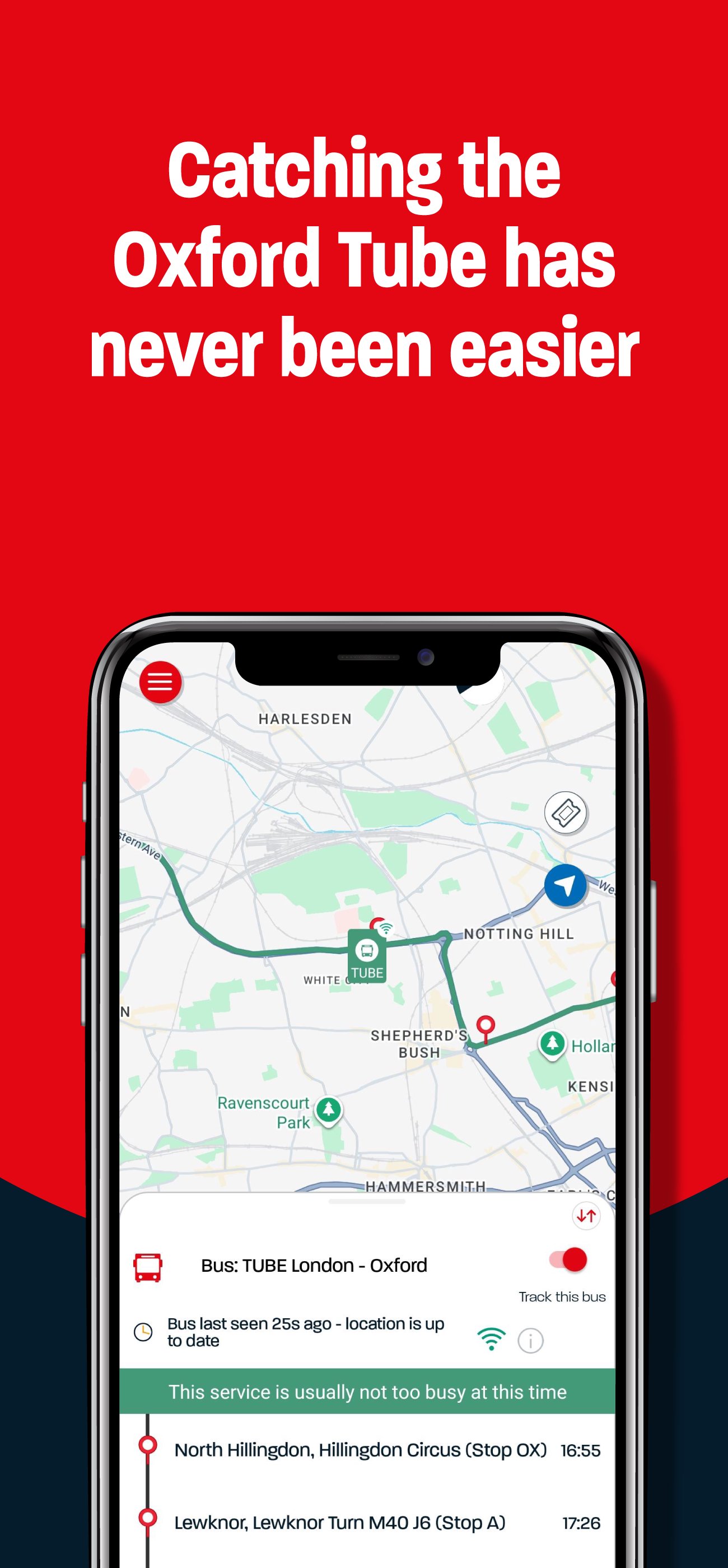
Time matters, so the Oxford Tube app puts everything you need right at your fingertips. With a live route map, real-time coach tracking, and expected arrival and departure times, you can plan your journey with confidence and stay in control every step of the
way.
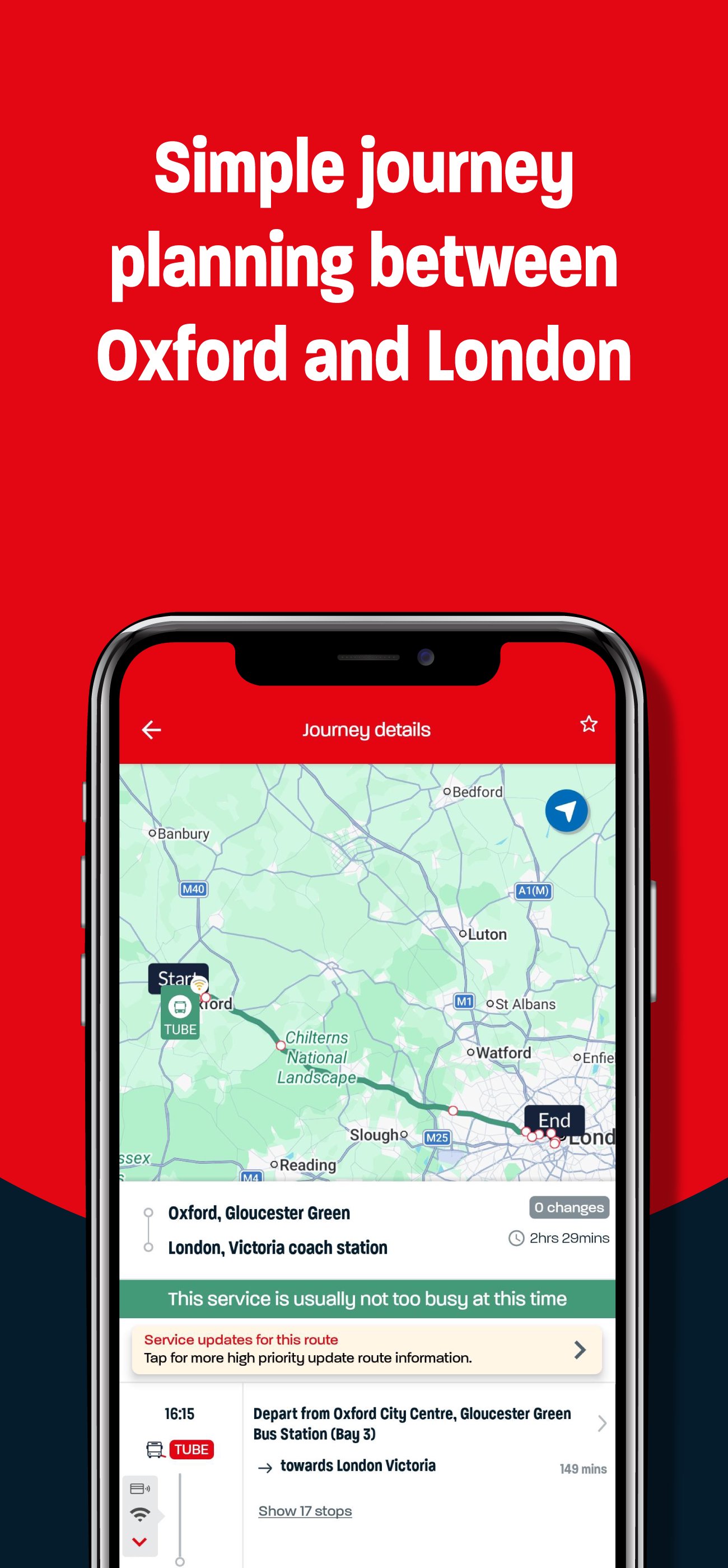
The interactive map and journey planner help you make the most of your time in the city – whether you’re heading to work, meeting friends, or catching a connection.
App features:
Follow your coach in real time
See your coach moving along the route and check exactly how far away it is, so you can time your journey perfectly.
Explore the interactive route map
View all stops and coaches in service. Just tap to see journey details and plan your next trip.
Save your favourites
Heading to the same stops often? Save your favourite journeys and stops to
make planning even quicker.
Buy and use mobile tickets
Purchase tickets safely and securely on your phone. Your ticket appears instantly – simply activate it when you’re ready to board and show it to the driver.
Share the journey
Buy tickets for others or gift unused tickets to friends or family if your plans
change.
Everything you need for travel between Oxford and London – all in one place.
It’s an Oxford Tube thing.
معاينة
العلامات
Travel-&معلومة
مطور
Stagecoach Group plc
احدث اصدار
4.47.0.758
آخر تحديث
2026-09-04
فئة
Travel-local
متاح على
Google Play
أظهر المزيد
كيف تلعب Oxford Tube: Plan>Track>Buy مع GameLoop على جهاز الكمبيوتر
1. قم بتنزيل GameLoop من الموقع الرسمي ، ثم قم بتشغيل ملف exe لتثبيت GameLoop.
2. افتح GameLoop وابحث عن "Oxford Tube: Plan>Track>Buy" ، وابحث عن Oxford Tube: Plan>Track>Buy في نتائج البحث وانقر على "تثبيت".
3. استمتع بلعب Oxford Tube: Plan>Track>Buy على GameLoop.
Minimum requirements
OS
Windows 8.1 64-bit or Windows 10 64-bit
GPU
GTX 1050
CPU
i3-8300
Memory
8GB RAM
Storage
1GB available space
Recommended requirements
OS
Windows 8.1 64-bit or Windows 10 64-bit
GPU
GTX 1050
CPU
i3-9320
Memory
16GB RAM
Storage
1GB available space