
GuaruPag PC
PAC Sistemas
قم بتنزيل GuaruPag على جهاز الكمبيوتر باستخدام GameLoop Emulator
GuaruPag على الكمبيوتر الشخصي
GuaruPag ، القادم من المطور PAC Sistemas ، يعمل على نظام Android في الماضي.
الآن ، يمكنك لعب GuaruPag على جهاز الكمبيوتر باستخدام GameLoop بسلاسة.
قم بتنزيله في مكتبة GameLoop أو في نتائج البحث. لا مزيد من الانتباه إلى البطارية أو المكالمات المحبطة في الوقت الخطأ بعد الآن.
ما عليك سوى الاستمتاع بجهاز GuaruPag على الشاشة الكبيرة مجانًا!
GuaruPag مقدمة
With this app installed on your phone, it will be possible to order refills for your Guarupass card simply and quickly, following the status of their orders.
The cards that can receive refills are the Municipal Transport and Inter Valley, Citizen (BU), Student and Teacher.
When using the application for the first time, you must create a profile with your information. Only necessary create new profile if any cadastral change, cell phone replacement or card.
After downloading the application, to complete the installation will create a GuaruPag icon on your phone.
The first time you are using the GuaruPag, a screen with the Terms of Use. Please read the entire document will be displayed. After reading and agreeing with all the items of the Agreement, select I accept to continue. If not, select not agree to leave.
You will be prompted to create a new profile with basic information. Select Create New Profile.
Following will be presented a Welcome screen to GuaruPag. Select Next.
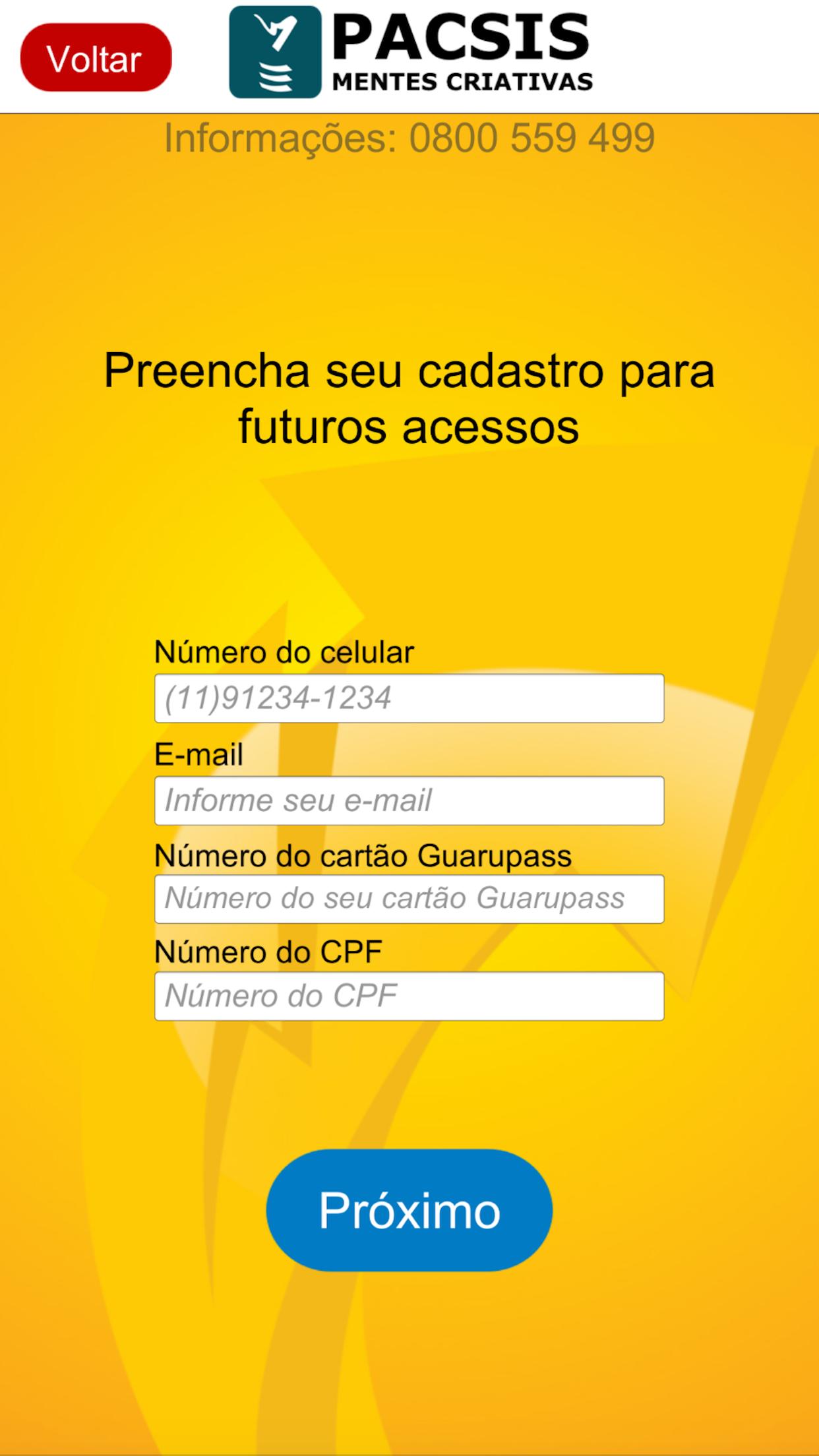
In the registration screen will appear, fill in the fields with mobile phone number with area code in the format 11999999999, with the first 2 fields to DDD, 11 Guarulhos / São Paulo and other nine fields for the phone number. This number is important to receive confirmation via SMS to continue your registration.
Fill in your e-mail, where you will receive informational updates on the status of their orders and slips for payments.
Fill in the number of your card Guarupass. Usually this number is printed on your Guarupass card in the lower right corner.
Some cards have a dash and a second number after the main number. Disregarding the trace and the second number.
Example: 999888777-1208. Use only 999,888,777.
Fill in the number of your Social Security number, no points or stroke. Select Next to end the fill.
The system will connect to the Guarupass server to validate the information.
After confirming the data on the server Guarupass, one will be sent via SMS code to the phone that just registering. Enter the received code.
After entering the received code, select Next. The system will connect to the Guarupass server to validate the information.
After the system confirm the code sent, your profile will be ready to make requests for refills. Enter the amount you want to load on your card. Enter the amount without comma. If your order is $ 15.00, type 1500. Note that according to the Terms of Use will be deducted from the amount to be charged 50% of the current value of the Municipal tariff for services fee (Convenience). Select Request recharge.
You will receive a confirmation request for your request. Select Check, if your order is correct.
a notice with the code to be used for payment in your bank will be forwarded. In the registered email will be sent a payment stub that can also be used for payment.
After payment of the ticket, within 72 hours the amount for the order, minus the amount of the service fee, will be credited to your card.
In the coming requests for refills, just click on the registered profile and change the values, generating new orders.
Simple, fast and secure.
معاينة

العلامات
Travel-&معلومة
مطور
PAC Sistemas
احدث اصدار
1.43
آخر تحديث
2020-08-21
فئة
Travel-local
متاح على
Google Play
أظهر المزيد
كيف تلعب GuaruPag مع GameLoop على جهاز الكمبيوتر
1. قم بتنزيل GameLoop من الموقع الرسمي ، ثم قم بتشغيل ملف exe لتثبيت GameLoop.
2. افتح GameLoop وابحث عن "GuaruPag" ، وابحث عن GuaruPag في نتائج البحث وانقر على "تثبيت".
3. استمتع بلعب GuaruPag على GameLoop.
Minimum requirements
OS
Windows 8.1 64-bit or Windows 10 64-bit
GPU
GTX 1050
CPU
i3-8300
Memory
8GB RAM
Storage
1GB available space
Recommended requirements
OS
Windows 8.1 64-bit or Windows 10 64-bit
GPU
GTX 1050
CPU
i3-9320
Memory
16GB RAM
Storage
1GB available space