Weather Night Dock v2 PC
ProWax
قم بتنزيل Weather Night Dock v2 على جهاز الكمبيوتر باستخدام GameLoop Emulator
Weather Night Dock v2 على الكمبيوتر الشخصي
Weather Night Dock v2 ، القادم من المطور ProWax ، يعمل على نظام Android في الماضي.
الآن ، يمكنك لعب Weather Night Dock v2 على جهاز الكمبيوتر باستخدام GameLoop بسلاسة.
قم بتنزيله في مكتبة GameLoop أو في نتائج البحث. لا مزيد من الانتباه إلى البطارية أو المكالمات المحبطة في الوقت الخطأ بعد الآن.
ما عليك سوى الاستمتاع بجهاز Weather Night Dock v2 على الشاشة الكبيرة مجانًا!
Weather Night Dock v2 مقدمة
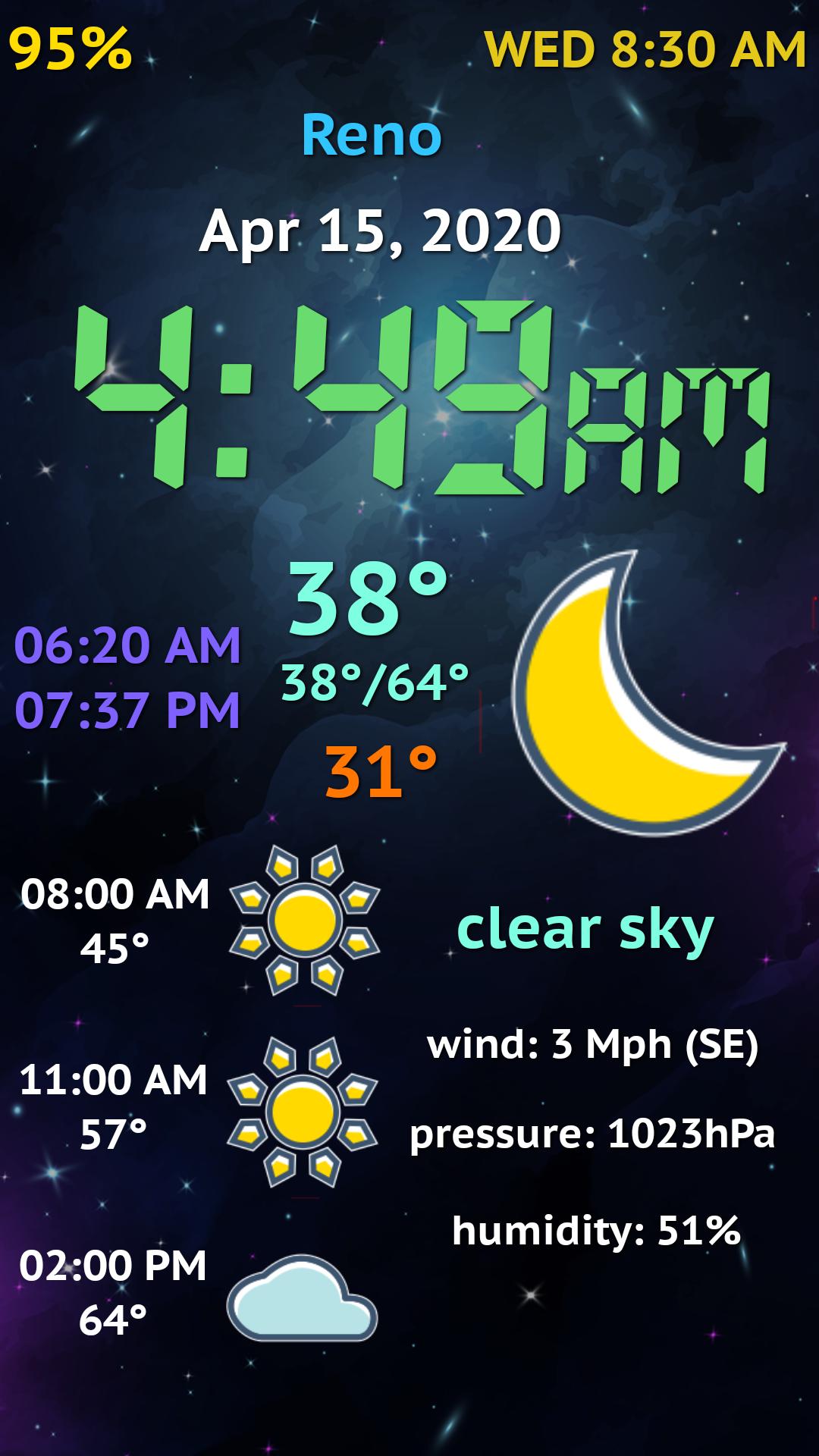
Meet the second version of the popular docking station app, which is a full-screen digital clock displaying your device settings and weather data for your location in a beautiful, easy-to-read form.
The main application is a night clock with intelligent brightness adjustment depending on the lighting.
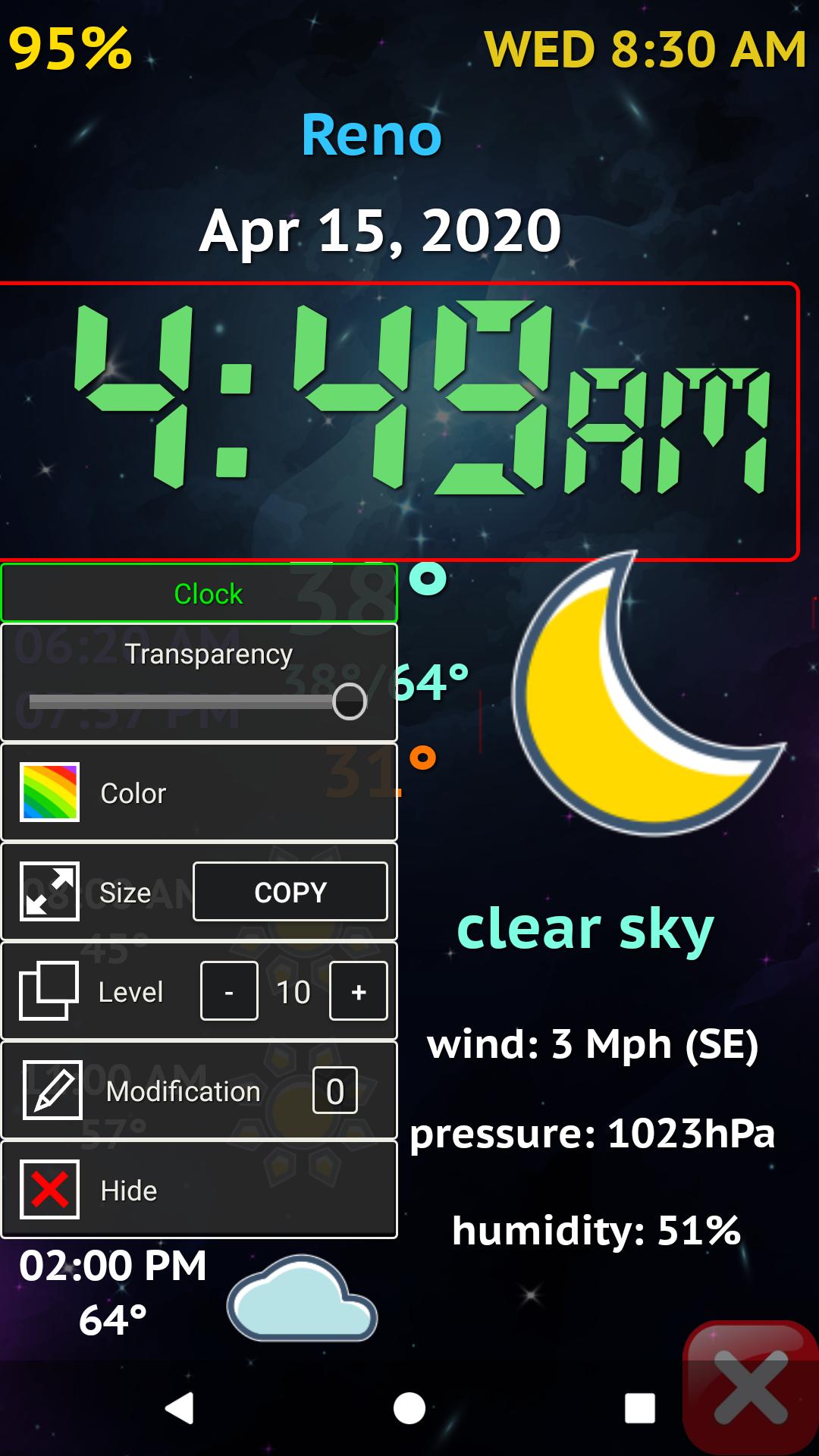
Now in new version you can adjust the elements on the screen as you like:
- change their position
- resize them
- change their color
- change their transparency and visibility
- reformulate them
The PRO version also allows:
- apply any font to text
- apply any font to clock
- replace the background with any image
- use as a background slideshow from images in a selected folder
- use app as system screensaver
- some additional settings
Brief usage guide:
1. To edit items on the screen, touch and hold your finger for a long time until the Edit mode button appears.
2. Touch an item, and its settings menu appears.
3. Touch an empty area and the general settings menu for the items and background appears.
4. Press the cross at the bottom right corner to return to normal mode.
5. Tap twice for the nearest alarm clock to call the standard alarm manager.
6. Tap twice on the current weather icon to refresh weather data manually.
Warning! If you gave the application device Administrator rights, you must remove these rights in order to uninstall the application!
Please try the Free version before buying. There is less functionality and settings, but absolutely no advertising!
**If you have an Android 9 or higher, in order to guarantee that the application will start when the charger is connected, it is necessary to give the application rights to auto-start, to work in the background and to ignore the battery optimization (disable power saving) in the device system settings. For Samsung devices it is also necessary to enable the option for the application to Draw Over of Other Apps!
معاينة
معلومة
مطور
ProWax
احدث اصدار
2.3.0
آخر تحديث
2021-09-09
فئة
أدوات
متاح على
Google Play
أظهر المزيد
كيف تلعب Weather Night Dock v2 مع GameLoop على جهاز الكمبيوتر
1. قم بتنزيل GameLoop من الموقع الرسمي ، ثم قم بتشغيل ملف exe لتثبيت GameLoop.
2. افتح GameLoop وابحث عن "Weather Night Dock v2" ، وابحث عن Weather Night Dock v2 في نتائج البحث وانقر على "تثبيت".
3. استمتع بلعب Weather Night Dock v2 على GameLoop.
Minimum requirements
OS
Windows 8.1 64-bit or Windows 10 64-bit
GPU
GTX 1050
CPU
i3-8300
Memory
8GB RAM
Storage
1GB available space
Recommended requirements
OS
Windows 8.1 64-bit or Windows 10 64-bit
GPU
GTX 1050
CPU
i3-9320
Memory
16GB RAM
Storage
1GB available space