
VpnHood! CLIENT: Self-host VPN PC
VpnHood
قم بتنزيل VpnHood! CLIENT: Self-host VPN على جهاز الكمبيوتر باستخدام GameLoop Emulator
VpnHood! CLIENT: Self-host VPN على الكمبيوتر الشخصي
VpnHood! CLIENT: Self-host VPN ، القادم من المطور VpnHood ، يعمل على نظام Android في الماضي.
الآن ، يمكنك لعب VpnHood! CLIENT: Self-host VPN على جهاز الكمبيوتر باستخدام GameLoop بسلاسة.
قم بتنزيله في مكتبة GameLoop أو في نتائج البحث. لا مزيد من الانتباه إلى البطارية أو المكالمات المحبطة في الوقت الخطأ بعد الآن.
ما عليك سوى الاستمتاع بجهاز VpnHood! CLIENT: Self-host VPN على الشاشة الكبيرة مجانًا!
VpnHood! CLIENT: Self-host VPN مقدمة
NOTE: This app REQUIRES A SERVER KEY.
VpnHood! CLIENT is a fast, secure, and reliable VPN solution powered by the ★★VpnHood! ENGINE★★, which is open-source and the first VPN developed fully with the .NET platform.
It is a client application that establishes encrypted, secure tunnels to a VPN server using the VpnHood protocol to VpnHood servers. The VpnHood protocol has no fingerprint and cannot be detected by censorship filtering.
To use this app, a ServerKey is required. You can acquire one through the following methods:
▶ Get server keys from friends or communities that distribute them.
▶ Purchase server keys for yourself or your friends through the VpnHood! STORE or other sellers.
▶ Set up your own VpnHood server on a hosting service and create server keys yourself.
Key Features:
★ Free with No Ads: VpnHood! is open-source, completely free, and contains no ads.
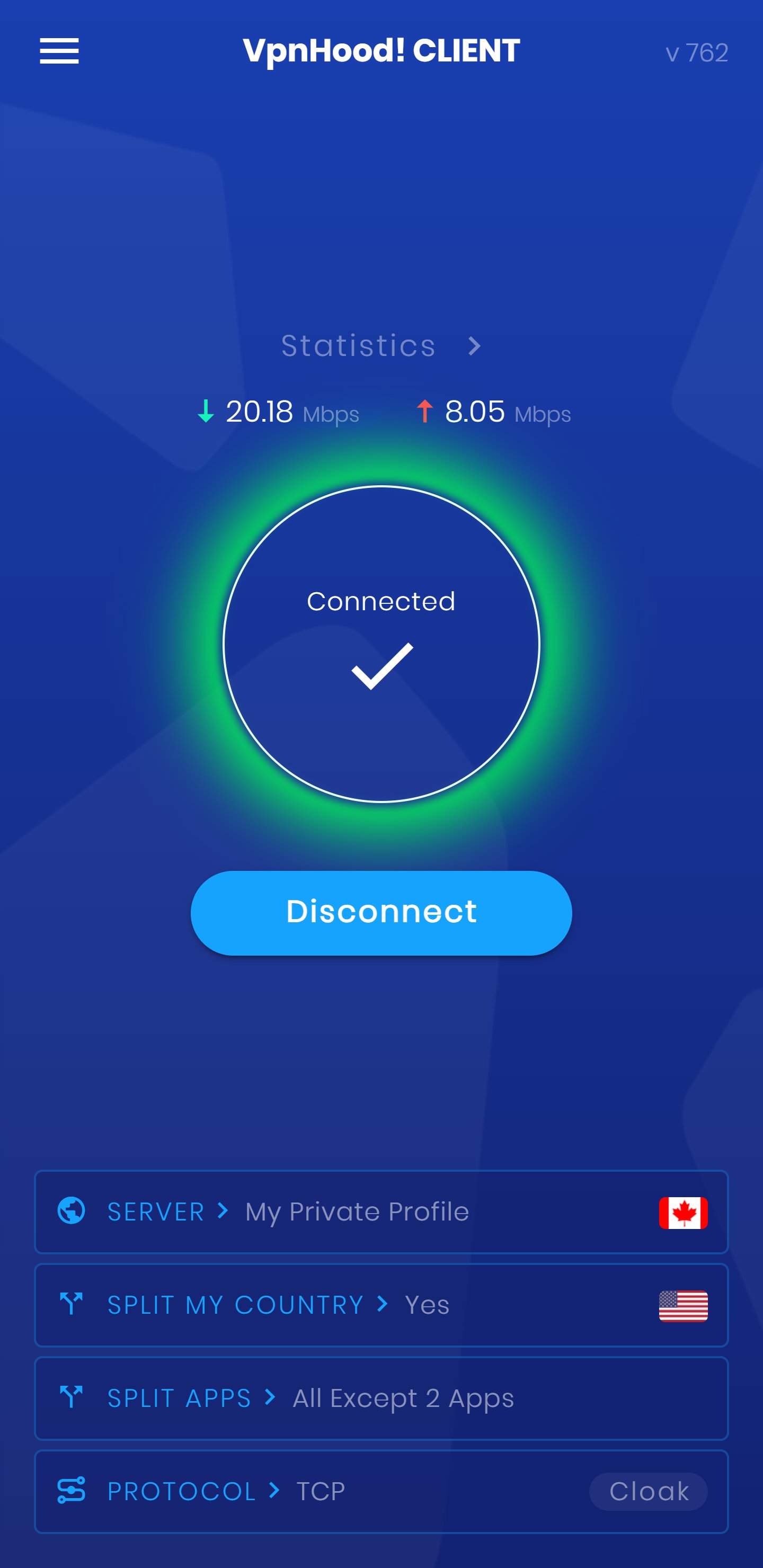
★ Easy to Use: You can connect to VpnHood! with a simple click of the connect button.
★ Fast and Secure (The speed may vary depending on the server provider and your Internet connection.)
★ Open Source: Built on the open-source VpnHood engine (on GitHub), VpnHood! is transparent and trustworthy.
★ First VPN in .NET: VpnHood! is the first VPN app in the world to be developed with the .NET platform—showcasing innovation and technical excellence.
★ Broad Compatibility: Supports Android 6 and above, including Android TV and Windows.
★ IPv4 & IPv6 Support: Ensures maximum compatibility and performance.
Customizable Options:
✔ Split Tunneling for App: Choose which apps use VpnHood! with flexible filter options. You can exclude, include, or select all apps.
✔ Split Tunneling for Country: This allows you to exclude your own country, ensuring that traffic to servers within your country does not pass through the VPN tunnel. This eliminates the need to disconnect VpnHood! when accessing services in your country that do not accept foreign IPs and improves connection speeds to local servers.
✔ Split Tunneling for Local Network: Exclude your local network to maintain access to local resources while using VpnHood!.
✔ UDP / TCP Protocol: Choose whether to enable or disable the UDP protocol based on your needs.
Why Choose VpnHood!?
▶ Undetectable: The VpnHood! protocol is designed to bypass censorship filters. It is a secure protocol without any fingerprint. Its traffic patterns look exactly like regular HTTPS websites, making it virtually indistinguishable.
▶ Innovative Technology: As the first VPN app developed with .NET, VpnHood! is at the forefront of technological innovation.
▶ Powered by VpnHood Engine: VpnHood! is powered by its own open-source VPN engine, ensuring transparency and reliability.
▶ User-Friendly: VpnHood! is designed with simplicity in mind—connect with just one click.
▶ Customizable: With options for Split Tunneling by App, Country, and Local Network, plus UDP/TCP protocol switching, you have full control over your VPN usage.
▶ Constantly Evolving: VpnHood! is committed to continuous improvement and innovation, ensuring you enjoy unrestricted and censorship-free internet access. Try VpnHood! today and experience the true freedom of the web!
We’re Here for You Around the Clock!
VpnHood’s dedicated customer support team is available 24/7 to assist you. If you have any questions or concerns, please contact us at [support@vpnhood.com](mailto:support@vpnhood.com). We’re always here to help!
Contribute: [https://github.com/vpnhood/VpnHood](https://github.com/vpnhood/VpnHood)
معاينة
العلامات
أدواتمعلومة
مطور
VpnHood
احدث اصدار
7.6.787
آخر تحديث
2026-01-28
فئة
أدوات
متاح على
Google Play
أظهر المزيد
كيف تلعب VpnHood! CLIENT: Self-host VPN مع GameLoop على جهاز الكمبيوتر
1. قم بتنزيل GameLoop من الموقع الرسمي ، ثم قم بتشغيل ملف exe لتثبيت GameLoop.
2. افتح GameLoop وابحث عن "VpnHood! CLIENT: Self-host VPN" ، وابحث عن VpnHood! CLIENT: Self-host VPN في نتائج البحث وانقر على "تثبيت".
3. استمتع بلعب VpnHood! CLIENT: Self-host VPN على GameLoop.
Minimum requirements
OS
Windows 8.1 64-bit or Windows 10 64-bit
GPU
GTX 1050
CPU
i3-8300
Memory
8GB RAM
Storage
1GB available space
Recommended requirements
OS
Windows 8.1 64-bit or Windows 10 64-bit
GPU
GTX 1050
CPU
i3-9320
Memory
16GB RAM
Storage
1GB available space