Vivo Smart Wi-Fi PC
VIVO S.A.
قم بتنزيل Vivo Smart Wi-Fi على جهاز الكمبيوتر باستخدام GameLoop Emulator
Vivo Smart Wi-Fi على الكمبيوتر الشخصي
Vivo Smart Wi-Fi ، القادم من المطور VIVO S.A. ، يعمل على نظام Android في الماضي.
الآن ، يمكنك لعب Vivo Smart Wi-Fi على جهاز الكمبيوتر باستخدام GameLoop بسلاسة.
قم بتنزيله في مكتبة GameLoop أو في نتائج البحث. لا مزيد من الانتباه إلى البطارية أو المكالمات المحبطة في الوقت الخطأ بعد الآن.
ما عليك سوى الاستمتاع بجهاز Vivo Smart Wi-Fi على الشاشة الكبيرة مجانًا!
Vivo Smart Wi-Fi مقدمة
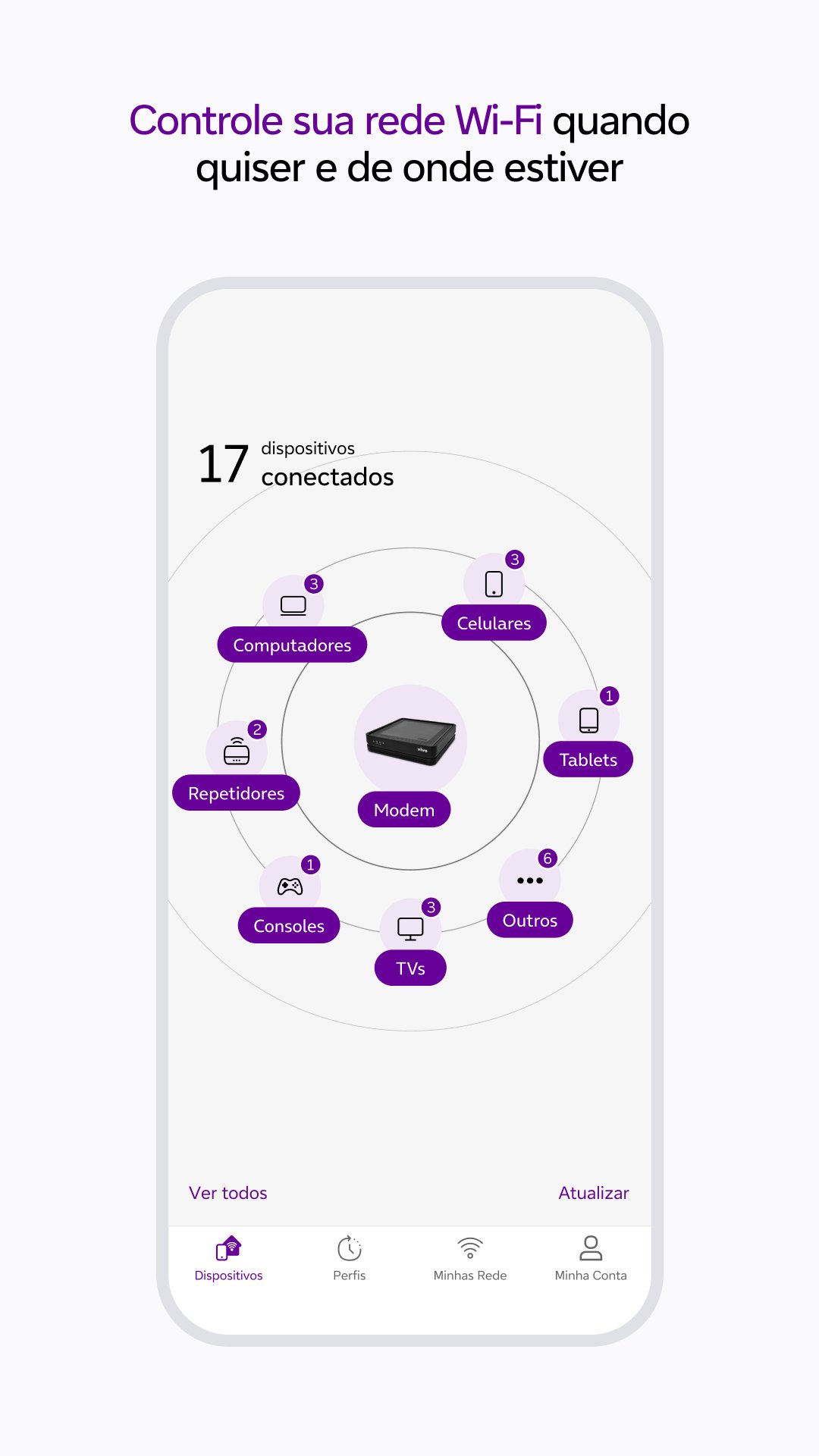
With Vivo Smart Wi-Fi, you can manage your Vivo Fibra Wi-Fi network with practicality and security. Monitor the connection, optimize performance and control connected devices, all through the App.
Main features:
- Manage your Wi-Fi network from anywhere.
- Monitor and control connected devices.
- Find out which environment has the best Wi-Fi coverage.
- Optimize your connection for more stable performance.
- Test your internet speed.
- Lock or unlock devices as needed.
- Schedule connection and disconnection times for each device.
- Organize devices by categories.
- Create a guest-only Wi-Fi network.
- Change your network name and password easily.
HOW TO ACCESS THE APPLICATION
For residential customers:
Access with the CPF or email of the Vivo Fibra holder and use the Vivo app password.
For companies:
Enter the CPF registered with Vivo Fibra and the password for the Meu Vivo Empresas app.
REQUIRED PERMISSIONS:
To offer the best experience, Vivo Smart Wi-Fi requests:
- Access to SMS: for sharing guest network information.
- Location: for Wi-Fi quality analysis and performance testing.
TECHNICAL REQUIREMENTS:
- Available to Vivo Fibra customers.
- Compatible with Vivo Wi-Fi 5 and Wi-Fi 6 routers.
- Residential: CPF or email of the holder + Vivo app password.
- Companies: Registered CPF + password for the Meu Vivo Empresas app.
- On iOS, location permission is required from version 12.0.
For more information, visit: https://app.vivo/smart_wifi.
معاينة

العلامات
أدواتمعلومة
مطور
VIVO S.A.
احدث اصدار
25.10.0.1(1)
آخر تحديث
2025-11-03
فئة
أدوات
متاح على
Google Play
أظهر المزيد
كيف تلعب Vivo Smart Wi-Fi مع GameLoop على جهاز الكمبيوتر
1. قم بتنزيل GameLoop من الموقع الرسمي ، ثم قم بتشغيل ملف exe لتثبيت GameLoop.
2. افتح GameLoop وابحث عن "Vivo Smart Wi-Fi" ، وابحث عن Vivo Smart Wi-Fi في نتائج البحث وانقر على "تثبيت".
3. استمتع بلعب Vivo Smart Wi-Fi على GameLoop.
Minimum requirements
OS
Windows 8.1 64-bit or Windows 10 64-bit
GPU
GTX 1050
CPU
i3-8300
Memory
8GB RAM
Storage
1GB available space
Recommended requirements
OS
Windows 8.1 64-bit or Windows 10 64-bit
GPU
GTX 1050
CPU
i3-9320
Memory
16GB RAM
Storage
1GB available space