SURFboard Central PC
ARRIS Enterprises, Inc.
قم بتنزيل SURFboard Central على جهاز الكمبيوتر باستخدام GameLoop Emulator
SURFboard Central على الكمبيوتر الشخصي
SURFboard Central ، القادم من المطور ARRIS Enterprises, Inc. ، يعمل على نظام Android في الماضي.
الآن ، يمكنك لعب SURFboard Central على جهاز الكمبيوتر باستخدام GameLoop بسلاسة.
قم بتنزيله في مكتبة GameLoop أو في نتائج البحث. لا مزيد من الانتباه إلى البطارية أو المكالمات المحبطة في الوقت الخطأ بعد الآن.
ما عليك سوى الاستمتاع بجهاز SURFboard Central على الشاشة الكبيرة مجانًا!
SURFboard Central مقدمة
Thank you for purchasing a SURFboard product! Simply download this application, select the device model, and follow the on-screen instructions to setup your device.
This single (Central) mobile application will support all our current SURFboard devices.
Cable Modems:
- Models: S33, S34, SB6141, SB6121, SB6183, SB6190, SB8200, SBV3202, SBV2402, T25.
- Step-by-step install guide includes help for device activation by your Cable Internet Service Provider.
- Access to device information, help, and technical support.
- Quick launch the device Web Application for device configuration and management.
Cable Modems with Wi-Fi:
- Models: G18, G20, G34, G36, G54, SBG10, SBG6950, SBG7400, SBG7580, SBG7600, SBG8300
- Step-by-step install guide includes help for device activation by your Cable Internet Service Provider.
- Access to device information, help, and technical support.
- Use the device Web Application OR the mobile app for device configuration and management.
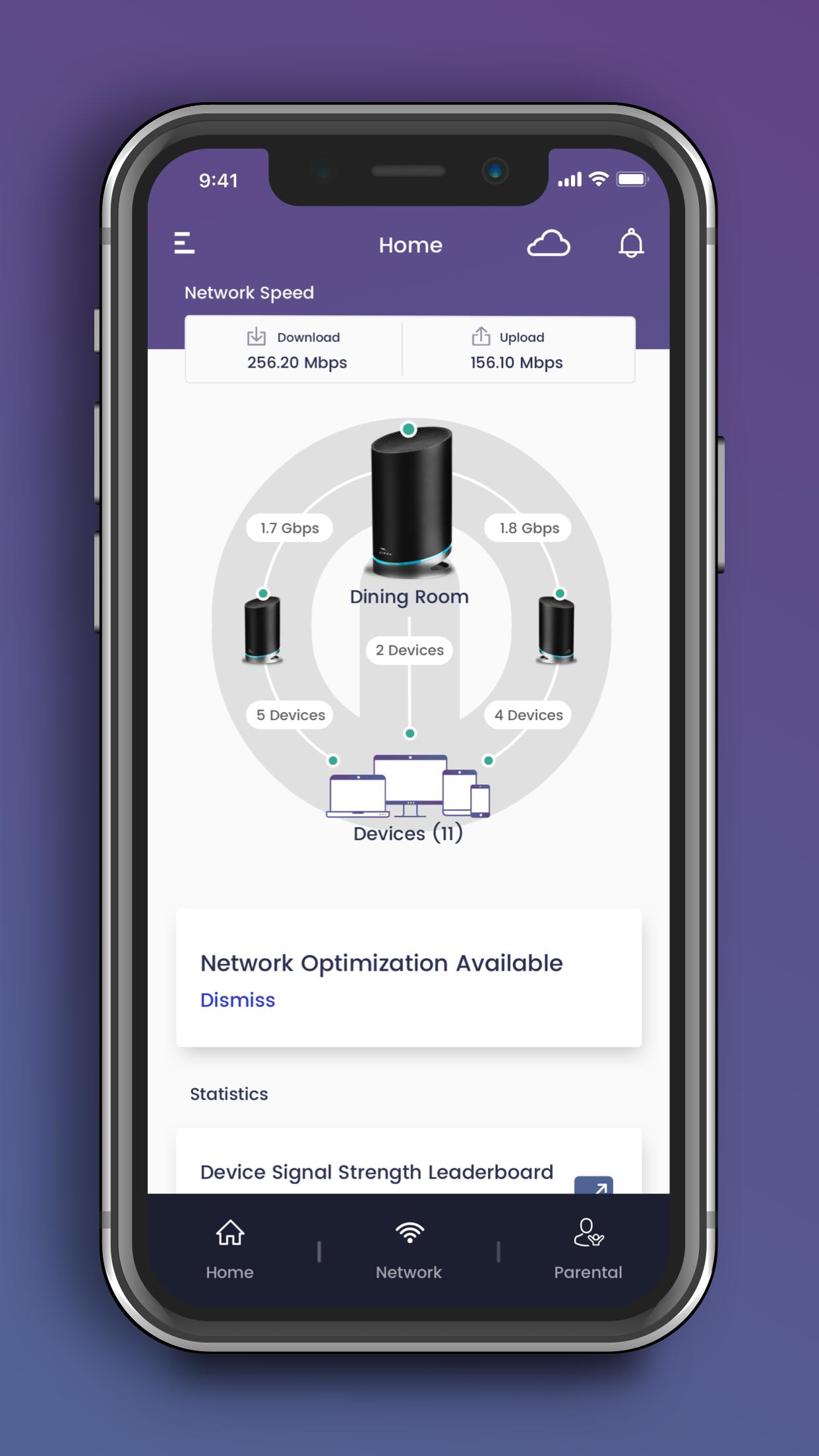
- Easy to use Wi-Fi management functions.
mAX Wi-Fi Mesh Routers:
- Models: W11, W121, W122, W21, W30, W31, W61, WC4S, WC4T
- Step-by-step install guide includes help for optimal mesh node placement in your home for performance and coverage.
- Easy to use Wi-Fi management and enhanced mAX features*.
Wi-Fi Gaming and Extenders:
- Models: W6B, W6U
- Step-by-step install guide.
- Access to device information, help, and technical support.
- Quick launch the device Web Application for device configuration and management.
--- Easy to use Wi-Fi management functions ---
- Manage your Wi-Fi network when you are at home or away.
- Setup a private and secure home Wi-Fi network.
- Setup a separate Guest network for visitors.
- View client devices connected to your network.
- Add friendly names for each client device.
- Check your mobile device real-time Wi-Fi speed.
- Create profiles for your kids to manage their screen time, allowing schedule or manual Internet pause.
--- Enhanced mAX features ---
- Get notified when selected device leave or join your home network.
- Enhance your parental controls with "screen" time rewards.
- Network Health monitoring with recommendations for optimization.
For additional help, please visit the SURFboard User Community at https://community.surfboard.com/
For device technical details and support, please visit SURFboard Support at https://www.surfboard.com/support/resources/
* Not all enhanced mAX features are available on W61, WC4S, and WC4T
معاينة
العلامات
أدواتمعلومة
مطور
ARRIS Enterprises, Inc.
احدث اصدار
4.3.4
آخر تحديث
2024-09-23
فئة
أدوات
متاح على
Google Play
أظهر المزيد
كيف تلعب SURFboard Central مع GameLoop على جهاز الكمبيوتر
1. قم بتنزيل GameLoop من الموقع الرسمي ، ثم قم بتشغيل ملف exe لتثبيت GameLoop.
2. افتح GameLoop وابحث عن "SURFboard Central" ، وابحث عن SURFboard Central في نتائج البحث وانقر على "تثبيت".
3. استمتع بلعب SURFboard Central على GameLoop.
Minimum requirements
OS
Windows 8.1 64-bit or Windows 10 64-bit
GPU
GTX 1050
CPU
i3-8300
Memory
8GB RAM
Storage
1GB available space
Recommended requirements
OS
Windows 8.1 64-bit or Windows 10 64-bit
GPU
GTX 1050
CPU
i3-9320
Memory
16GB RAM
Storage
1GB available space