GeoLocation tracker phone PC
JB Informatique
قم بتنزيل GeoLocation tracker phone على جهاز الكمبيوتر باستخدام GameLoop Emulator
GeoLocation tracker phone على الكمبيوتر الشخصي
GeoLocation tracker phone ، القادم من المطور JB Informatique ، يعمل على نظام Android في الماضي.
الآن ، يمكنك لعب GeoLocation tracker phone على جهاز الكمبيوتر باستخدام GameLoop بسلاسة.
قم بتنزيله في مكتبة GameLoop أو في نتائج البحث. لا مزيد من الانتباه إلى البطارية أو المكالمات المحبطة في الوقت الخطأ بعد الآن.
ما عليك سوى الاستمتاع بجهاز GeoLocation tracker phone على الشاشة الكبيرة مجانًا!
GeoLocation tracker phone مقدمة
📍 Track your phone location automatically – in background.
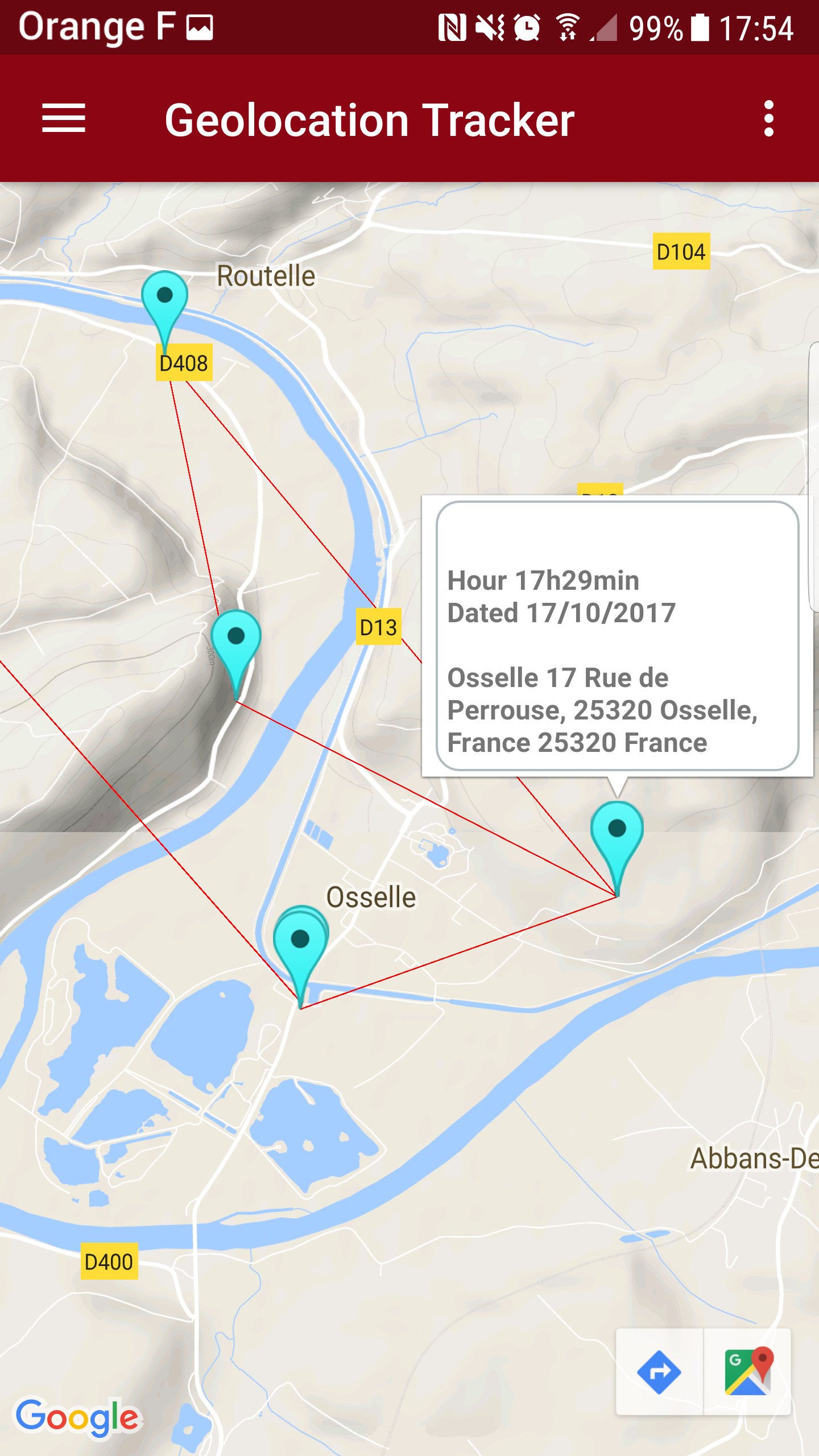
This GPS Tracker lets you log your phone’s position silently and securely, without needing to open the app. Whether for personal use, or to understand your child's daily routes, this app stores accurate GPS points on a map throughout the day.
🛰️ Main Features:
• Automatic GPS tracking in background
• Set the tracking interval (every X minutes)
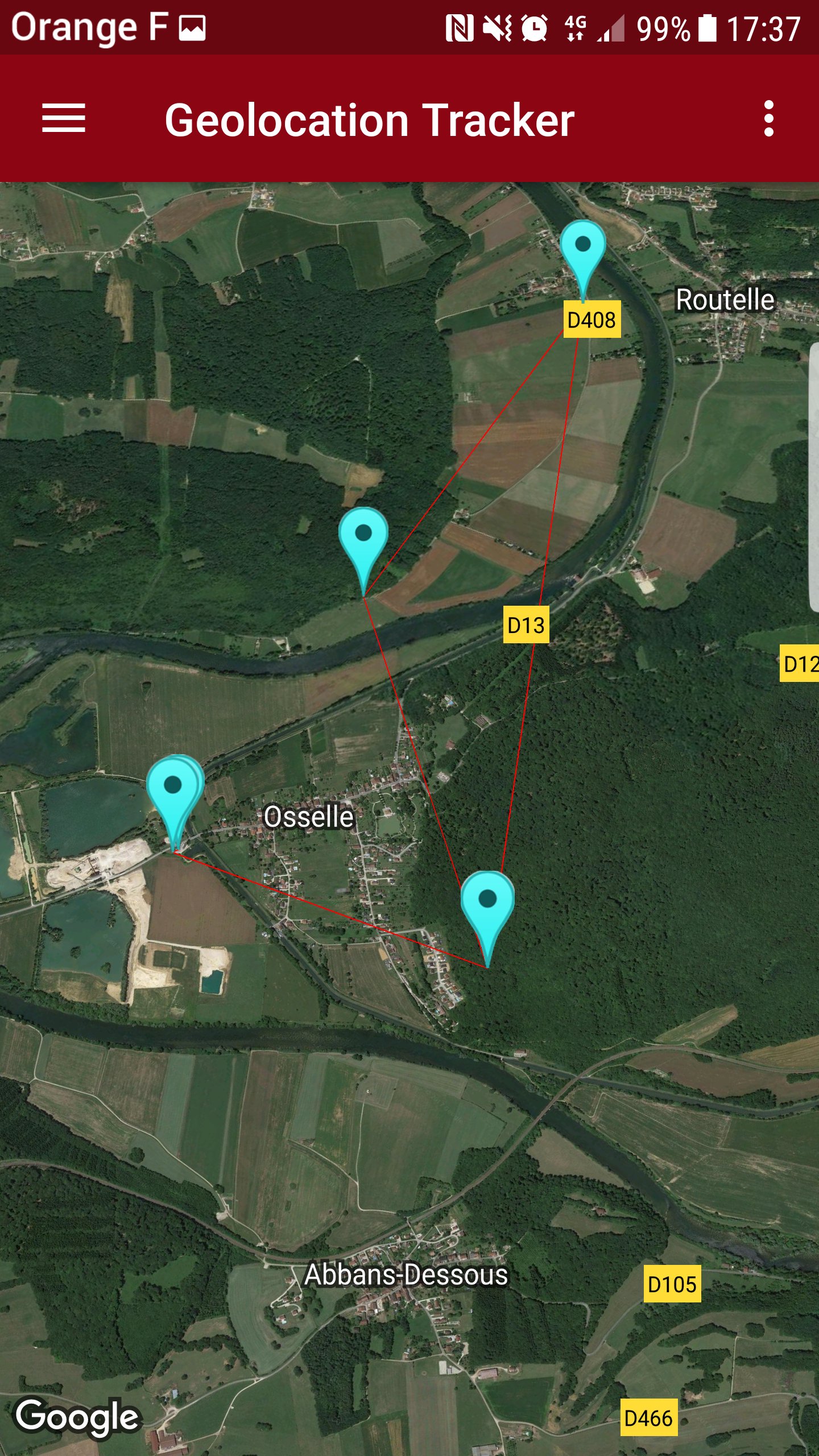
• View your entire route on Google Maps
• Access daily logs of all saved locations
• Choose different map views (standard, satellite, terrain)
• Save battery with optimized background service
• Private: All your data stays on your device
👨👩👧 For families and personal use
Want to review your daily movements or track a loved one with their consent? This tracker is ideal for personal security, travel logs, or keeping peace of mind with children.
⚙️ Fully customizable
From the app settings, you can:
Set tracking frequency (e.g. every 15 minutes)
Enable/disable background tracking anytime
Browse daily route logs with full timestamps
🔒 Note on Android limitations
Due to Android restrictions (Oreo and above), background location logging runs every 15 minutes or more, depending on system optimization.
📥 Download now and start tracking your route history automatically.
معاينة
العلامات
أدواتمعلومة
مطور
JB Informatique
احدث اصدار
2.3
آخر تحديث
2025-05-03
فئة
أدوات
متاح على
Google Play
أظهر المزيد
كيف تلعب GeoLocation tracker phone مع GameLoop على جهاز الكمبيوتر
1. قم بتنزيل GameLoop من الموقع الرسمي ، ثم قم بتشغيل ملف exe لتثبيت GameLoop.
2. افتح GameLoop وابحث عن "GeoLocation tracker phone" ، وابحث عن GeoLocation tracker phone في نتائج البحث وانقر على "تثبيت".
3. استمتع بلعب GeoLocation tracker phone على GameLoop.
Minimum requirements
OS
Windows 8.1 64-bit or Windows 10 64-bit
GPU
GTX 1050
CPU
i3-8300
Memory
8GB RAM
Storage
1GB available space
Recommended requirements
OS
Windows 8.1 64-bit or Windows 10 64-bit
GPU
GTX 1050
CPU
i3-9320
Memory
16GB RAM
Storage
1GB available space