
eCourts Services India PC
Kanji Apps
قم بتنزيل eCourts Services India على جهاز الكمبيوتر باستخدام GameLoop Emulator
eCourts Services India على الكمبيوتر الشخصي
eCourts Services India ، القادم من المطور Kanji Apps ، يعمل على نظام Android في الماضي.
الآن ، يمكنك لعب eCourts Services India على جهاز الكمبيوتر باستخدام GameLoop بسلاسة.
قم بتنزيله في مكتبة GameLoop أو في نتائج البحث. لا مزيد من الانتباه إلى البطارية أو المكالمات المحبطة في الوقت الخطأ بعد الآن.
ما عليك سوى الاستمتاع بجهاز eCourts Services India على الشاشة الكبيرة مجانًا!
eCourts Services India مقدمة
• Litigant or Lawyer can save all cases of interest, which will be shown under My Cases tab. This helps them to create and manage Portfolio of their cases or Personal Case Diary for further use.
* In eCourts Service App Frature And How It's Work
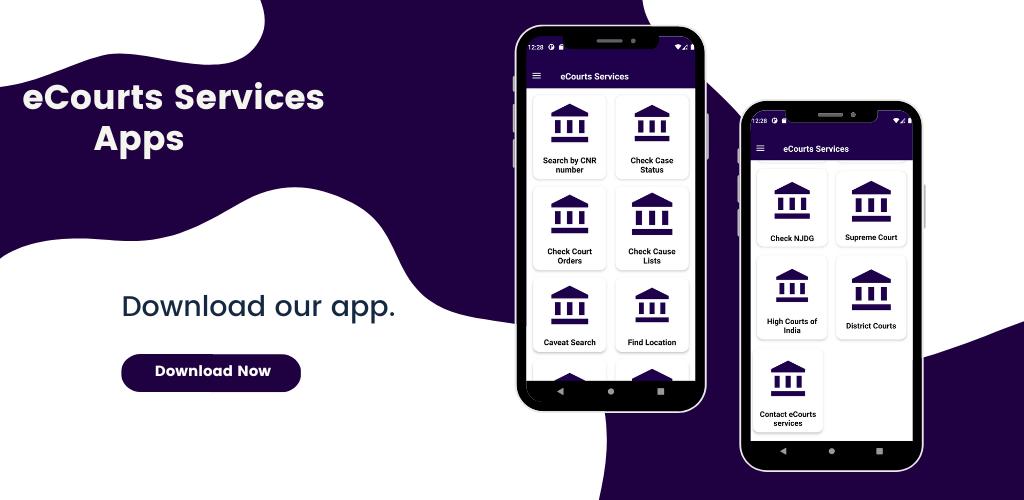
→ Search by CNR Number :
• Enter CNR Number , for example MHAU019999992015
• If you know the CNR Number of the Case, enter the 16 alphanumeric CNR Number without any – (hyphen) or space.
• On Clicking the search button, the current status and entire history of the case will be shown.
• If you don’t know the CNR number of the Case then it can be searched by other options like Case Registration Number, Party Name, Advocate Name etc. For this, click on the Case Status image, which is shown on the left hand side menu.
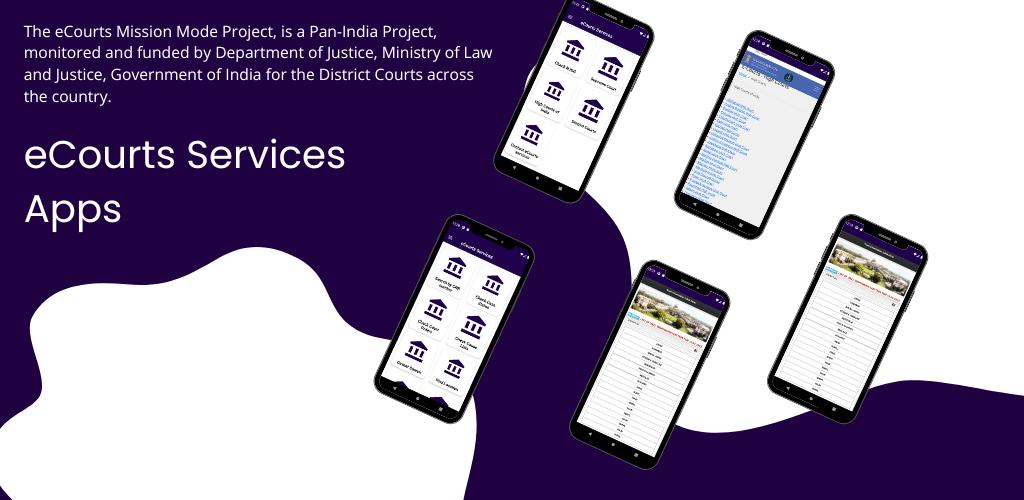
* The eCourts Mission Mode Project, is a Pan-India Project, monitored and funded by Department of Justice, Ministry of Law and Justice, Government of India for the District Courts across the country.
* eCourts Services
→ The App provides information related to Cases filed in the Subordinate courts and most of the High Courts in the country.
→ One can use this exclusively for District Courts or High Court or both. By default the app is set for District Courts however you can change to High Court or Both. So decide your requirements and configure your settings accordingly.
→ eCourts Services App is useful to Citizen, Litigants, Lawyers, Police, Government Agencies and other Institutional Litigants.
→ CNR is unique number assigned to each case filed in District and Taluka Courts in the Country, through Case Information System. Simply by entering the CNR one can get the current status and details of the case.
→ Case Status can be searched by various options like Case Number, Party Name, Filing Number, FIR Number, Advocate Name, Relevant Act of the Case and Case Type.
* ECOURTS SERVICES MOBILE APP
→ eCourts services mobile application received the Digital India award as a revolutionary court information tool in the country. eCourts Services mobile application is available on Google Play Store and Apple App Store. Case status, cause lists, Court orders can be accessed through this mobile app, making these services available 24X7. It is a useful tool for members of the judiciary, advocates, litigants, police, government agencies and other stakeholders. It facilitates retrieval of data relating to cases pending in the court system across various parameters such as CNR [a unique number assigned to each case filed in a district or taluka court], parties name, advocates name, FIR number, case type or relevant Act.
* High Courts of India
- Dissemination of information related to high courts to stakeholders of e-Courts.
* e-Filing
- e-Filing application enables electronic filing of legal papers.
* High Court Services
- Access to Services of e-Courts: Cause lists, Case Status, Orders/Judgments of High Courts
* High Court NJDG
- NJDG works as a monitoring tool to identify, manage and reduce pendency of cases.
* District Court Services
- Access to Services of e-Courts: Cause lists, Case Status, Orders/Judgments & NJDG.
* District Court NJDG
- NJDG works as a monitoring tool to identify, manage and reduce pendency of cases.
* District Courts of India
- Access to Services of e-Courts: Cause lists, Case Status, Orders/Judgments & NJDG.
* Virtual Courts
- Eliminating presence of litigant or lawyer in the court and adjudication of the case online.
* Disclaimer :-
• We are not any official partner of the Government or a linked any way with government.
• we just show their website in our application.we don't own any website available in app.
• we do not affiliated with any government entity , services or person.
• we not misleading to anyone We Only Provide Links which Publicly Available on Internet.
• The main source of the data is collected from and For more information, please visit https://ecourts.gov.in/ecourts_home/
معاينة
العلامات
أدواتمعلومة
مطور
Kanji Apps
احدث اصدار
3.5.0
آخر تحديث
2023-03-13
فئة
أدوات
متاح على
Google Play
أظهر المزيد
كيف تلعب eCourts Services India مع GameLoop على جهاز الكمبيوتر
1. قم بتنزيل GameLoop من الموقع الرسمي ، ثم قم بتشغيل ملف exe لتثبيت GameLoop.
2. افتح GameLoop وابحث عن "eCourts Services India" ، وابحث عن eCourts Services India في نتائج البحث وانقر على "تثبيت".
3. استمتع بلعب eCourts Services India على GameLoop.
Minimum requirements
OS
Windows 8.1 64-bit or Windows 10 64-bit
GPU
GTX 1050
CPU
i3-8300
Memory
8GB RAM
Storage
1GB available space
Recommended requirements
OS
Windows 8.1 64-bit or Windows 10 64-bit
GPU
GTX 1050
CPU
i3-9320
Memory
16GB RAM
Storage
1GB available space