myLifeID PC
Zing HR
قم بتنزيل myLifeID على جهاز الكمبيوتر باستخدام GameLoop Emulator
myLifeID على الكمبيوتر الشخصي
myLifeID ، القادم من المطور Zing HR ، يعمل على نظام Android في الماضي.
الآن ، يمكنك لعب myLifeID على جهاز الكمبيوتر باستخدام GameLoop بسلاسة.
قم بتنزيله في مكتبة GameLoop أو في نتائج البحث. لا مزيد من الانتباه إلى البطارية أو المكالمات المحبطة في الوقت الخطأ بعد الآن.
ما عليك سوى الاستمتاع بجهاز myLifeID على الشاشة الكبيرة مجانًا!
myLifeID مقدمة
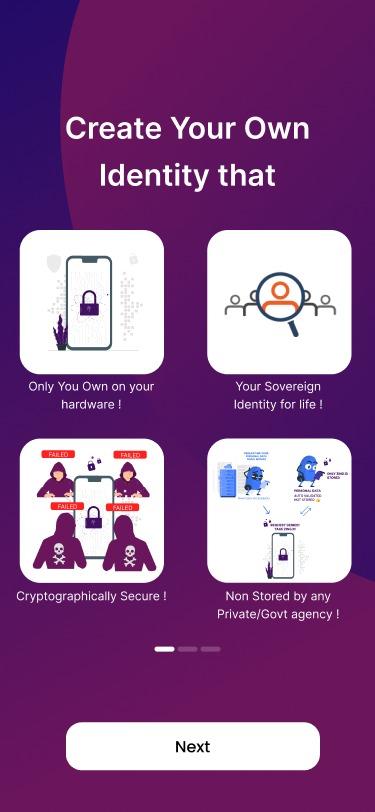
- Revolutionary new innovation in the internet privacy space, that solves the biggest need of your life- security.
- Store anything digital, starting from your most treasured memories and graphics to business card, call records and work reports.
- It’s a single click to lock up all your data and keep it safe from phishers.
- Industry’s finest precautions taken to protect your files wherever & whenever.
- Prejudice interference from external sources, you can rest assured that your information will always be safe.
- Integrated with Digilocker that was made by Indian Government
- New UX design to make it even more appealing.
- Entire suite of features like Document Upload, White Label store, Bulk linking of RUBIX Blockchain with DigiLocker and many more.
معاينة

العلامات
إنتاجيةمعلومة
مطور
Zing HR
احدث اصدار
4.1.5
آخر تحديث
2023-06-29
فئة
إنتاجية
متاح على
Google Play
أظهر المزيد
كيف تلعب myLifeID مع GameLoop على جهاز الكمبيوتر
1. قم بتنزيل GameLoop من الموقع الرسمي ، ثم قم بتشغيل ملف exe لتثبيت GameLoop.
2. افتح GameLoop وابحث عن "myLifeID" ، وابحث عن myLifeID في نتائج البحث وانقر على "تثبيت".
3. استمتع بلعب myLifeID على GameLoop.
Minimum requirements
OS
Windows 8.1 64-bit or Windows 10 64-bit
GPU
GTX 1050
CPU
i3-8300
Memory
8GB RAM
Storage
1GB available space
Recommended requirements
OS
Windows 8.1 64-bit or Windows 10 64-bit
GPU
GTX 1050
CPU
i3-9320
Memory
16GB RAM
Storage
1GB available space