
Notification Blocker, Schedule PC
Mobifolio
قم بتنزيل Notification Blocker, Schedule على جهاز الكمبيوتر باستخدام GameLoop Emulator
Notification Blocker, Schedule على الكمبيوتر الشخصي
Notification Blocker, Schedule ، القادم من المطور Mobifolio ، يعمل على نظام Android في الماضي.
الآن ، يمكنك لعب Notification Blocker, Schedule على جهاز الكمبيوتر باستخدام GameLoop بسلاسة.
قم بتنزيله في مكتبة GameLoop أو في نتائج البحث. لا مزيد من الانتباه إلى البطارية أو المكالمات المحبطة في الوقت الخطأ بعد الآن.
ما عليك سوى الاستمتاع بجهاز Notification Blocker, Schedule على الشاشة الكبيرة مجانًا!
Notification Blocker, Schedule مقدمة
★★★★★ "Amazing app for per app notification blocking. Amazing timesaver and productivity booster!" - Graemer
★★★★★ "Doe's exactly what I wated it to do,Silence particular app's notification's that I selected." - Billy Burgess
★★★★★ "Great app - comes in handy at night when you don't need notifications from certain apps." - PHILL WHITE
🔥 New Features: Now you can schedule stopping/pausing of app notifications🔥
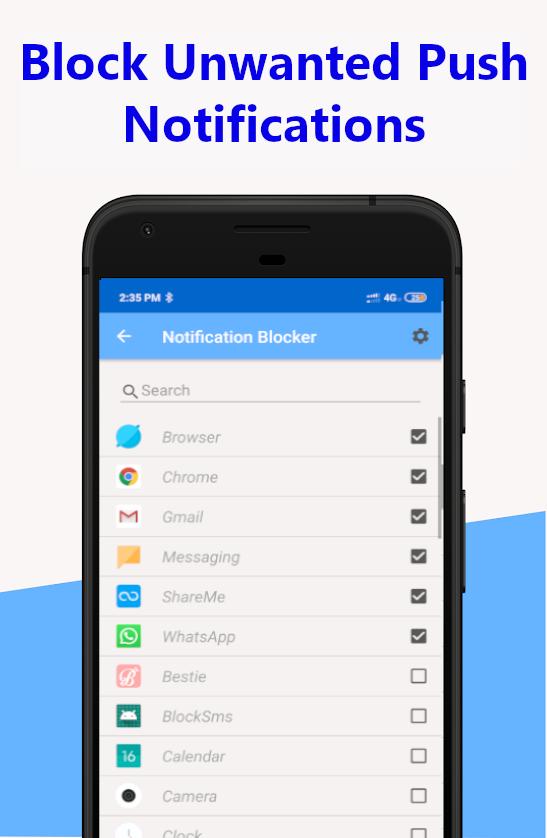
Want to get some work done during your do not disturb time, but the push notification light and sound keeps bugging you? Don't want to be bothered or interrupted by the notification LED or sound from Whatsapp, Facebook or Twitter or any other app you choose? Are you having a hard time managing notifications? You have a solution. Download Notification Blocker and select the apps whose notifications you want to block (pause). Notification Blocker is the ultimate notification manager app out there.
What does Notification Blocker do?
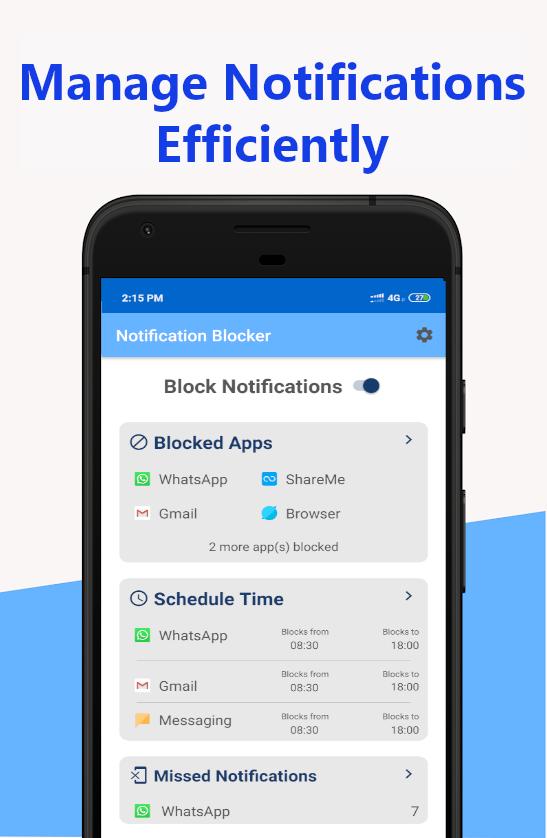
Notification Blocker lets you turn off notifications for selected apps whenever you decide to, with the simple click of a button. This application will stop the annoying push notification led as well as block the notification sound. You can just as quickly turn them back on. Don't worry about missing any notifications, because the app keeps a list of all missed notifications.
View blocked notifications:
All of your missed/blocked notifications will be kept within the Notification Blocker app. Open the app then go to the Menu -> Missed Notification and all of your blocked notifications will be displayed.
Schedule Your Notifications:
Want to block notifications of certain apps after work hours or during some other time? Then use our Schedule Time feature available under the main menu. With this feature you can stop notifications of selected apps in-between a pre-defined time.
Notification Blocker Features List
★ Ad-free app.
★ Simplistic UI
★ Easy to use: one tap to turn off/on any app's notifications
★ It works without root (Only one permission is required)
★ You can schedule and manage your notifications.
★ Block any type of notification(Image/Light/Sound)
★ A comprehensive history of all blocked notifications to review at your leisure
★ You can view missed/blocked notification inside the app.
★ Minimal APK size, small memory usage, and low battery consumption
★ Stable, robust, fast, and safe
So go ahead, download Notification Blocker and turn those annoying email notifications off during your do not disturb time. Focus better with the notifications turned off. See what you've missed from the widget or app, and you can always turn them back on from the widget or app.
Give Notification Blocker a try; you won't regret it.
How to tell us what you think about Notification Blocker?
• Send us an email at support@mobifolio.net
• Help on translations: support@mobifolio.net
معاينة
العلامات
إنتاجيةمعلومة
مطور
Mobifolio
احدث اصدار
6.3
آخر تحديث
2020-04-23
فئة
إنتاجية
متاح على
Google Play
أظهر المزيد
كيف تلعب Notification Blocker, Schedule مع GameLoop على جهاز الكمبيوتر
1. قم بتنزيل GameLoop من الموقع الرسمي ، ثم قم بتشغيل ملف exe لتثبيت GameLoop.
2. افتح GameLoop وابحث عن "Notification Blocker, Schedule" ، وابحث عن Notification Blocker, Schedule في نتائج البحث وانقر على "تثبيت".
3. استمتع بلعب Notification Blocker, Schedule على GameLoop.
Minimum requirements
OS
Windows 8.1 64-bit or Windows 10 64-bit
GPU
GTX 1050
CPU
i3-8300
Memory
8GB RAM
Storage
1GB available space
Recommended requirements
OS
Windows 8.1 64-bit or Windows 10 64-bit
GPU
GTX 1050
CPU
i3-9320
Memory
16GB RAM
Storage
1GB available space