Notebook – Notes, Tasks, AI PC
Zoho Corporation
قم بتنزيل Notebook – Notes, Tasks, AI على جهاز الكمبيوتر باستخدام GameLoop Emulator
Notebook – Notes, Tasks, AI على الكمبيوتر الشخصي
Notebook – Notes, Tasks, AI ، القادم من المطور Zoho Corporation ، يعمل على نظام Android في الماضي.
الآن ، يمكنك لعب Notebook – Notes, Tasks, AI على جهاز الكمبيوتر باستخدام GameLoop بسلاسة.
قم بتنزيله في مكتبة GameLoop أو في نتائج البحث. لا مزيد من الانتباه إلى البطارية أو المكالمات المحبطة في الوقت الخطأ بعد الآن.
ما عليك سوى الاستمتاع بجهاز Notebook – Notes, Tasks, AI على الشاشة الكبيرة مجانًا!
Notebook – Notes, Tasks, AI مقدمة
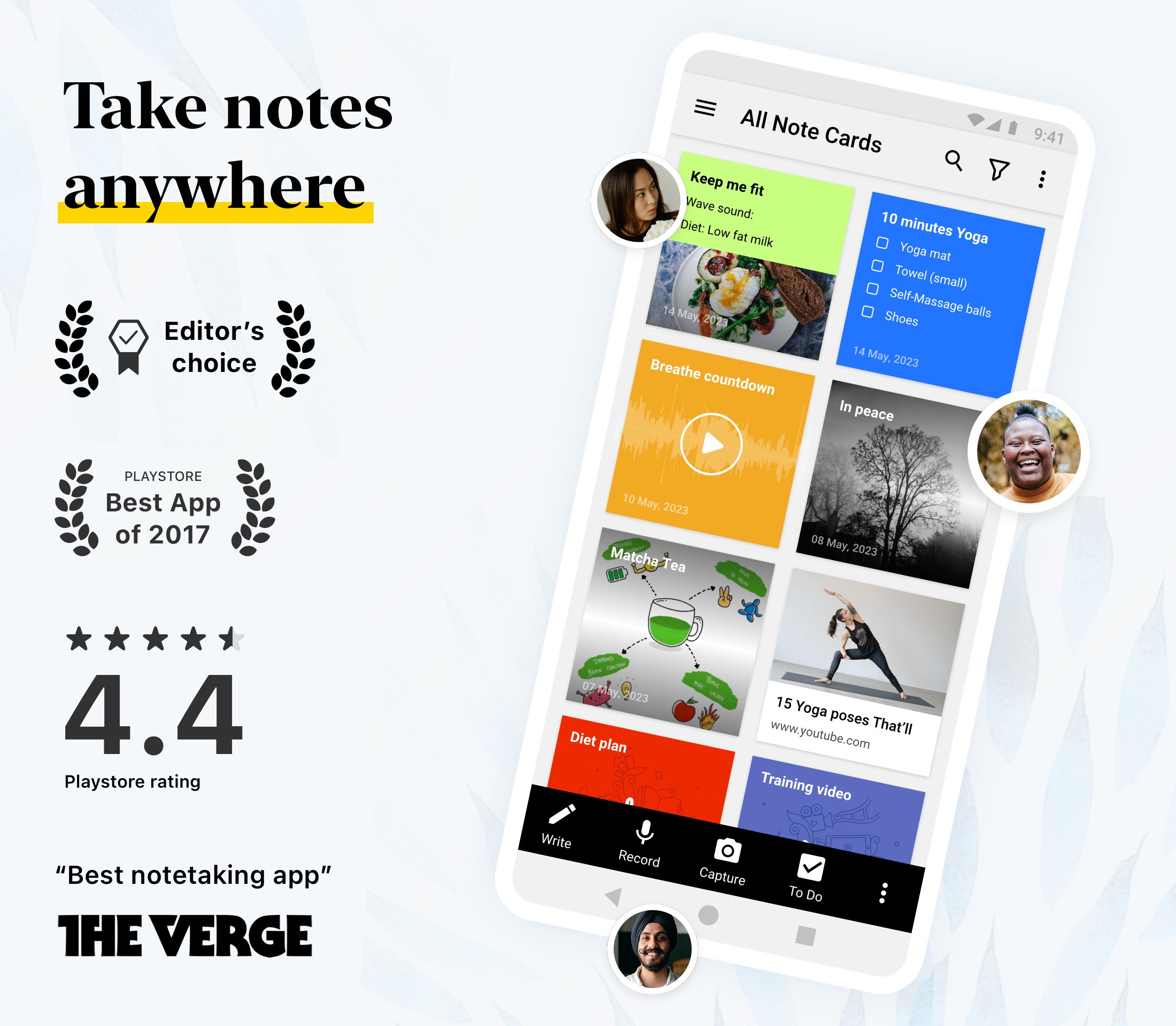
Zoho Notebook is a notes app that takes notes for you. Record a meeting or a lecture and stay present — Notebook AI transcribes it and writes a clean summary while you just listen. But it's more than an AI note taker. Capture whatever's on your mind, however it comes: type a quick thought, make a checklist, record a voice note, snap a photo, sketch an idea or drop in a file — each gets its own kind of note card. Keep everything organised with notebooks, tags and reminders, find any note in seconds with full-text search (even the text inside your photos and scans), and lock private notes behind a passcode or Face ID. It all stays private, ad-free and in sync across Android, iOS, Mac, Windows and the web — and if you're switching from Evernote, Google Keep or OneNote, free migration tools bring everything over in minutes.
NOTEBOOK AI - YOUR AI NOTE TAKER
• AI transcription: get accurate, real-time transcripts of meetings, lectures, interviews or podcasts.
• Turn a recording into meeting notes - Notebook AI writes the summary and action items for you.
• Generate summaries, outlines, or to-do lists from rough ideas using AI.
• Turn your notes into clear mind maps to visualize ideas.
• Polish your writing with grammar and tone suggestions.
• Translate notes into multiple languages and automatically refine hand-drawn shapes.
• Connect Notebook to Claude, ChatGPT and other AI tools via MCP, so your AI assistant can capture and organize notes for you.
SMART NOTE-TAKING
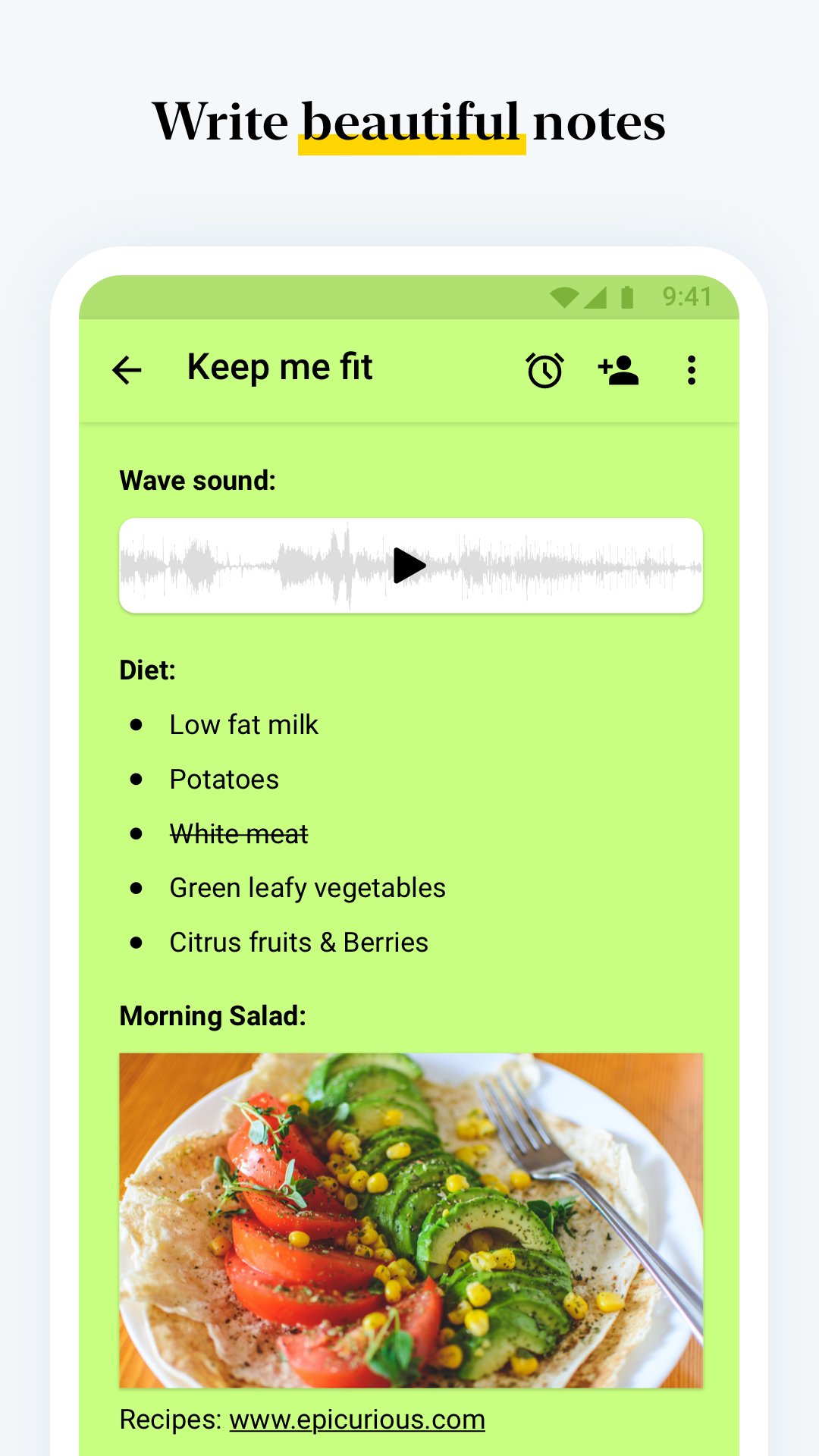
• Create rich text notes with checklists, tables, images and audio in one place.
• Build dedicated checklists and task lists to manage your day.
• Record voice notes or transcribe speech to text automatically.
• Scan documents, textbooks or handwritten notes into searchable PDFs.
• Save photos, web clips and documents using cards. Add reminders to stay on top of tasks.
A NOTEPAD FOR EVERY KIND OF NOTE
• Meeting notes with transcription and action items.
• Lecture notes, with audio recording alongside your typing.
ORGANIZE & SECURE
• Group notes with nested notebooks and custom sorting options.
• Tag notes to connect ideas across notebooks and projects.
• Use Notebook as your daily organizer - notes, tasks and reminders in one app.
• Protect private information with a passcode, fingerprint or face lock.
CROSS-DEVICE & SYNC
• Write anywhere and access your notes on Android, iOS, macOS and Web (notebook.zoho.com).
• Use the Web Clipper to save articles and research from your browser.
• Edit notes offline and sync when you're online.
PERSONALIZATION
• Choose covers, themes and note colours to suit your style.
• Sketch formulas or diagrams with the Sketch Card.
• Upload videos and add chapter markers.
• Pin sticky notes with picture-in-picture and view in grid or landscape mode.
SHARE & COLLABORATE
• Share notes securely: invite friends or colleagues to view or work on specific notes or lists, set access levels, or share as a public card.
• Publish notes as a shareable link anyone can view, and set an expiration date to control access.
• Export notes as PDF files and share them via email, messages, or other supported apps.
BUILT FOR ANDROID
• Access notes from home-screen widgets or pinned shortcuts.
• Use Quick Settings to open a new note instantly.
• Enjoy multi-window, picture-in-picture, keyboard shortcuts and printing support.
EVERYDAY LIFE
• Plan your day with task lists, reminders and a simple daily planner.
• Organize grocery lists, travel plans or event agendas.
• Keep a secure diary or journal. Track goals, projects and habits.
• Stay productive at work, school or home.
Whether it's for class, work, or personal - it's the only note taking, notepad, diary, and checklist app you'll ever need.
معاينة
العلامات
إنتاجيةمعلومة
مطور
Zoho Corporation
احدث اصدار
6.9.5
آخر تحديث
2026-09-07
فئة
إنتاجية
متاح على
Google Play
أظهر المزيد
كيف تلعب Notebook – Notes, Tasks, AI مع GameLoop على جهاز الكمبيوتر
1. قم بتنزيل GameLoop من الموقع الرسمي ، ثم قم بتشغيل ملف exe لتثبيت GameLoop.
2. افتح GameLoop وابحث عن "Notebook – Notes, Tasks, AI" ، وابحث عن Notebook – Notes, Tasks, AI في نتائج البحث وانقر على "تثبيت".
3. استمتع بلعب Notebook – Notes, Tasks, AI على GameLoop.
Minimum requirements
OS
Windows 8.1 64-bit or Windows 10 64-bit
GPU
GTX 1050
CPU
i3-8300
Memory
8GB RAM
Storage
1GB available space
Recommended requirements
OS
Windows 8.1 64-bit or Windows 10 64-bit
GPU
GTX 1050
CPU
i3-9320
Memory
16GB RAM
Storage
1GB available space