
PixVibe: AI Edit Photo Editing PC
Görkem Algan
قم بتنزيل PixVibe: AI Edit Photo Editing على جهاز الكمبيوتر باستخدام GameLoop Emulator
PixVibe: AI Edit Photo Editing على الكمبيوتر الشخصي
PixVibe: AI Edit Photo Editing ، القادم من المطور Görkem Algan ، يعمل على نظام Android في الماضي.
الآن ، يمكنك لعب PixVibe: AI Edit Photo Editing على جهاز الكمبيوتر باستخدام GameLoop بسلاسة.
قم بتنزيله في مكتبة GameLoop أو في نتائج البحث. لا مزيد من الانتباه إلى البطارية أو المكالمات المحبطة في الوقت الخطأ بعد الآن.
ما عليك سوى الاستمتاع بجهاز PixVibe: AI Edit Photo Editing على الشاشة الكبيرة مجانًا!
PixVibe: AI Edit Photo Editing مقدمة
PixVibe is a powerful AI photo editor and image editing app. Remove objects, retouch portraits, enhance image quality, and generate AI art — the complete photo app.
AI Object Eraser and Inpaint
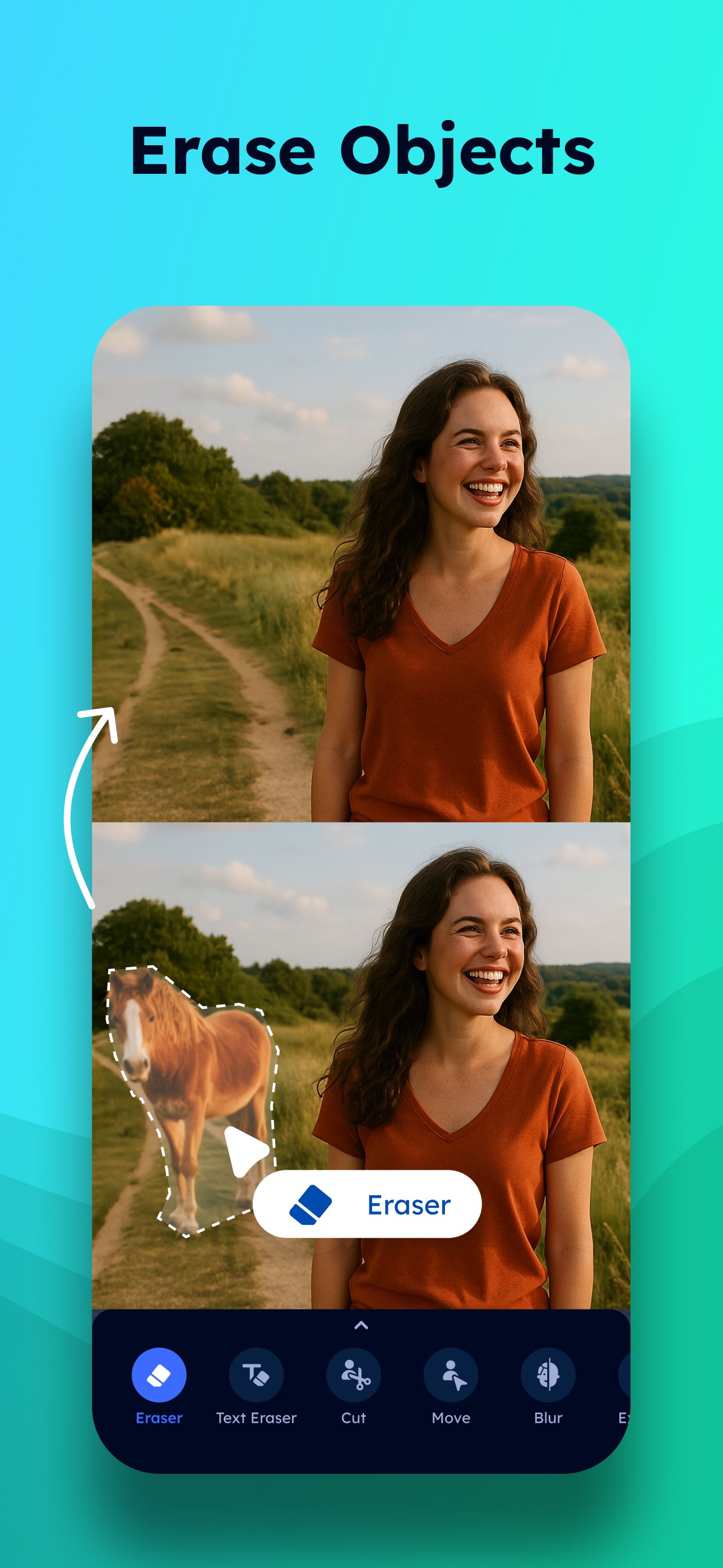
Erase unwanted objects with the magic eraser photo editor. The object eraser and object remover remove people, text, and blemishes. Use inpaint and inpainting to fill areas with magic removal precision. The people eraser, pimple eraser, and easy eraser handle quick fixes. The eraser object and eraser tool deliver professional photo eraser results. The text remover cleans up unwanted writing.
Background Remover and Cutout
Remove background from any photo with the AI background remover. The background eraser creates transparent backgrounds for product shots. Use the cutout tool and wand to cut objects from images, add backgrounds, or change background colors. The background changer replaces any scene. Clothes remover and AI cutout ensure precise isolation.
Photo Enhancement and Clarity
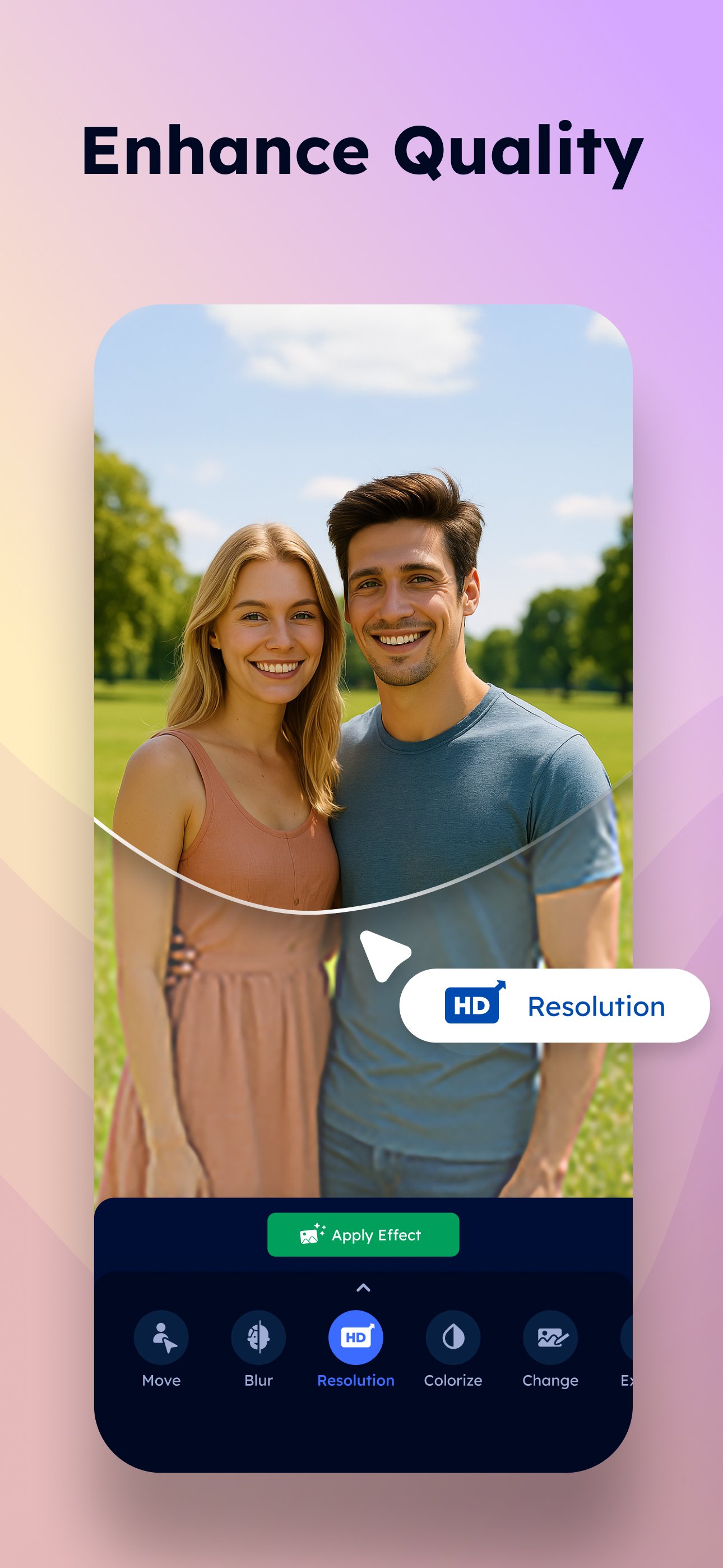
Enhance blurry photos and improve image quality. The photo quality enhancer sharpens details, boosts clarity, and turns blur pics into sharp, high-resolution results. Sharpen every detail for professional photos.
Restore Old Photos and Colorize
Fix old photos and restore old photos with AI. Repair scratches, bring old pictures back to life. The AI colorize tool adds color to black and white pictures. The photo colorizer transforms vintage photos through color restoration and color editing.
Photo Retouch and Beauty
Retouch selfies with easy retouch and touch retouch tools. Photo retouch smooths skin with magic retouch, while pimple remover and acne remover clear breakouts. Wrinkle remover and blemish removal refine your complexion. The face tune editor reshapes face shape for a glow up. Whiten teeth with teeth whitening, fix red eye with the red eye corrector. The skin editor and retouch magic polish every portrait. Touch up photos for flawless results.
Body Editor and Body Tune
The body editor reshapes body proportions naturally. Body tune tools slim, sculpt muscles, and adjust body shape. Double chin remover and body enhancer keep photos realistic.
Hairstyle Try On and Hair Color Changer
Try on hairstyles with the hairstyle try on tool. The hair color changer previews different shades and cuts.
AI Avatar and Image Generator
Create AI avatars with the avatar maker for your photo booth or profile. Generate images with the AI photo generator and AI image generator using stable diffusion. Create AI art, cartoon yourself portraits, cartoon photo editor effects, and caricature maker designs. The ai baby generator predicts future baby faces.
Blur Photo Editor and Mosaic
Create blur effects with the blur photo editor. Apply blur background for depth, or mosaic for privacy. Face blur protects identities. AI erase distractions and erase image imperfections.
Outpaint, Tattoo AI, and More
Expand photo with AI outpaint. Resize image elements. Preview tattoo designs with tattoo AI tools. Try on clothes with the outfit planner. AI aging shows you at any age. The baby generator predicts your future baby. Change expressions with mood swap.
Filters, Sky, and Text
Replace skies with AI sky replacement. Apply filters — vintage camera effects, paint-style art. Add styled text with diverse fonts, curved text editor. Resize objects within photos with the AI object resize tool.
PixVibe brings AI photo eraser, image editor, portrait retouch, background removal, photo enhancer, and creative art generation together. Edit photos, erase backgrounds, touch up pictures, enhance quality, and sharpen photos.
A subscription is required for unlimited premium features including Magic Eraser, Background Removal, Enhance, Retouch, Outpaint, AI Avatar, and Colorize.
Terms of use: https://everpixel.org/apps/pixvibe/terms-of-use
Privacy policy: https://everpixel.org/apps/pixvibe/privacy-policy
Contact: support@everpixel.org
معاينة
العلامات
التصويرمعلومة
مطور
Görkem Algan
احدث اصدار
3.0.10
آخر تحديث
2026-03-17
فئة
التصوير
متاح على
Google Play
أظهر المزيد
كيف تلعب PixVibe: AI Edit Photo Editing مع GameLoop على جهاز الكمبيوتر
1. قم بتنزيل GameLoop من الموقع الرسمي ، ثم قم بتشغيل ملف exe لتثبيت GameLoop.
2. افتح GameLoop وابحث عن "PixVibe: AI Edit Photo Editing" ، وابحث عن PixVibe: AI Edit Photo Editing في نتائج البحث وانقر على "تثبيت".
3. استمتع بلعب PixVibe: AI Edit Photo Editing على GameLoop.
Minimum requirements
OS
Windows 8.1 64-bit or Windows 10 64-bit
GPU
GTX 1050
CPU
i3-8300
Memory
8GB RAM
Storage
1GB available space
Recommended requirements
OS
Windows 8.1 64-bit or Windows 10 64-bit
GPU
GTX 1050
CPU
i3-9320
Memory
16GB RAM
Storage
1GB available space