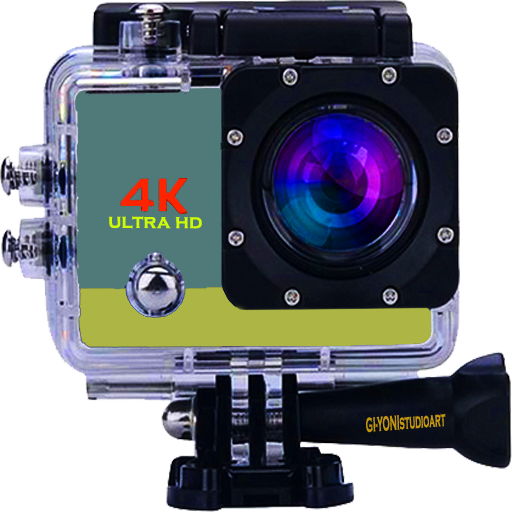
Kamera For GoPro H5 PC
V-GANDEVart
قم بتنزيل Kamera For GoPro H5 على جهاز الكمبيوتر باستخدام GameLoop Emulator
Kamera For GoPro H5 على الكمبيوتر الشخصي
Kamera For GoPro H5 ، القادم من المطور V-GANDEVart ، يعمل على نظام Android في الماضي.
الآن ، يمكنك لعب Kamera For GoPro H5 على جهاز الكمبيوتر باستخدام GameLoop بسلاسة.
قم بتنزيله في مكتبة GameLoop أو في نتائج البحث. لا مزيد من الانتباه إلى البطارية أو المكالمات المحبطة في الوقت الخطأ بعد الآن.
ما عليك سوى الاستمتاع بجهاز Kamera For GoPro H5 على الشاشة الكبيرة مجانًا!
Kamera For GoPro H5 مقدمة
Camera for GoPro HERO5
Impressive 4K videos and 36 megapixels in Single, Burst, and Time Lapse modes.
Durable with design, the HERO5 Waterproof Session is up to 10 meters (33 feet) without housing
With a camera for GoPro, your latest recording will enter your mobile and automatically turn QuikStory into a great video with effects and music. You can also use this application to control, check your pictures and make short clips. Then share your favorite moments to Instagram, Facebook and more.
This camera is a special design for beautiful photos and shooting with an action camera, because this application is designed and equipped with GoPro camera features,
So this is the right time for those of you who are looking for cool photography applications just by pairing on your cellphone so you just enjoy the results that make you more satisfied
Key features
<< Option for auto
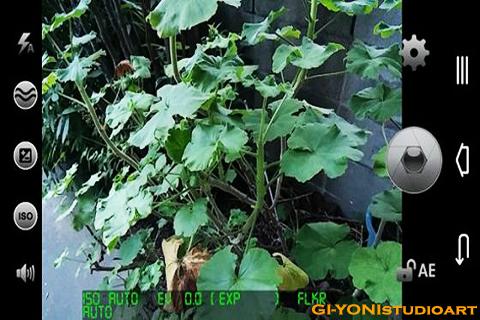
>> stable so your image is completely flat (see example image).
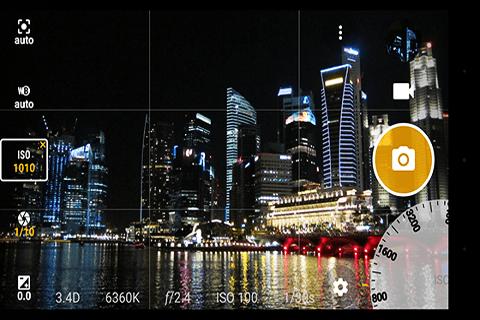
<< Expose your camera's functionality: support for focus mode, mode
scenery, color effects, white balance, ISO, exposure compensation /
lock, face detection, torch.
>> Video recording (including HD, and taking photos when recording video).
<< Practical remote control: timer (by vote count)
optional), * automatic repeat mode (with delays that can
configured).
>> Option to take remote photos by making sound (for example,
sound, whistle), or with a "cheese" voice command.
<< Configurable volume button.
>> Optimize GUI for users using left or right hand.
<< Zoom through multi * single touch gestures and touch control *.
>> Option to lock the orientation to portrait or landscape for photo or video.
The reverse preview option
<< for use with attachable lenses.
>> Folder storage options (including support for Storage Access
Framework).
<< Turn off the shutter sound.
>> Overlay grid options and plant guides.
<< Optional location of GPS (geotagging) photos and videos; for this photo
including compass direction (GPSImgDirection, GPSImgDirectionRef).
>> Apply date and time stamp, location coordinates, and custom text to
photo; save date / time and location as subtitle video (.SRT).
<< Yes, you can take selfie (also known as front camera),
including support for "flash screen".
>> Support for (some) external microphones.
<< Widgets to take photos automatically after launch.
>> Support for HDR (with auto * alignment and ghost removal)
and Exposure Bracketing.
<< Support for Camera2 API: manual focus distance; ISO manual; time
manual exposure; manual white balance temperature; RAW File (DNG).
>> Dynamic reach optimization mode.
<< Small file size.
>> Auto Mode
<< Portait Mode
>> Macro Mode
<< Lanscape Mode
>> Sports Mode
<< Night mode
>> Aperture Priority Mode (A or AV)
<< Shutter Priority Mode (S or TV)
>> Automatic Depth * Field (A * Depth)
<< Manual Mode / Manual Mode Full
>> And full of effects
<< Delete with multi-touch gesture and single-touch control.
>> Options to lock photos or videos in portrait or landscape orientation.
<< Photo Effect
>> Disable shutter sound.
<< Optional GPS location tagging (geotagging), photos and videos; For photos
the compass direction (gpsimgdirectio this, gpsimgdirectionref) contains.
>> A date and time stamp on the photo, coordinates and location
implement custom text.
<< Also known as the front camera (selfie shooting)
>> (Some) external microphone support.
<< Widget for taking pictures after starting automatically.
>> Focus distance guide; ISO manual; manual exposure time; RAW (DNG) file.
<< Switch between front and back camera
>> HD video capture feature
معاينة
معلومة
مطور
V-GANDEVart
احدث اصدار
1.0
آخر تحديث
2019-07-01
فئة
التصوير
متاح على
Google Play
أظهر المزيد
كيف تلعب Kamera For GoPro H5 مع GameLoop على جهاز الكمبيوتر
1. قم بتنزيل GameLoop من الموقع الرسمي ، ثم قم بتشغيل ملف exe لتثبيت GameLoop.
2. افتح GameLoop وابحث عن "Kamera For GoPro H5" ، وابحث عن Kamera For GoPro H5 في نتائج البحث وانقر على "تثبيت".
3. استمتع بلعب Kamera For GoPro H5 على GameLoop.
Minimum requirements
OS
Windows 8.1 64-bit or Windows 10 64-bit
GPU
GTX 1050
CPU
i3-8300
Memory
8GB RAM
Storage
1GB available space
Recommended requirements
OS
Windows 8.1 64-bit or Windows 10 64-bit
GPU
GTX 1050
CPU
i3-9320
Memory
16GB RAM
Storage
1GB available space