EmoCam - Camera for Emotion Au PC
Pujana
قم بتنزيل EmoCam - Camera for Emotion Au على جهاز الكمبيوتر باستخدام GameLoop Emulator
EmoCam - Camera for Emotion Au على الكمبيوتر الشخصي
EmoCam - Camera for Emotion Au ، القادم من المطور Pujana ، يعمل على نظام Android في الماضي.
الآن ، يمكنك لعب EmoCam - Camera for Emotion Au على جهاز الكمبيوتر باستخدام GameLoop بسلاسة.
قم بتنزيله في مكتبة GameLoop أو في نتائج البحث. لا مزيد من الانتباه إلى البطارية أو المكالمات المحبطة في الوقت الخطأ بعد الآن.
ما عليك سوى الاستمتاع بجهاز EmoCam - Camera for Emotion Au على الشاشة الكبيرة مجانًا!
EmoCam - Camera for Emotion Au مقدمة
Experience a smart AI camera that reads your emotion!
See how to use: https://p-library.com/a/emocam/
** This app in under testing and problem fixing **
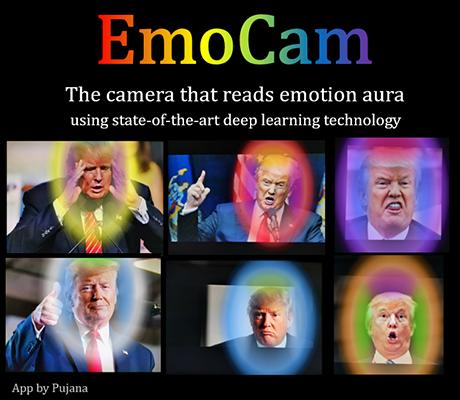
This tool can analyze your emotions based on facial expressions and visualize them as augmented reality aura. The state-of-the-art convolutional neural networks (deep learning models) are employed for face detection and facial expression classification. Moreover, a fuzzy-logic-inspired algorithm for generating color gradients, as well as a vector-quantization-based stabilizer for noise reduction, are invented to make smooth real-time colorization. Basically, this app was built on top a combination of powerful AI algorithms.
Emotion
Blue: Clam-Sadness
Green: Happy, Joyful
Magenta: Disgust
Orange: Confused, Surprised
Red: Angry, Upset
White: Neutral
Yellow: Anxiety, Stressed, Fear
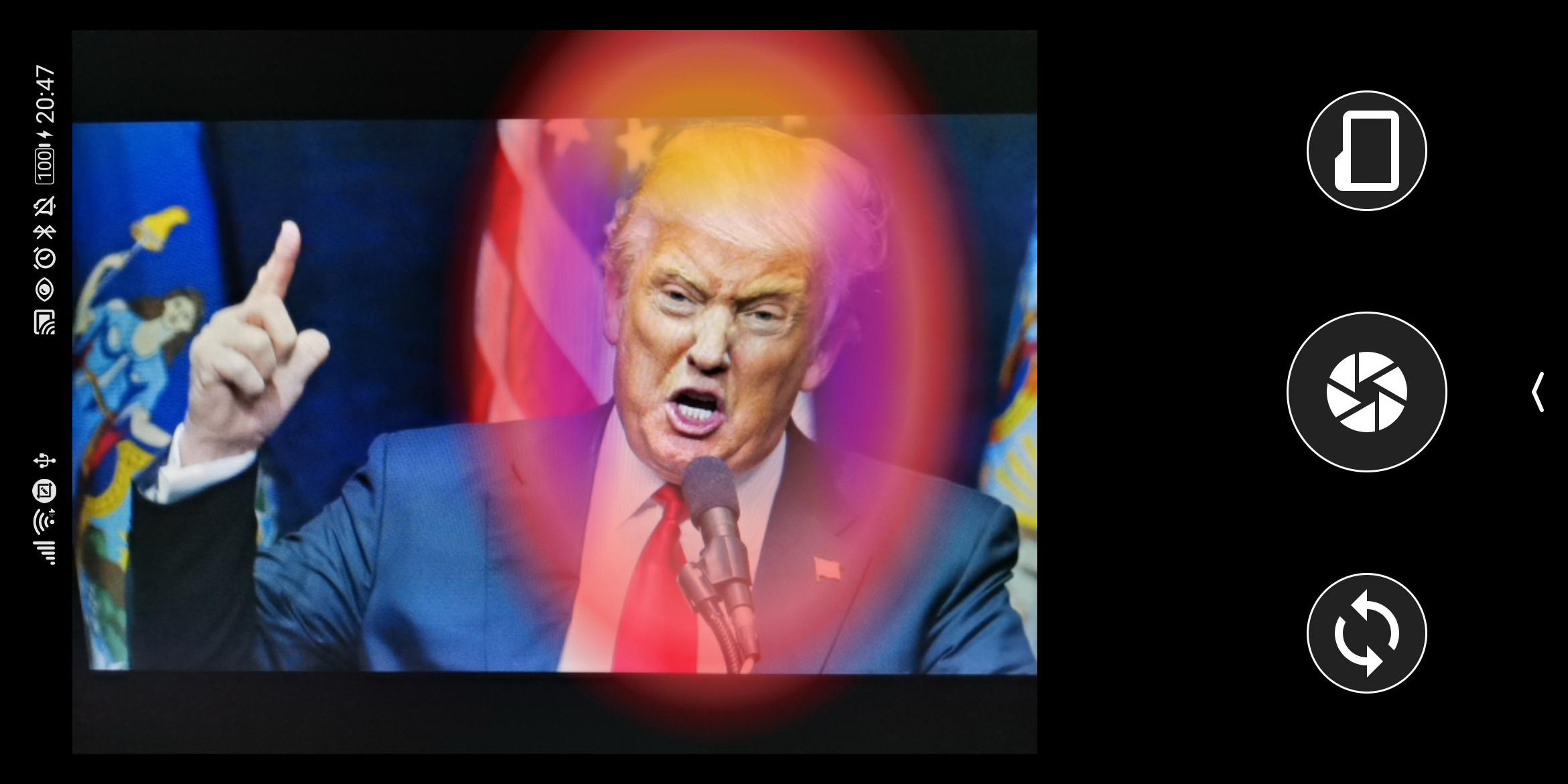
The 3 Sections
Outer Color (1): Primary emotion, the most dominance emotion.
Color on top (2): Secondary emotion
Color on two sides (3): Tertiary
معاينة
العلامات
التصويرمعلومة
مطور
Pujana
احدث اصدار
1.1.1
آخر تحديث
2020-10-25
فئة
التصوير
متاح على
Google Play
أظهر المزيد
كيف تلعب EmoCam - Camera for Emotion Au مع GameLoop على جهاز الكمبيوتر
1. قم بتنزيل GameLoop من الموقع الرسمي ، ثم قم بتشغيل ملف exe لتثبيت GameLoop.
2. افتح GameLoop وابحث عن "EmoCam - Camera for Emotion Au" ، وابحث عن EmoCam - Camera for Emotion Au في نتائج البحث وانقر على "تثبيت".
3. استمتع بلعب EmoCam - Camera for Emotion Au على GameLoop.
Minimum requirements
OS
Windows 8.1 64-bit or Windows 10 64-bit
GPU
GTX 1050
CPU
i3-8300
Memory
8GB RAM
Storage
1GB available space
Recommended requirements
OS
Windows 8.1 64-bit or Windows 10 64-bit
GPU
GTX 1050
CPU
i3-9320
Memory
16GB RAM
Storage
1GB available space