
Garden Photo Frames & Editor PC
RamkumarApps
قم بتنزيل Garden Photo Frames & Editor على جهاز الكمبيوتر باستخدام GameLoop Emulator
Garden Photo Frames & Editor على الكمبيوتر الشخصي
Garden Photo Frames & Editor ، القادم من المطور RamkumarApps ، يعمل على نظام Android في الماضي.
الآن ، يمكنك لعب Garden Photo Frames & Editor على جهاز الكمبيوتر باستخدام GameLoop بسلاسة.
قم بتنزيله في مكتبة GameLoop أو في نتائج البحث. لا مزيد من الانتباه إلى البطارية أو المكالمات المحبطة في الوقت الخطأ بعد الآن.
ما عليك سوى الاستمتاع بجهاز Garden Photo Frames & Editor على الشاشة الكبيرة مجانًا!
Garden Photo Frames & Editor مقدمة
🌼 Garden Photo Editor App 🌿
Garden Photo Frames — Decorate Your Photos with Beautiful Nature & Floral Frames! 🌸🌿
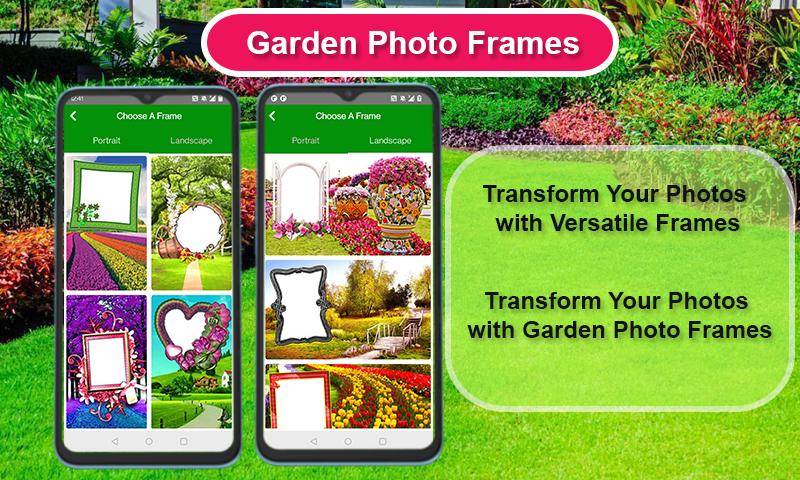
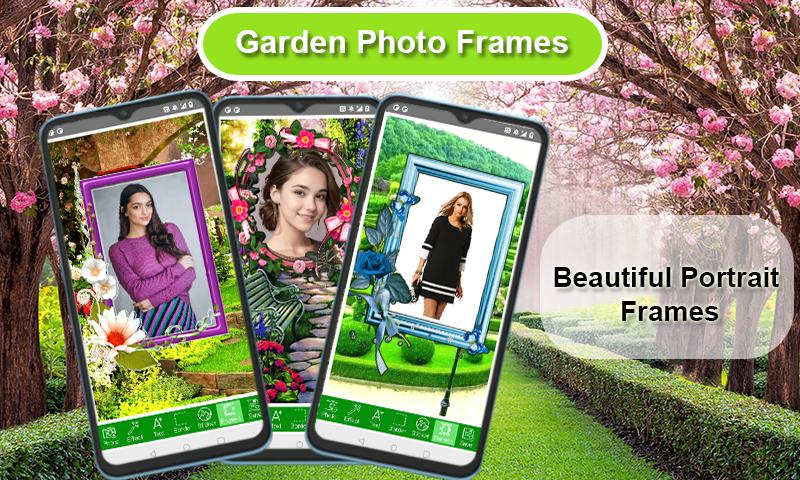
Want to make your photos stand out with fresh garden vibes? "Garden Photo Frames" is the perfect app for nature lovers! Choose from a wide variety of beautiful garden, flower, and nature-themed frames to make your pictures more vibrant and memorable.
✨ Key Features:
✅ Over 100+ stunning garden and floral photo frames
✅ Easy-to-use photo editor with natural backgrounds
✅ Add text, stickers, and creative filters to personalize your photos
✅ Save your creations in high resolution and share instantly on social media
✅ Perfect for selfies, family photos, and special occasions
Bring a touch of nature to your memories! Whether you love lush greenery, blooming flowers or serene garden views — this app has it all.
🌷 Why choose Garden Photo Frames?
✔️ Easy to use, no editing skills required
✔️ Wide collection of free frames
✔️ Regular updates with new seasonal and trending frames
✔️ Lightweight and fast
Download "Garden Photo Frames" today and turn your ordinary photos into extraordinary garden-inspired masterpieces. Share your creativity with friends and family and make every moment bloom!
معاينة
العلامات
التصويرمعلومة
مطور
RamkumarApps
احدث اصدار
7.2.4
آخر تحديث
2025-10-13
فئة
التصوير
متاح على
Google Play
أظهر المزيد
كيف تلعب Garden Photo Frames & Editor مع GameLoop على جهاز الكمبيوتر
1. قم بتنزيل GameLoop من الموقع الرسمي ، ثم قم بتشغيل ملف exe لتثبيت GameLoop.
2. افتح GameLoop وابحث عن "Garden Photo Frames & Editor" ، وابحث عن Garden Photo Frames & Editor في نتائج البحث وانقر على "تثبيت".
3. استمتع بلعب Garden Photo Frames & Editor على GameLoop.
Minimum requirements
OS
Windows 8.1 64-bit or Windows 10 64-bit
GPU
GTX 1050
CPU
i3-8300
Memory
8GB RAM
Storage
1GB available space
Recommended requirements
OS
Windows 8.1 64-bit or Windows 10 64-bit
GPU
GTX 1050
CPU
i3-9320
Memory
16GB RAM
Storage
1GB available space