Retro LockScreen PC
Văn Ưởng
قم بتنزيل Retro LockScreen على جهاز الكمبيوتر باستخدام GameLoop Emulator
Retro LockScreen على الكمبيوتر الشخصي
Retro LockScreen ، القادم من المطور Văn Ưởng ، يعمل على نظام Android في الماضي.
الآن ، يمكنك لعب Retro LockScreen على جهاز الكمبيوتر باستخدام GameLoop بسلاسة.
قم بتنزيله في مكتبة GameLoop أو في نتائج البحث. لا مزيد من الانتباه إلى البطارية أو المكالمات المحبطة في الوقت الخطأ بعد الآن.
ما عليك سوى الاستمتاع بجهاز Retro LockScreen على الشاشة الكبيرة مجانًا!
Retro LockScreen مقدمة
📱 Retro LockScreen
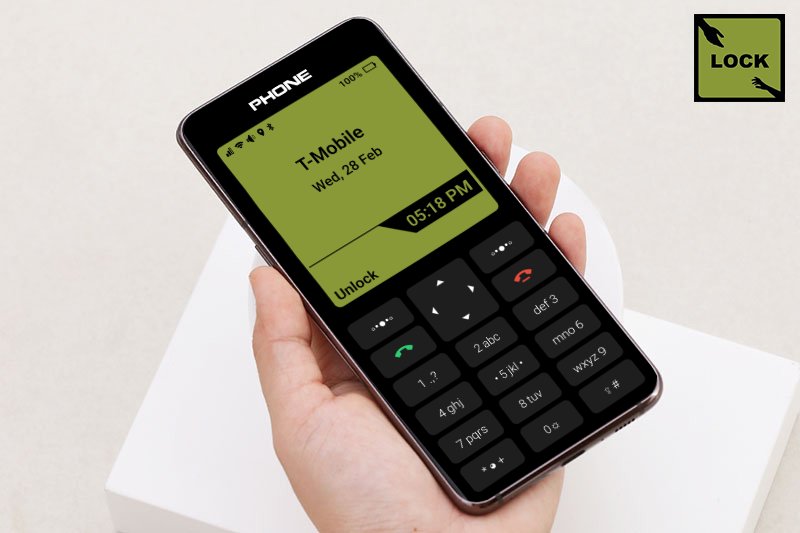
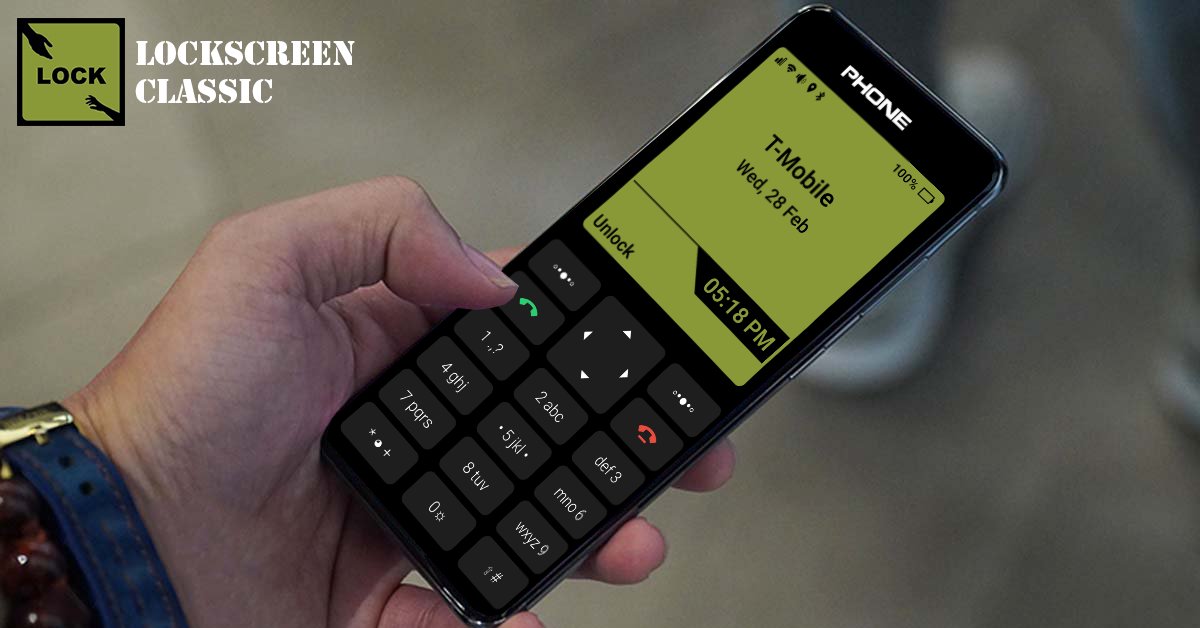
Bring the nostalgic old-school phone lock screen experience to your Android device!
Retro LockScreen is a fan-made, independent lock screen app inspired by classic mobile phones. With retro keypad visuals, classic button interactions, and authentic sound effects, it’s perfect for fans of simplicity, minimalism, and vintage UI.
Pair it with a Retro Launcher to fully relive the classic old phone experience on modern devices.
🔥 Key Features
Secure Lock: Simple passcode to protect your device
Quick Flashlight: Long-press key 0 to toggle flashlight instantly
Time Reader: Long-press key * to hear current time aloud
Music Control: Play, pause, skip tracks directly from lock screen
Notifications: Clean, simple display of incoming notifications
Media Controller: Control music without unlocking
Custom Wallpaper: Set personal images as lock screen background
🔒 Permissions & Privacy
Accessibility Service:
Used only for floating lock screen overlay and responsiveness
✅ No personal data collected, recorded, or shared
READ_MEDIA_IMAGES (Photo Access):
Allows personal images as lock screen wallpaper
✅ All processing occurs locally on your device
🛡️ Disclaimer
This app is not affiliated with or endorsed by Nokia Corporation
Independent, fan-made app inspired by classic phones
All visuals and sounds are recreated or selected for nostalgic and personal customization
📥 Download now and enjoy a retro lock screen experience on your Android device!
معاينة
العلامات
إضفاء الطابع الشخصيمعلومة
مطور
Văn Ưởng
احدث اصدار
1.2
آخر تحديث
2025-07-27
فئة
إضفاء الطابع الشخصي
متاح على
Google Play
أظهر المزيد
كيف تلعب Retro LockScreen مع GameLoop على جهاز الكمبيوتر
1. قم بتنزيل GameLoop من الموقع الرسمي ، ثم قم بتشغيل ملف exe لتثبيت GameLoop.
2. افتح GameLoop وابحث عن "Retro LockScreen" ، وابحث عن Retro LockScreen في نتائج البحث وانقر على "تثبيت".
3. استمتع بلعب Retro LockScreen على GameLoop.
Minimum requirements
OS
Windows 8.1 64-bit or Windows 10 64-bit
GPU
GTX 1050
CPU
i3-8300
Memory
8GB RAM
Storage
1GB available space
Recommended requirements
OS
Windows 8.1 64-bit or Windows 10 64-bit
GPU
GTX 1050
CPU
i3-9320
Memory
16GB RAM
Storage
1GB available space