Keyboard for Huawei P8 PC
Personalized Design
قم بتنزيل Keyboard for Huawei P8 على جهاز الكمبيوتر باستخدام GameLoop Emulator
Keyboard for Huawei P8 على الكمبيوتر الشخصي
Keyboard for Huawei P8 ، القادم من المطور Personalized Design ، يعمل على نظام Android في الماضي.
الآن ، يمكنك لعب Keyboard for Huawei P8 على جهاز الكمبيوتر باستخدام GameLoop بسلاسة.
قم بتنزيله في مكتبة GameLoop أو في نتائج البحث. لا مزيد من الانتباه إلى البطارية أو المكالمات المحبطة في الوقت الخطأ بعد الآن.
ما عليك سوى الاستمتاع بجهاز Keyboard for Huawei P8 على الشاشة الكبيرة مجانًا!
Keyboard for Huawei P8 مقدمة
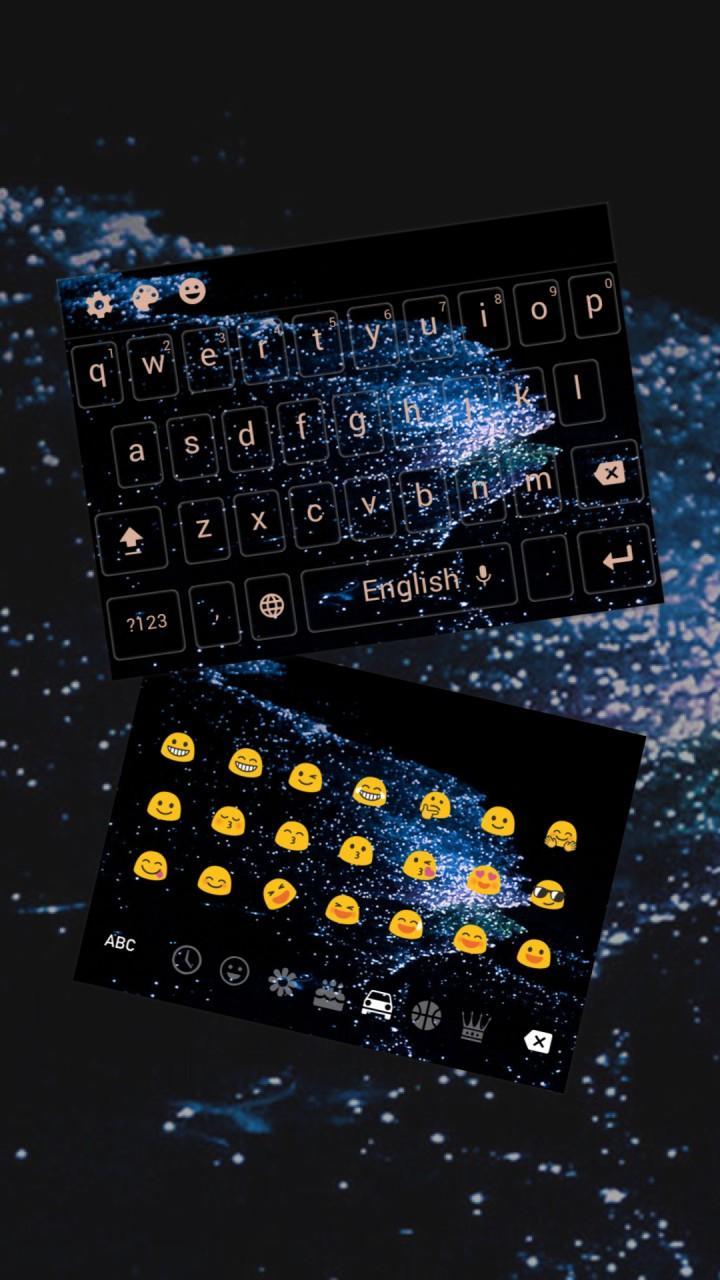
Download Huawei P8 Keyboard with Huawei P8 Keyboard skin, Huawei P8 Keyboard backgrounds, Huawei P8 Keyboard fonts and Huawei P8 Keyboard sound.
Huawei P8 Keyboard is a Keyboard(typewriter) theme which has Huawei P8 Keyboard wallpapers and Huawei P8 Keyboard key backgrounds. This beautiful keyboard (typewriter) skin is specially designed for people who loves Huawei P8 Keyboard design. Download and apply Huawei P8 Keyboard for free and stylize your Android phone. Huawei P8 Keyboard is designed to let you enjoy a faster and smoother mobile operating experience.
Huawei P8 Keyboard can be used in different IM Apps, like Instagram, Messenger, BeeTalk, Facebook Lite, ES File Explorer File Manager, Facebook Lite and so on. Huawei P8 Keyboard can help you to type faster and easier in those apps.
Huawei P8 Keyboard is also compatible with different brands of phones like Samsung(Samsung Galaxy S7 Edge, Samsung Galaxy S6 Edge, Samsung Galaxy S5, Samsung Galaxy J7, Samsung Galaxy Note7), Huawei(Huawei P9, Huawei P8, Huawei Mate 9, Huawei Mate 8, Huawei Honor 8), Sony Xperia Z5, Sony Xperia Z4, Sony Xperia Z3, Sony Xperia XZ, HTC(HTC 10, HTC One A9, HTC One X9, HTC Desire 10 Pro).
How to Apply Huawei P8 Keyboard input method?
Note: You need Download our Keyboard first.
1) Download the Huawei P8 Keyboard, tap the INSTALL button.
2) Download "our Keyboard"(typewriter) from Google Play Store. If you already have "our Keyboard" (typewriter) installed, please tap on the APPLY button.
3) After Our Keyboard"(typewriter) is installed and applied, the Huawei P8 Keyboard will be automatically installed on your phone.
Main Features and functions of Huawei P8 Keyboard:
:
Gesture Typing: Swype through keys to experience Glide(slide) Typing.
Voice Typing(input): To type by your unique voice.
Automatic Corrections: Keyboard provides you words completion suggestions and next-word prediction based on the words that you have typed.
Powerful Prediction: Keyboard uses Artificial Intelligence (A.I.) to predict the words you want to input.
Theme Center: Find all sorts of theme categories, including anime, black, 3D, skull, pink, red, purple, love, white, blue, music, dragon, gold, cartoon, panda, green, girl, football, wolf, graffiti, live, car, neon, cat, lion, joker, sports,. You can find all the themes you love in our keyboard theme center.
Touch tone themes: Personalize the touch tone of your keyboard (typewriter) with different themes. Become a pianist while typing with our Piano theme or go retro with our Mechanical Keyboard (typewriter) theme's typewriter tone.
Customizable fonts: Each theme comes with its matching font style, so you could enjoy a fuller experience of your chosen theme. More font styles will be available in the future, rest assured that you will find the font style you love.
Cute emoji : When you feel that words are not enough to express your feelings, try sending an emoji! A large selection of emoji is pre-installed on Keyboard (typewriter) for you to add more fun to your chats!
Size Adjusting, Clipboard, Multilingual typing…
More function is coming: GIF, Sticker, Cloud Prediction, Emoji Prediction…
معاينة
معلومة
مطور
Personalized Design
احدث اصدار
10001
آخر تحديث
2017-03-25
فئة
إضفاء الطابع الشخصي
متاح على
Google Play
أظهر المزيد
كيف تلعب Keyboard for Huawei P8 مع GameLoop على جهاز الكمبيوتر
1. قم بتنزيل GameLoop من الموقع الرسمي ، ثم قم بتشغيل ملف exe لتثبيت GameLoop.
2. افتح GameLoop وابحث عن "Keyboard for Huawei P8" ، وابحث عن Keyboard for Huawei P8 في نتائج البحث وانقر على "تثبيت".
3. استمتع بلعب Keyboard for Huawei P8 على GameLoop.
Minimum requirements
OS
Windows 8.1 64-bit or Windows 10 64-bit
GPU
GTX 1050
CPU
i3-8300
Memory
8GB RAM
Storage
1GB available space
Recommended requirements
OS
Windows 8.1 64-bit or Windows 10 64-bit
GPU
GTX 1050
CPU
i3-9320
Memory
16GB RAM
Storage
1GB available space