
Folder Widget - Large Folders PC
automan
قم بتنزيل Folder Widget - Large Folders على جهاز الكمبيوتر باستخدام GameLoop Emulator
Folder Widget - Large Folders على الكمبيوتر الشخصي
Folder Widget - Large Folders ، القادم من المطور automan ، يعمل على نظام Android في الماضي.
الآن ، يمكنك لعب Folder Widget - Large Folders على جهاز الكمبيوتر باستخدام GameLoop بسلاسة.
قم بتنزيله في مكتبة GameLoop أو في نتائج البحث. لا مزيد من الانتباه إلى البطارية أو المكالمات المحبطة في الوقت الخطأ بعد الآن.
ما عليك سوى الاستمتاع بجهاز Folder Widget - Large Folders على الشاشة الكبيرة مجانًا!
Folder Widget - Large Folders مقدمة
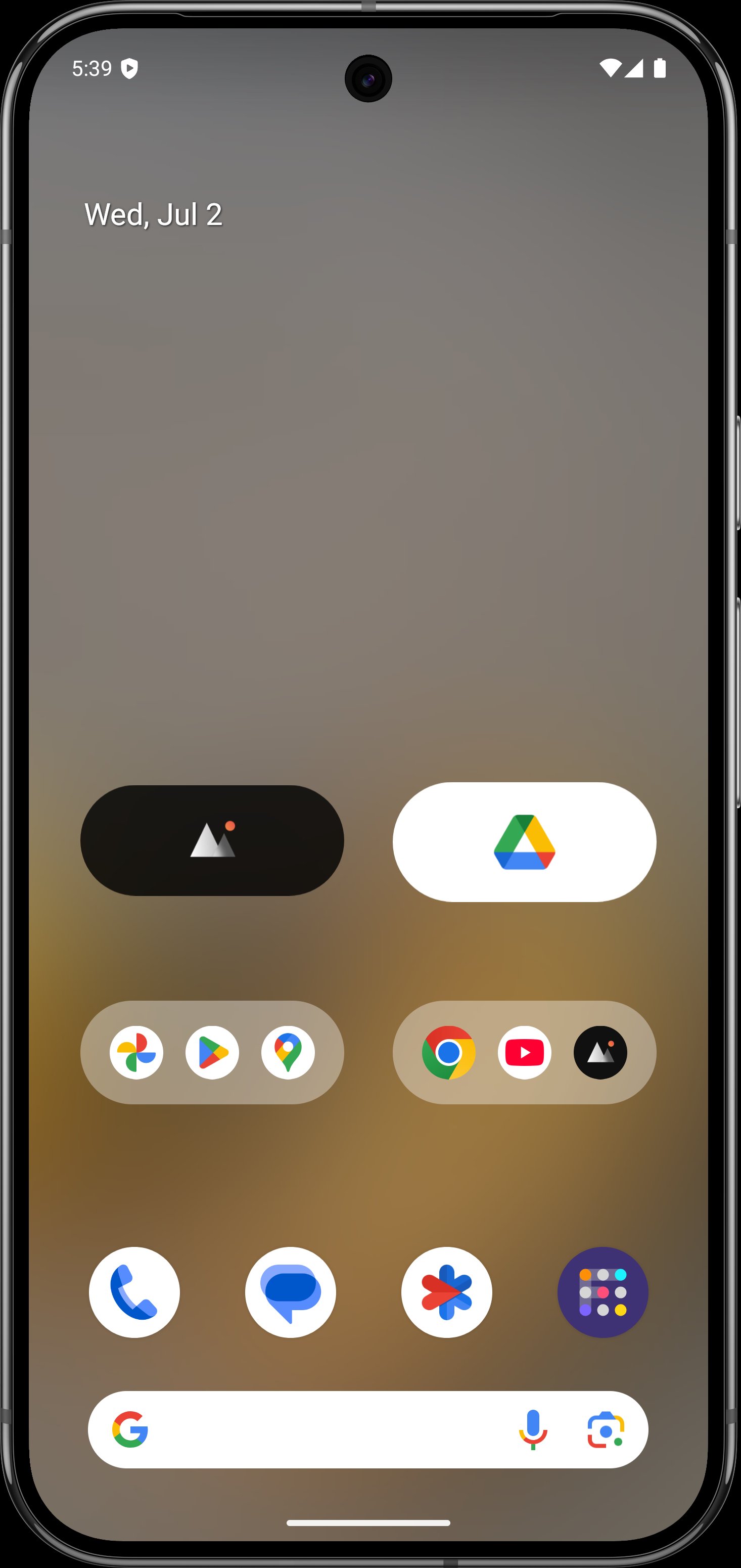
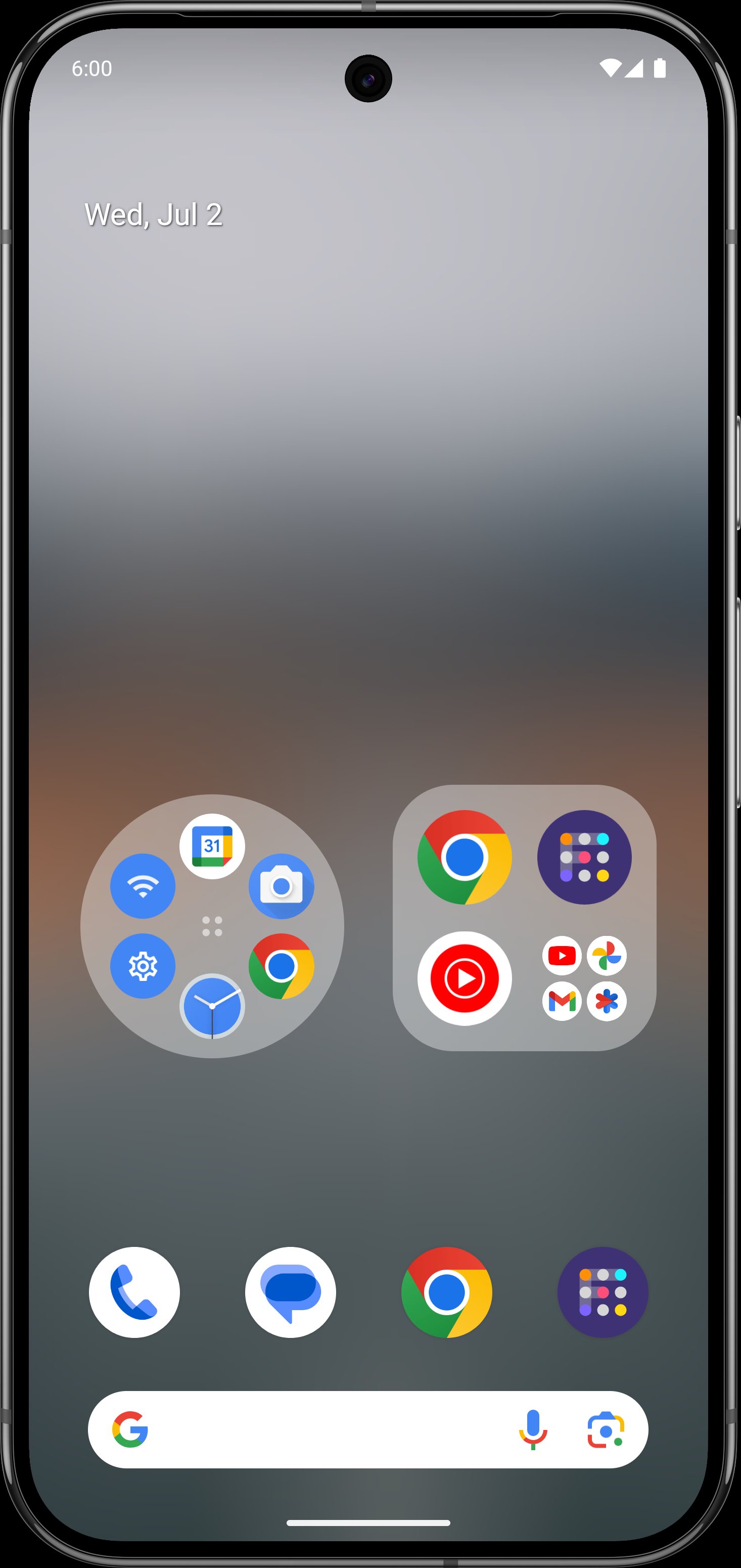
Large Folders makes your phone’s launcher home screen easy to navigate by organizing apps into one Large Folder or Large Icon and quickly accessing the corresponding app without even opening that app folder in the first place. You can enter the large folder with a touch on the lower right corner of the folder.
Features:
- Rich configuration options
- Support hiding folder name
- Support kind of shortcuts, such as quick system settings, in-app shortcuts, files, folders, web page, activities, accessibility shortcuts, custom schema, shell and popup widget
- Kind of folder widget struct type, 2x2, 3x3, 4x4, 3+4, 1x5, 2x3, 3x2, MxN(cutstom), MxN(Scroll), Circle and more
- Custom widget size, background color, radius, margins, paddings
- Custom folder name, text color, text size, text paddings
- Custom folder grid size and icon name visibility
- Support change notification dot number styles
- Vertical scrollable inside the folder box
- Adaptive icon shape
- Support icon pack and mask
- Auto-dark folder background
- Shadow option of folder name
Popup widget- Select one or more pop-up widgets to place in a large folder or icon on the home screen launcher
File/Folders - select the file or folder path as the quickest way to open it
Accessibility shortcuts - includes quick Home, Back, Recent, Power menu, Take screenshot(Android P+), One-key Lock screen(Android P+) and more
Activities- activity screen list of all installed apps
Web page - use any URL as a separate page that can be opened quickly
Schema - jump to a specific page using a more advanced schema
Shell - command execution
If you have any questions or suggestions, please contact me by email to hanks.xyz@gmail.com
معاينة
العلامات
إضفاء الطابع الشخصيمعلومة
مطور
automan
احدث اصدار
10.8.2
آخر تحديث
2026-02-23
فئة
إضفاء الطابع الشخصي
متاح على
Google Play
أظهر المزيد
كيف تلعب Folder Widget - Large Folders مع GameLoop على جهاز الكمبيوتر
1. قم بتنزيل GameLoop من الموقع الرسمي ، ثم قم بتشغيل ملف exe لتثبيت GameLoop.
2. افتح GameLoop وابحث عن "Folder Widget - Large Folders" ، وابحث عن Folder Widget - Large Folders في نتائج البحث وانقر على "تثبيت".
3. استمتع بلعب Folder Widget - Large Folders على GameLoop.
Minimum requirements
OS
Windows 8.1 64-bit or Windows 10 64-bit
GPU
GTX 1050
CPU
i3-8300
Memory
8GB RAM
Storage
1GB available space
Recommended requirements
OS
Windows 8.1 64-bit or Windows 10 64-bit
GPU
GTX 1050
CPU
i3-9320
Memory
16GB RAM
Storage
1GB available space